


7 trading tips for 70M: Pro traders share how to unlock Bybit’s full potential

Bybit has officially crossed the 70 million user mark — a major milestone that highlights its rise as one of the world’s leading crypto trading platforms. In celebration, we’ve compiled seven powerful tips from top traders to help you unlock Bybit’s full potential.
Key Takeaways:
Learn how to automate profits with Grid and DCA Bots.
Discover smart ways to earn passive income with your idle assets.
Understand how to trade like a pro with AI tools and copy trading.
1. Optimize profits with Grid Bot in sideways markets
“Bybit’s grid bot automated my profits during sideways markets, earning 5% weekly on BTC/USDT.”
Bybit’s Futures Grid Bot is ideal for sideways or range-bound markets, where prices oscillate between support and resistance. It automates "buy low, sell high" within a defined range — helping you capture profits from market volatility 24/7.
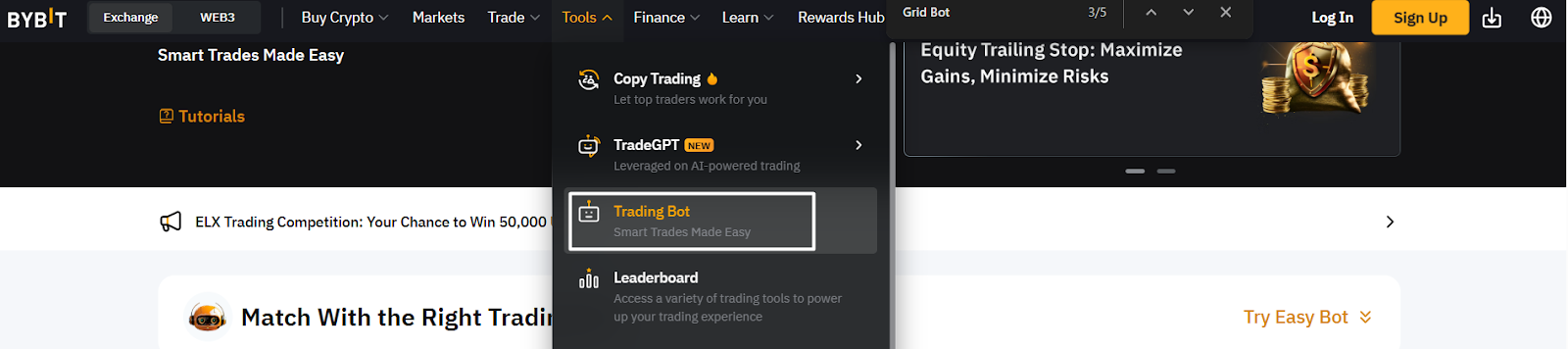
How to set it up:
Go to Tools > Trading Bot > Futures Grid Bot
Select a trading pair (e.g., BTC/USDT)
Choose Manual → Long, Short or Neutral, depending upon your market bias
Set your price range (e.g., $103,000–$107,000), number of grids (e.g., 10) and leverage (up to 50x)
Input investment amount and optional stop settings
Click on Copy bot parameters to trading page to finalize
Activate and monitor via the Bot Activity dashboard
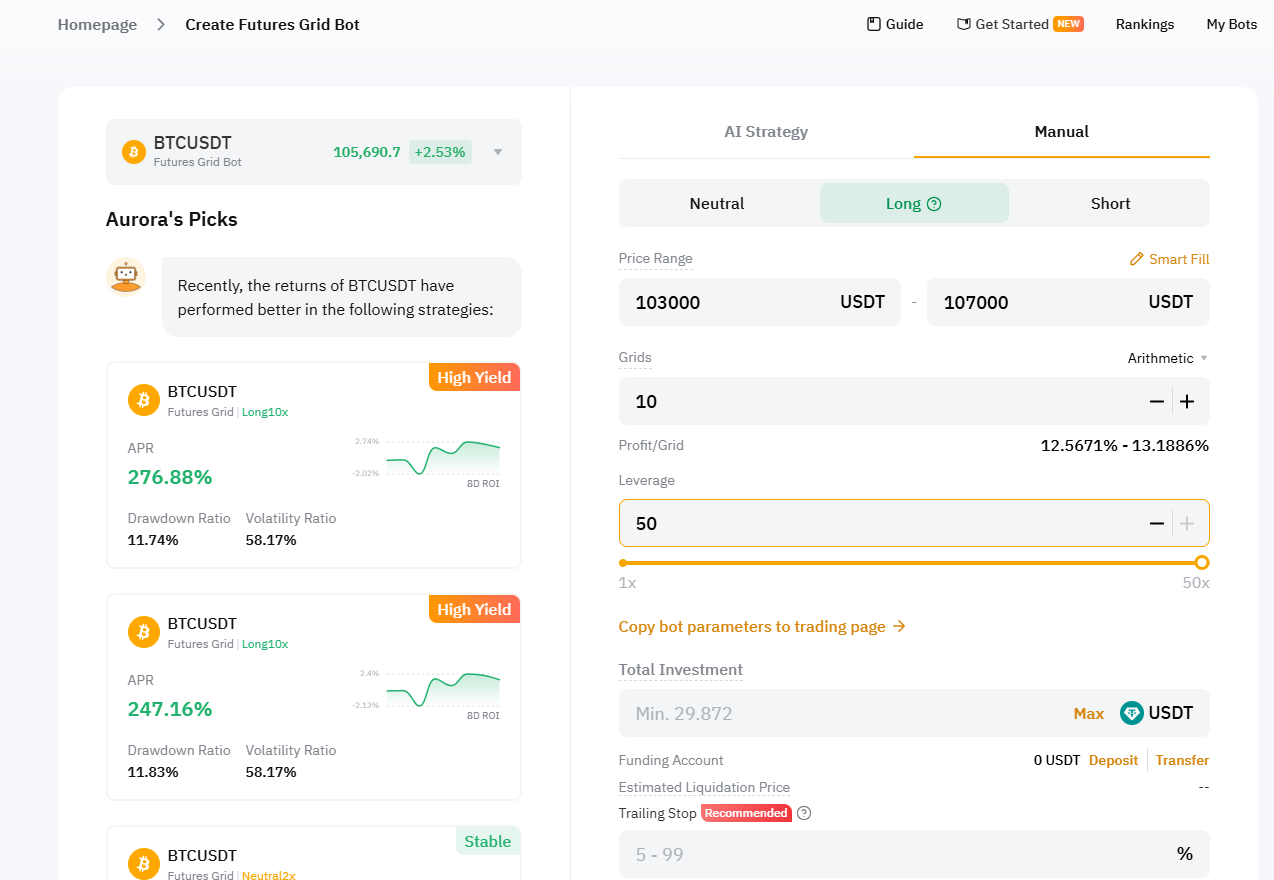
The screenshot example shows a BTC/USDT bot setup targeting approximately 13% profit per grid.
Set up your first Grid Bot now: Bybit Grid Bot
2. Customize TradingView charts for precision entries
“Adding Bollinger Bands to Bybit’s charts helped me nail a 10% ETH swing trade.”
Bybit’s integrated TradingView charts offer powerful tools to customize indicators, drawing setups and layouts — perfect for traders who want precise entries and exits.
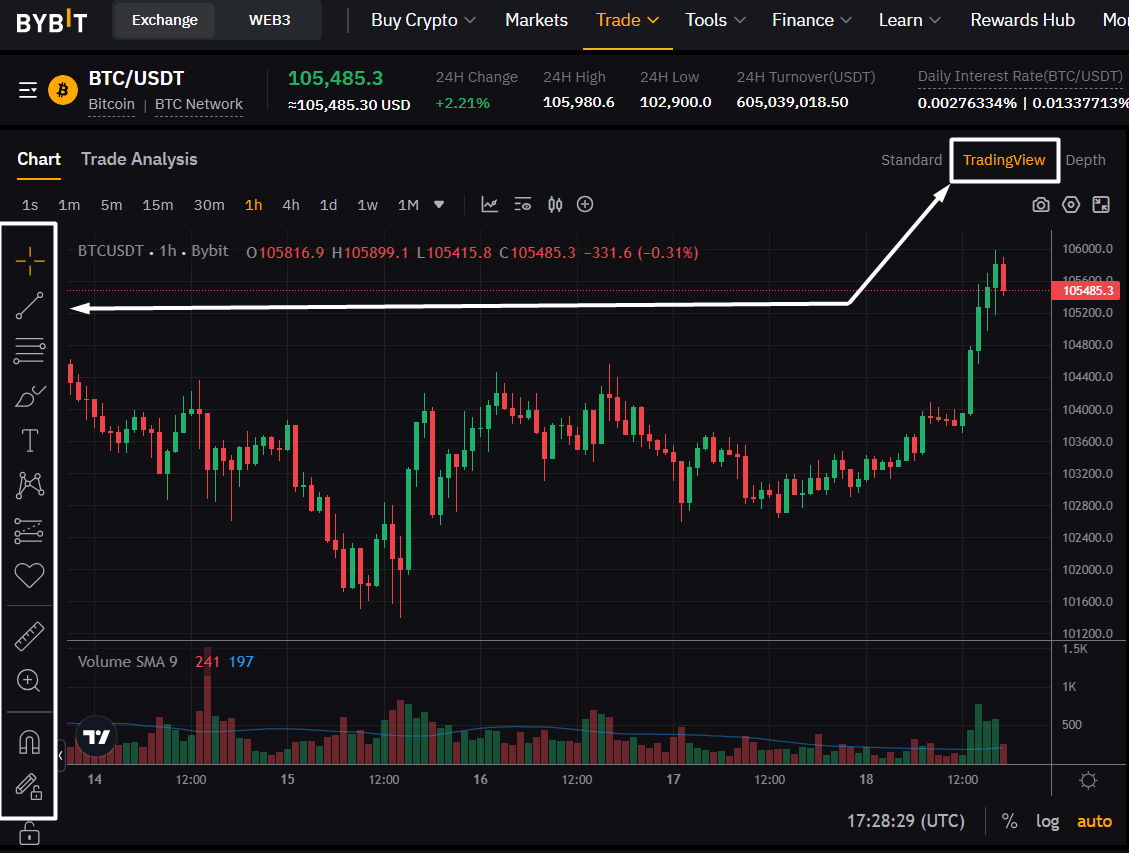
Step-by-step guide:
Navigate to Trade → TradingView
Click on the Indicators icon to add tools like RSI, BB or MACD
Use the Drawing Toolbar to map levels using Fibonacci Retracement
Click on the floppy disk icon to save your custom layout for future sessions
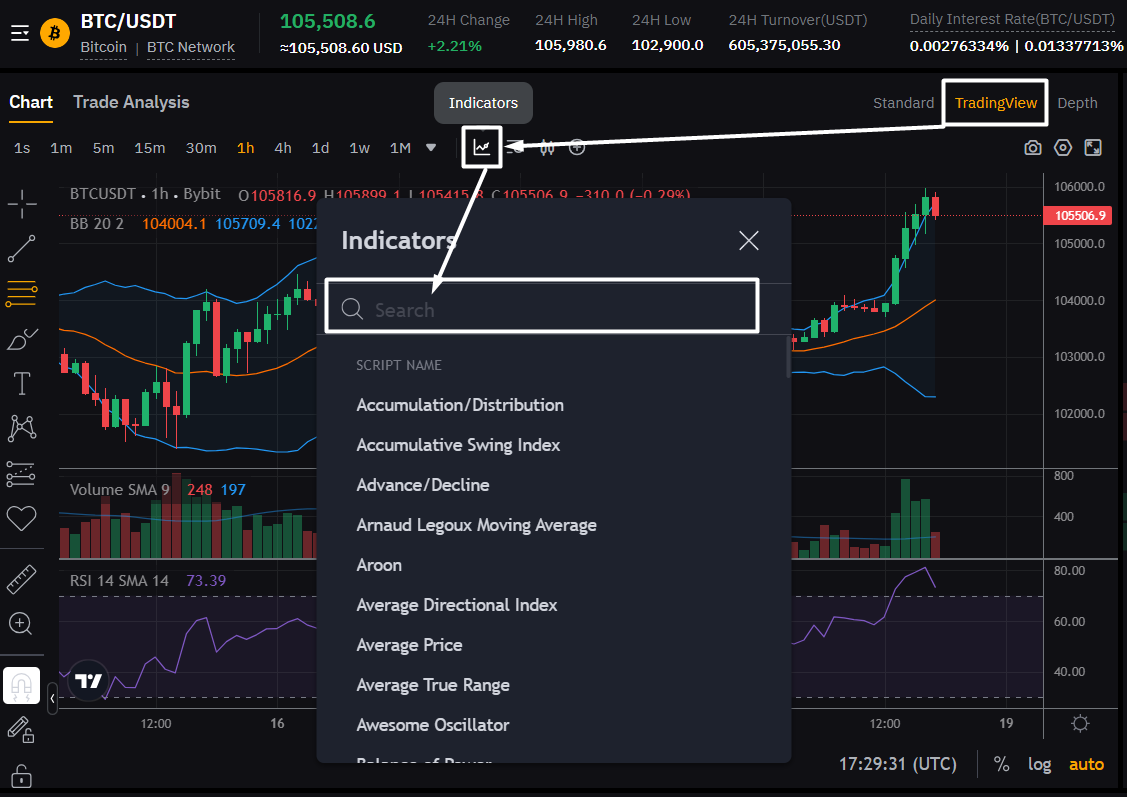
In the chart interface, switch to the TradingView tab (top right) for full access to professional-grade tools. To add indicators, click on the Indicators icon (as shown in the first screenshot) and search for popular tools like RSI, Bollinger Bands® or MACD.
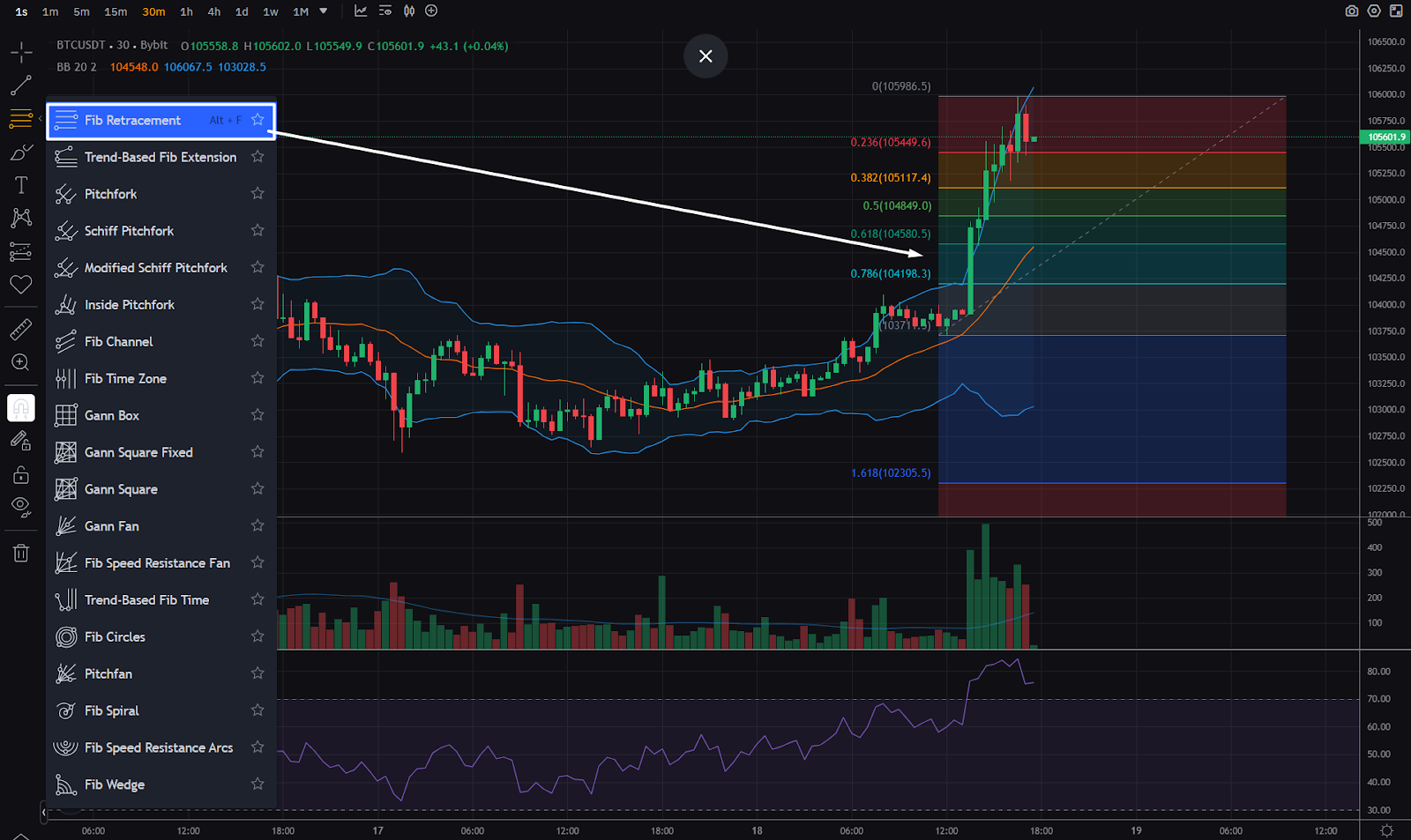
Use the left-hand drawing toolbar to overlay tools like Fib Retracement (screenshot 3) to map key price levels, ideal for swing entries and exits. You can also save your setup (top bar) for future use — perfect for staying consistent with your strategy. Create your custom chart setup now.
3. Use Bybit’s DCA Bot to average in volatile markets
“Bybit’s DCA bot averaged my BTC buys during a 15% drop, saving me from a bad entry.”
The Dollar-Cost Averaging (DCA) Bot helps long-term traders reduce entry risk during market swings by splitting investments across time intervals.
Instead of investing a lump sum, set your DCA Bot to buy crypto in recurring amounts (e.g., $1,000 weekly over five weeks), improving your average entry price and reducing exposure to short-term volatility.
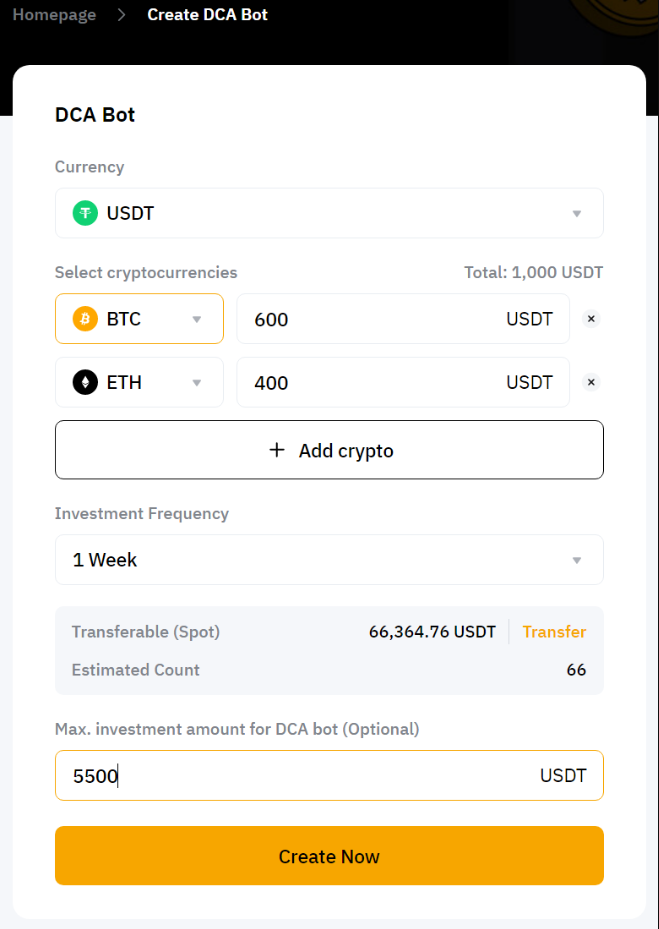
How to set it up:
Go to Tools → Trading Bot → DCA Bot
Choose your asset(s), such as BTC and ETH
Set fixed investment per interval (e.g., $500 weekly)
Optional: Set a maximum investment cap
Activate the bot and track performance via the dashboard
Try the DCA Bot and average smarter.
4. Earn passive income with Auto-Savings
“Bybit’s Auto Savings earned me 4% APY on my idle USDT in my Bybit Card account, letting me earn without effort.”
Got idle assets? Bybit’s Auto-Savings feature puts them to work by automatically allocating them to Flexible Savings plans to help you earn daily yield with no lock-in.
Here’s how to enable it:
Go to Finance → Earn → Bybit Savings
Click on Manage Coins under Auto-Savings
Select eligible assets (e.g., USDT, BTC)
Enable Auto-Savings, and set a minimum balance (e.g., $100)
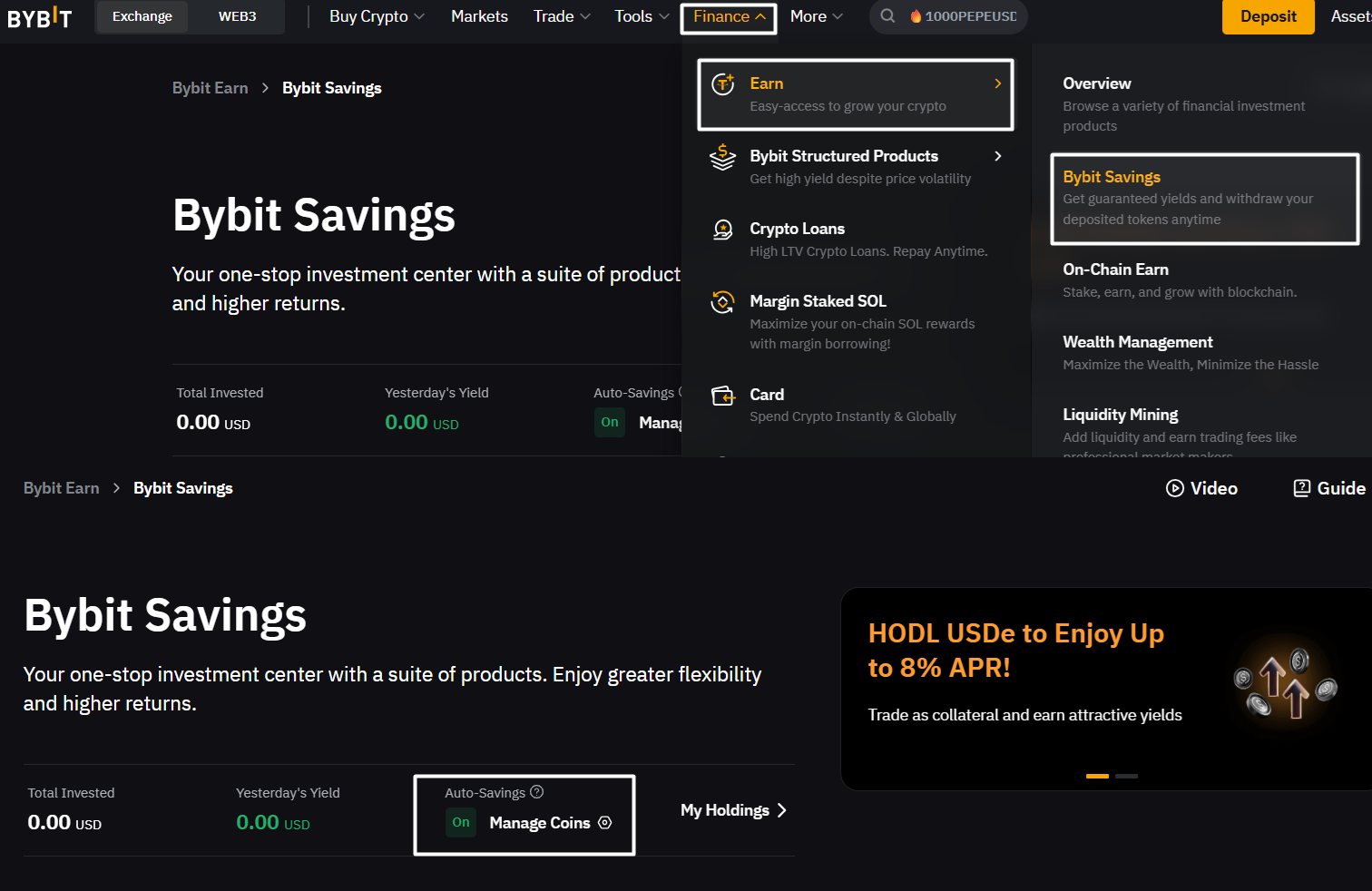
The platform handles the rest, paying out daily yield that you can monitor and redeem at any time. Turn on Auto-Savings and let your crypto earn for you while you sleep. Check out our Help Centre article for more information.
5. Leverage top traders with Copy Trading
“Copying a Bybit master trader earned me 8% on SOL without analyzing charts.”
Bybit’s Copy Trading lets you mirror trades from top-performing pros. Whether you’re a beginning or busy investor, this tool allows you to benefit from proven strategies without manually executing trades.
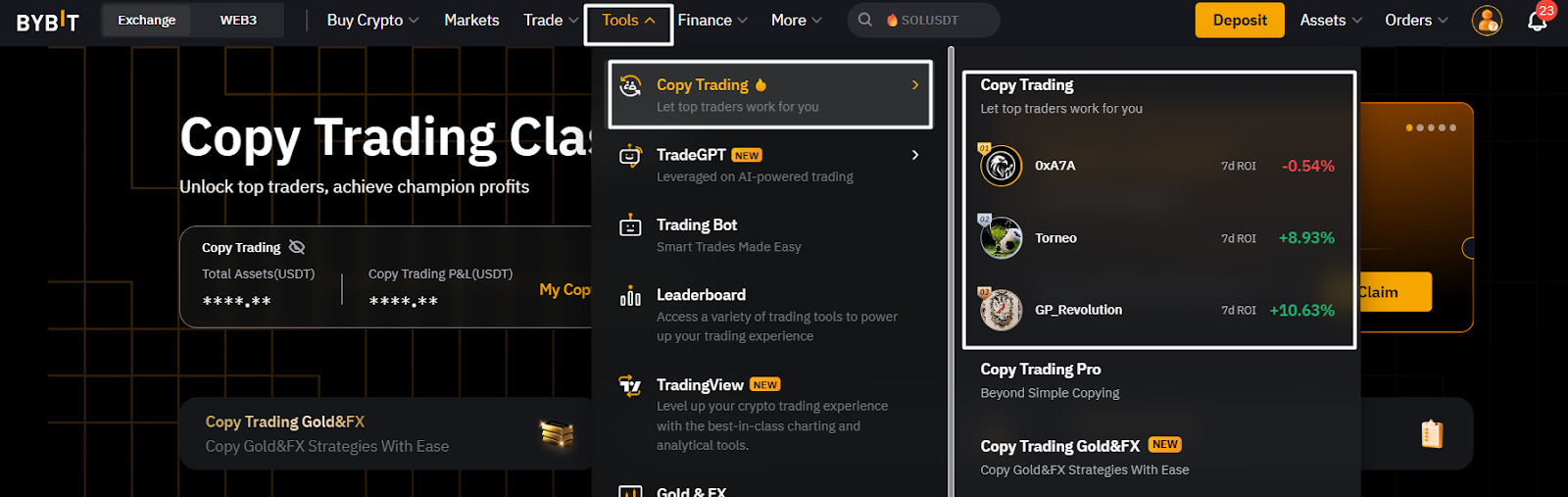
How to get started:
Go to Tools → Copy Trading
Browse and filter traders by ROI, risk or win rate
View their Master Traders’ trading histories, and select a profile
Allocate capital (e.g., $200) and set stop-loss (e.g., 20%)
Monitor all trades via the Copy Trading dashboard
Follow top traders and start Copy Trading on Bybit now.
6. Capture profits with Spread Trading
“Bybit’s Spread Trading lets me lock in a profit by arbitraging BTC futures spreads in one click.”
Bybit’s Spread Trading lets you profit from price differences between contracts with atomic execution, ensuring both legs are filled simultaneously. Ideal for hedging and arbitrage, traders can enter spreads across Spot, Perpetual and Expiration contracts for BTC, ETH and SOL.
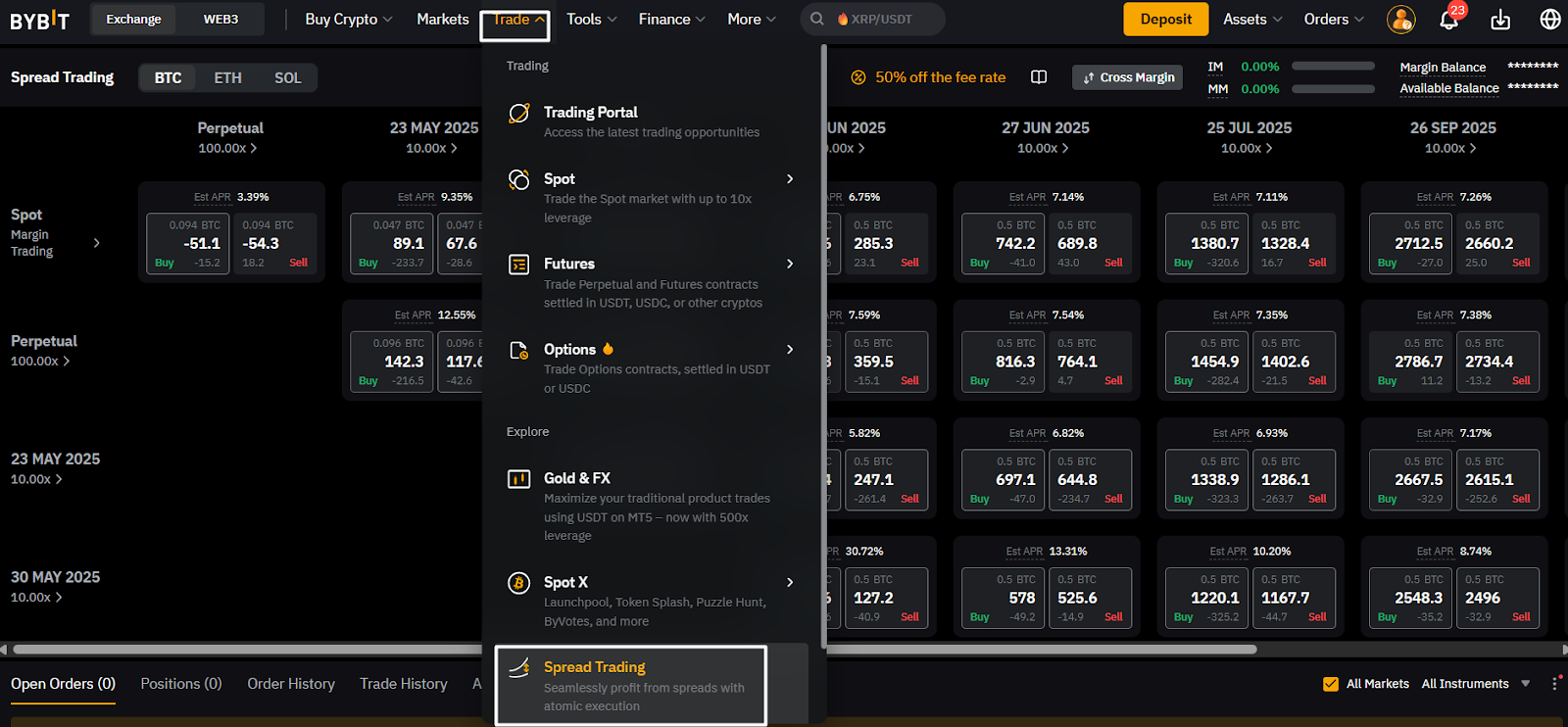
How to use it:
Navigate to Trade → Spread Trading
Select an asset, such as BTC, ETH or SOL
Select a spread combo: • Expiration & Expiration • Expiration & Perpetual • Expiration & Spot • Perpetual & Spot
Place the spread trade and monitor the position
Try Spread Trading to capture low-risk arbitrage opportunities.
7. Boost research with Bybit’s AI tool — Lens
“Bybit’s AI Lens tool saved me so much time when researching new crypto projects. It is now my daily go-to tool.”
Lens is Bybit’s AI-powered analytics tool that helps traders conduct smarter research. It delivers real-time sentiment, project metrics and token insights — saving you hours of manual effort.
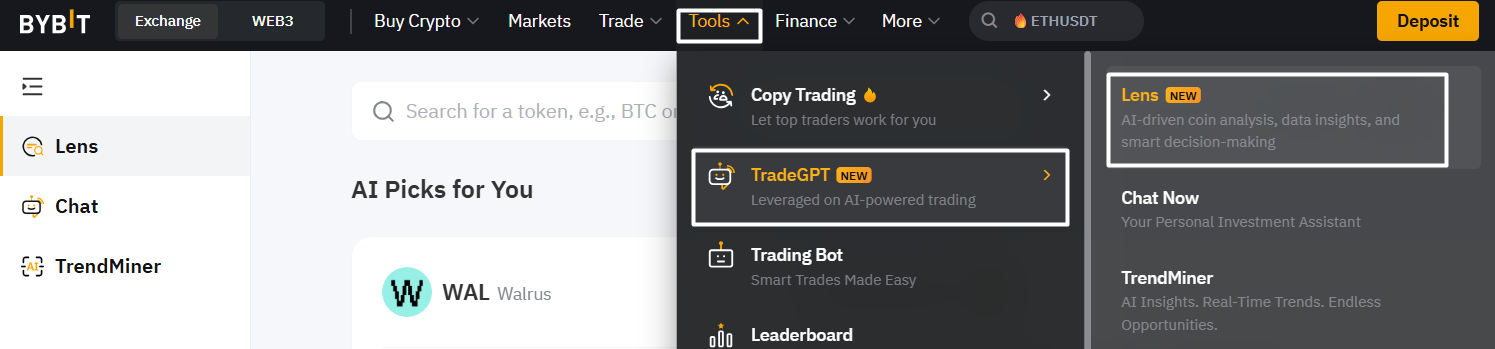
How to use it:
Go to Tools → TradeGPT → Lens
Search for a coin or explore trending projects
Use Lens data to validate entries or uncover opportunities
Uncover trade ideas and analyze sentiment in real time with Lens now!
Join Bybit’s 70M celebration and elevate your trading experience now
Bybit’s 70M milestone is just the beginning. With bots, AI tools, pro trader access and powerful analytics, you’re equipped to trade smarter and earn more.
From now through Jun 4, 2025, join our 70M & Rising event to win from a total prize pool of 140,000 USDT. Simply trade, deposit, or refer others to claim at least 7 USDT in rewards. Learn more about the event here.
#LearnWithBybit
