


How to create a Bybit India account (step-by-step)

Getting started with crypto is often less about choosing the right coin and more about choosing the right platform. For many beginners, the hardest part is that first step: finding a place that feels stable, structured and built for long-term use. With exchanges constantly evolving and regulations shifting, it’s natural to hesitate before clicking on the Sign up button.
Bybit’s journey helps simplify that decision. It didn’t begin as a massive global platform. Over the years, it grew steadily from a trading-focused product into a broader ecosystem supporting web3 tools, secure wallets, learning resources and advanced trading features. Along the way, it crossed major milestones, expanded across continents and onboarded more than 78 million users worldwide.
This guide will walk you through how to create your Bybit account step-by-step, from registering your email or phone number to completing identity verification, so you can start with clarity, accuracy and confidence.

How to create a Bybit India account
Opening a Bybit India account is the foundation for accessing crypto trading within a regulated and secure setup. It connects your identity to the platform, verifies your details per Indian compliance rules and prepares your profile for smooth transactions. Setting it up correctly will ensure your trading experience begins on a trusted and protected basis.
Sign up via the Bybit India app
Step 1: Download the Bybit App from the iOS App Store or Google Play Store.
Step 2: Open the app and tap on the Sign up button on the welcome screen.
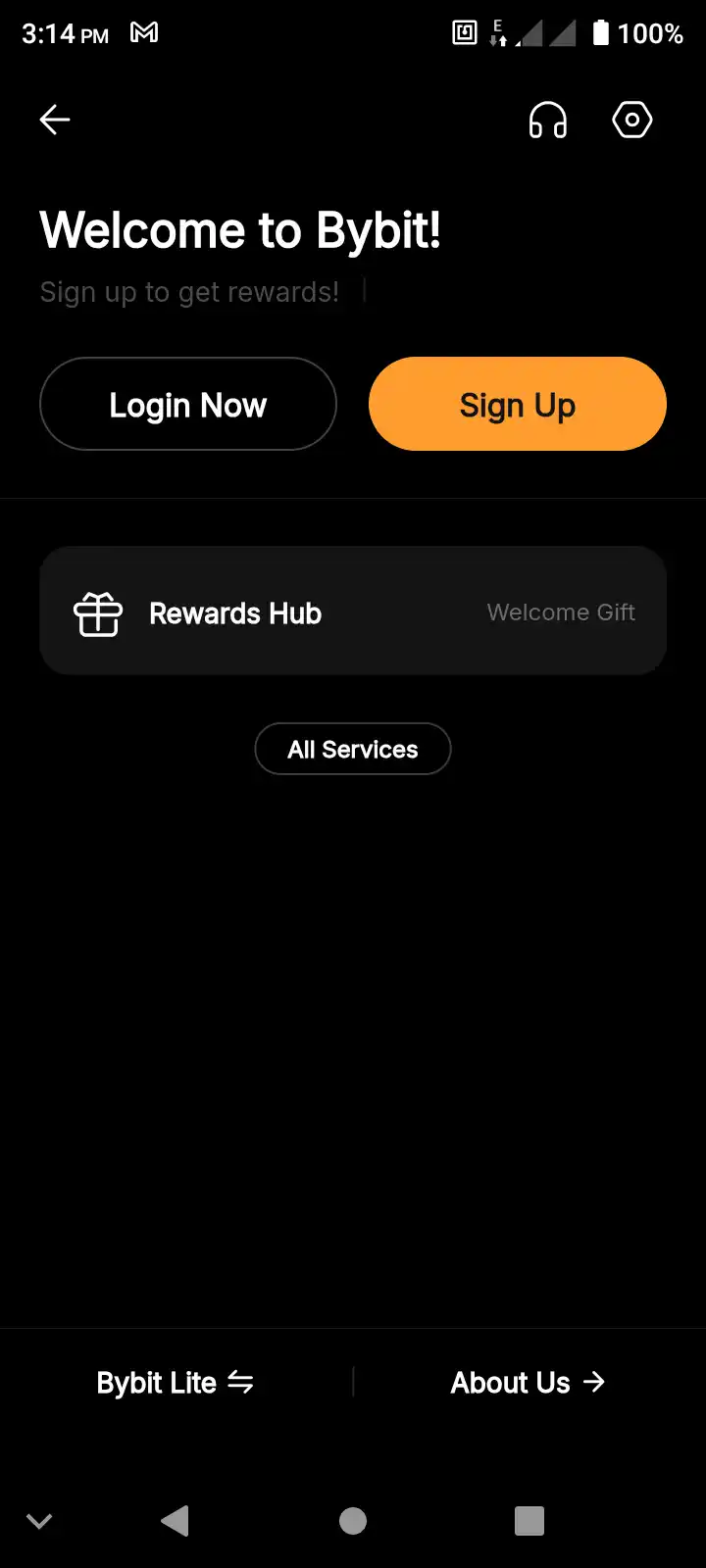
Step 3: Select your country of residence. (If Bybit services aren’t available in your country, you’ll receive a notification and won’t be able to continue.) Then, click on the Create Account button.
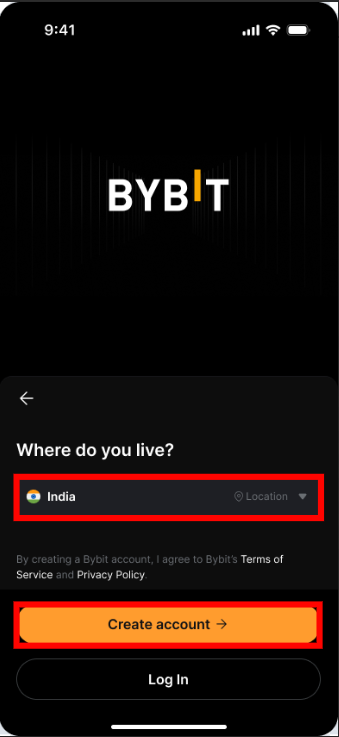
Step 4: Enter your email address or phone number, then tap on the Sign up button.
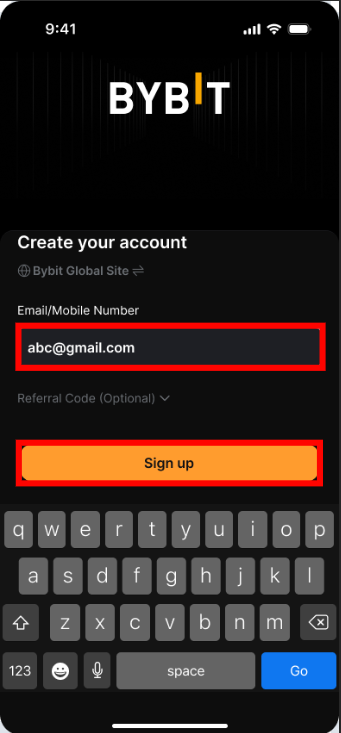
Note: The Referral Code field is optional. |
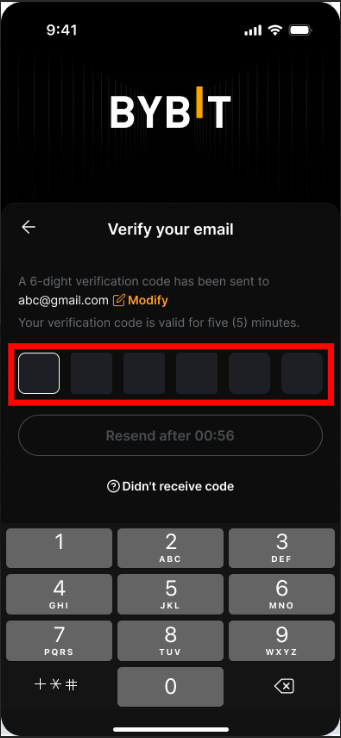
Step 5: Enter the verification code sent to your email or phone. If you’re using email, check your spam or junk folder.
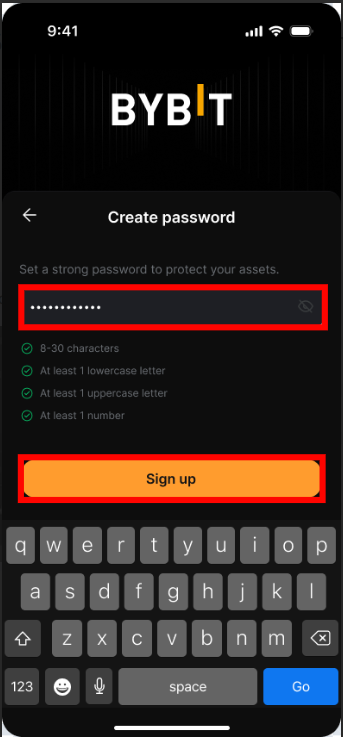
Step 6: Enter a strong password (8–30 characters) with at least one uppercase letter, one lowercase letter and one number. Then click on the Sign up button.
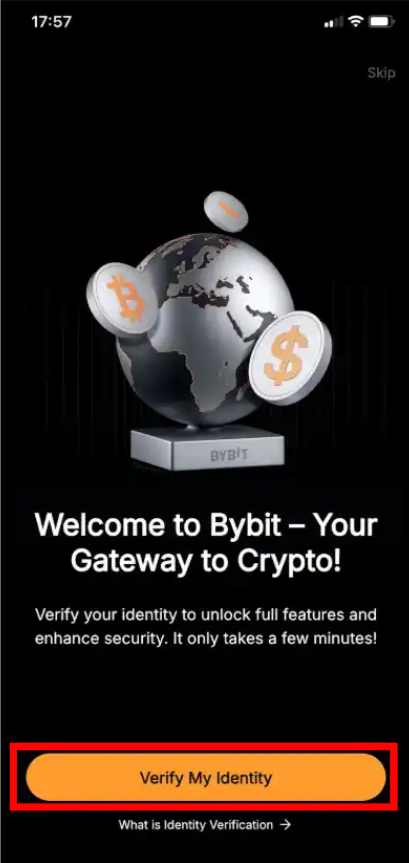
Step 7: Tap on Verify My Identity, and follow the instructions to complete Identity Verification.
Sign up via the Bybit India website
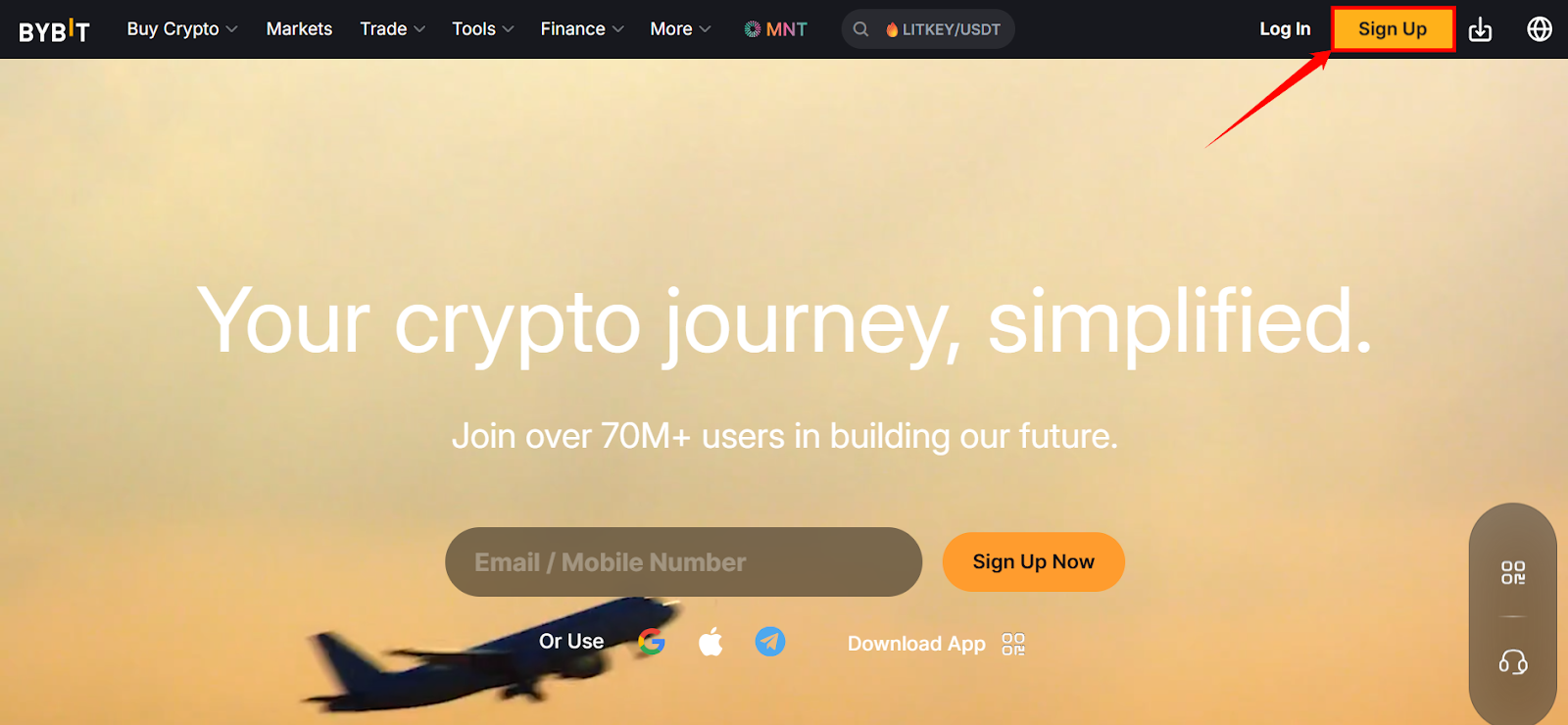
Step 1: Visit the Bybit website and click on Sign up in the top-right corner of the screen.
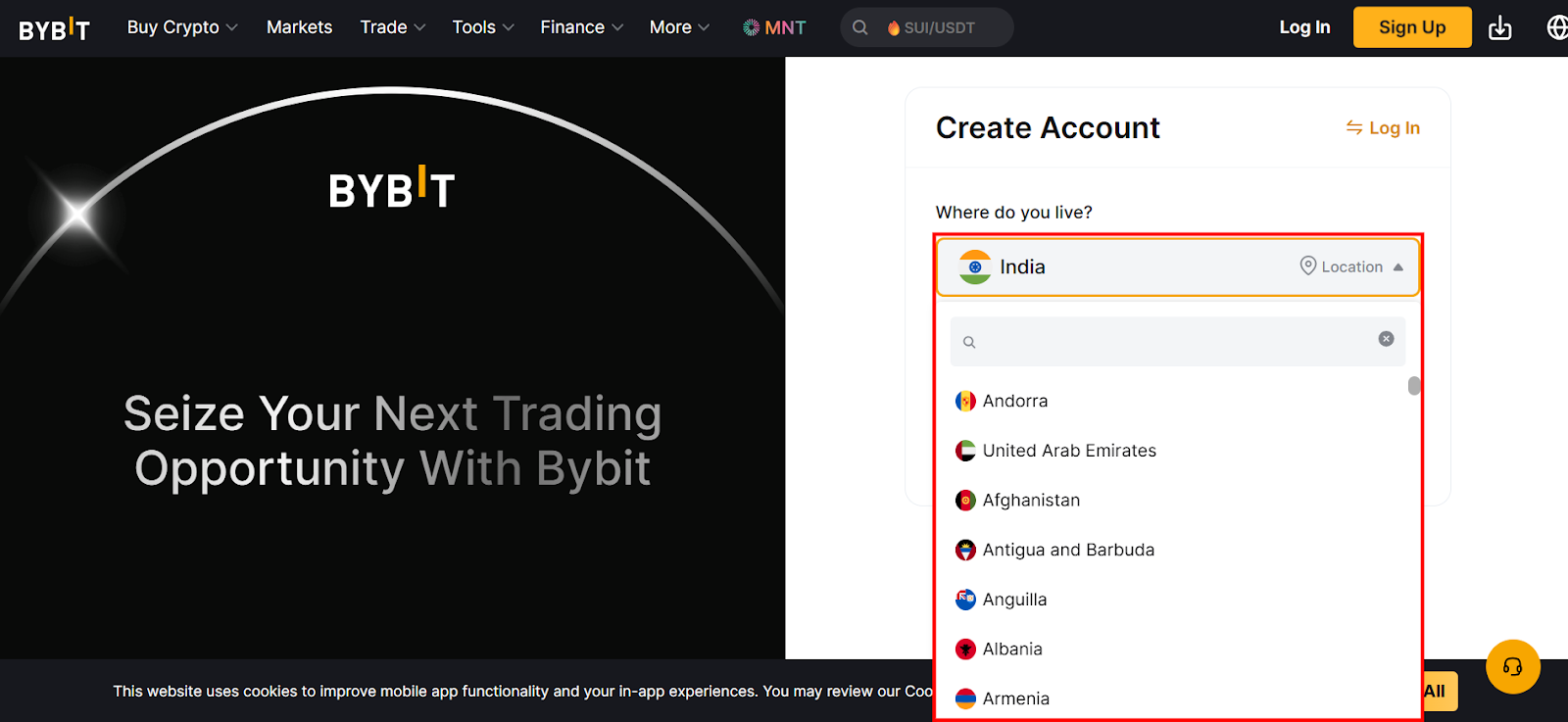
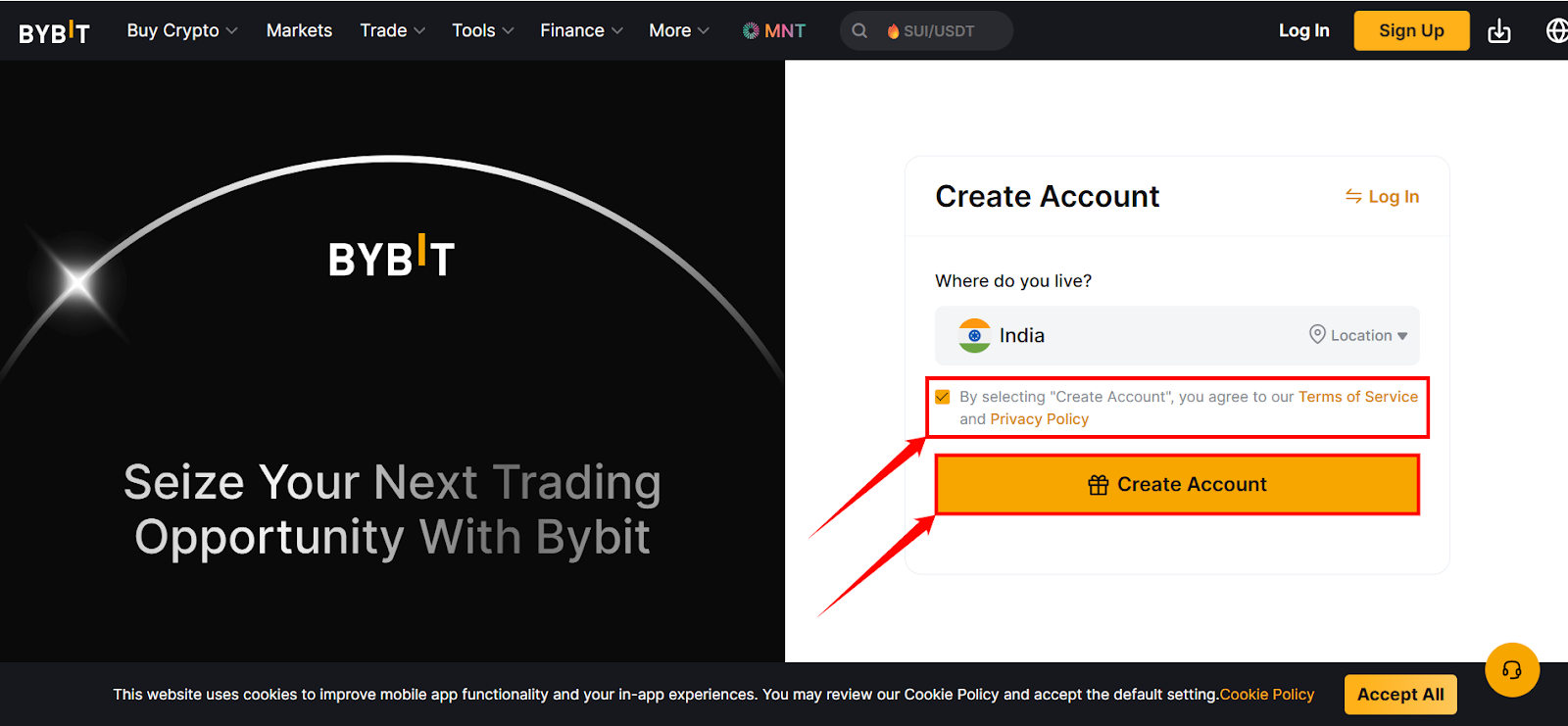
Step 2: The account creation screen will open. Click on the country in the drop-down menu, and select India.
Step 3: After selecting India as your country of residence, click on the Terms & Conditions checkbox, then click on Create Account.
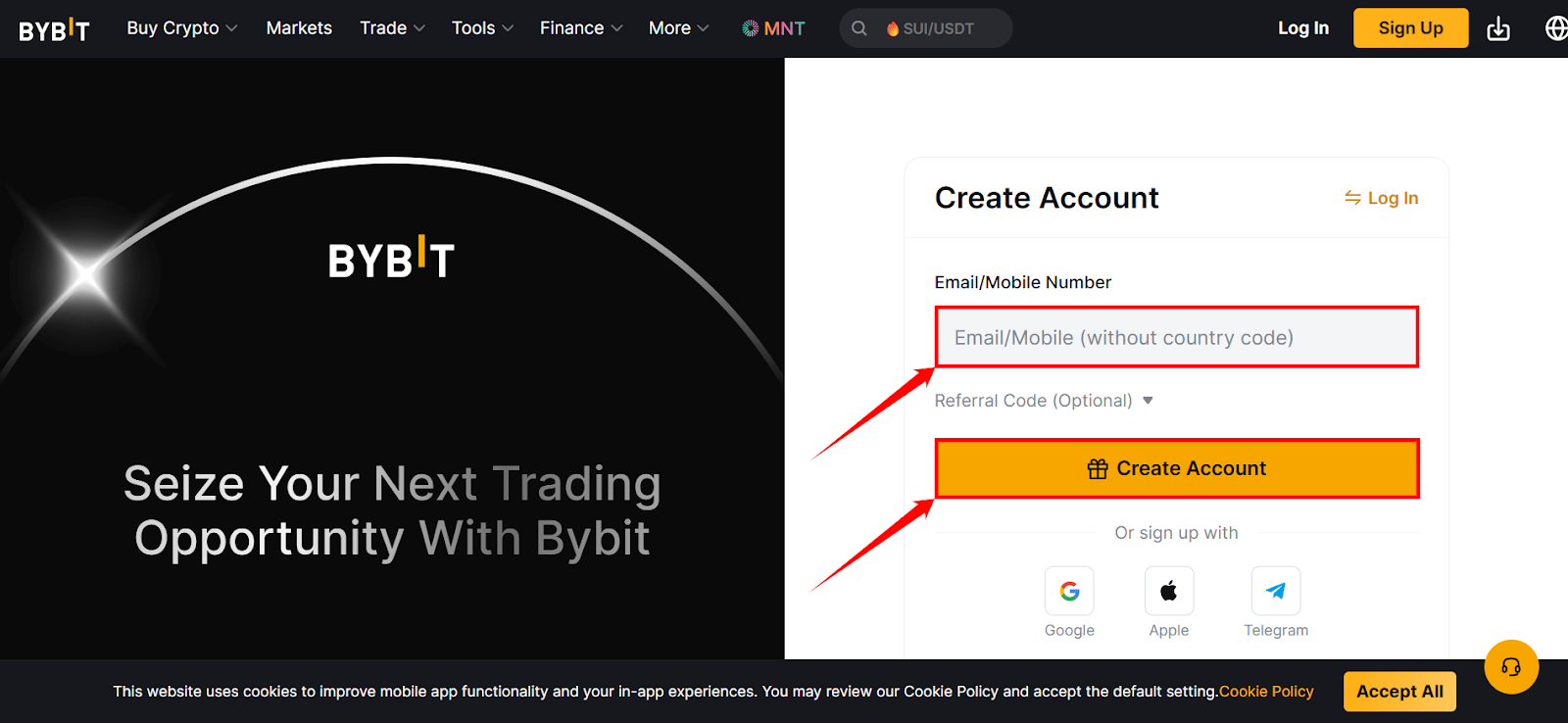
Step 4: A new window will open where you need to enter your email address and phone number. Then, click on Create Account. In this example, we’ve entered a phone number.
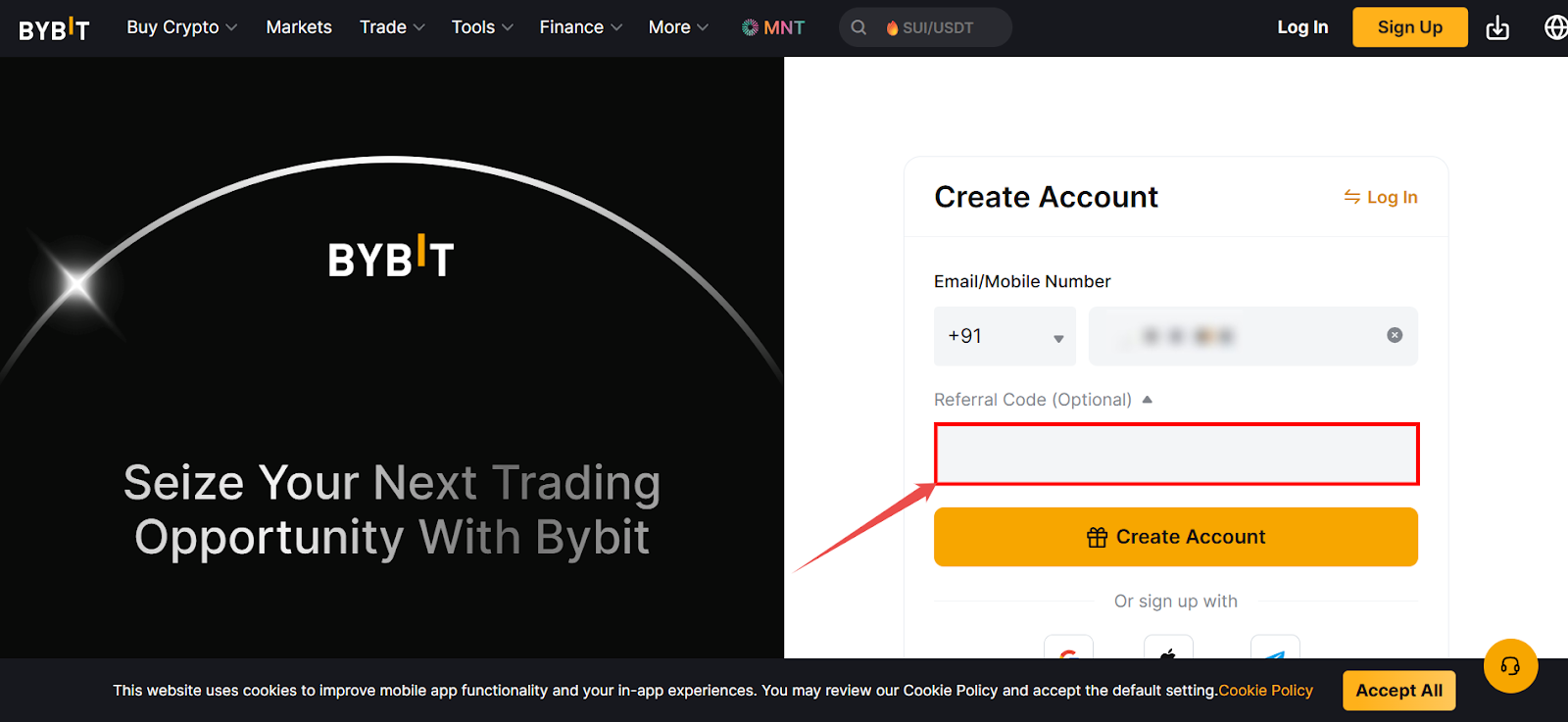
Note: If you have a referral code, click on Referral Code (optional) in the drop-down menu, and enter the code in the blank space. |
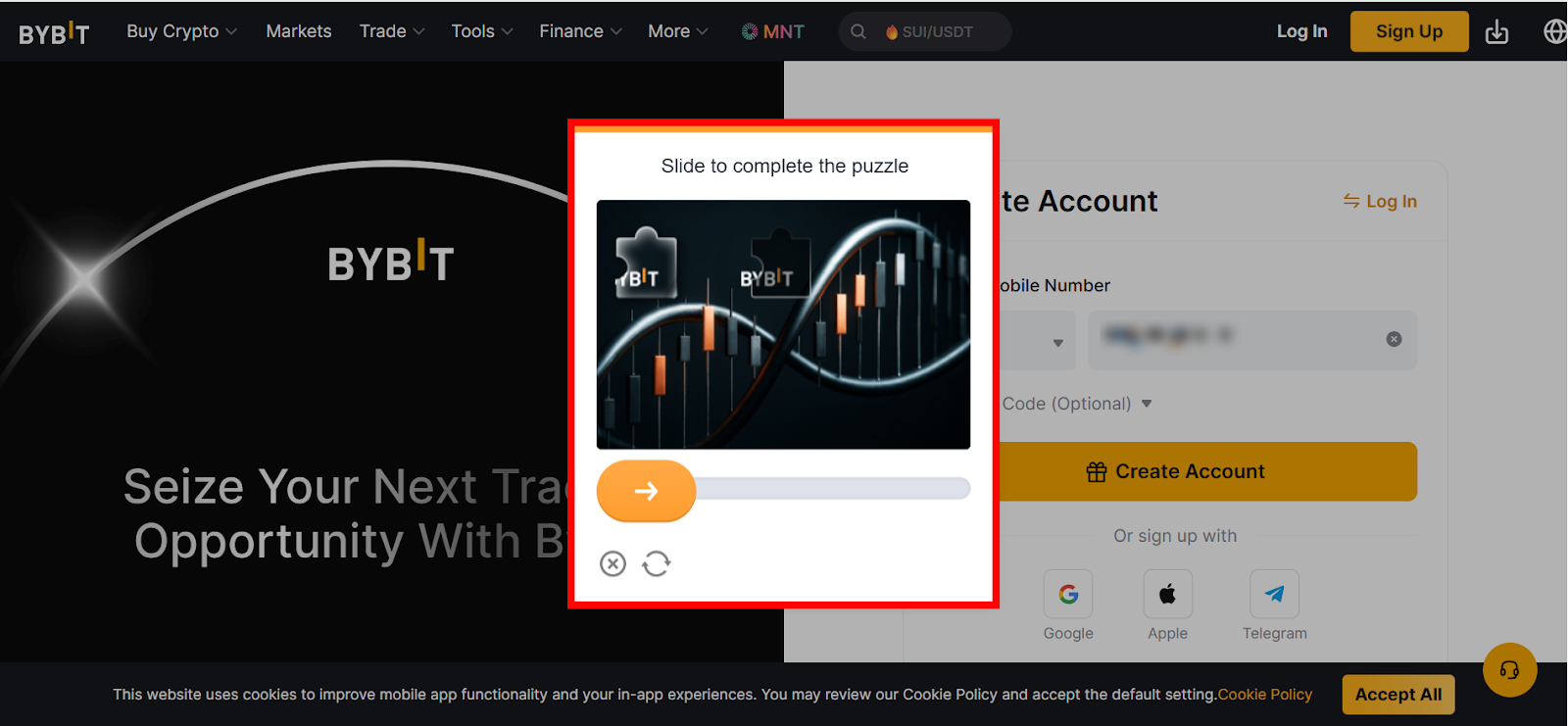
Step 5: After clicking on the Create Account button, a captcha modal will appear. Drag the orange circular slider to the right so the puzzle piece lines up with the missing gap in the image.
Step 6: Enter the OTP sent to the phone number you provided in Step 4.
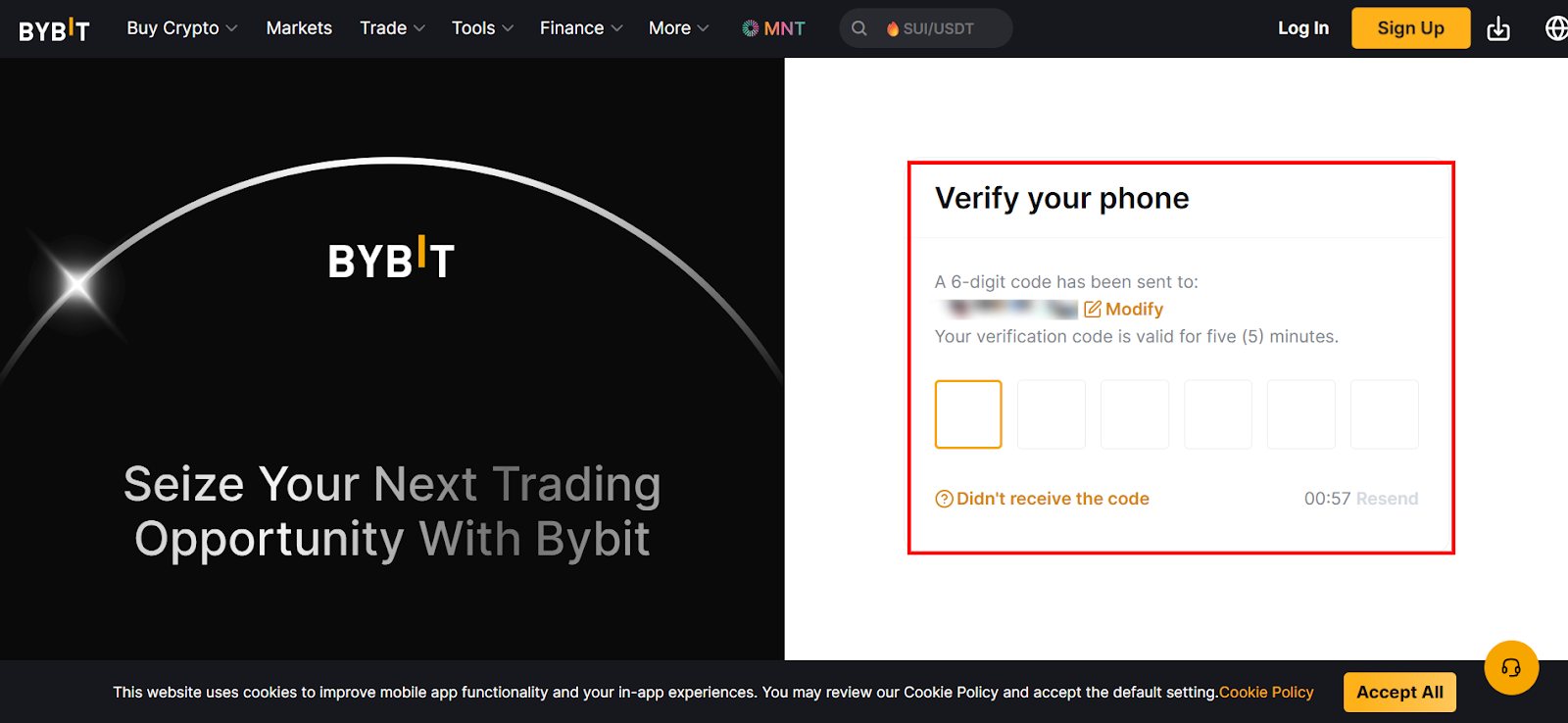
Step 7: After entering the OTP, create a password between 8–30 characters in length. It must include at least one uppercase letter, one lowercase letter and one number.
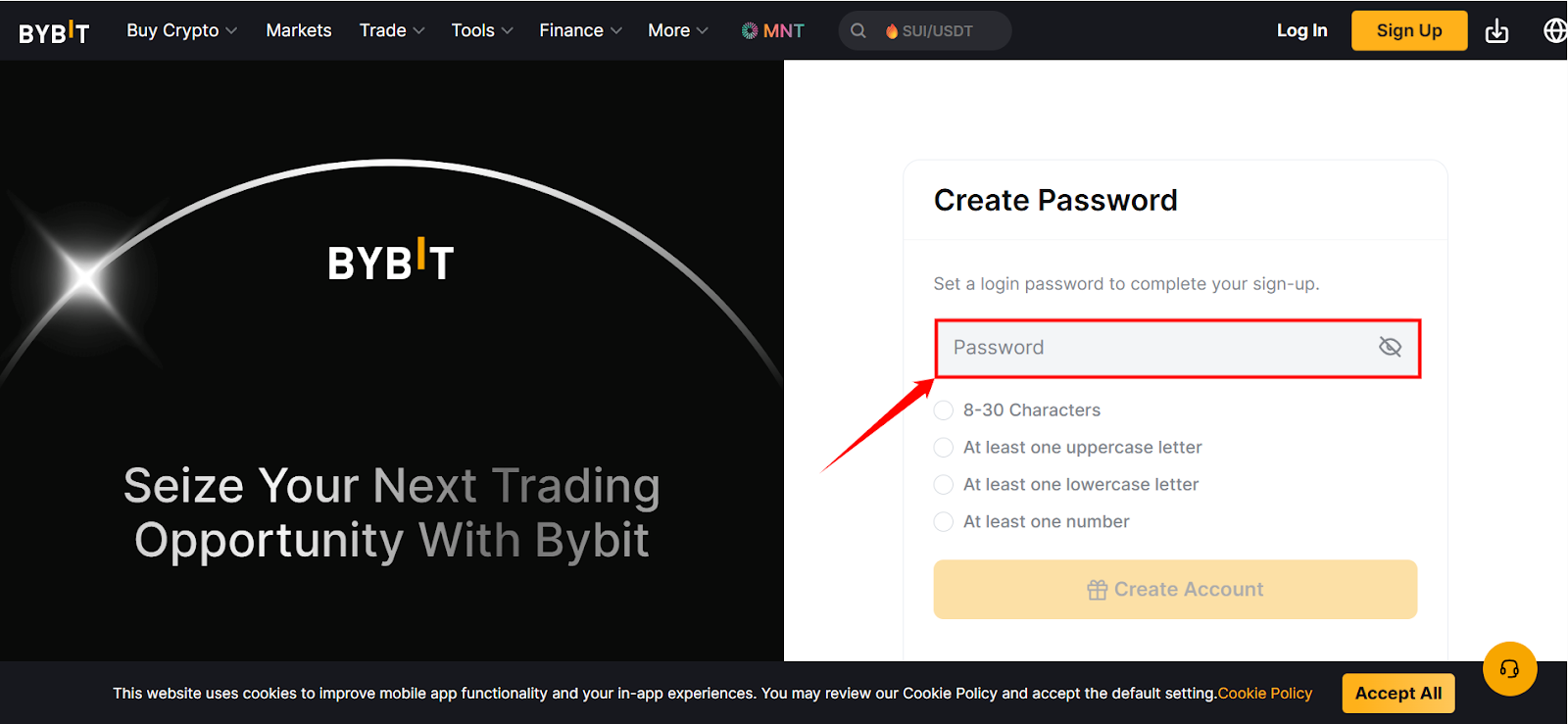
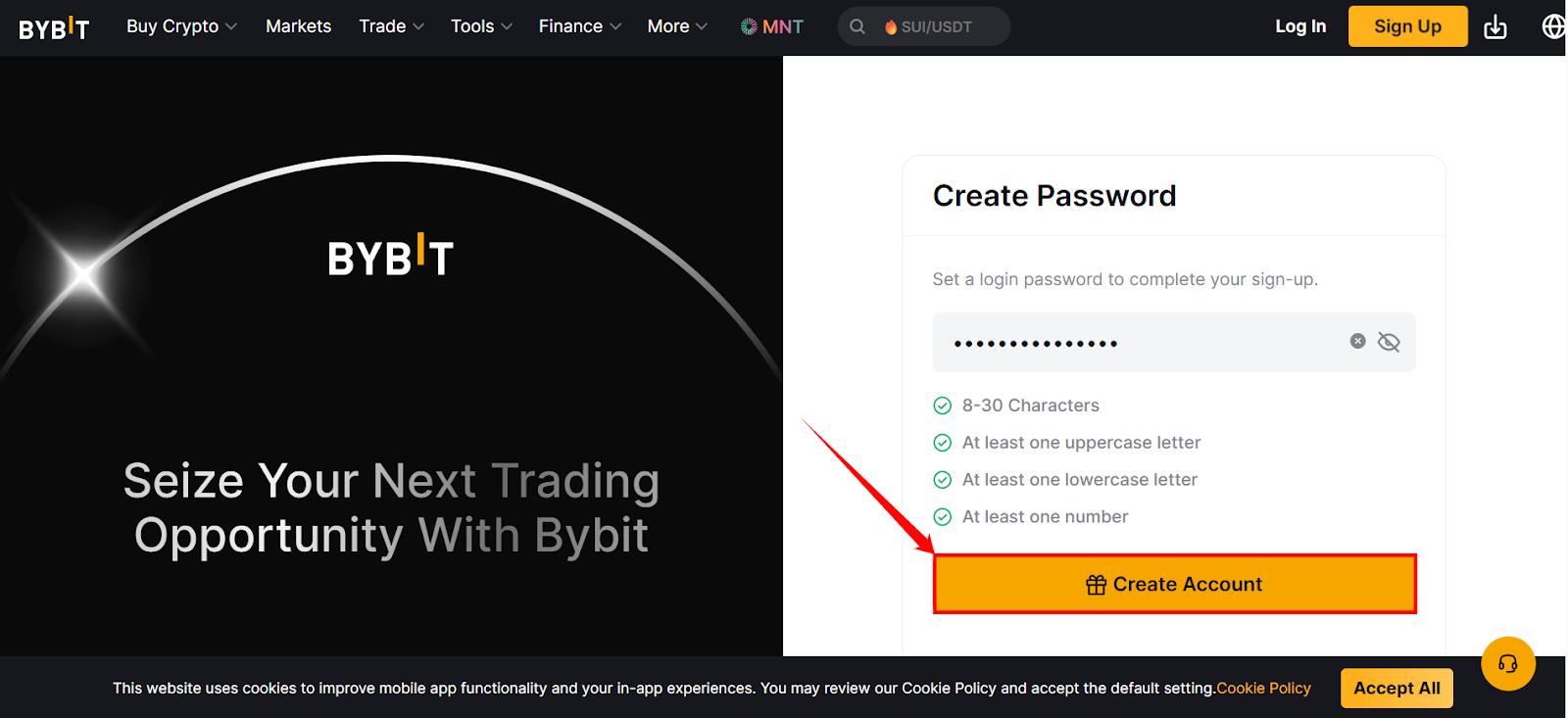
Step 8: After entering the password, click on the Create Account button.
Step 9: Your Bybit dashboard will open. Here you can view and manage your portfolio, trade crypto assets, access trading tools, track orders and positions, review market data and manage deposits, withdrawals and settings.
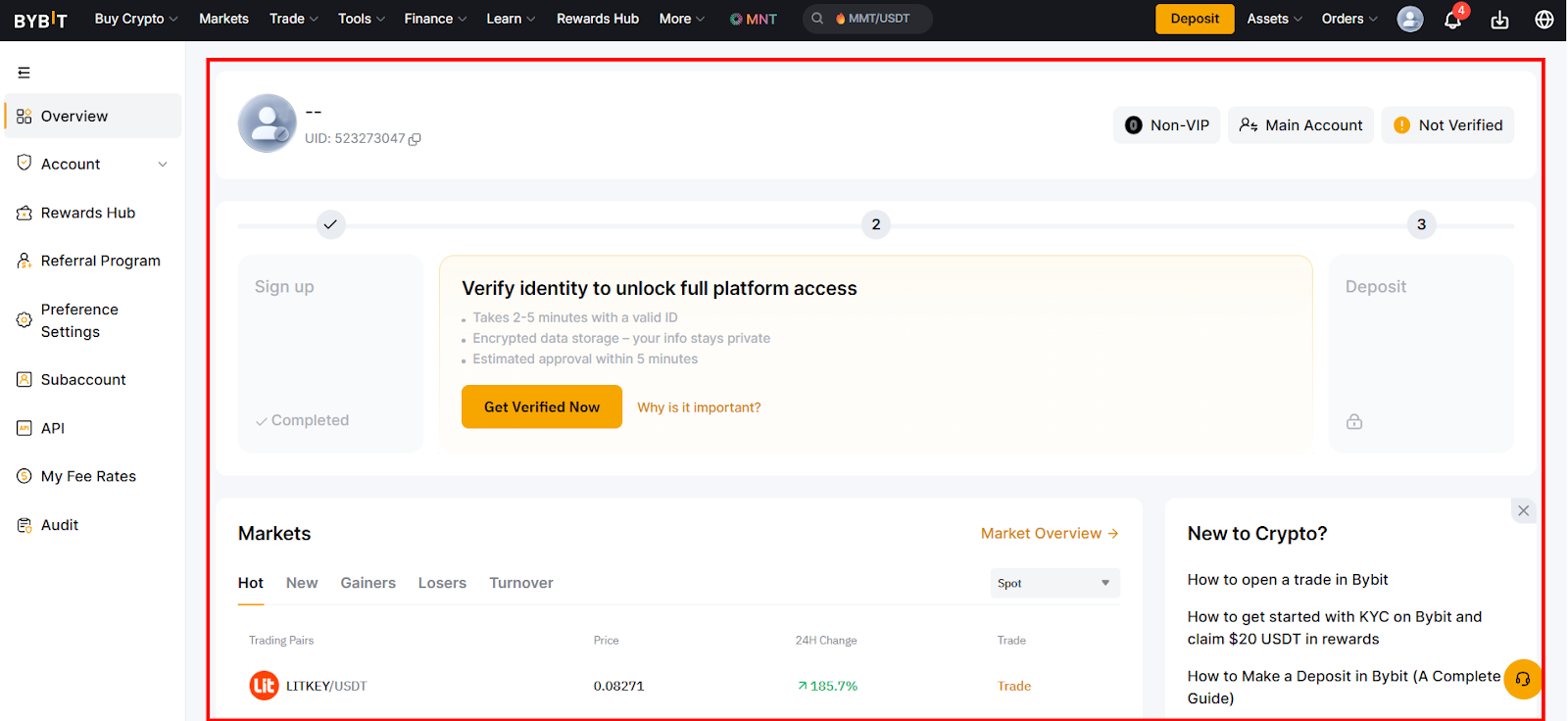
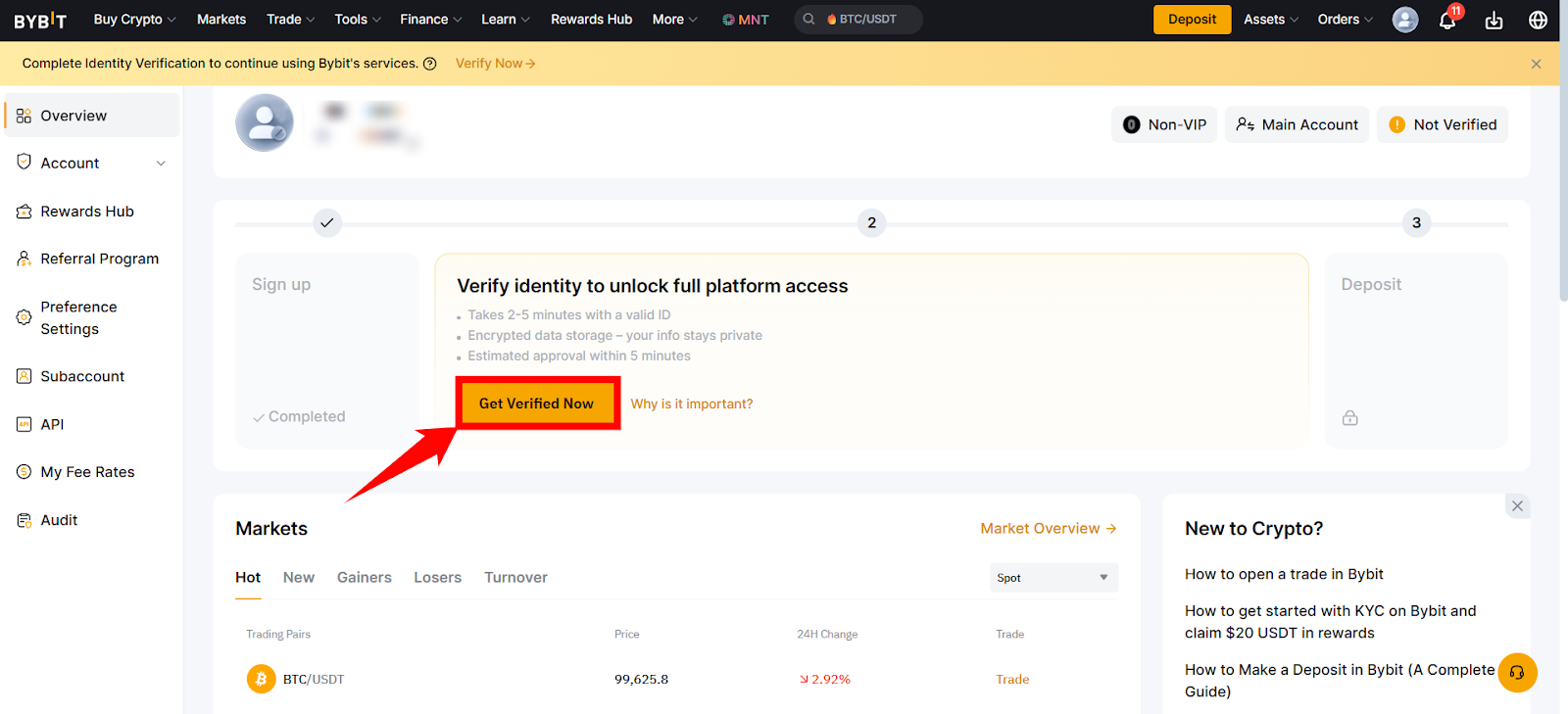
Step 10: For KYC verification, click on Get Verified Now, located in the center of the screen.
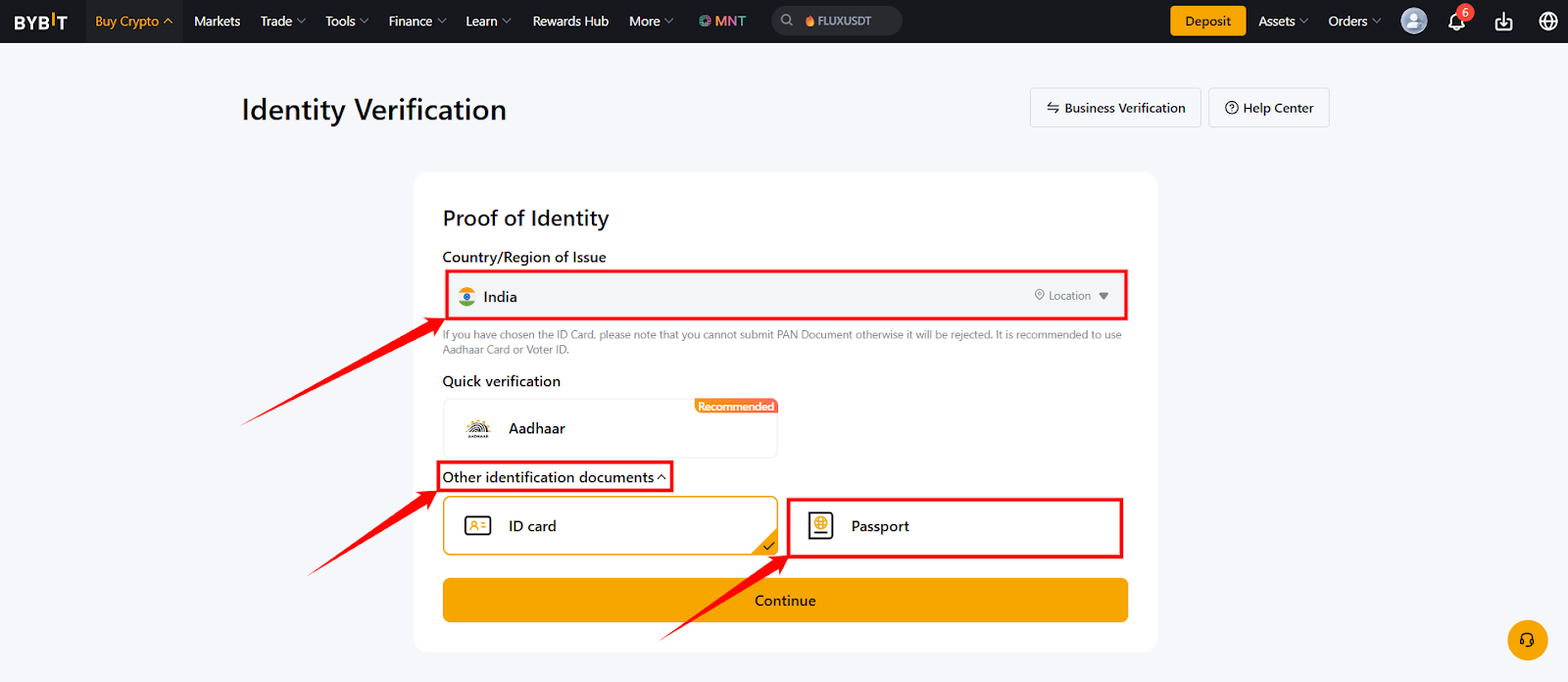
Step 11: A new screen will open with India already selected as the Country/Region of Issue and document verification option. Set the country of issue as India itself, click on the Other Identification Documents drop-down menu and choose the Passport option.
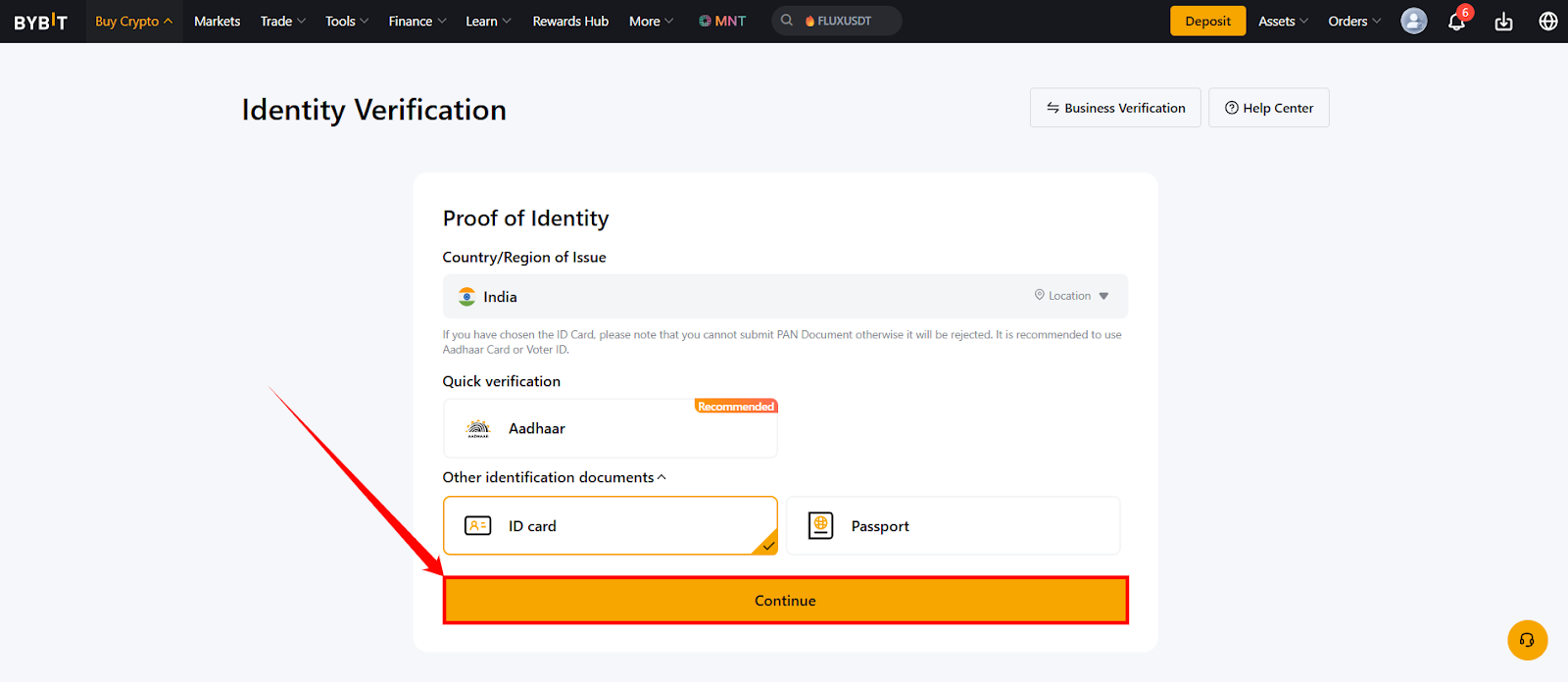
Step 12: Click on the Continue button at the bottom of the page and follow the corresponding steps on the screen.
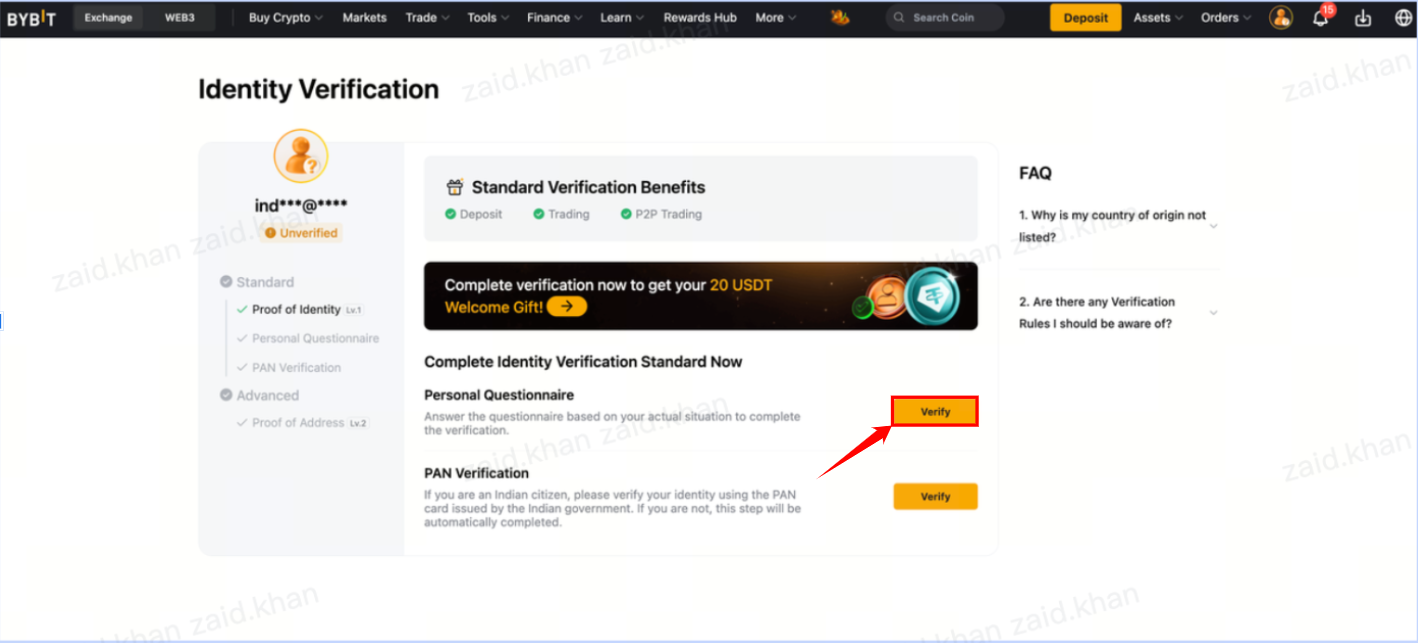
Step 13: Once you’ve submitted the necessary documents for identity proof, your Identity Verification will go under review processing, as in the image below.

Step 14: Once your identity proof is approved, click on the Verify button at the end of the Personal Questionnaire to fill in your personal details.
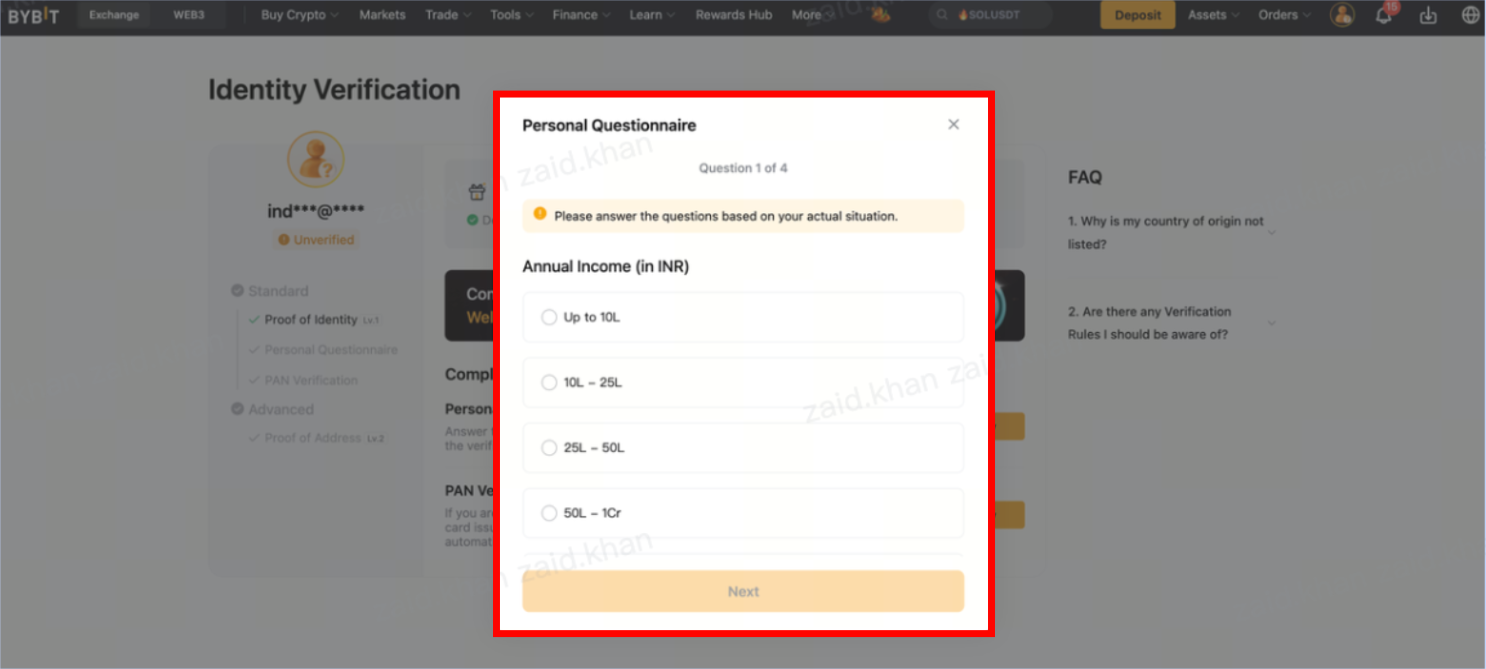
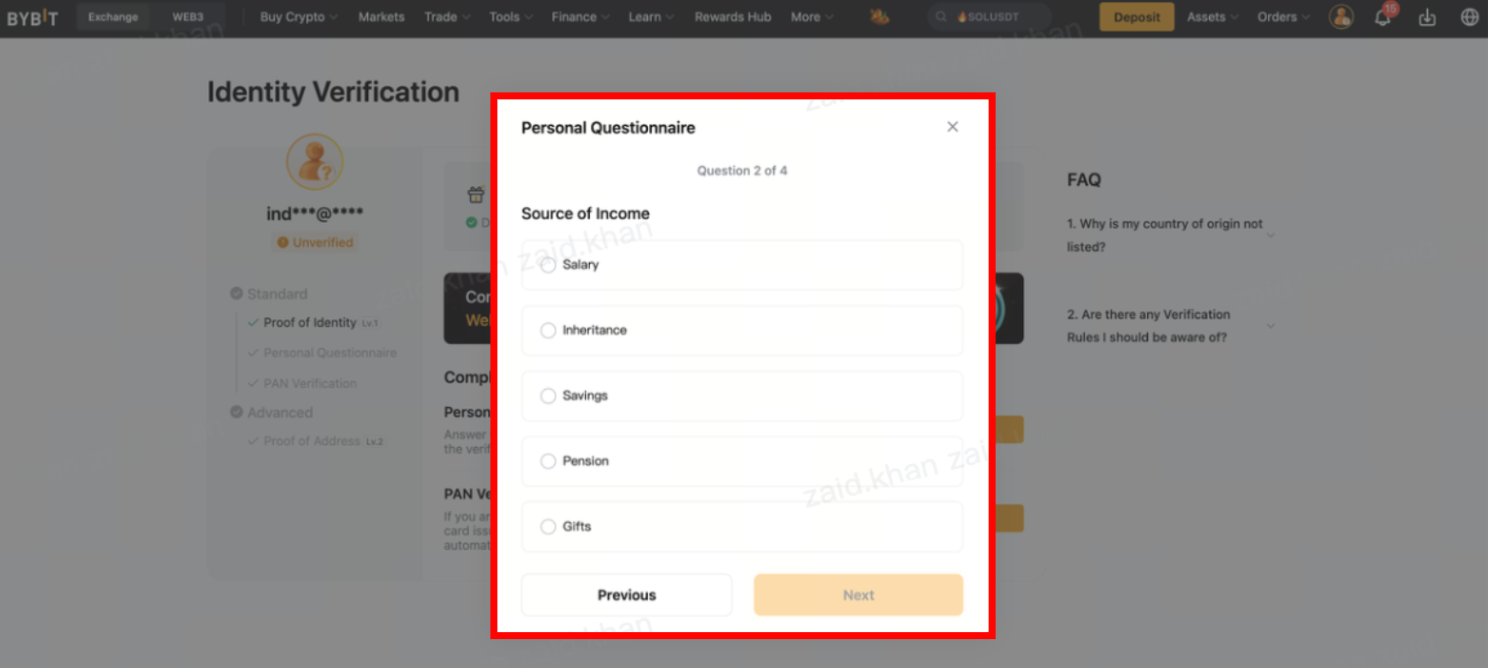
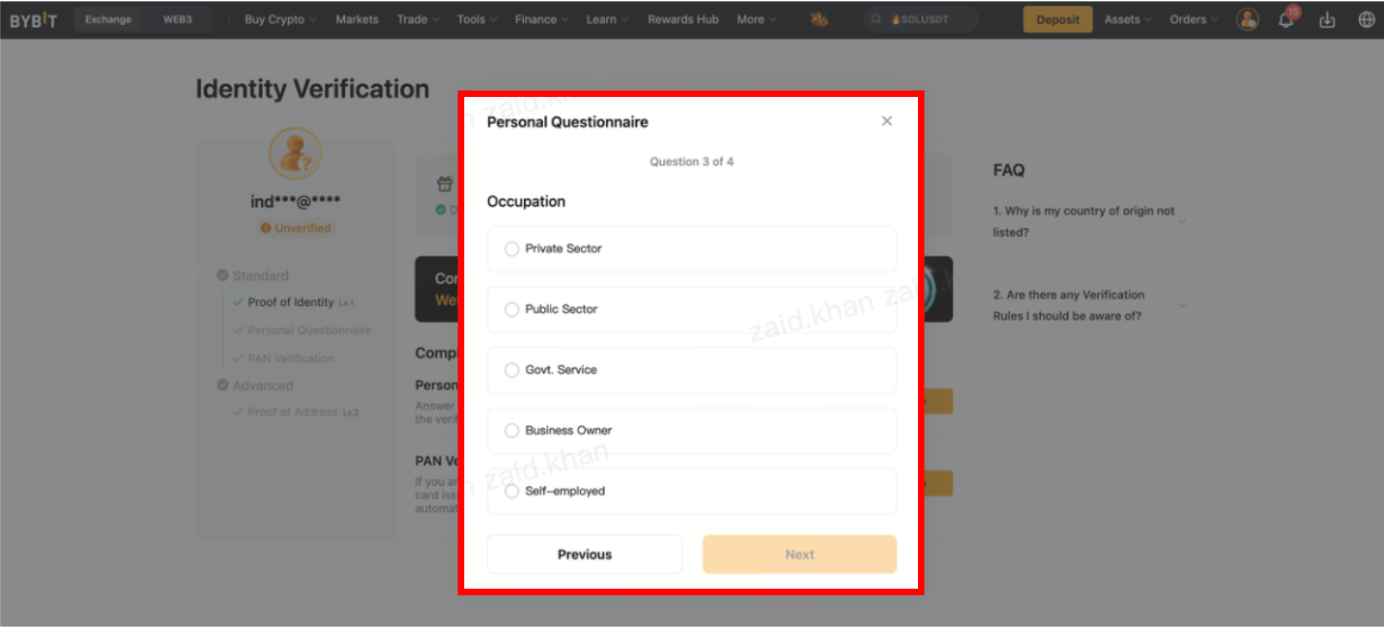
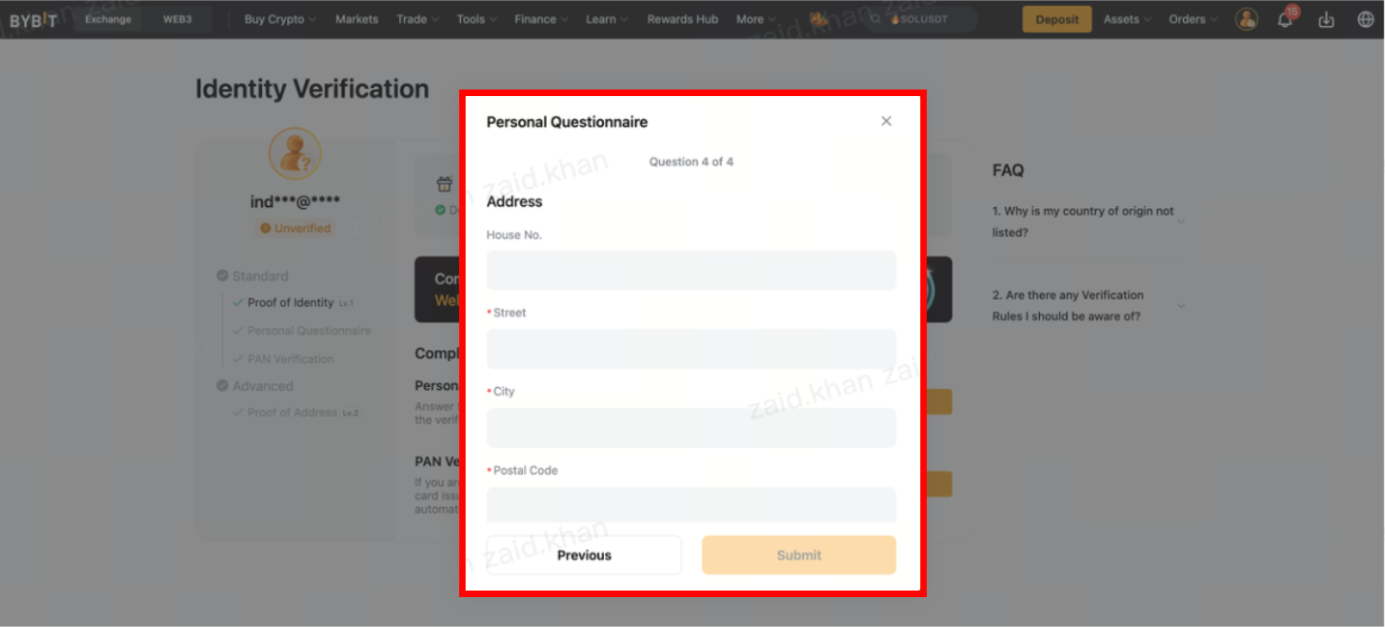
Step 15: The Personal Questionnaire will open. Answer all of the questions, as shown in the images below:
Step 15.1: Select an appropriate annual income, then click on Next at the bottom of the window.
Step 15.2: Select the appropriate source of income, then click on Next at the bottom of the window.
Step 15.3: Select the appropriate occupation, then click on the Next at the bottom of the window.
Step 15.4: Enter your address-related information, then click onSubmit at the bottom of the window.
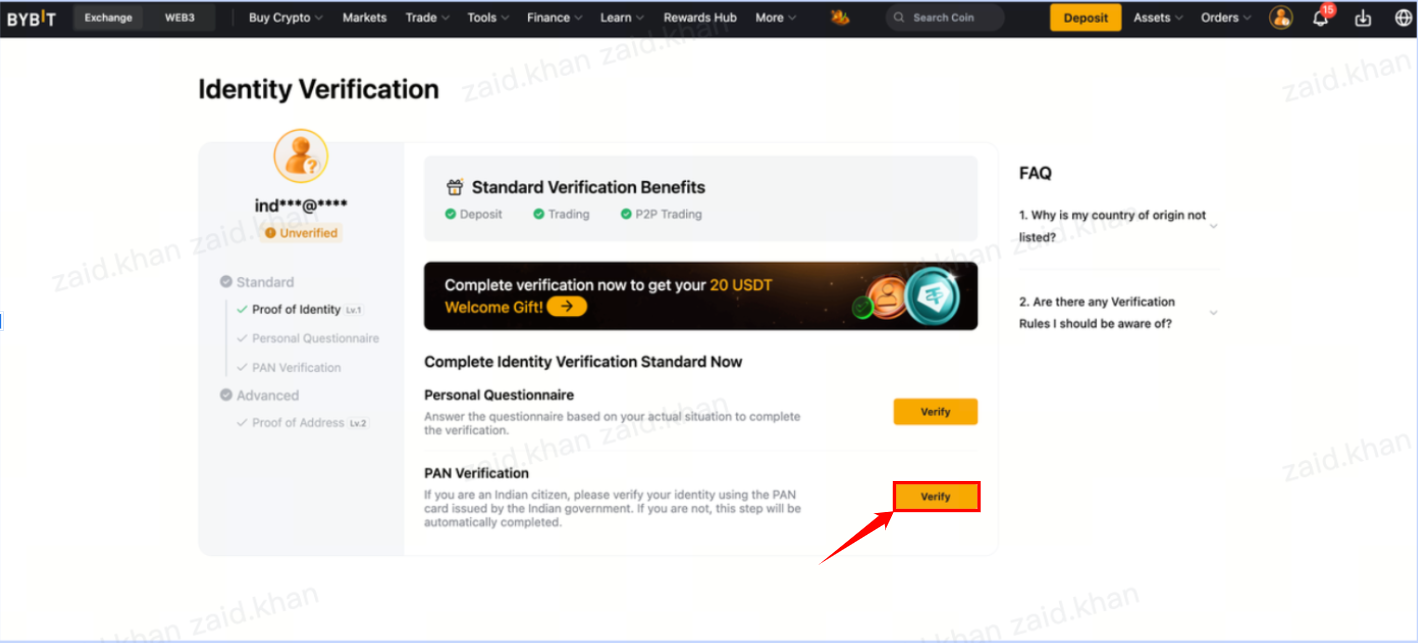
Step 16: Once your Personal Questionnaire is submitted, click Verify at the end of the PAN Verification to fill in the PAN-related information.
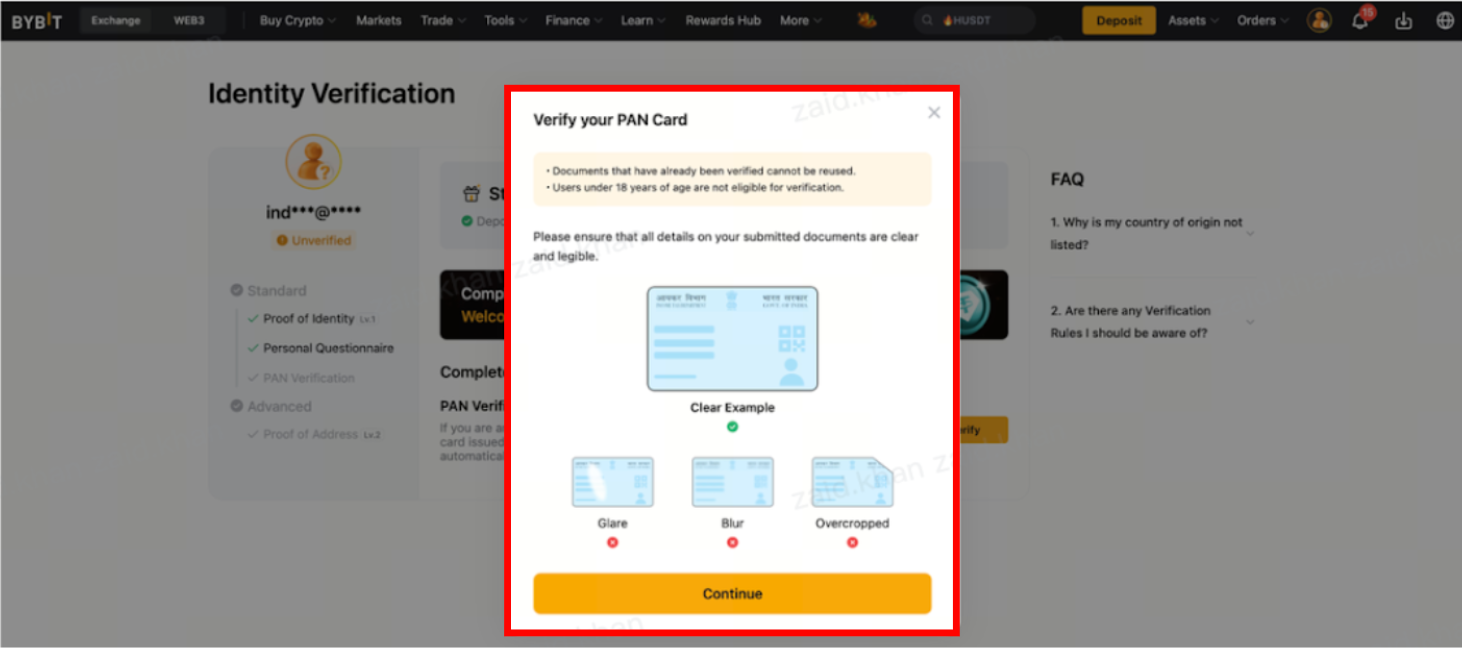
Step 16.1: A new window will open with instructions to submit your PAN Card. Click on Continue to start verifying your PAN Card.
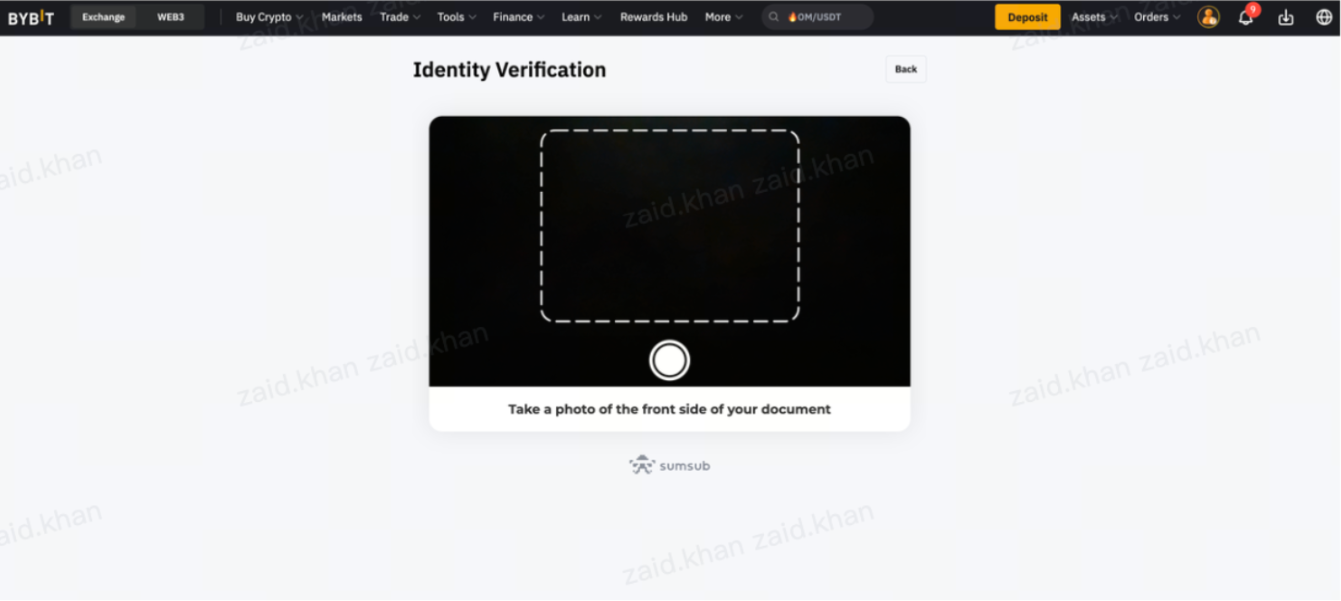
Step 16.2: The Identity Verification window will open, with your camera enabled. Place the front side of your PAN Card within the camera frame, then click on the PAN Card’s picture.
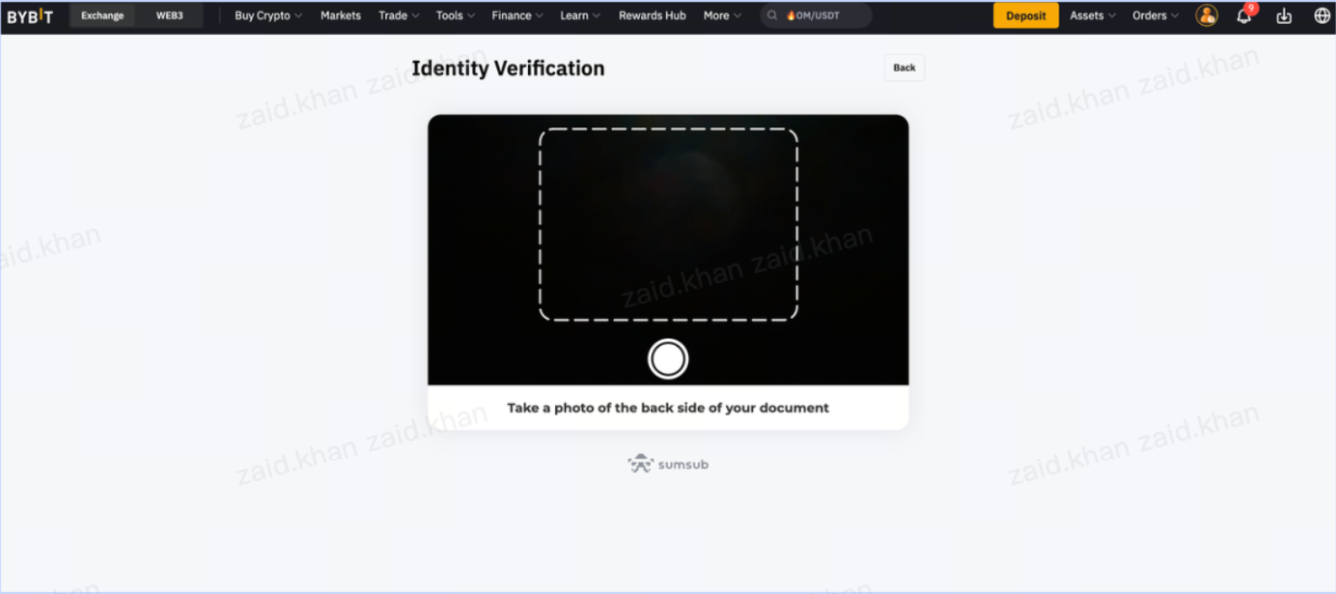
Step 16.3: A new Identity Verification window will open with your camera enabled. Place the back side of your PAN Card within the camera frame, then click on the PAN Card’s picture.
Step 17: After completing the Personal Questionnaire and PAN Details, this is how your screen will appear:

How to start using Bybit India products
Before accessing Bybit’s products and trading features, it’s important to complete KYC verification. Crypto platforms follow global compliance standards, and Identity Verification helps protect accounts, prevent misuse and enable access to regulated services.
On Bybit, completing KYC also removes certain limits. Without verification, your access to deposits, withdrawals, trading tools and specific products is restricted. Once your identity is verified, you can unlock the full range of services.
Completing KYC enables the following functionalities.
Open a Unified Trading Account (UTA)
The UTA lets you manage all your assets and trading activities in one place, including spot trading, bots and portfolio management tools.
Trade cryptocurrency
Bybit offers a variety of trading options, including spot trading, perpetual futures and options markets. You can then diversify your trading strategy and benefit from different market conditions.
Generate passive income
Generate passive income on Bybit by participating in various programs that will help you grow your assets over time.
Borrow on your digital assets
Bybit’s Crypto Loans feature allows you to unlock liquidity by borrowing against your crypto holdings. This will allow you to access cash while still being the owner of your crypto assets.
Discount Buy (Earn)
Discount Buy lets you purchase crypto below the current market price, provided the settlement price falls between your set Purchase Price and Knockout Price. Returns are settled automatically, usually within 30 minutes after settlement.
How to fund your Bybit account
Once your account is set up and verified, the next step is to add funds so you can start trading. Bybit offers several deposit methods, depending upon whether you already hold crypto or prefer to use fiat (traditional currency). Here’s a quick overview of the available options:
1. Crypto Deposit
If you already have crypto on another exchange or wallet, you can transfer it directly to Bybit. Each coin must be deposited using its supported network, and some assets require a memo/tag. Always review the deposit instructions on the asset page before sending funds, in order to avoid delays or loss.
2. One-Click Buy
This option lets you purchase crypto instantly using different payment methods:
Bank card (Visa/Mastercard)
Apple Pay/Google Pay
Third-party payment providers
Your Bybit fiat balance (if you’ve deposited fiat earlier)
Simply choose your currency, payment method and the crypto you wish to buy.
3. Fiat Deposit
Bybit also supports direct fiat deposits for selected currencies. After adding fiat to your account, it will appear in your Funding Account. You can use your funds later to buy crypto via One-Click Buy without needing external services.
4. P2P Trading
P2P allows you to buy and sell crypto directly with other users at an agreed-upon price. More than 60 payment methods are supported, and there are no platform transaction fees. You can browse available offers, choose a buyer or seller and complete trades securely.
Tips to keep your Bybit India account safe
Keeping your account secure is just as important as learning how to trade. Since crypto platforms can be targeted by scammers or unauthorized access attempts, it’s important to set up a few basic protections as soon as you create your account. These measures help safeguard your funds, prevent misuse and keep your trading activities uninterrupted.
Here are the key practices to follow:
1. Enable two-factor authentication (2FA)
Add an extra verification step to your login and withdrawals. Using an authenticator app ensures that even if someone knows your password, they cannot access your account without your 2FA code.
2. Use a strong and unique password
Create a password that isn’t reused across other websites, and includes a mix of characters. Avoid storing it in unsecured browsers or sharing it with anyone.
3. Secure your email account
Your email account is the gateway to your Bybit account. Make sure it also has 2FA enabled, and uses a strong password to prevent unauthorized access.
4. Set up additional security tools
Bybit provides optional layers of protection, such as:
A fund password for withdrawals
An anti-phishing code to help verify official messages
A withdrawal address lock to prevent new addresses from being used immediately
These tools help reduce risks if unfamiliar devices or IPs attempt to access your account.
5. Avoid public or unsecured Wi-Fi
Trading on open networks increases the risk of interception. Use trusted connections or stick to mobile data when accessing your account from outside.
6. Stay alert for phishing
Always double-check links, emails and messages claiming to be from Bybit. When in doubt, access the platform directly through the official website or App.
Start trading on Bybit India now
Once your account is verified and funded, you’re ready to begin trading. Bybit complies with the anti-money laundering (AML) and counter-terrorist financing (CFT) obligations set by India’s Financial Intelligence Unit (FIU-IND). This framework ensures that platform activity complies with safety and reporting standards, creating a secure space for everyday traders.
You remain in full control of your account, from managing funds to enabling security features and choosing how you want to trade. Clear verification steps, structured processes and multiple safety tools support a secure and flexible trading experience.
Whether you prefer spot trading, automated strategies or holding assets, Bybit provides a stable environment so you can proceed at your own pace.
#LearnWithBybit