


How to trade International Goal Difference Futures Contracts on Bybit

Bybit's International Goal Difference Futures Contracts let you trade football match outcomes by net goal difference in the form of continuously priced derivatives products. Unlike fixed-odds instruments, this type of contract’s price moves throughout the match, and you can enter or exit at any point before reduce-only mode begins.
This guide covers the full process from finding contracts on the platform to reading your P&L after the final whistle.
Key Takeaways:
International Goal DIfference Futures Contracts are listed before kickoff, trade live during the match and auto-settle at (kickoff + 140 minutes), based on the full-time score.
Settlement price is based on the [10 + net goals] rule, whereby net goals equals home goals minus away goals at full time. Extra time and penalty shootouts are excluded in all cases.
API trading, copy trading and trading bots are not supported for this product. All order placement is manual, via Bybit web or App only.
How do you find International Goal Difference Futures Contracts on Bybit?
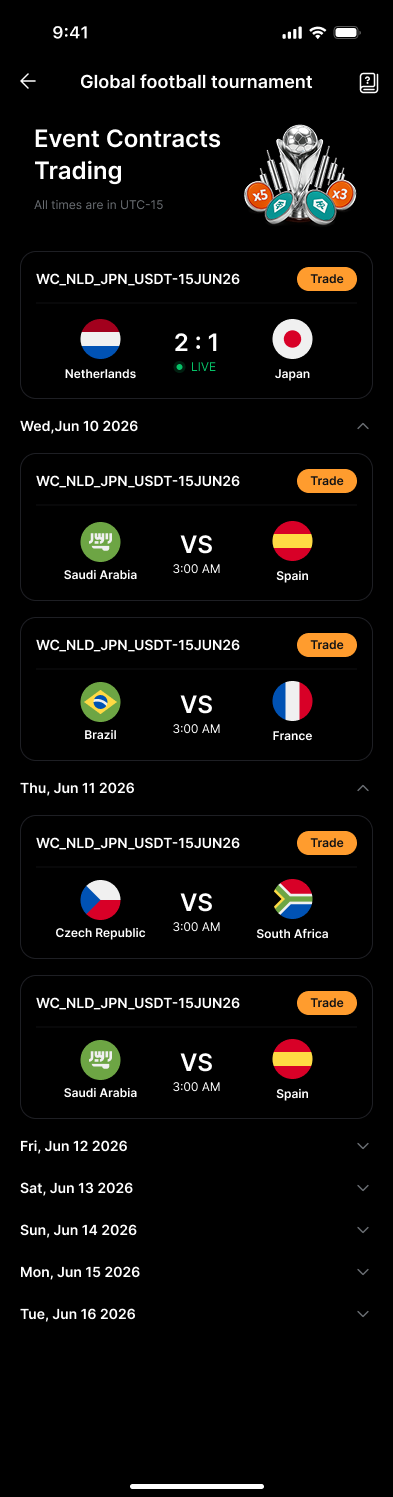
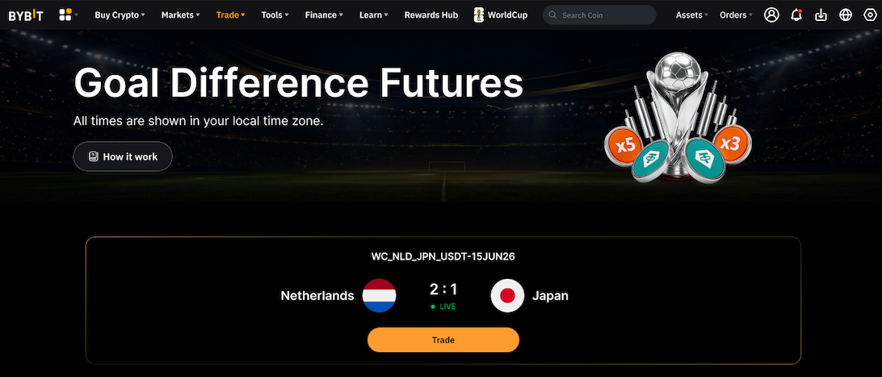
On the web version of Bybit, you can use two paths to find the contracts. The faster route is the promotional banner displayed on the Futures page, which links directly to a dedicated landing page. Alternatively, navigate to Trade in the top menu, then Futures, and search for contracts starting with WC_.
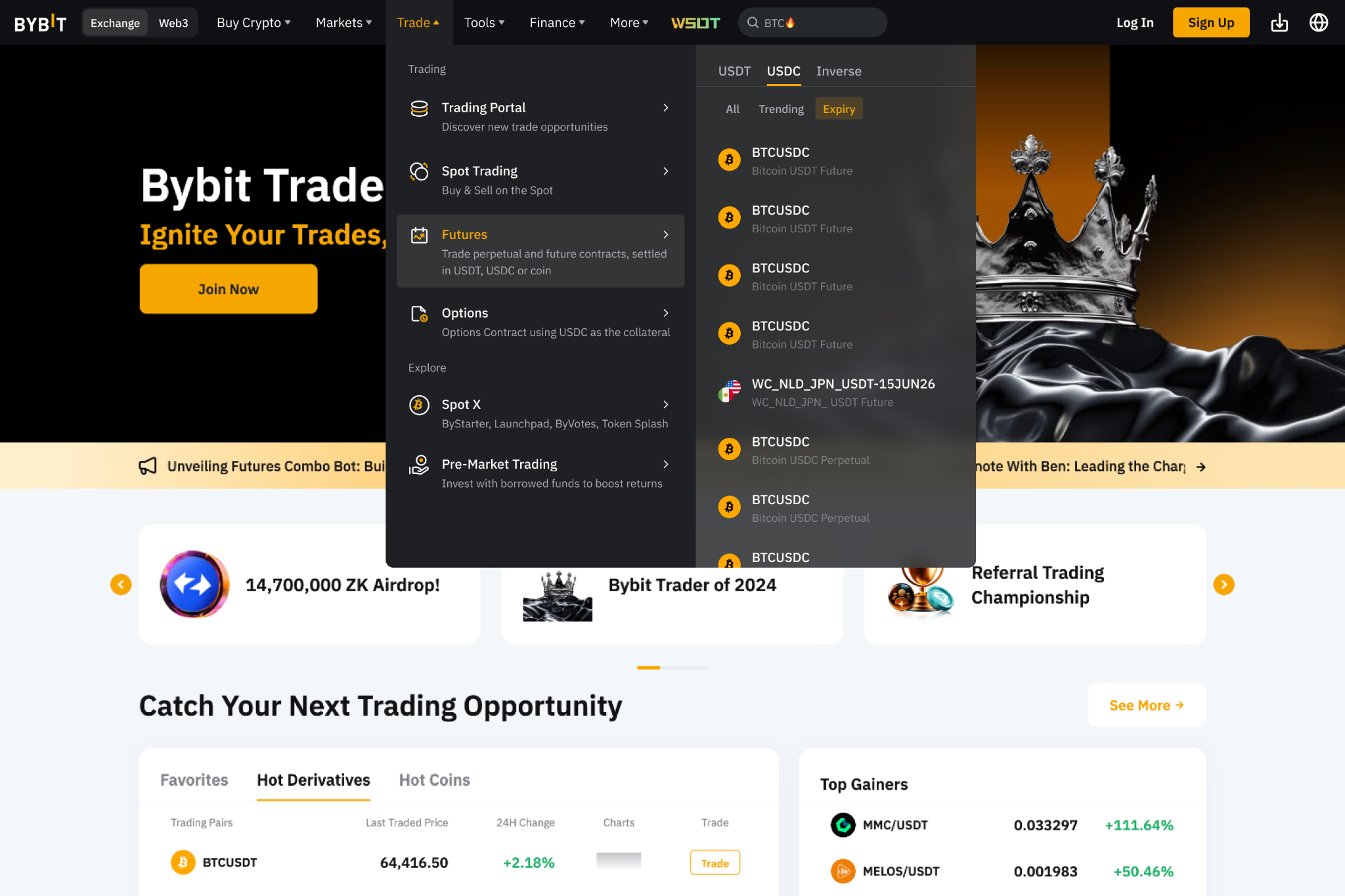
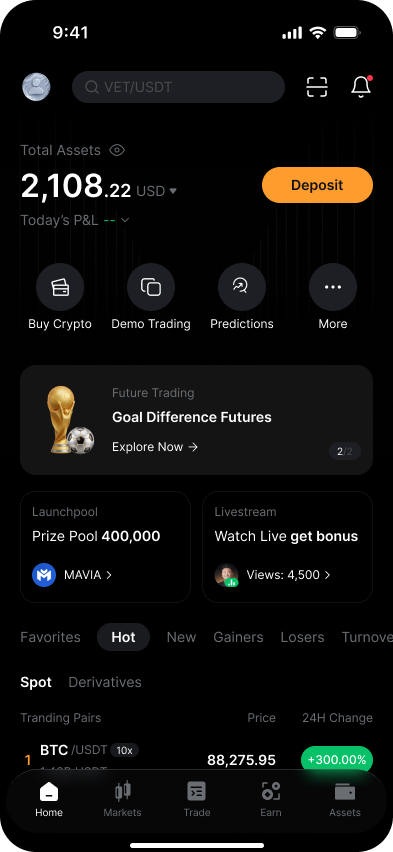
On the Bybit App, either tap on the promotional banner on the homescreen or choose Services, then Football Futures.
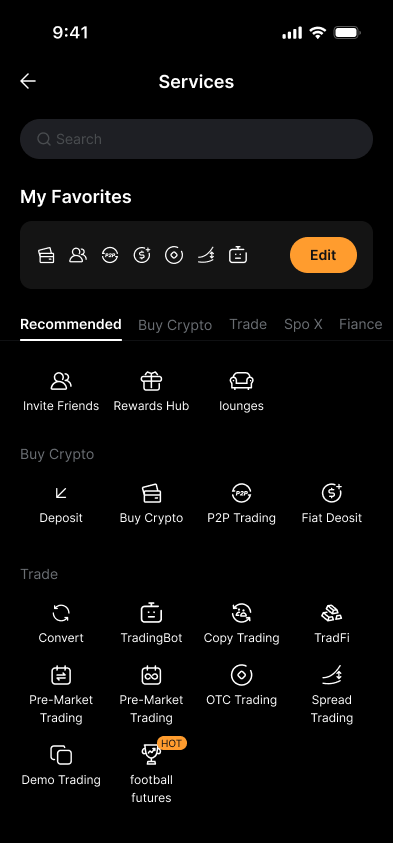
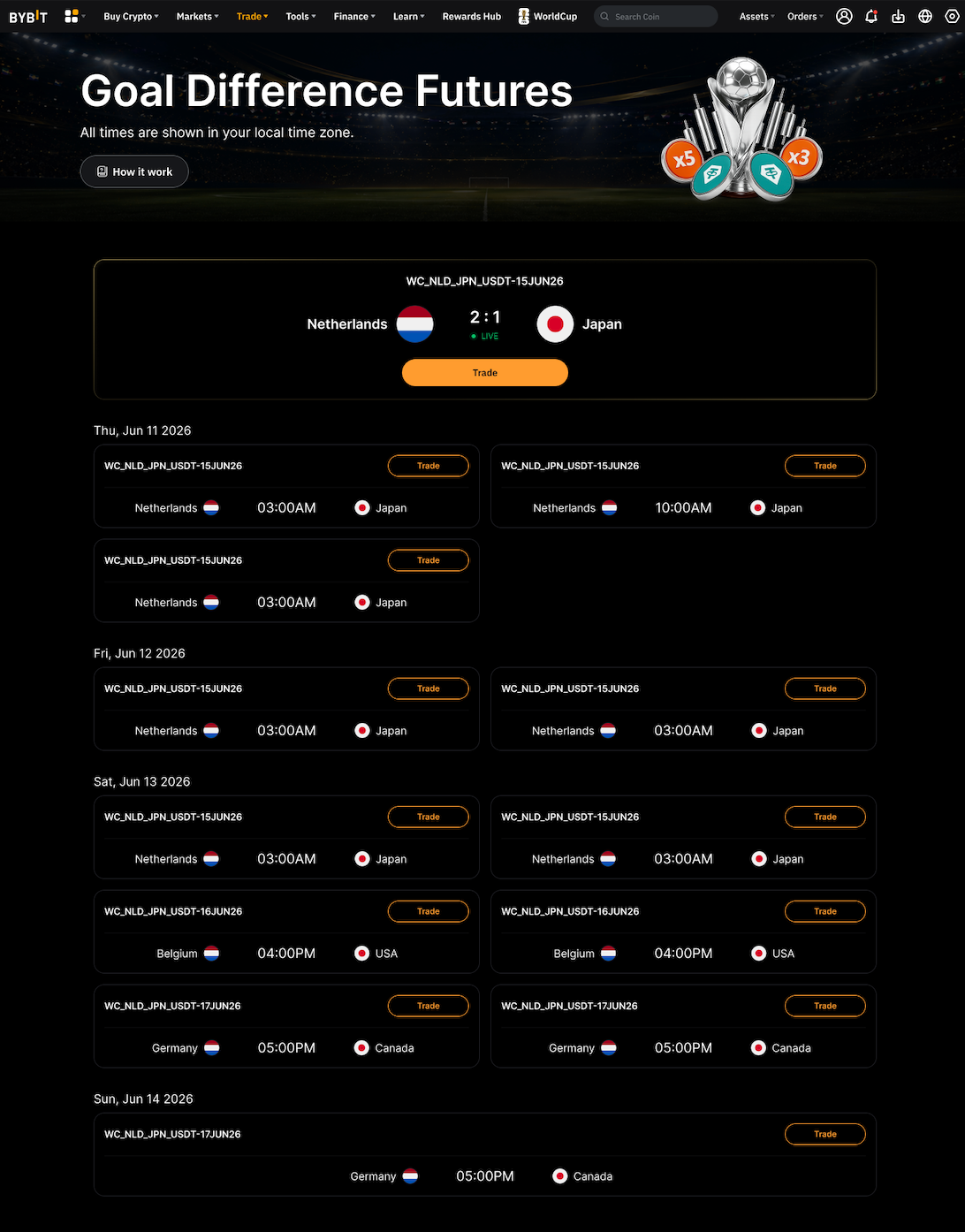
Each contract follows the naming format WC_{Home}_{Away}_USDT-{Date}. For example, WC_NLD_JPN_USDT-15JUN26 refers to a Netherlands vs. Japan fixture settling in Tether (USDT), with the match date encoded in the symbol.
Via the web
On the App
What do you need before you start?
First, ensure that you’ve updated your Bybit App to the latest version before trading. Country flag icons and live in-match score data only display correctly on the latest version, and older versions may not render this information properly.
Beyond that, standard account eligibility applies. You’ll need an identity-verified Bybit account in good standing. In addition, product availability is subject to regional restrictions and Bybit's Terms of Service. Be sure to confirm access is available in your jurisdiction before the product launch on Jun 10, 2026.
Please note that these contracts are manual-only. API trading is not supported, copy trading is unavailable and no trading bots can be used. All order placement and position management must be done directly through the Bybit web platform or mobile app.
How do you choose your margin mode?
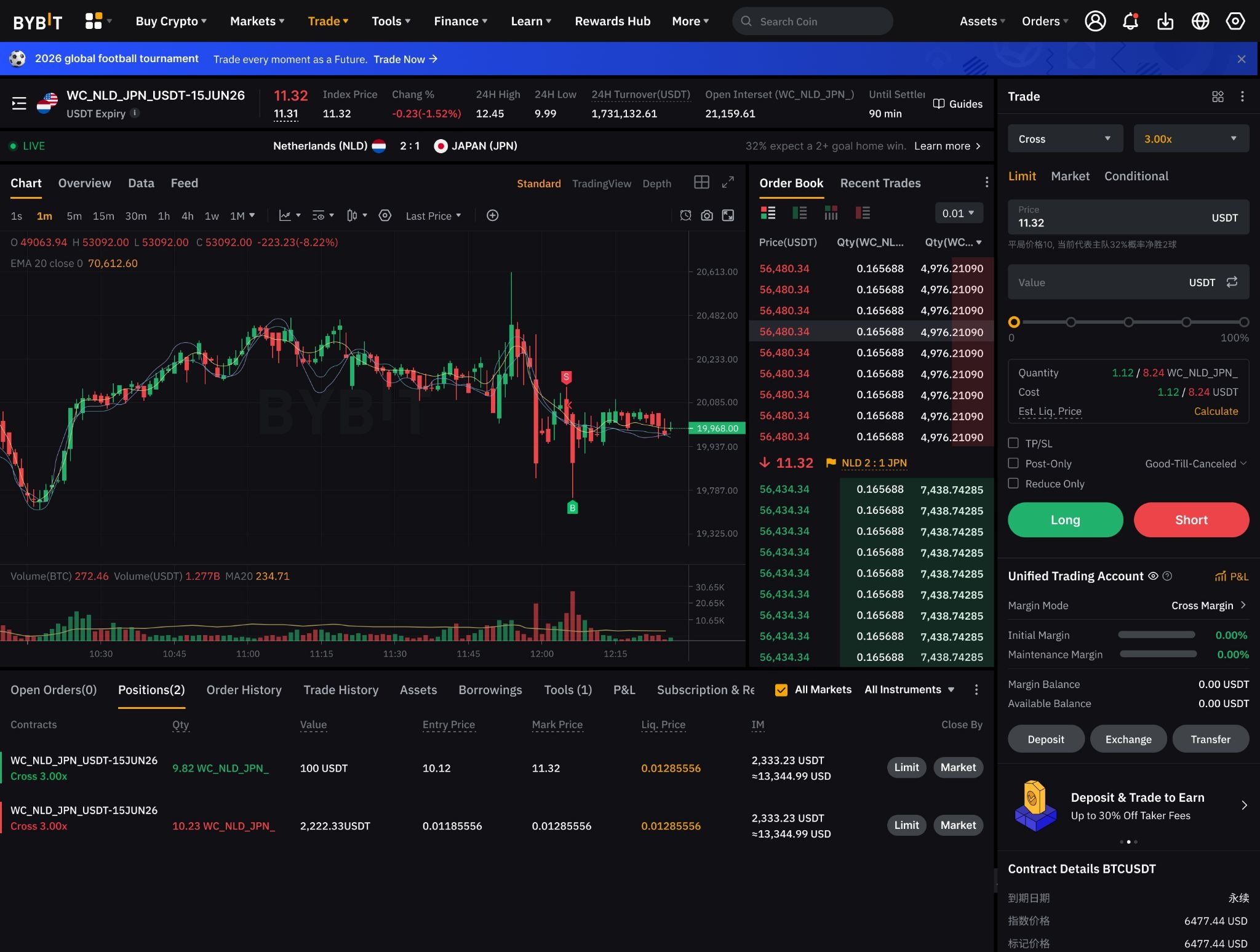
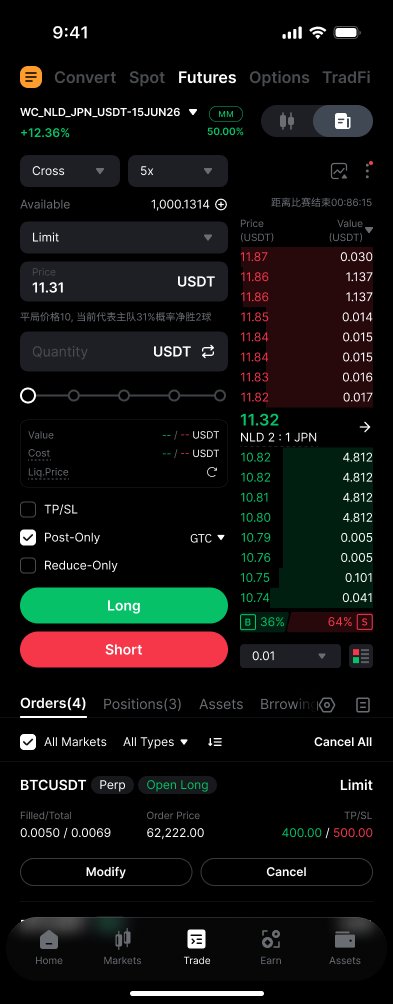
Isolated Margin and Cross Margin modes are both supported for these contracts. However, Portfolio Margin mode is not available for them.
With Isolated Margin, the risk on any given position is capped to the margin you allocate to that specific contract. If the position is liquidated, only that margin is at risk, leaving the rest of your account balance untouched. For anyone new to derivatives trading, Isolated Margin is the more recommended route, since it hard-limits the downside on any single trade.
In contrast, Cross Margin draws on your full available account balance as collateral. This reduces the likelihood of liquidation on any single position. However, a large adverse move can draw down your entire balance across all open positions simultaneously.
Leverage is tiered by position size, capping at 5x for the smallest tier and scaling down as position value grows.
Via the web
On the App
Can you trade before the match kicks off?
Contracts are listed days before a match’s scheduled kickoff, and price discovery begins immediately upon listing. By the time the match starts, the contract price already reflects pre-match market sentiment — shaped by factors such as team news, injury updates and pre-match speculation circulating in external data sources.
A contract quoted at 10.30 before kickoff prices the home team at roughly +0.30 net goals. This is not a probability figure — it’s a continuous expected-goal-difference reading. Small moves in this range, say from 10.20 to 10.50, carry meaningful information about shifting sentiment ahead of kickoff.
Via the web
On the App
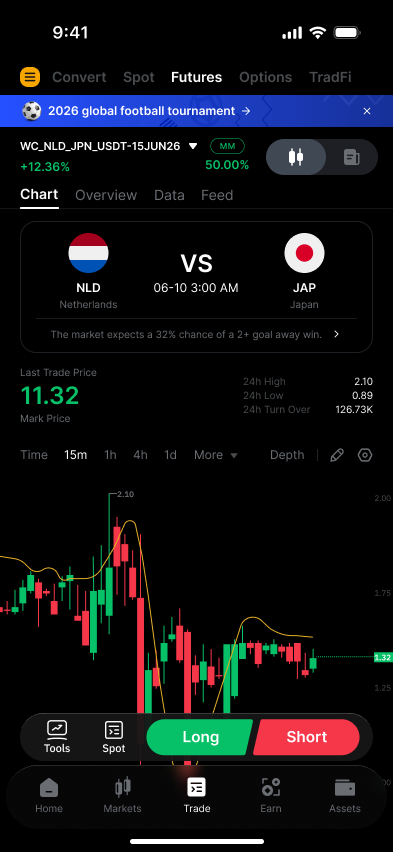
How do you place your first order?
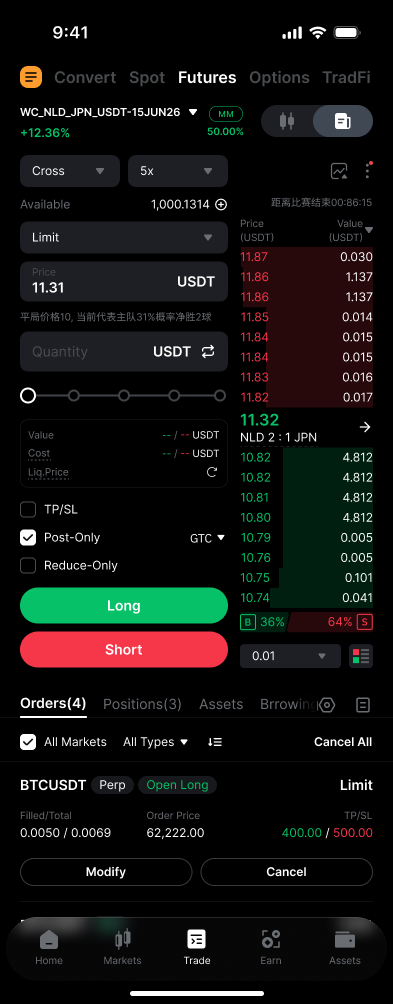
All standard order types are available, including Limit, Market, Take Profit/Stop Loss and Market Close. If you’re a beginner, a Limit Long is the most straightforward and safe approach for your first position.
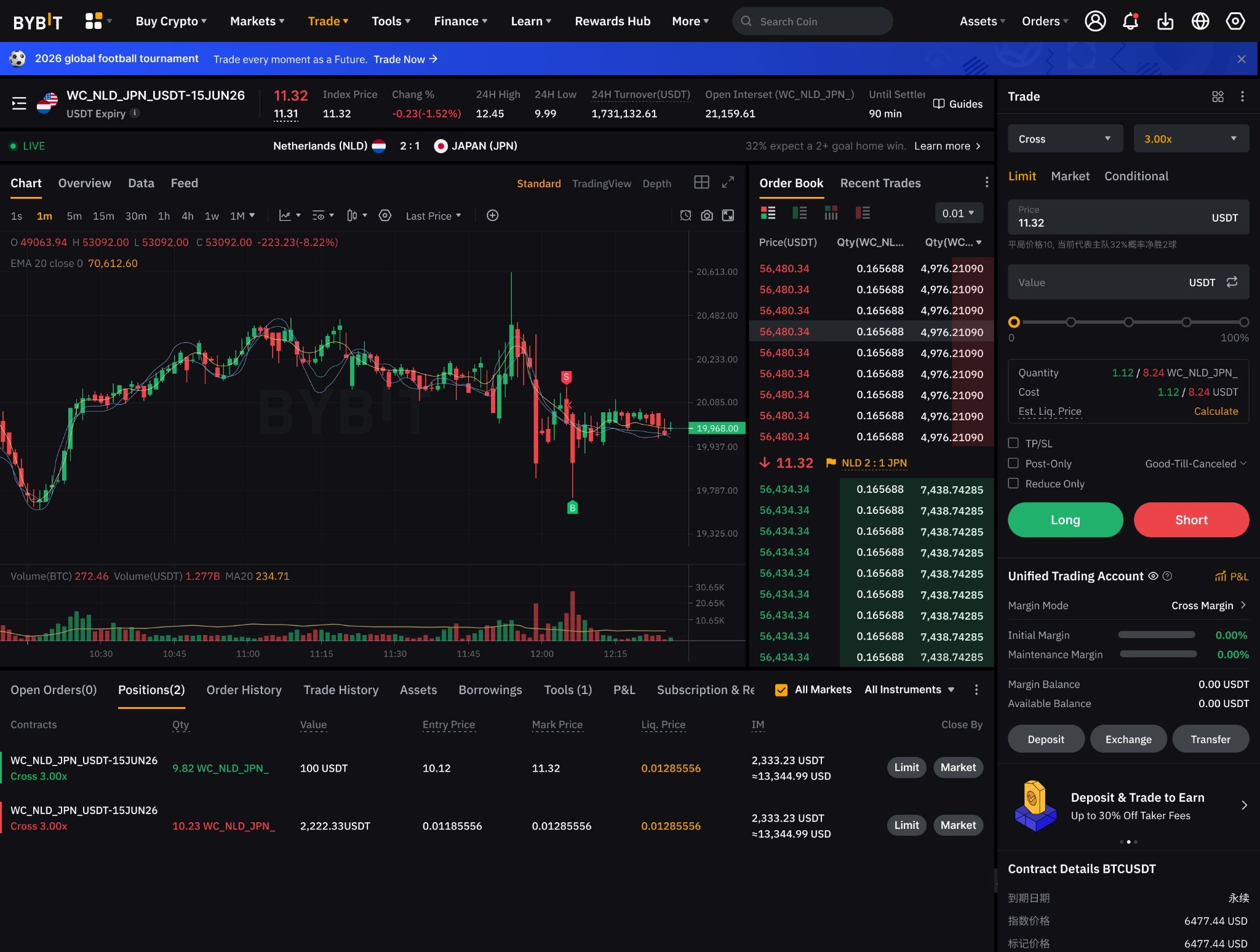
Let’s say a contract is quoting around 11.31. Enter that figure in the Limit price field, set your quantity, optionally attach a TP/SL target and click on Buy/Long. The order rests in the book until filled at your specified price or better, giving you cost control that a market order doesn’t give you.
A short position follows the same flow in reverse: you're selling the contract, expecting the price to fall as the away team gains ground or takes the lead.
The order book visible on the right side of the order panel shows current bid/ask depth, which is worth checking before committing to a position size.
If you’re a beginner, keep leverage conservative on your first trade, given that price can shift sharply in the seconds after a goal.
Via the web
On the App
What happens during the match?
Three key phases are involved in every International Goal Difference Futures Contract’s lifecycle:
During open trading, which runs from listing through (kickoff + 120 minutes), you can open, close and modify positions freely. Goals move the price directly: a home goal pushes the contract price up, while an away goal or equalizer pulls it back toward 10 or below. Other match events, such as red cards, substitutions and the amount of time remaining, also influence the live price, since the market continuously re-prices the expected full-time net-goal outcome.
Reduce-only mode activates at (kickoff + 120 minutes). From that point, no new openings are permitted. You can only close existing positions. Late-match decisions about whether to exit or hold to settlement should be made before that threshold — not at it — since liquidity can thin considerably around high-impact events.
Auto-settlement then follows at (kickoff + 140 minutes), automatically applying the settlement formula (see below) to all remaining open positions.
How do you read your P&L after settlement?
Unrealized P&L updates continuously during the match as the live contract price moves, and is visible in the open positions panel. On the Bybit App, you can check your open positions by navigating to Trade → Futures → Positions.
On the web version, under the main chart area, you can find your open positions in the Positions tab.
At settlement, the formula applied is as follows:
Settlement price = 10 + (home goals minus away goals)
The formula uses the full-time score only. A match ending 1:1 after 90 minutes settles at 10, regardless of what follows in extra time or a penalty shootout. Realized P&L is automatically credited to your account after auto-settlement at (kickoff + 140 minutes), with the complete settlement record available in your account's order history.
The bottom line
International Goal Difference Futures Contracts offer a derivatives-based way to engage with football fixtures, with directional exposure, leverage of up to 5x and the ability to exit at any point before reduce-only mode. Settlement is straightforward and automatic, triggered at (kickoff + 140 minutes), and is based strictly on the full-time score.
Conversely, the live price volatility around goals and the fixed reduce-only cutoff mean that position management requires planning well ahead of the final whistle.
For a full breakdown of the settlement formula, contract pricing mechanics and risk parameters, read our companion article titled What is the International Goal Difference Futures Contract? before placing your first trade.
#LearnWithBybit