


How to sell crypto via One-Click Sell with Mercuryo

Bybit's One-Click Sell feature, powered by Mercuryo, offers a fast and seamless way to convert your crypto into fiat currency and transfer funds directly to your linked bank card. Whether you're cashing out USDT, BTC, or other supported assets, this guide walks you through the entire process step by step.
Key takeaways
You must first complete a Mercuryo One-Click Buy transaction to bind and verify your bank card before you can sell.
Once your card is verified, it is automatically linked to One-Click Sell — no re-binding required.
Navigate to the One-Click Sell page, select your fiat currency, review the terms, and complete security verification.
Step 1: Bind your bank card
Any Mercuryo sell transaction requires you to first complete a buy transaction via One-Click Buy for card binding and verification before proceeding with further operations.If you have already completed card binding and verification through a previous Mercuryo buy transaction, the same credit card will be automatically linked for sell transactions. No additional card binding is required, and you can directly start the sell transaction from the One-Click Sell page.
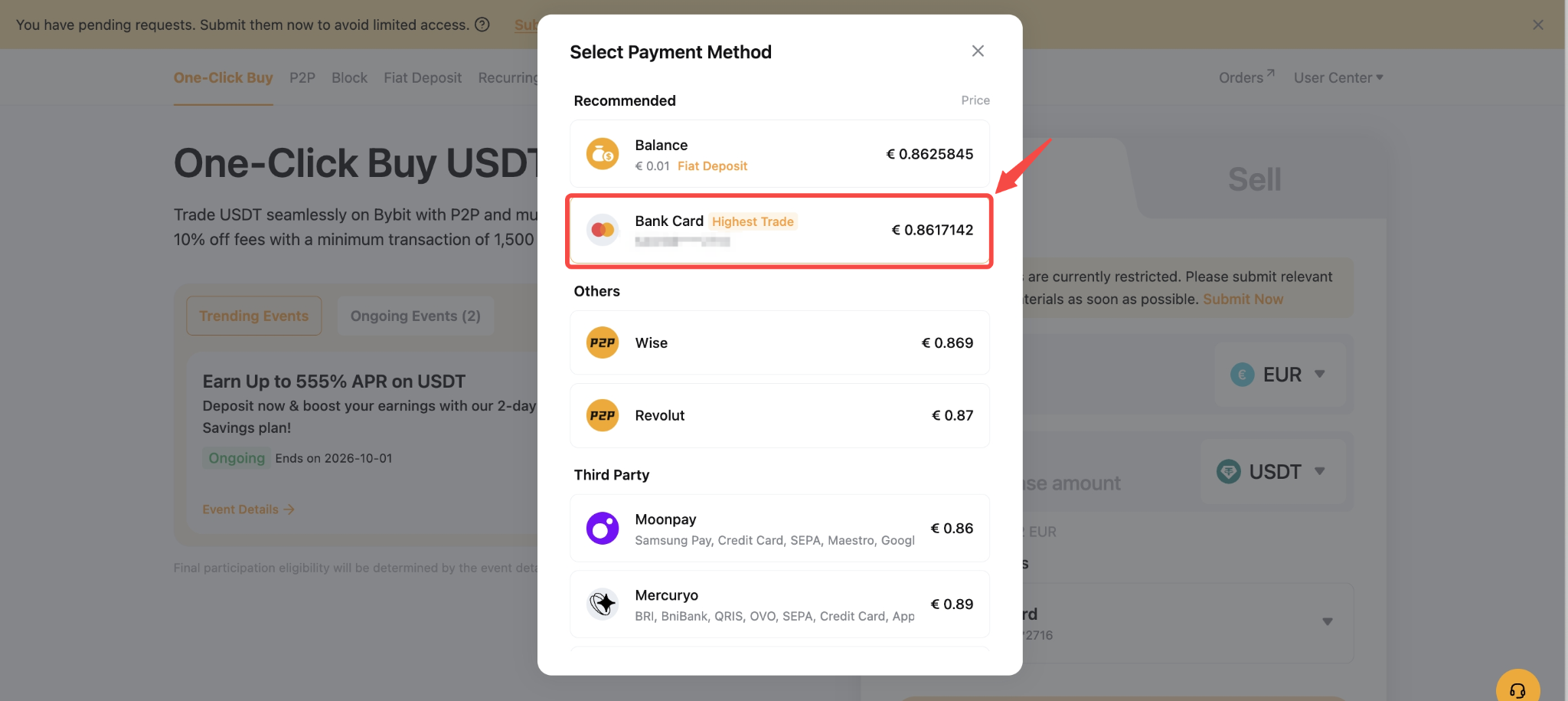
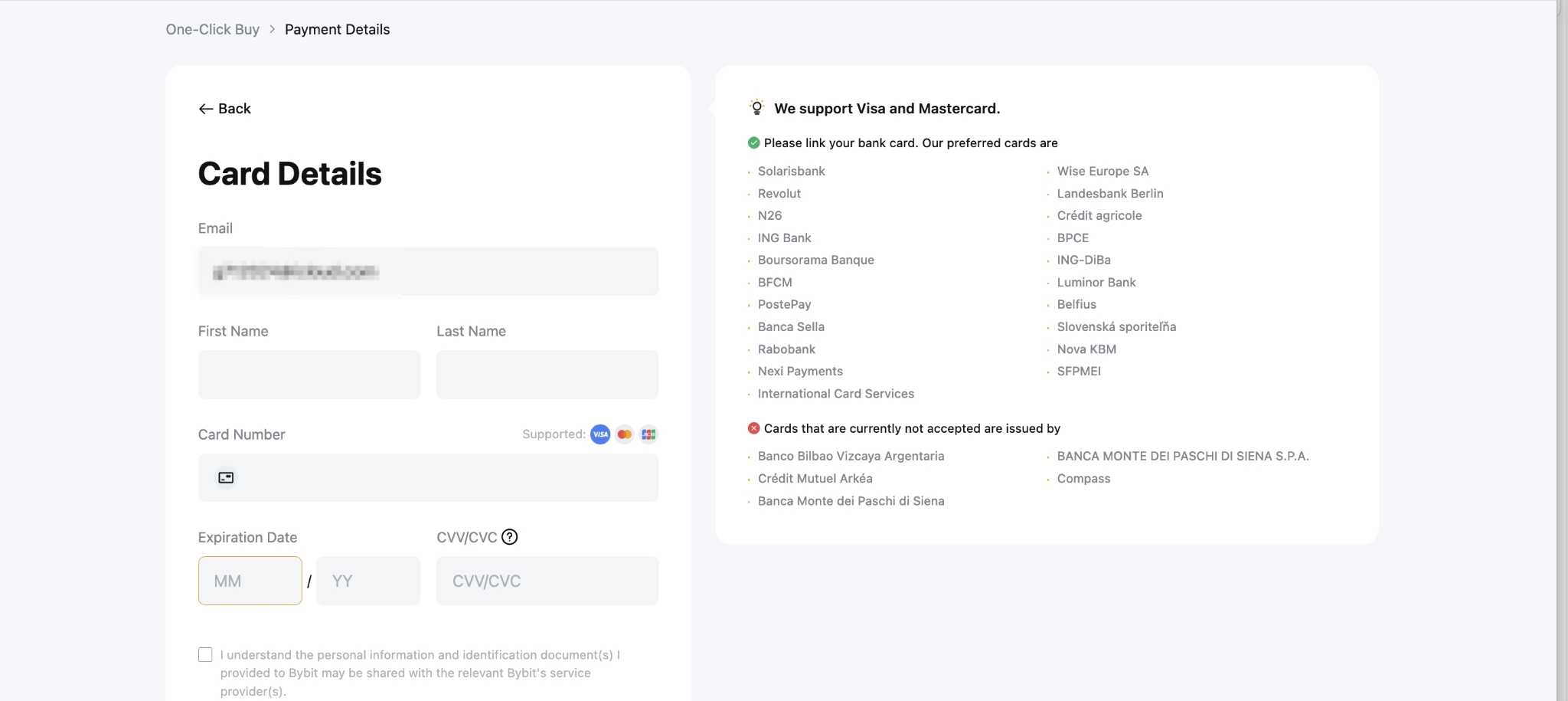
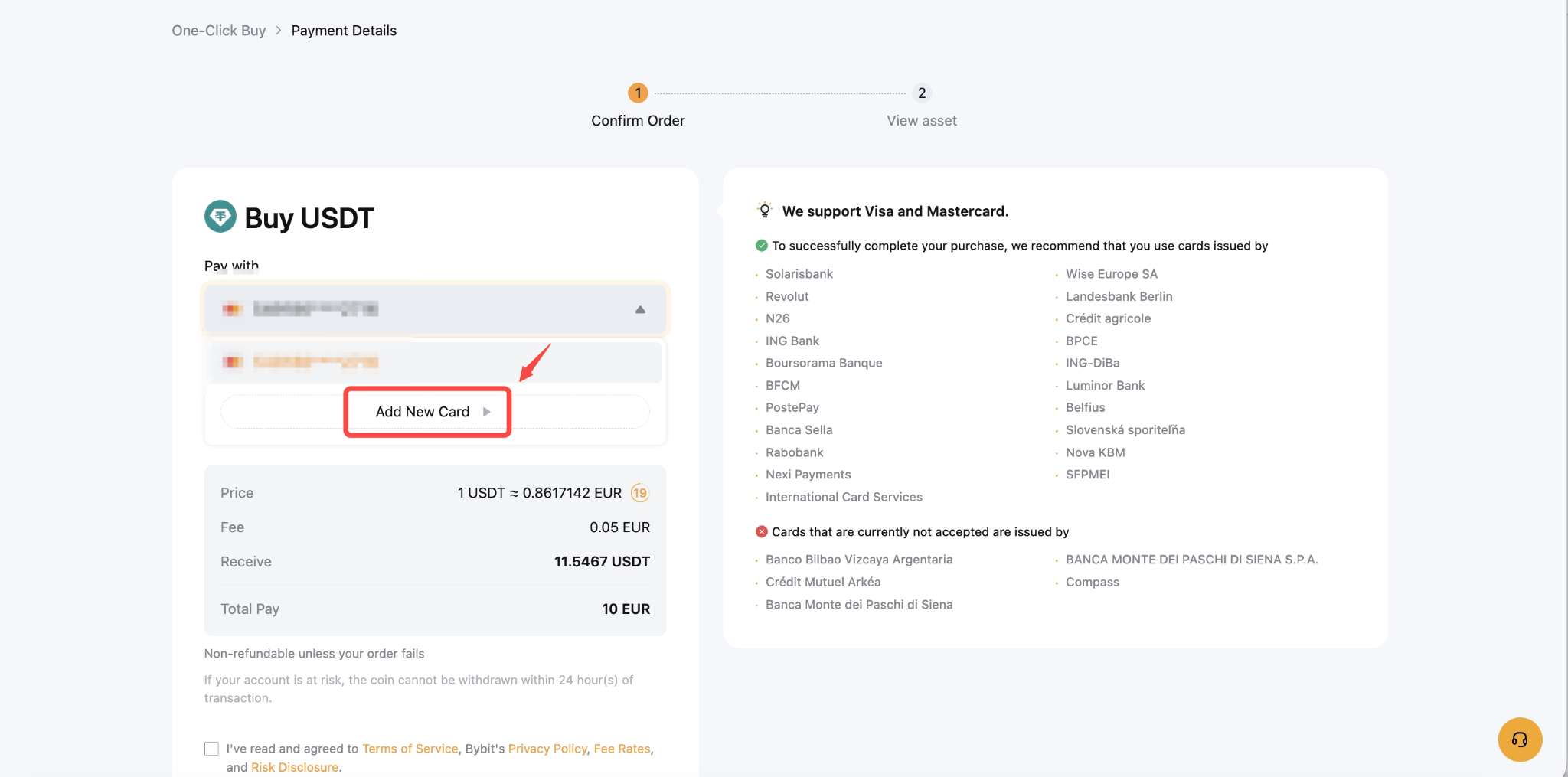
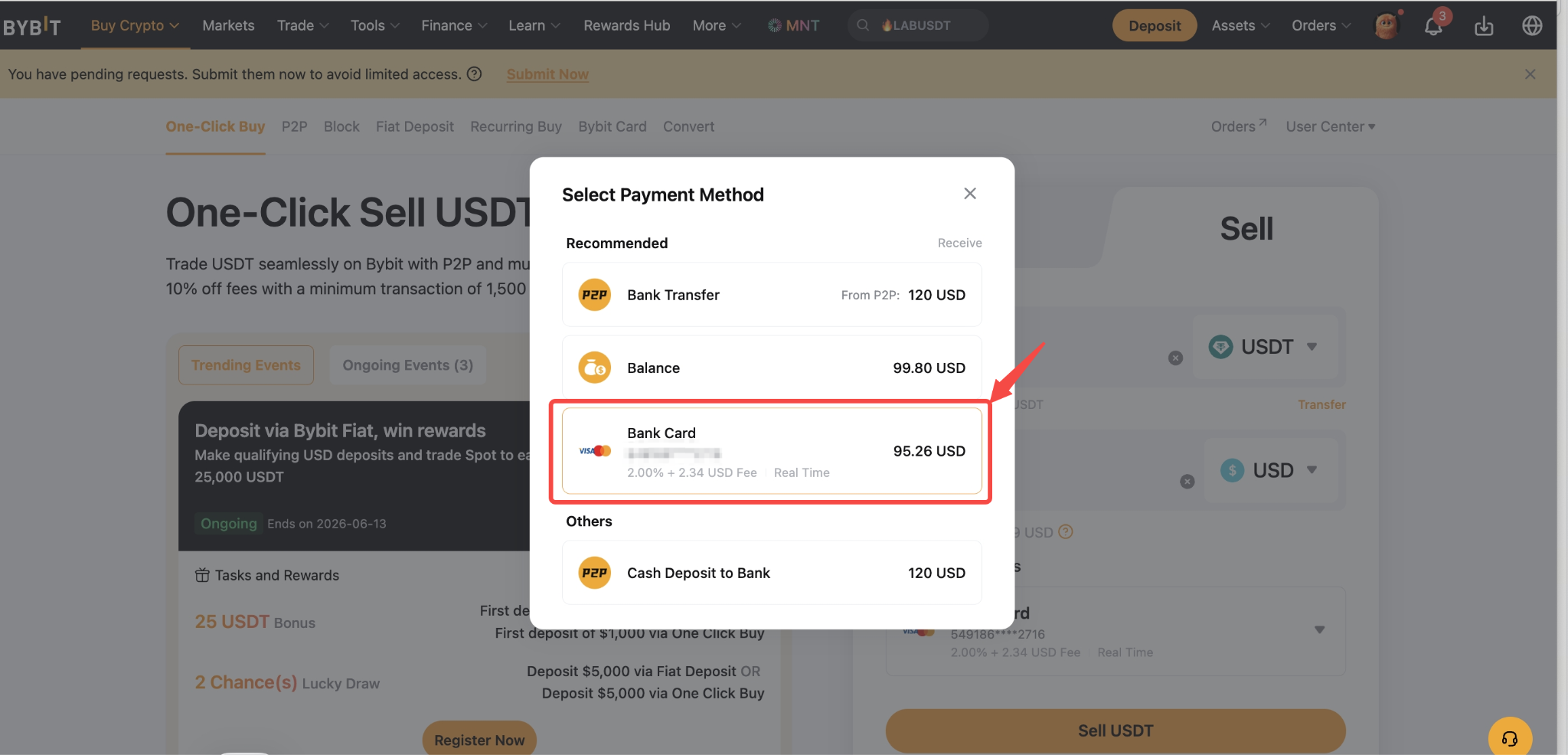
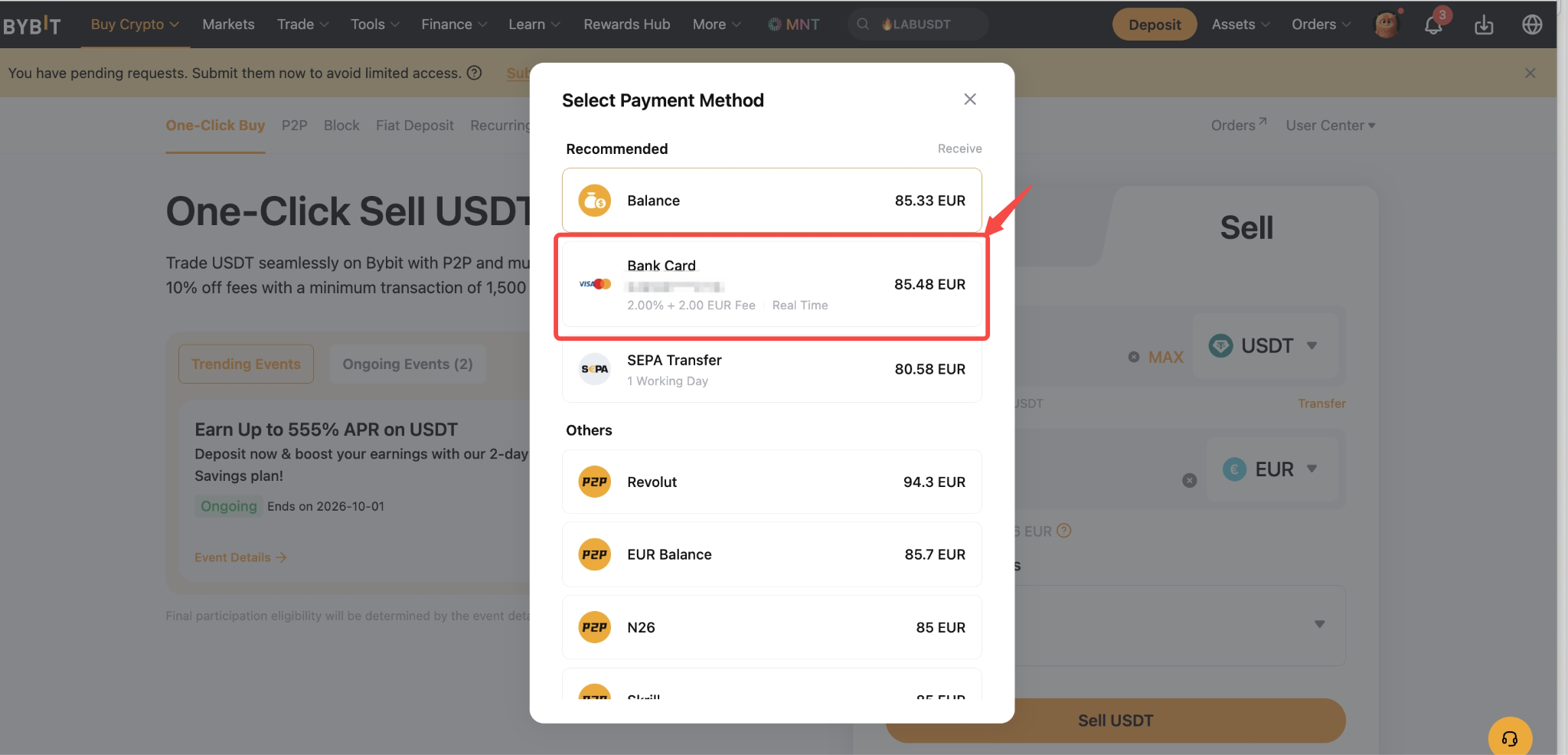
Step 2: Go to the One-Click Sell page
Navigate to the Bybit One-Click Sell page and select your desired fiat currency. The card previously bound and verified through One-Click Buy with Mercuryo will be automatically linked to One-Click Sell, allowing you to proceed directly with the sell transaction.
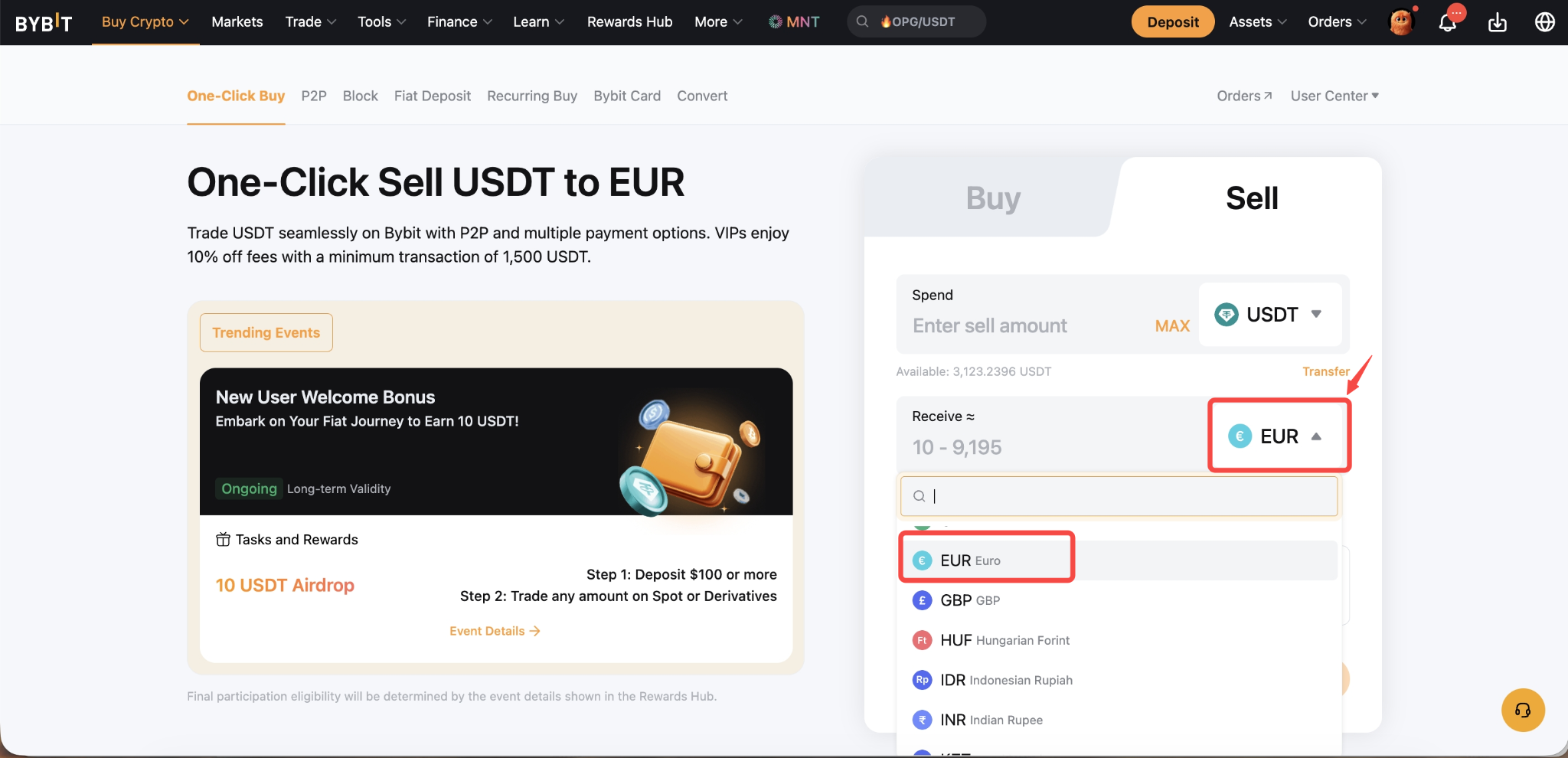
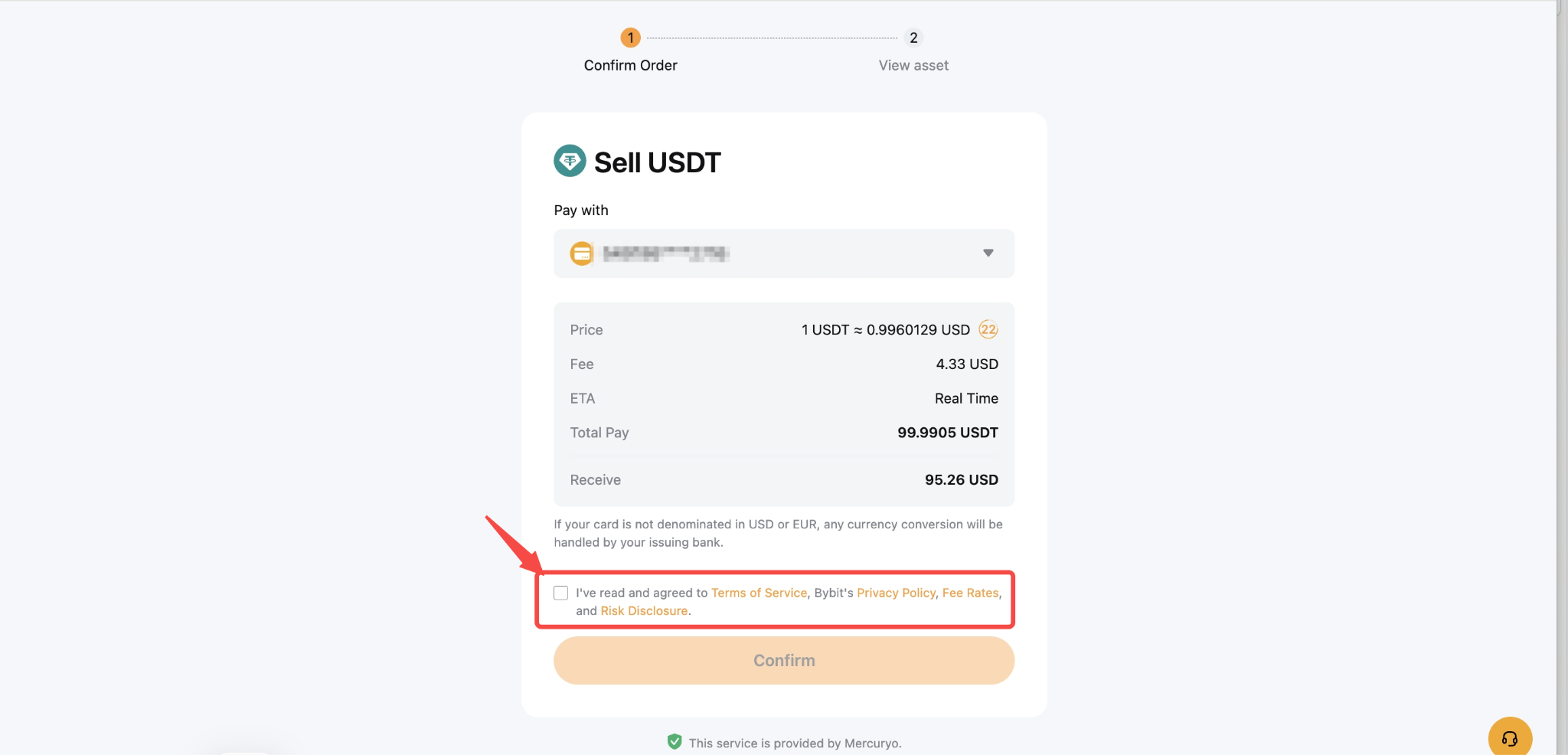
Step 3: Account binding confirmed & agree to terms
Review and accept the Terms & Conditions to proceed.
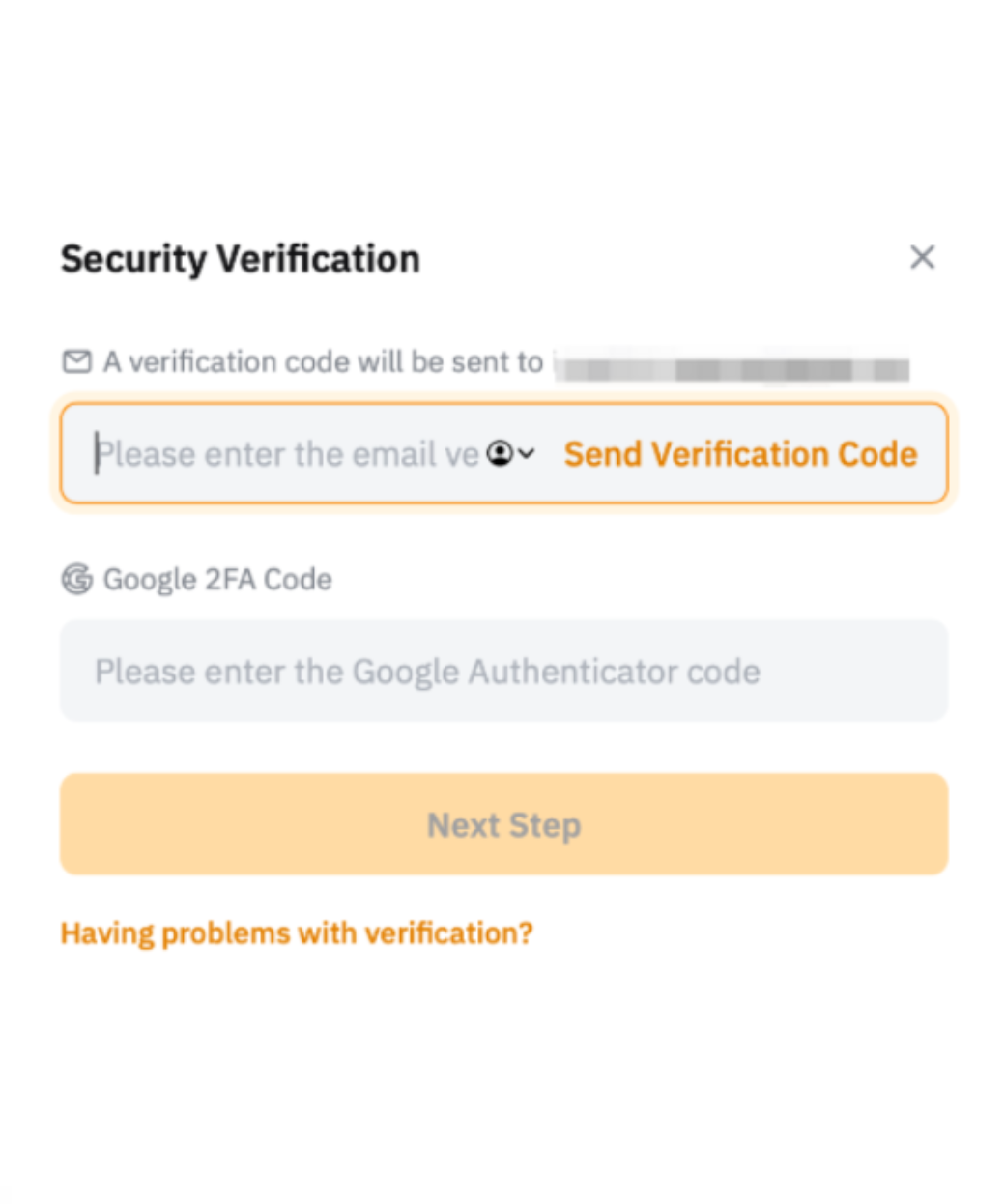
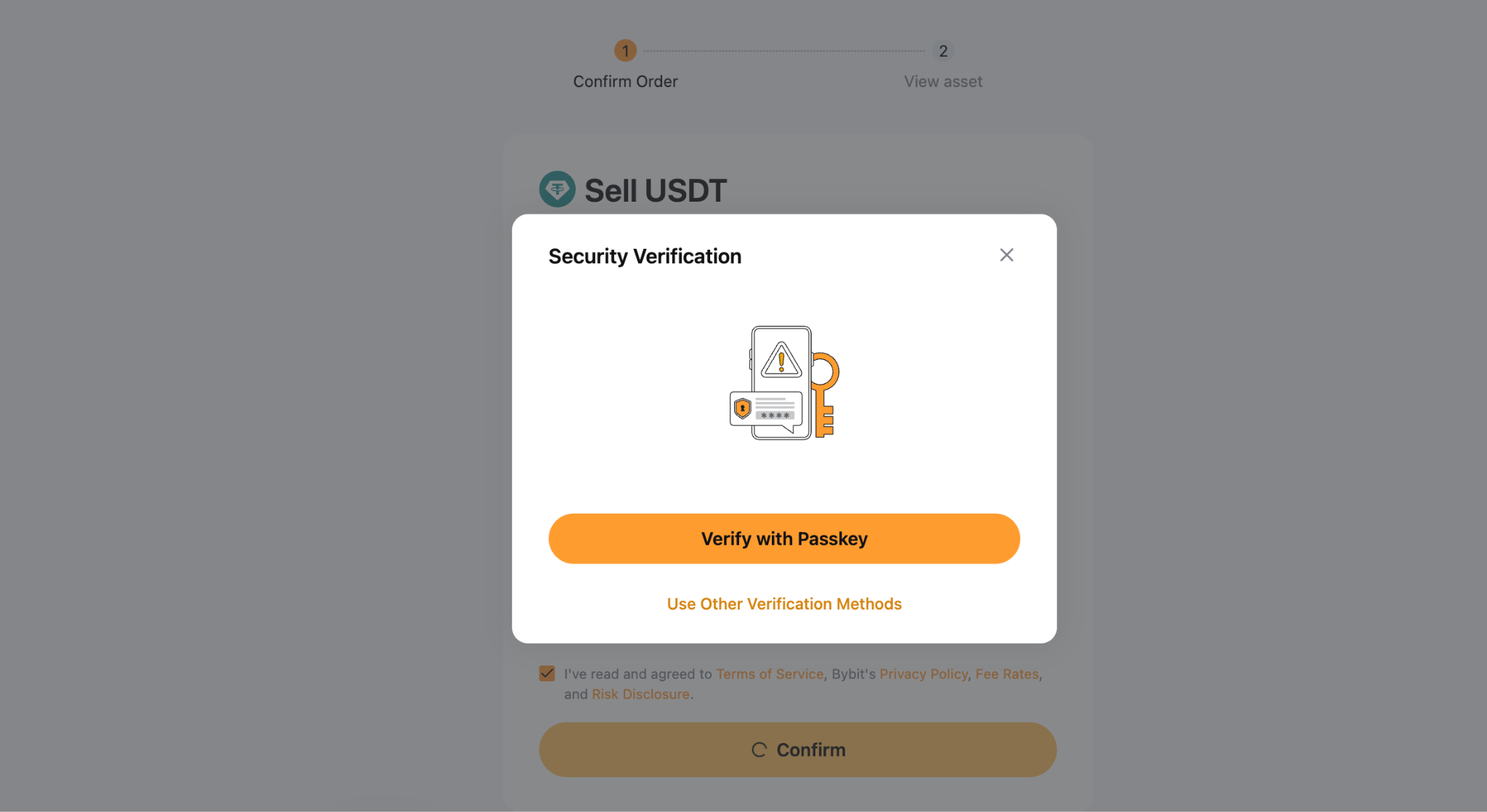
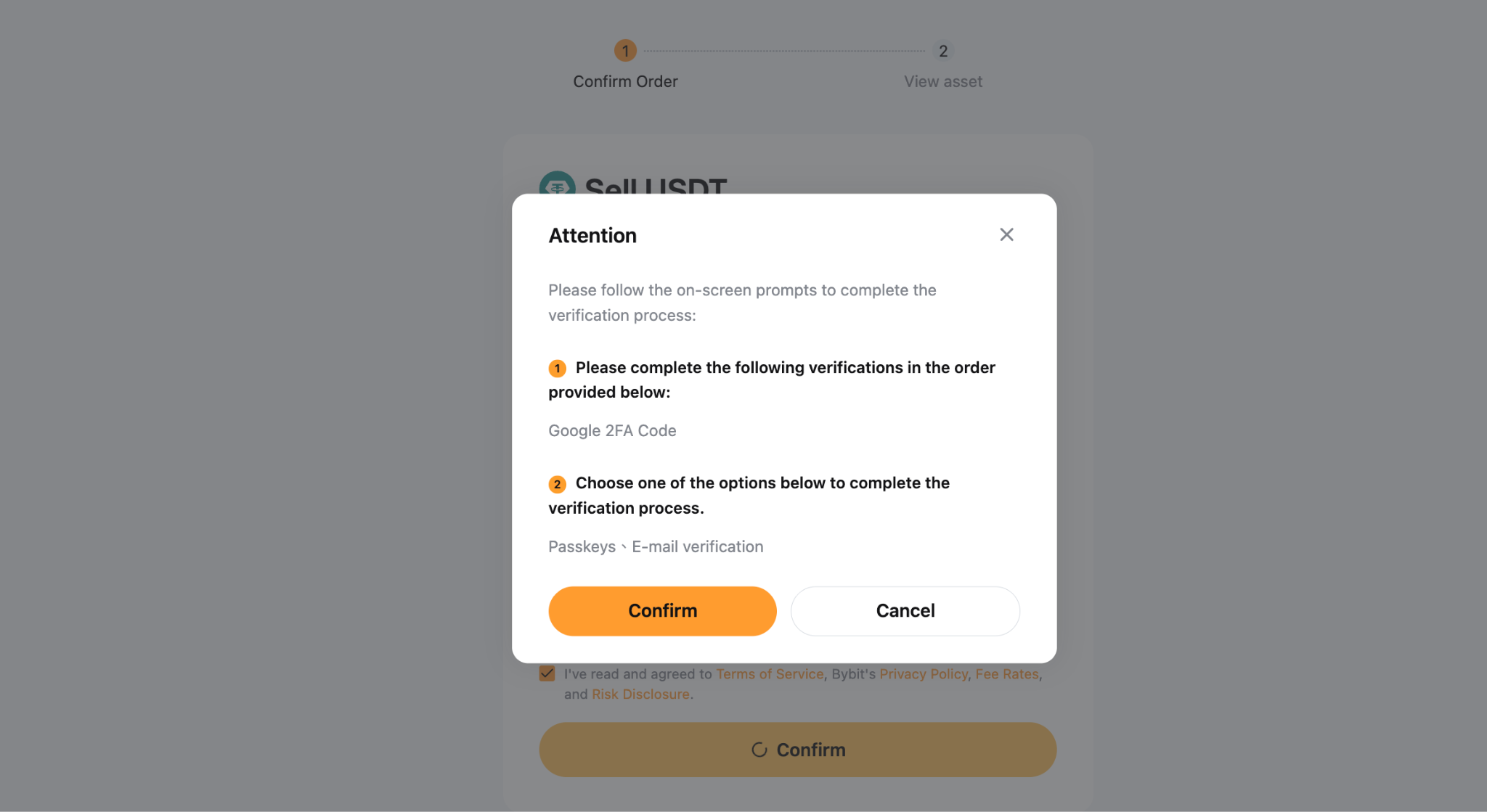
Step 4: Complete security verification
Click Continue to proceed with security verification. Once verified, your transaction will be processed and completed successfully.
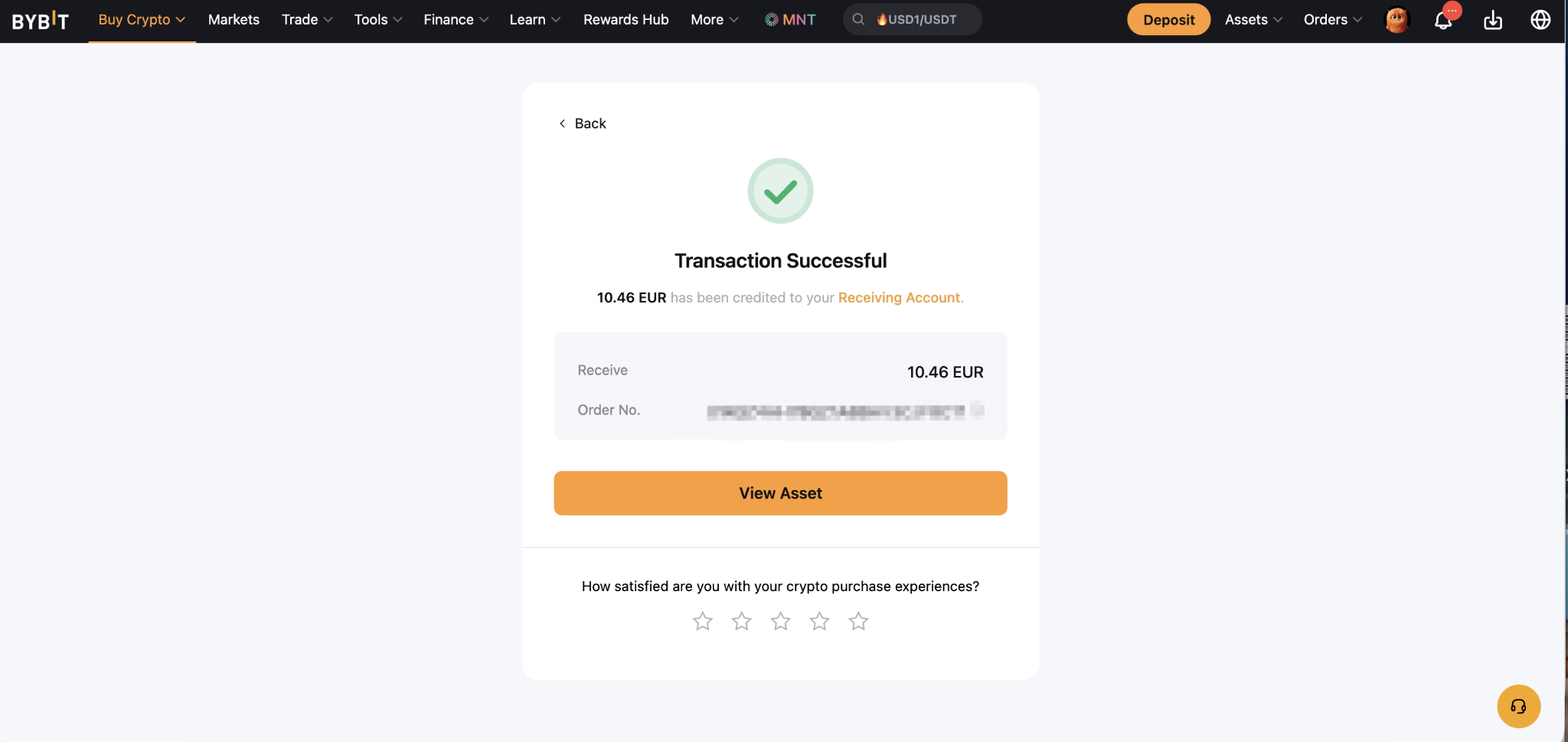
Step 5: Order successful
Your order has been completed. The funds will be transferred to your linked bank account accordingly.
Bottom line
Bybit's One-Click Sell with Mercuryo makes converting crypto to fiat straightforward and efficient. Once your bank card is verified through a prior One-Click Buy transaction, the entire sell process takes just a few steps — select your currency, agree to the terms, verify your identity, and you're done. It's a reliable option for users looking to quickly move funds from their Bybit account to their bank.
#LearnWithBybit