


How to Use Bybit Demo Trading (Step-By-Step)

If you’re an aspiring crypto trader, demo trading is the best way to practice. Bybit Demo Trading allows you to trade with simulated assets. This way, you can familiarize yourself with trading in a safe environment before diving into the real world of crypto trading. Furthermore, if you’re an aspiring Master Trader, Bybit Demo Trading enables you to fine-tune your trading skills without risking your hard-earned money.
Key Takeaways:
Bybit Demo Trading is a simulated platform replicating real-world market conditions for users to practice trading with virtual assets.
Bybit Demo Trading empowers beginning traders and aspiring Master Traders by allowing them to hone their trading skills without losing money.
When a user creates an account with Bybit, a simulated Unified Trading Account is automatically created for them to get started with Demo Trading.
What Is Bybit Demo Trading?
Bybit Demo Trading provides a simulated trading environment that replicates real-world market conditions for users to practice trading without using real money. This useful feature is in the form of a simulated Unified Trading Account (UTA) that’s automatically created for users when they sign up with Bybit. The Bybit UTA is an all-in-one account mode that allows you to trade across Bybit’s core products with just one click.
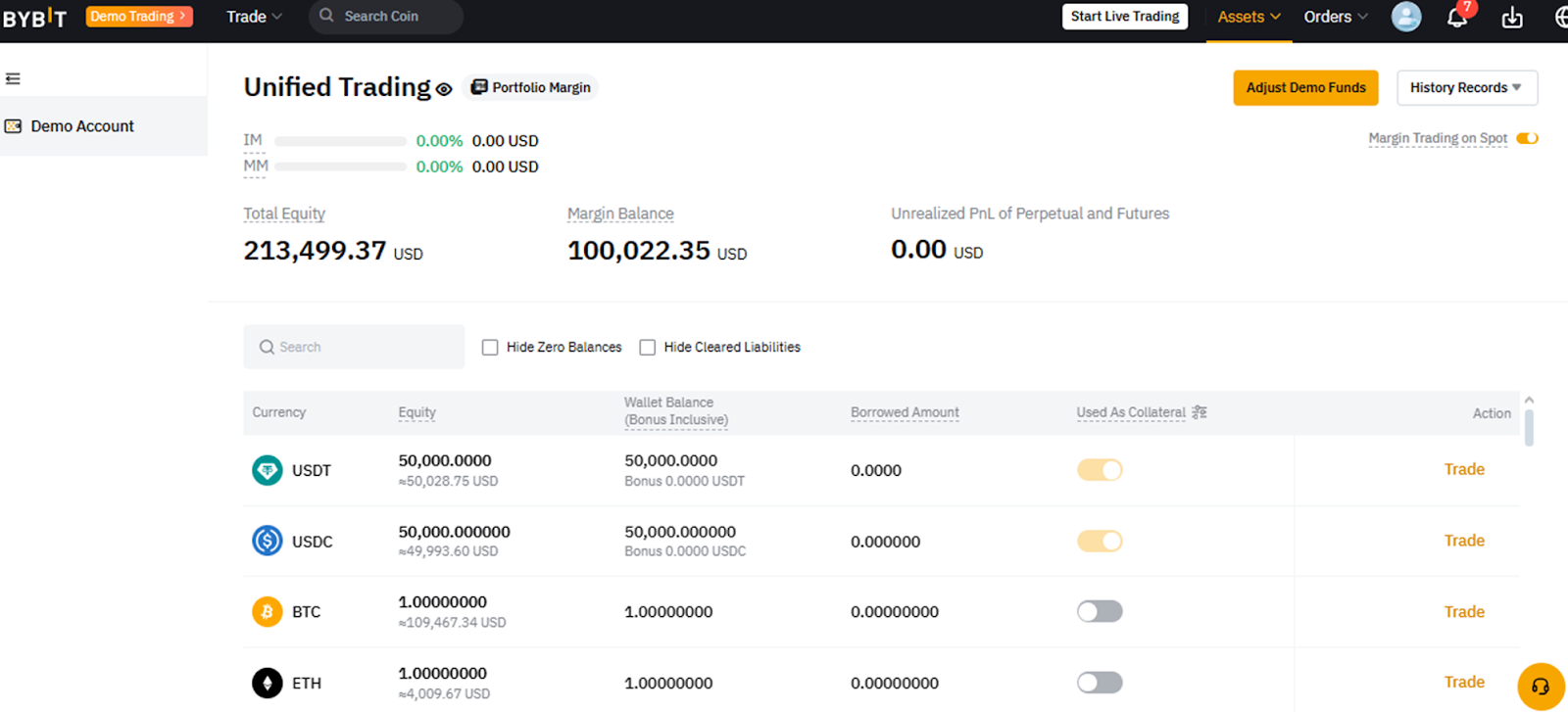
The simulated UTA includes demo assets split into 50,000 USDT, 50,000 USDC, 1 BTC and 1 ETH, which can be recharged simply by clicking on Request Demo Funds once your wallet balance falls below $10,000. There’s no limit to the number of times you can recharge your balance, so you’ll be able to practice trading until you’re confident enough to take on real-life trading with your actual assets.
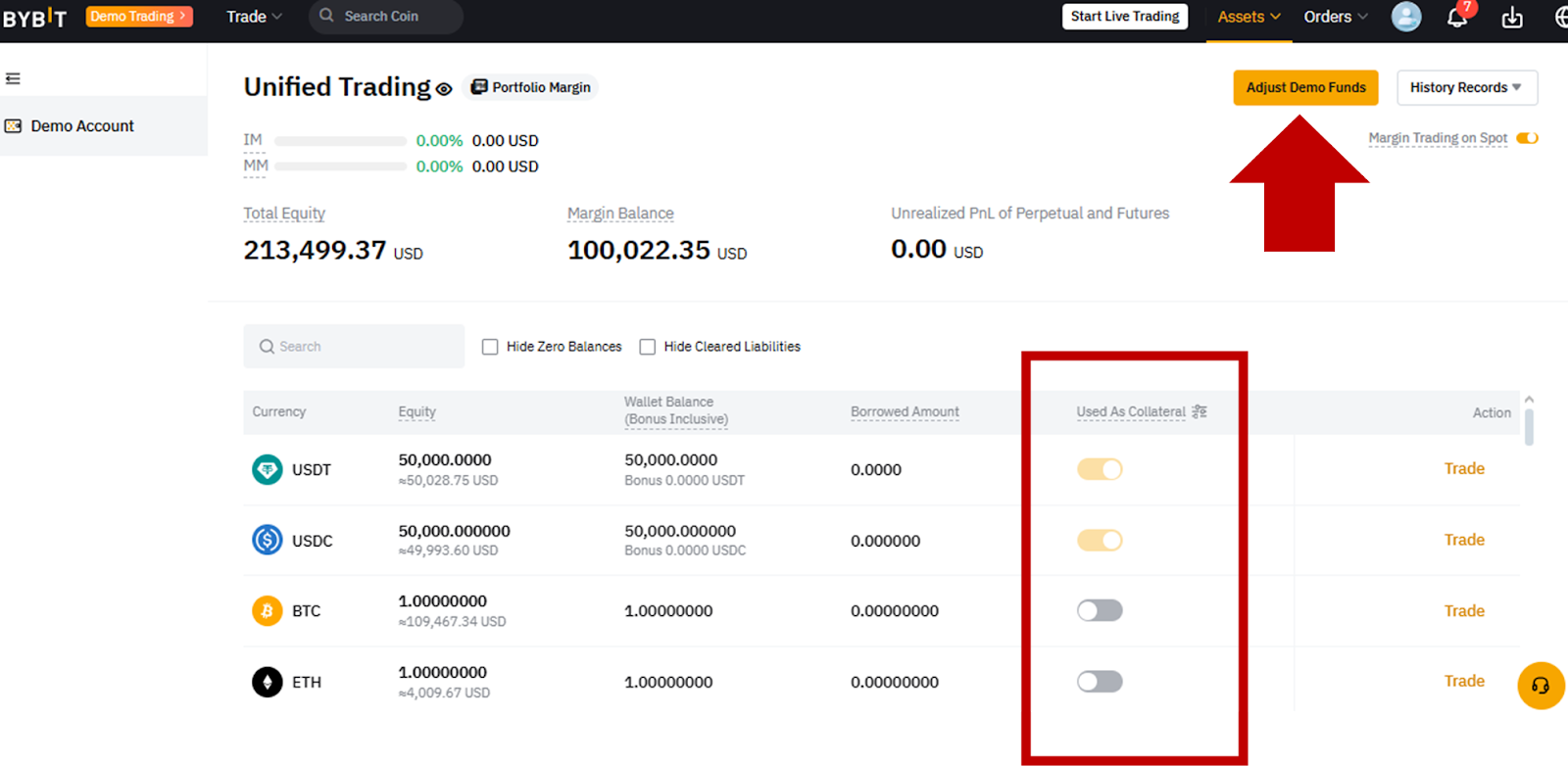
You can also adjust demo funds for each coin by increasing or decreasing their simulated amounts. All four coin balances can also be used for simulated collateral, with USDT and USDC enabled by default for this functionality.
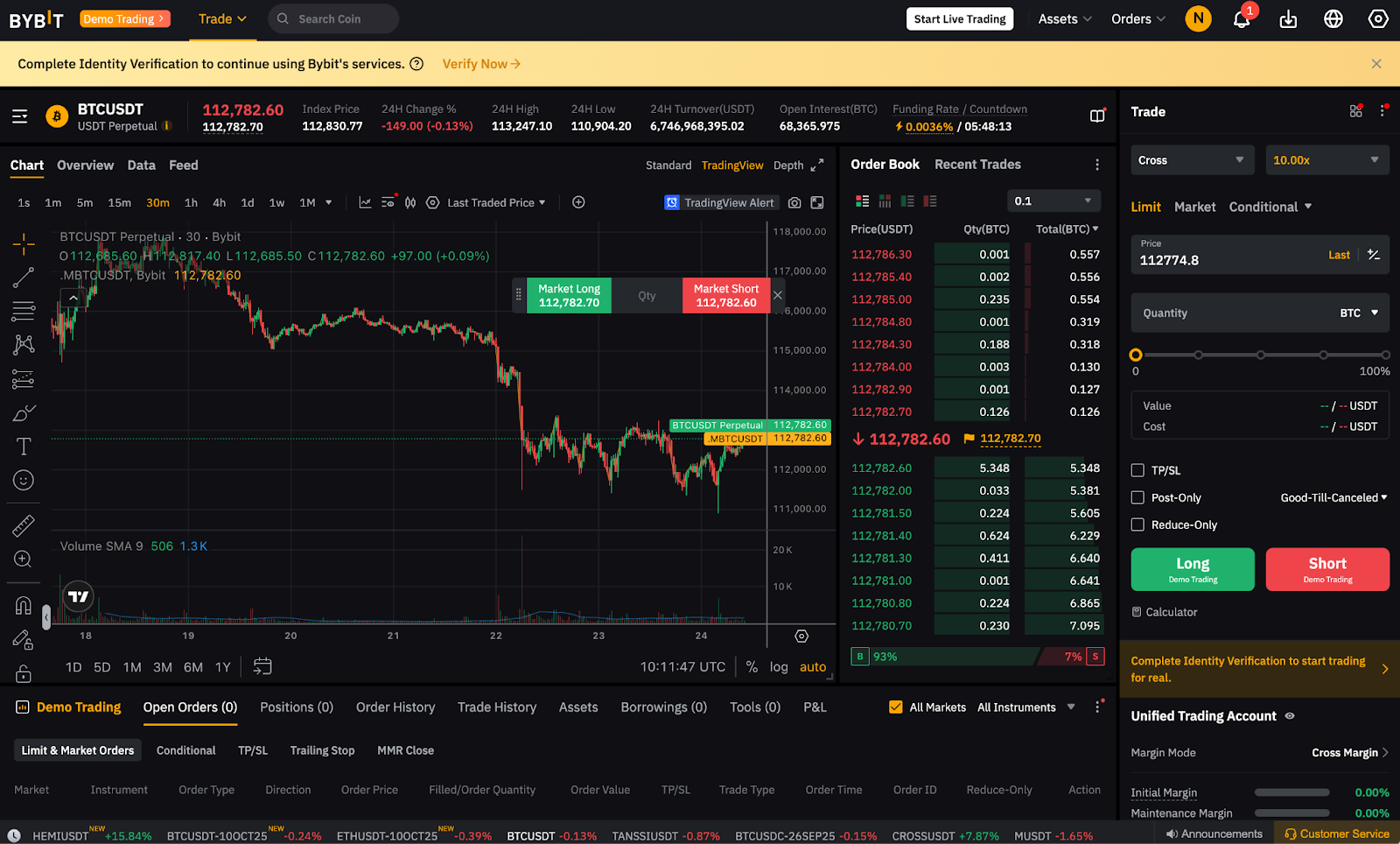
Bybit Demo Trading’s simulated UTA offers the same products as the actual Bybit UTA: Spot, Spot Margin, USDT and USDC Perpetuals and USDC Options. Further, the Bybit Demo Trading interface is similar to Bybit’s main trading interface, so you can easily familiarize yourself with navigating Bybit’s platform. Despite the similarity, you don’t have to worry about getting confused between the main trading platform and Demo Trading platform, as the Demo Trading mode is clearly indicated on the interface.
Why you should try Bybit Demo Trading
The biggest benefit of Demo Trading is that it gives you the ability to practice your trading skills in a completely risk-free environment. You can apply various trading strategies without the pressures of actual live trading.
You can also thoroughly explore the various products and markets on Bybit to see which ones better suit your interests and trading style. Demo Trading also lets you understand various intricacies, such as the speed and characteristics of execution for various order types.
Most importantly, the Demo Trading environment helps you build confidence by using the platform without risking any funds.
Besides experiencing real-life trading scenarios in a risk-free environment, you can also participate in demo trading competitions. By joining virtual trading competitions, every trader can experience the intensity of trading contests before deciding whether to participate in a real one. Demo trading competitions let you learn essential skills to win competitions without using your actual funds, such as managing your emotions during high-pressure situations and enhancing your ability to make decisions within short time frames.
Furthermore, by becoming one of the top performing traders in Bybit Demo Trading, you’ll even get the chance to become a Bybit Master Trader and lead beginning traders to make consistent profits in trades.
How to set up Bybit Demo Trading
To take advantage of Bybit Demo Trading, first open a Bybit account if you haven’t yet done so. Once you’ve opened your main account, visit Bybit’s homepage and click on the Demo Trading button in the top-left corner, or in the middle of the page.
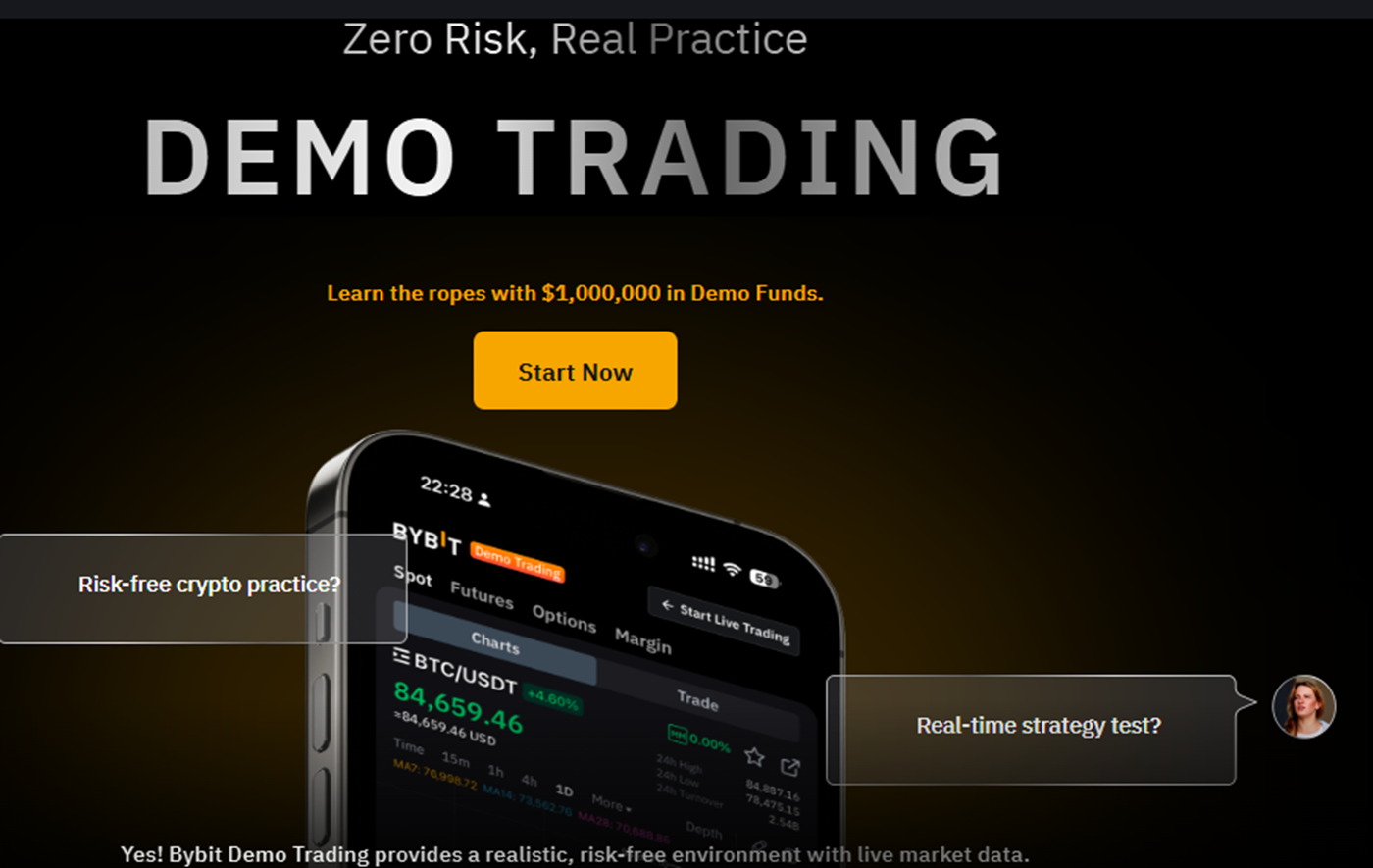
You’ll then be taken to the Demo Trading introductory page. Click on the Start Now button to proceed.
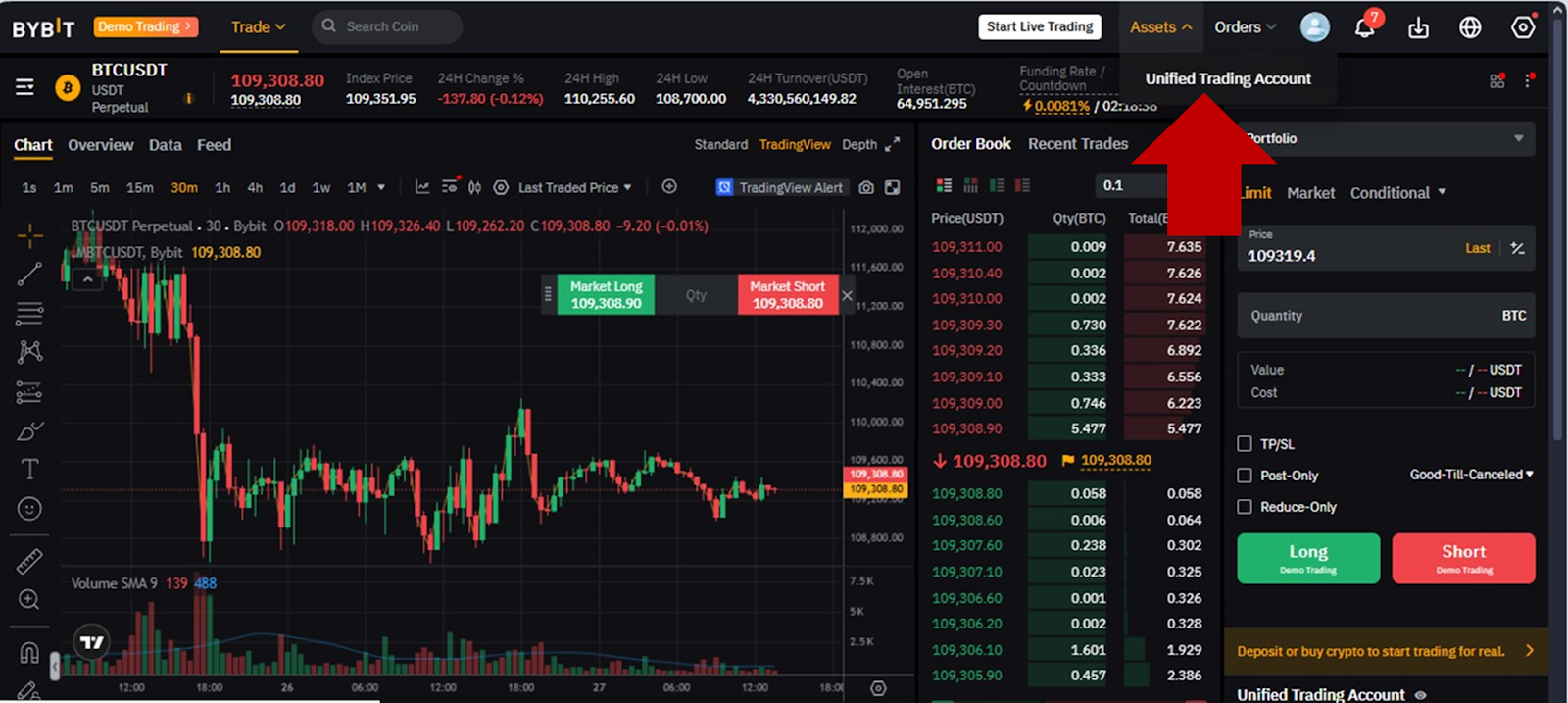
Next, you’ll be directed to your Demo Trading’s main page. From there, hover over Assets in the top-right menu and click on Unified Trading Account.
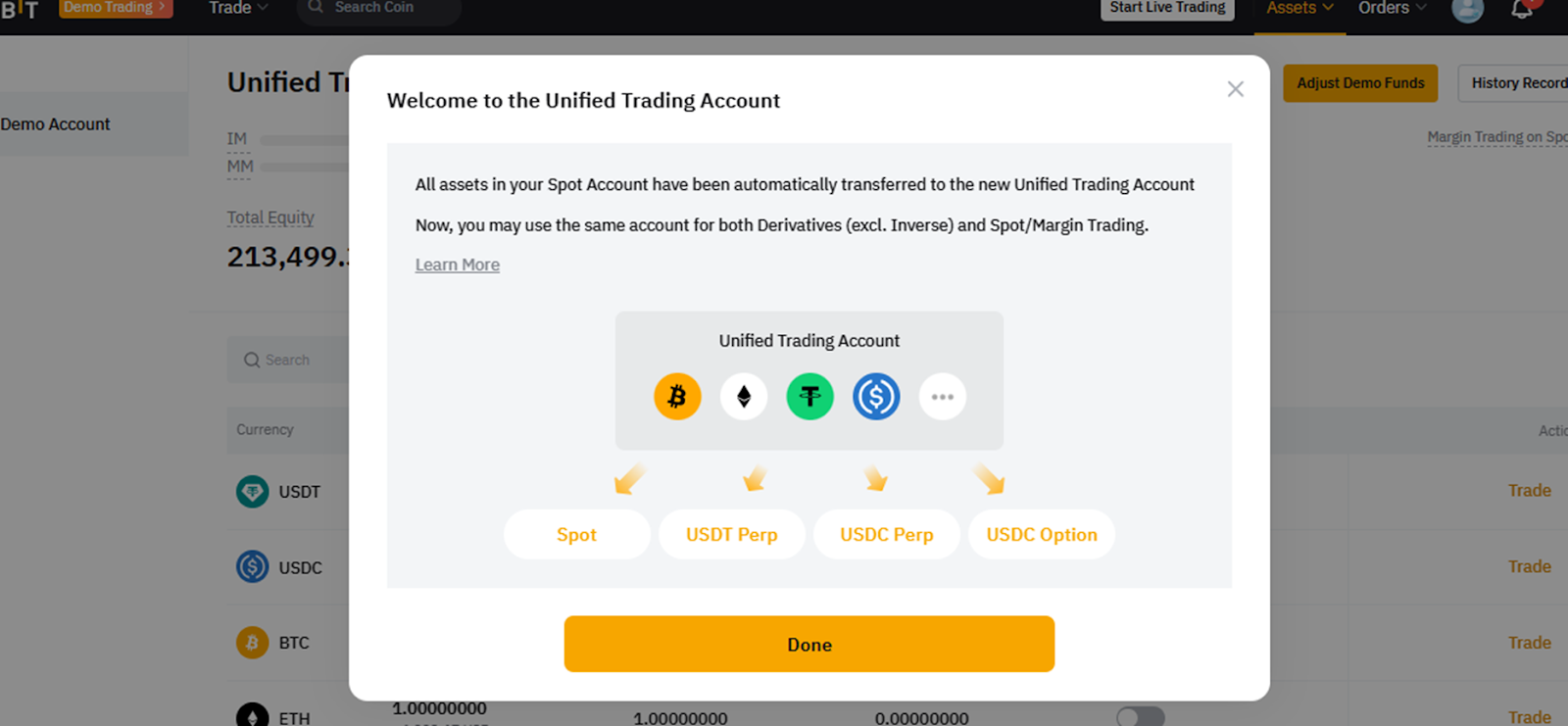
A pop-up window will appear, welcoming you to your demo Unified Trading Account. It contains an explanation of the trade types you can access through the account. These typically include Spot trading and Derivatives trading using USDT Perpetuals; USDC Perpetuals; and USDC Options. Click on the Done button to proceed.
Your Demo UTA’s main screen will appear, showing your total balance, margin balance and individual balances, as well as details for USDT, USDC, BTC and ETH demo funds. From this interface, you can control your account settings, such as adding or reducing demo funds, or turning on (or off) the option to use collateral for specific assets.
To add or reduce demo funds for specific coins, click on the Adjust Demo Funds button at the top right of the screen. To turn on (or off) the collateral option for specific coins, use the toggle switches under the Used As Collateral column.
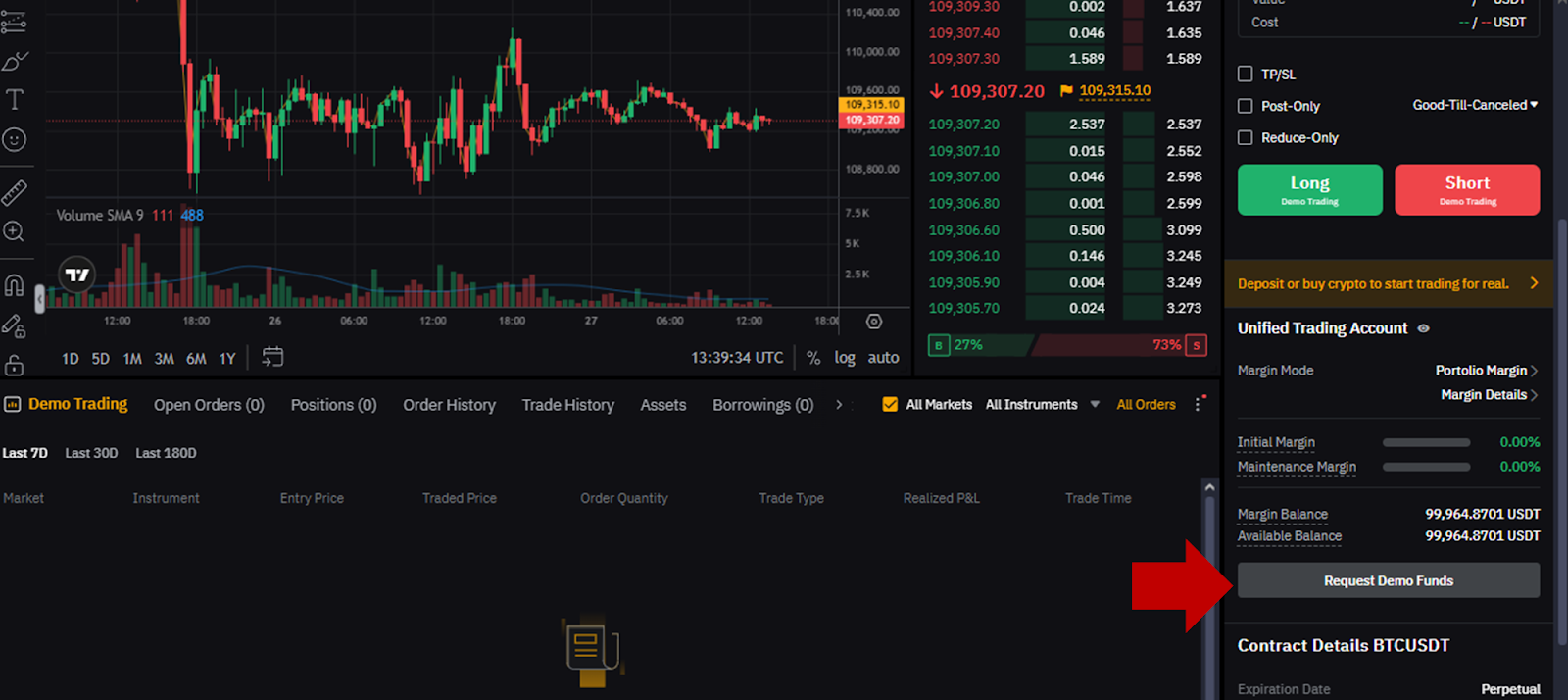
To start your demo trading, click on the Demo Trading button at the upper left of the UTA screen above. You’ll be led to your Demo Trading portal, where you can place your trades.
In your trading portal, please note that whenever your total demo equity falls below $10,000, you can request additional funds by clicking on Request Demo Funds in the right panel (closer to the bottom).
How to trade with Bybit Demo Trading
Once you’ve set up your Bybit Demo Trading account, you can trade in it just as you would with the Unified Trading Account (UTA). Since UTA is an all-in-one account, you can easily manage all of your assets and funds within this single account. There are three margin modes in UTA — Isolated Margin, Cross Margin and Portfolio Margin — which allows you to explore more strategies.
Any asset that’s supported in UTA can be traded in Bybit’s core products: Spot, Spot Margin, USDT and USDC Perpetuals and USDC Options. Moreover, you can also use crypto assets as collateral for leveraged trading. Since all your assets are consolidated, as long as you have supported collateral assets and your account balance is sufficient, you’ll be able to open positions.
Since UTA focuses on risk management, just like the actual UTA, Bybit Demo Trading’s simulated UTA also triggers a virtual margin call and liquidation. This allows you to learn to manage risks and mitigate your losses when you step into the real world of trading.
The bottom line
Whether you’re a novice trader embarking on your cryptocurrency journey or an experienced trader looking to elevate your expertise, Bybit Demo Trading gives you a secure environment to hone your skills and gain confidence without the risk of financial loss. Creating a Bybit Demo Trading account is easy, as it’s automatically set up when you sign up with Bybit. So, what are you waiting for? Sign up with Bybit now and immerse yourself in the world of crypto trading with Bybit Demo Trading as your friendly guide.
#LearnWithBybit