


How to download the Bybit App with Google Play or App Store

The Bybit App is available through the Google Play Store, the Apple App Store and directly from Bybit's official website — including as an APK file for Android devices. Regardless of which method you use, downloading only from verified, official sources is essential to protect your account and device. This guide covers a safe download option and walks you through step by step.
Key takeaways:
The Bybit App can be downloaded from the Google Play Store, the Apple App Store, or directly from Bybit's official website as an APK (Android only).
Always use official sources only — third-party APK sites carry serious risks including malware and credential theft.
Installing via APK requires a one-time permission change on your Android device; the process is straightforward and fully reversible.
The only safe APK file source: Bybit's official website
Critical security notice: Always download the Bybit App exclusively from Bybit's official website or your device's official app store. Third-party APK hosting sites, unofficial mirrors and unverified download links carry significant risks — including malware, data theft and compromised wallet access. There is no legitimate reason to download Bybit from any source other than the official site.
When your regional app store does not carry the Bybit App, the correct and secure alternative is to visit Bybit's official website directly and download the app from there. This is the only method Bybit officially supports outside of app store distribution.
Downloading from the official website guarantees:
You receive the latest verified version of the app
The file has not been tampered with or modified by a third party
Your device and account credentials remain protected
How to download the Bybit App on Android (official APK method)
For Android users the official APK (Android Package Kit) download is the recommended alternative. An APK is simply the standard Android installation file format — the same type of file the Play Store uses internally. When downloaded from a verified source, it is completely safe to use.
Follow these steps carefully to download and install the Bybit App via APK from the official website.
Step 1: Download the official APK file
1. Open your mobile browser (such as Chrome) on your Android device.
2. Navigate to Bybit's official website via the browser.
3. Locate the Download App page.
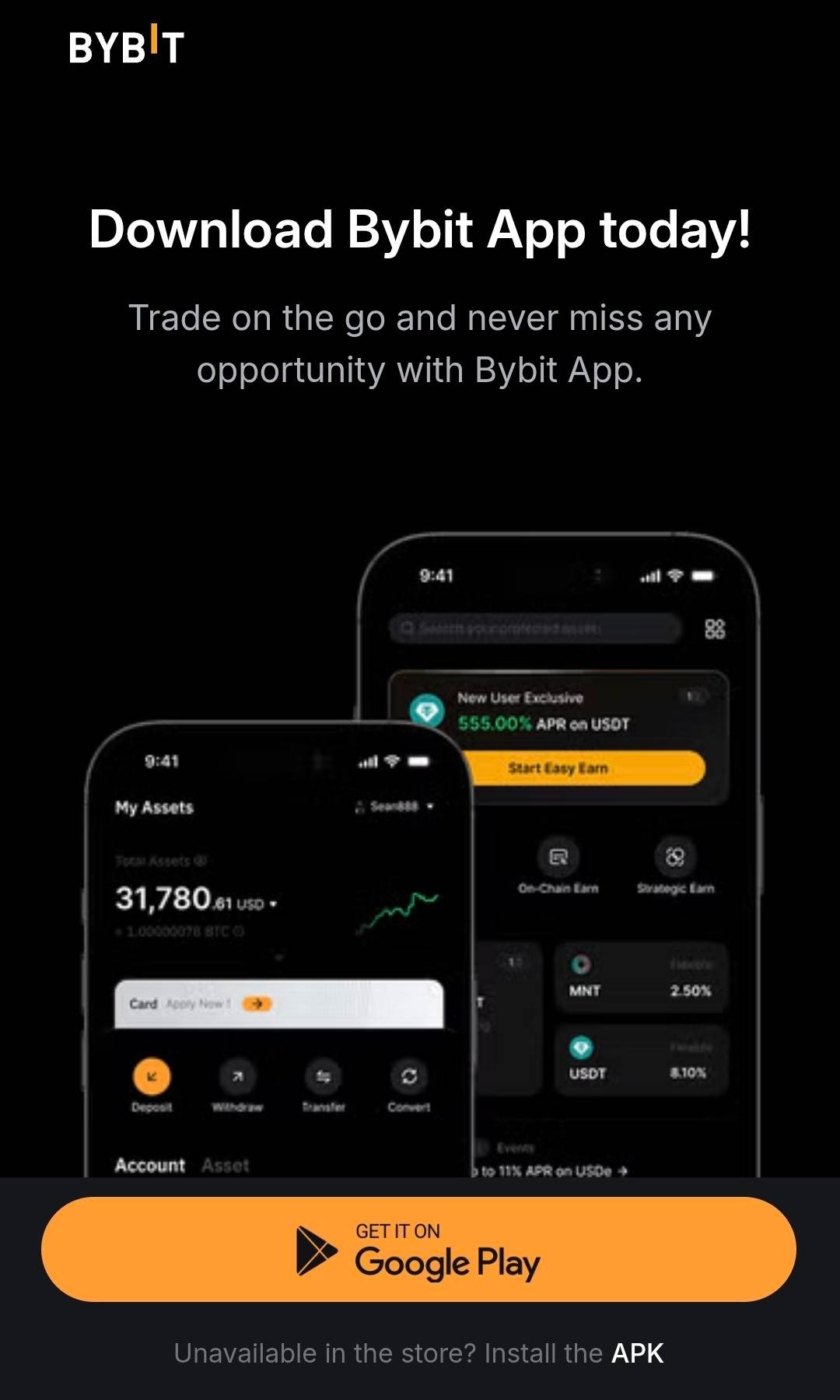
4. Click on Install the APK to save the APK file to your device.
Tip: Make sure the URL in your browser begins with the official Bybit domain before downloading. Do not follow download links from social media, messaging apps, or search ads — always navigate directly to the official site.
Step 2: Enable installation from unknown sources
By default, Android restricts app installations to sources it recognizes — primarily the Google Play Store. When you attempt to install an APK file downloaded from a website, Android will display a security prompt. This is expected behavior and does not mean the file is unsafe.
You may see the following message:
"Your phone currently isn't allowed to install unknown apps from this source."
This permission must be granted before the installation can proceed. Here is how to do it:
Option A — Grant permission directly from the prompt:
1. When the warning message appears, tap Settings.
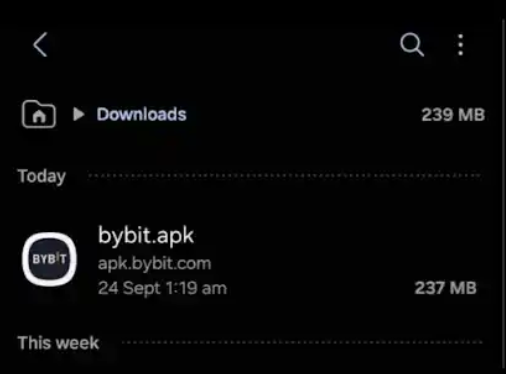
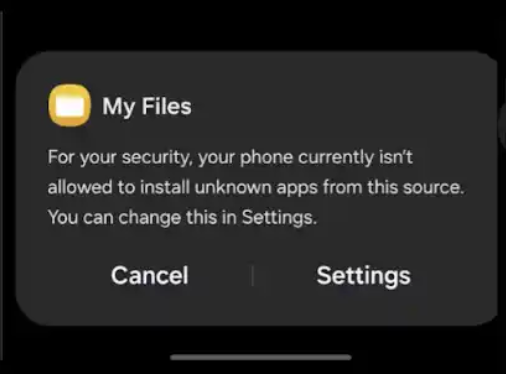
2. Toggle on Allow from this source for the app you used to open the APK (e.g., Chrome or your file manager).
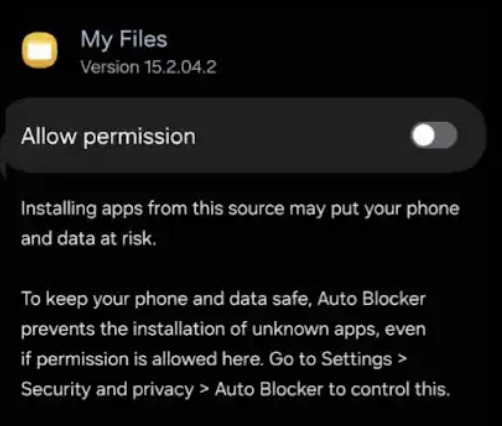
3. Return to the APK file and proceed with installation.
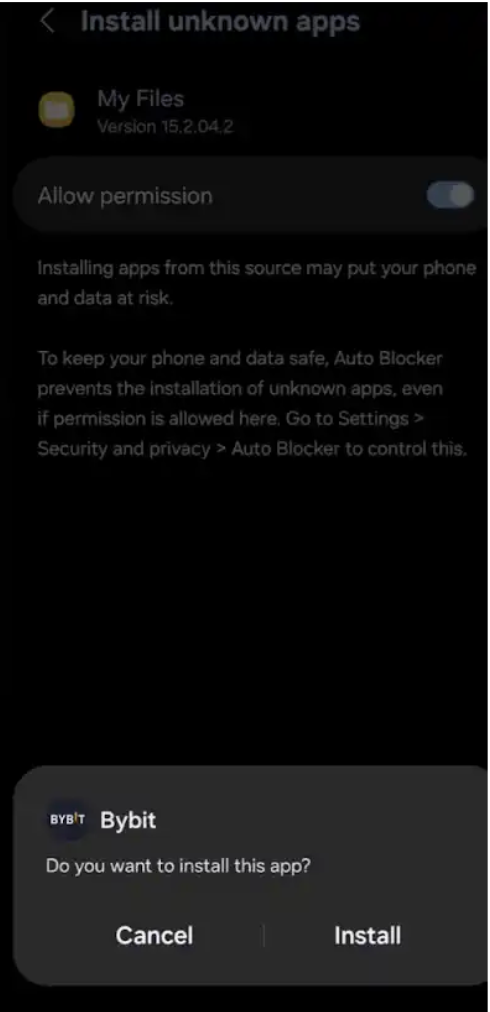
Option B — Grant permission manually through device settings:
1. Open your phone's Settings app.
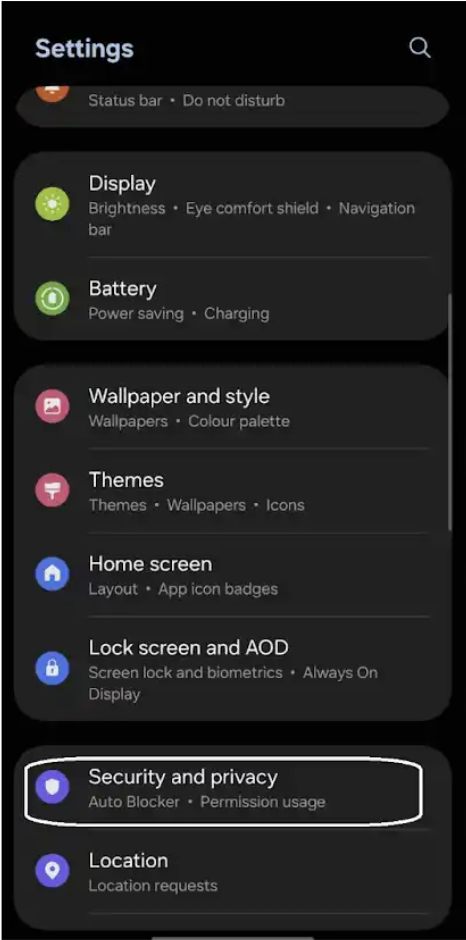
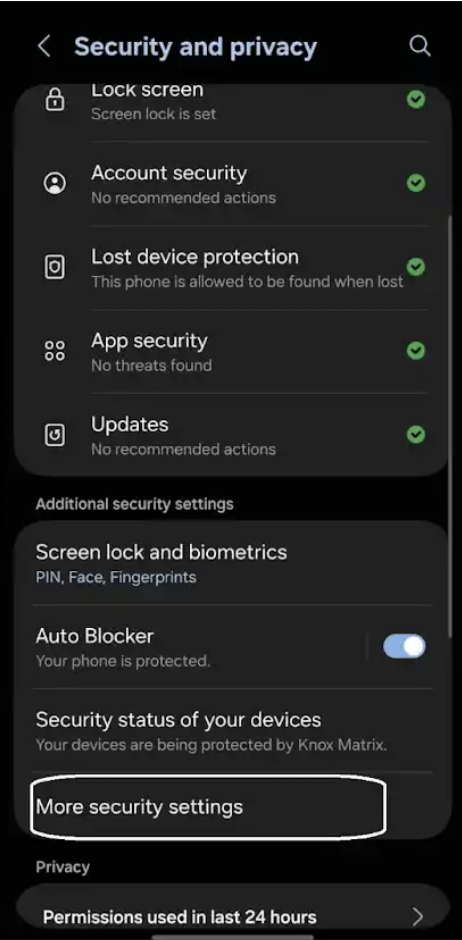
2. Go to Security and privacy.
3. Scroll down and select More security settings.
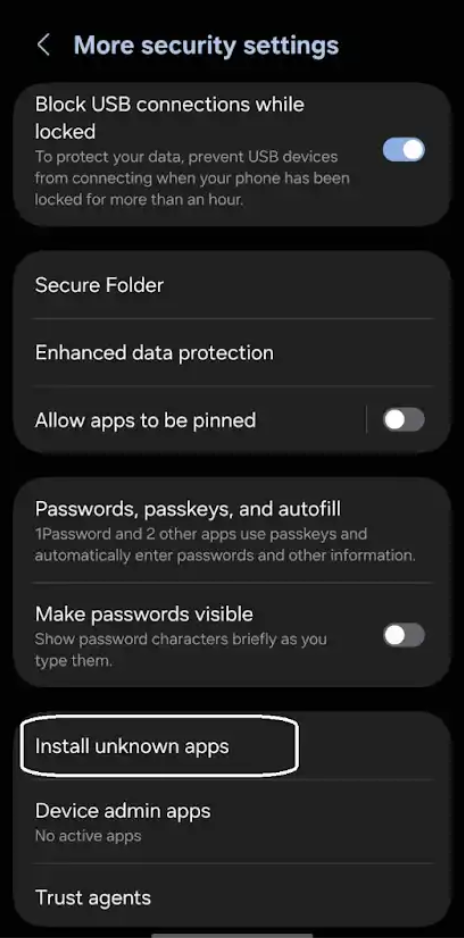
4. Tap Install unknown apps.
5. Select the app you used to download the Bybit APK (e.g., Chrome, My Files, or Google Drive).
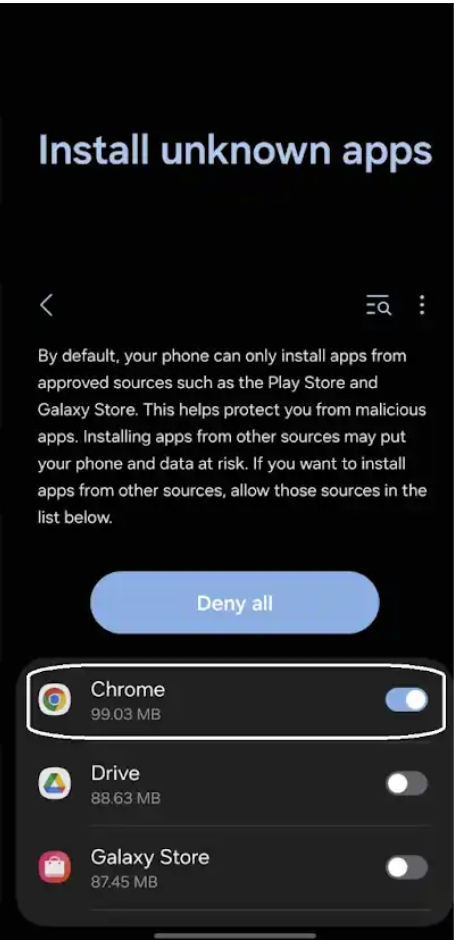
6. Toggle on Allow permission for that app.
Note: You are granting permission to install from a specific app (your browser or file manager), not from all sources. This is a targeted permission, not a blanket security override. You can revoke it after installation if preferred.
Step 3: Install the Bybit App
Once the permission is granted, open your Downloads folder.
Tap the bybit.apk file.
An Install button will now appear instead of the previous warning.
Review the permissions the Bybit App requests, then tap Install to proceed.
Once installation is complete, the Bybit App will be available on your home screen or app drawer.
How to download the Bybit App on iOS
For iPhone and iPad users, the process differs from Android. Apple's iOS does not support APK files — all apps must be installed through the App Store or, in limited cases, via Apple's enterprise distribution program.
You can check Bybit's official website for any iOS-specific guidance or alternative download instructions.
Do not attempt to install iOS apps from unofficial sources.
How to verify you have the authentic Bybit APK
Even when downloading from what appears to be the official website, it is good practice to verify the authenticity of the file before installing it. Here are the key checks to perform:
Verification step | What to check |
URL verification | Confirm the download page URL matches Bybit's official domain exactly. Look for HTTPS and the correct domain spelling. |
File name | The official APK file should be named consistently with Bybit's branding (e.g., bybit.apk). Be cautious of files with unusual names or version numbers appended by third parties. |
Antivirus scan | Before installing, scan the downloaded APK with a reputable mobile security app or upload it to a trusted online scanner. |
App permissions | During installation, review the permissions requested. A legitimate trading app should not request access to unrelated functions such as SMS or call logs. |
Benefits of downloading from the official source
Verified integrity — The file is signed and distributed directly by Bybit
Latest version — Always the most current, fully patched release
Account security — No risk of credential harvesting from a modified app
Official support — Eligible for Bybit customer support if issues arise
Keeping the Bybit App updated
In the Bybit App, a pop-up alert will notify users when an update is available. If you prefer to download the Bybit App via APK, make sure you’re always running the latest version.
Periodically revisit Bybit's official website and check the Download App section for a newer APK version.
Follow Bybit's official communication channels for announcements about new app releases.
Running an outdated version of any financial application can expose you to security vulnerabilities. Treat app updates as a routine security practice, not an optional step.
Bottom line
You can download the Bybit App and update the versions directly from Bybit's official website. This is the only verified, safe source for the official APK. The file signed and distributed directly by Bybit is always the most current, fully patched release.
FAQs
Can I install apps via APK outside the Google Play Store?
Yes. Installing APK files on Android is a standard supported feature of the operating system. The key factor is the source of the APK — always use the official developer's website.
Will my Bybit account work the same way on an APK-installed app?
Yes. The APK version of the Bybit App is functionally identical to the Play Store version. All features, including trading, deposits, withdrawals and two-factor authentication, work the same way.
What if I already have an older version of the Bybit App installed?
You can install the newer APK over the existing installation. Your account data and settings will be preserved. If prompted, allow the update to overwrite the existing app.
Is the APK download free?
Yes. The Bybit App is free to download and install. You should never pay to download the app from any source.
#LearnWithBybit