


How to buy and sell crypto easily with Bybit One-Click Buy

Converting fiat to crypto or vice versa can be complex, involving different payment methods and verifications. Bybit One-Click Buy simplifies this with a single interface. This guide explains supported features, order steps, limits and common questions.
Key Takeaways:
One-Click Buy supports four payment methods: Bank Card, Fiat Balance, Third-Party and P2P.
At minimum, Standard KYC verification is required to use One-Click Buy, while Advanced verification provides access to higher limits.
Transaction limits are $10,000 per order for both verification levels, but they are roughly 2 to 2.5 times higher for the Advanced level than for Standard KYC across daily, weekly and monthly periods.
What is One-Click Buy?
One-Click Buy is Bybit's fiat on-ramp and off-ramp tool. It’s designed for straightforward conversion between fiat currencies and crypto without requiring you to directly interact with Spot or P2P order books. Four payment methods are supported — Bank Card, Fiat Balance, Third-Party payment processors and P2P transactions — to give you flexibility across different funding sources and regional availability.
All transactions go to your Main Account. You cannot use Subaccounts for One-Click Buy, and you’ll be required to manually move funds to a Subaccount if needed.
Funds are usually credited within 10 minutes and, at most, within 24 hours. If a payment clears, but the order window has expired, Bybit refunds the amount within seven business days. Failed orders — for which payment was never deducted — require no action on your part, as funds aren’t charged until a transaction successfully completes. The exchange rate applied in each case reflects the best available rate from Bybit's supported service providers at the time of the specific transaction’s execution.
How to use One-Click Buy
To buy coins
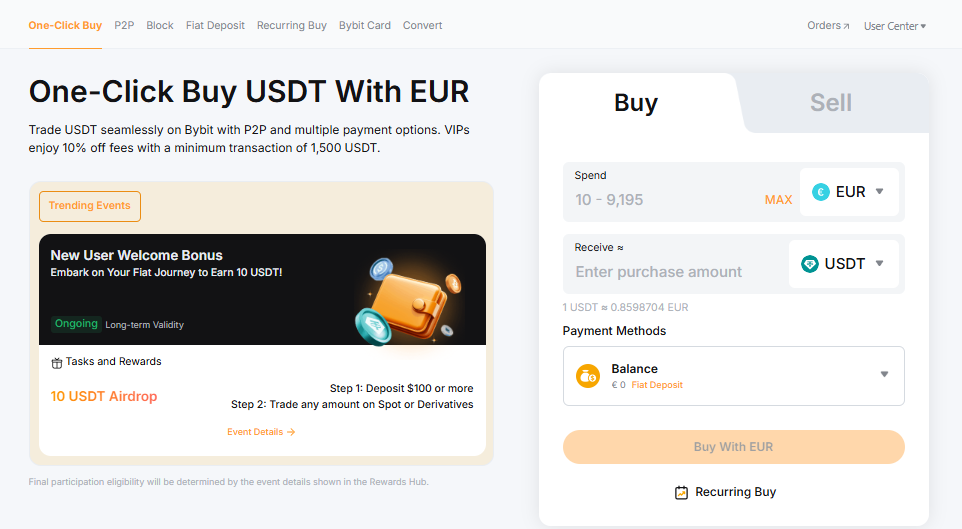
Step 1: Visit the One-Click Buy page and ensure that the Buy tab is selected in the order form on the right.
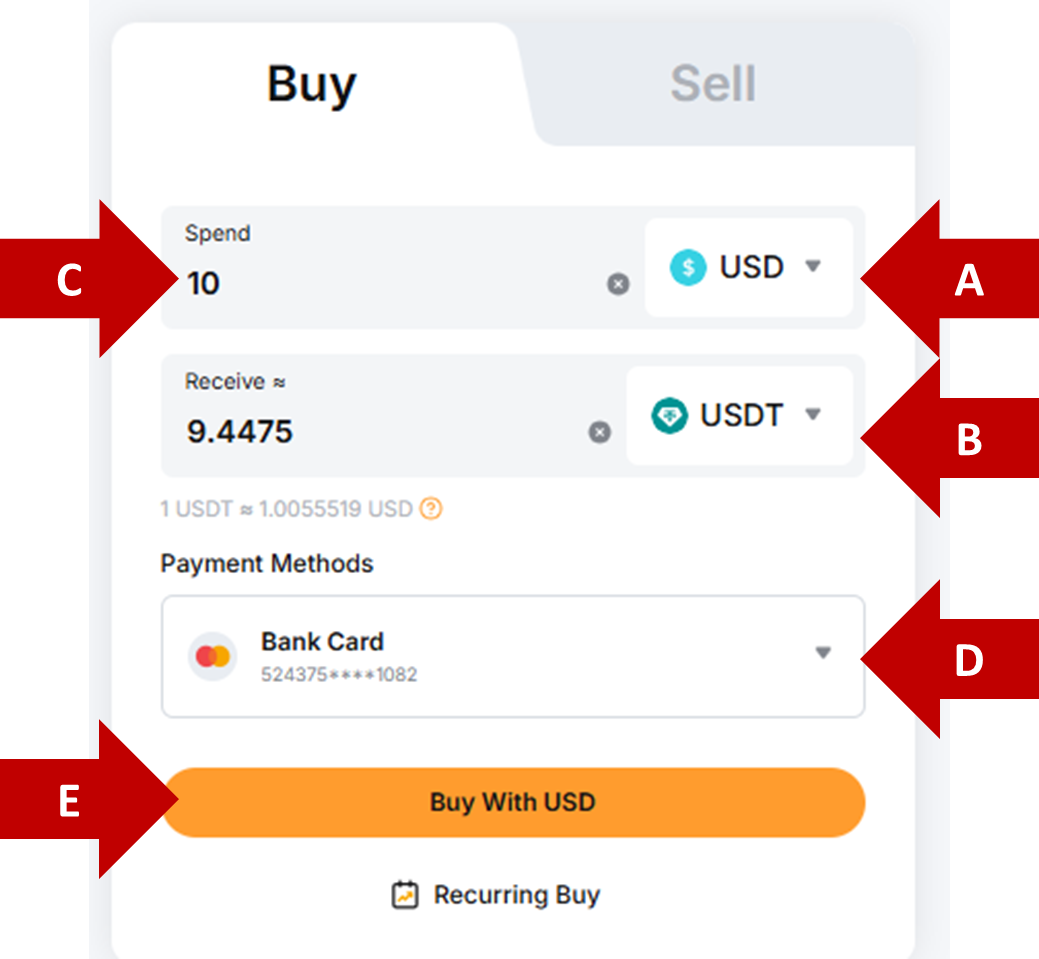
Step 2: In the order form:
(a) choose the asset to spend/pay with
(b) choose the asset to receive
(c) specify the amount to spend (or, alternatively, the amount to receive)
(d) choose your payment method
(e) click on the Buy button to proceed
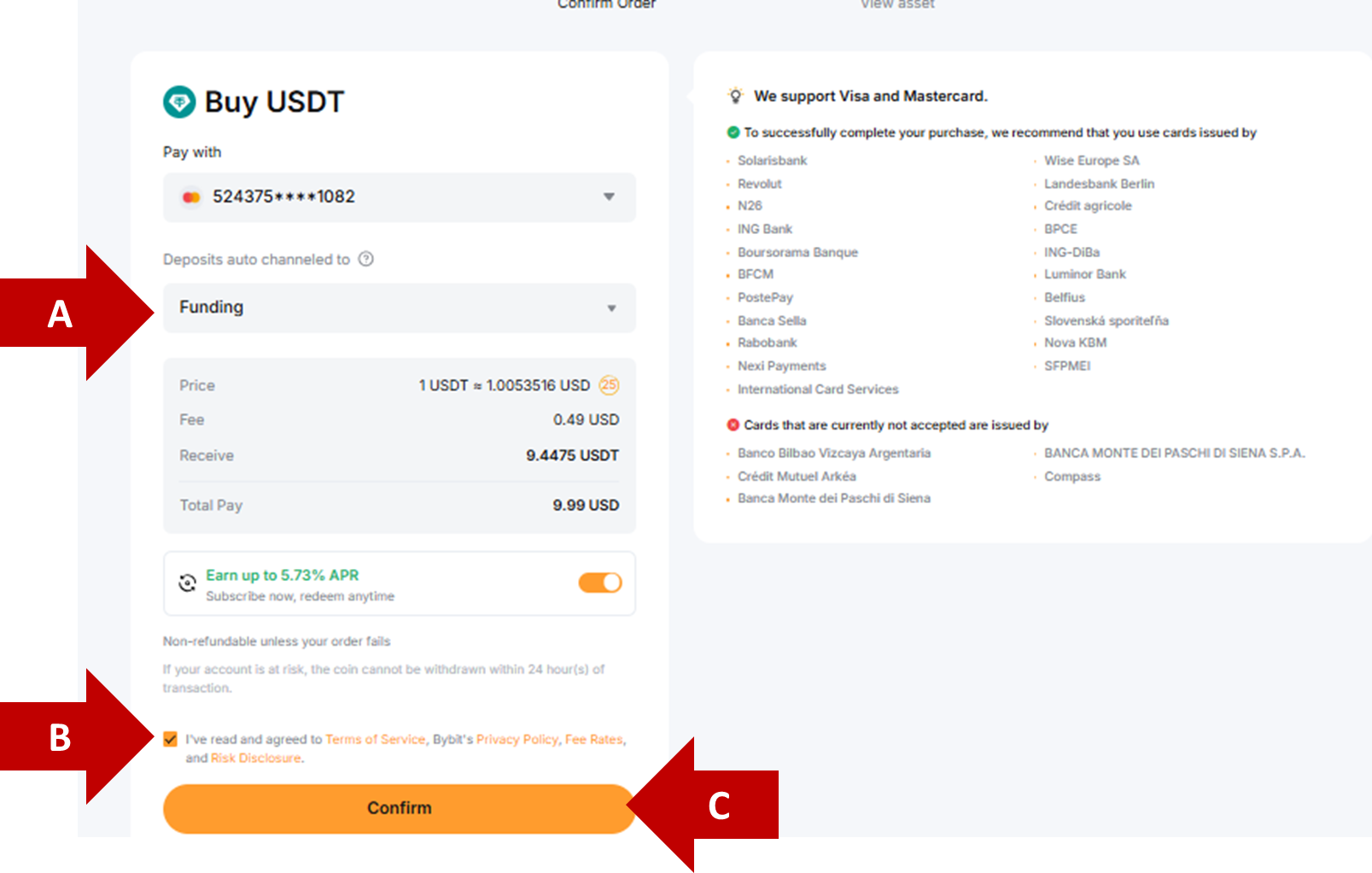
Step 3: In the confirmation dialog box:
specify the Account to receive your funds (Funding Account or Unified Trading Account)
tick on the box to acknowledge the service terms
click on Confirm to finalize your transaction
Note: Some payment methods and currencies require a virtual account, as summarized in the table below:
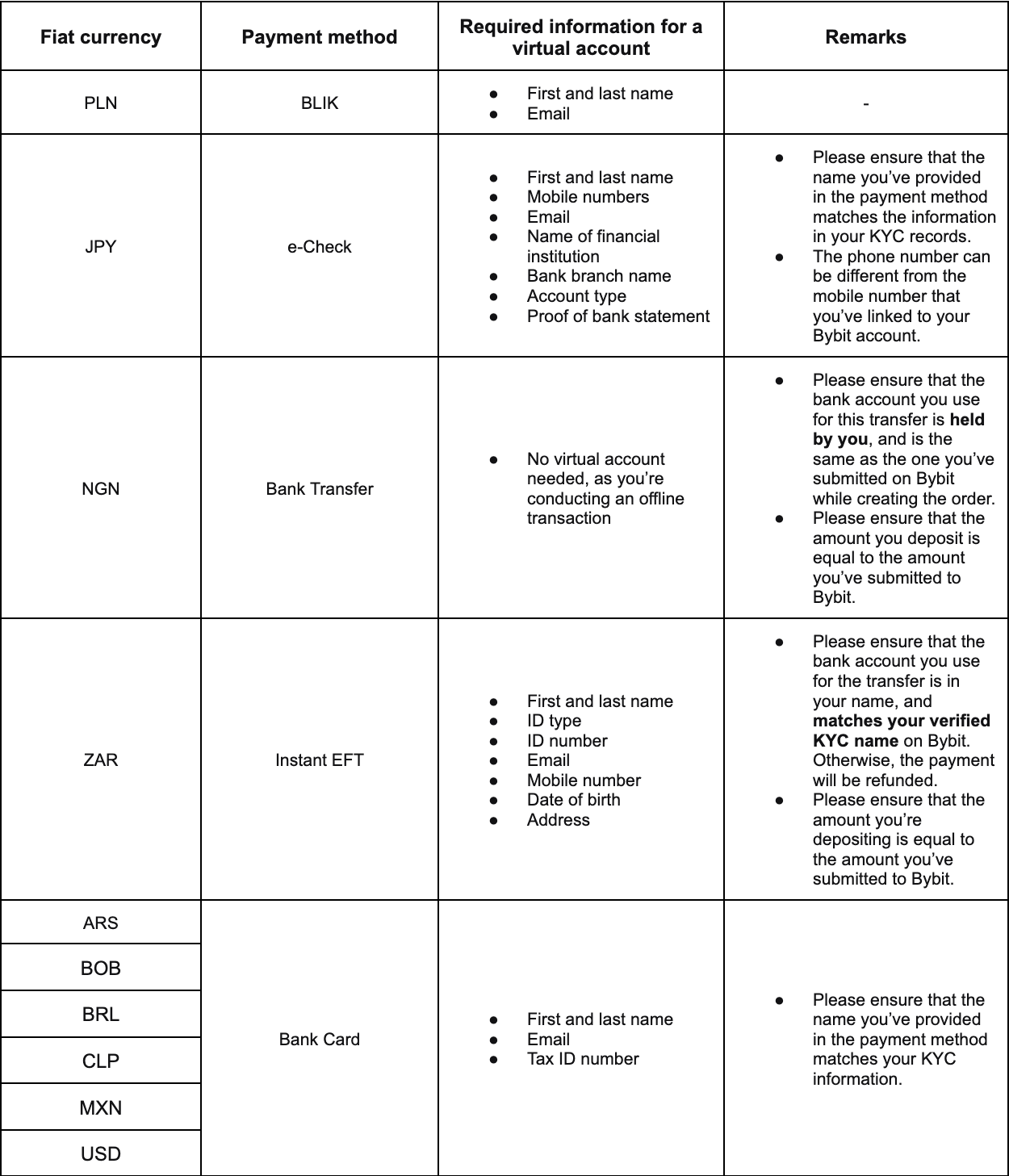
The review process for these virtual accounts may take up to four business days.
With a confirmed payment method, credits are often instant, and always within 24 hours.
You must set up two-factor authentication (2FA) to use fiat balance for One-Click Buy. For more details on 2FA and account security, please see this article.
To sell coins
Step 1: Visit the One-Click Buy page and select the Sell tab in the order form on the right.
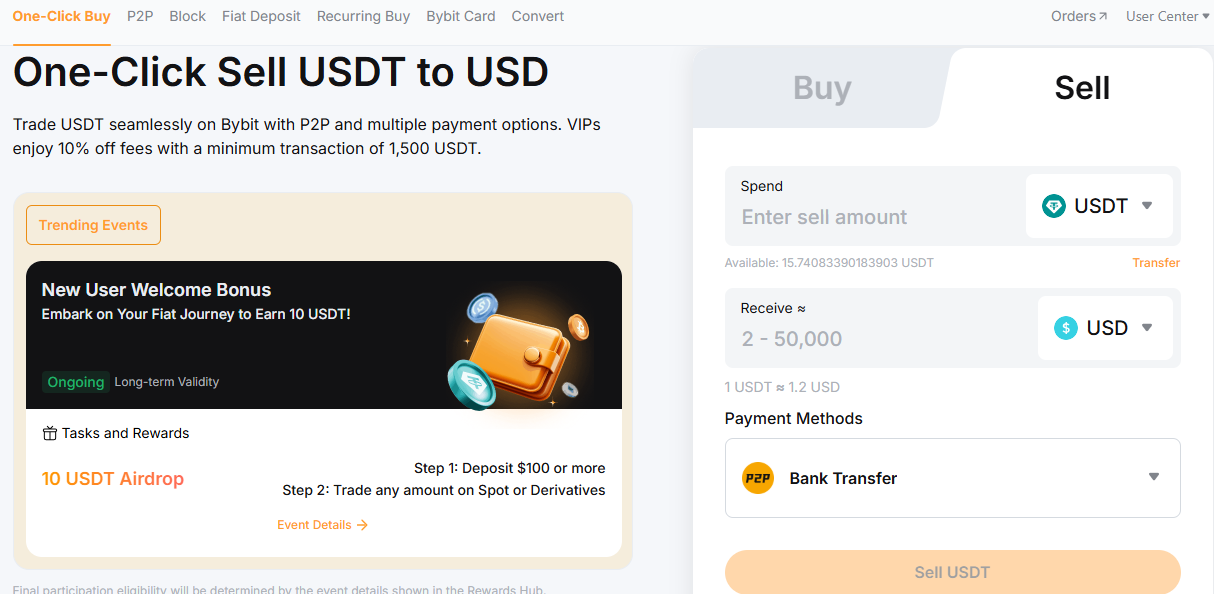
Step 2: In the order form:
(a) choose the asset you wish to spend
(b) choose the asset you wish to receive
(c) specify the amount you wish to spend (or, alternatively, the amount you wish to receive)
(d) choose your payment method
(e) click on the Sell button to proceed
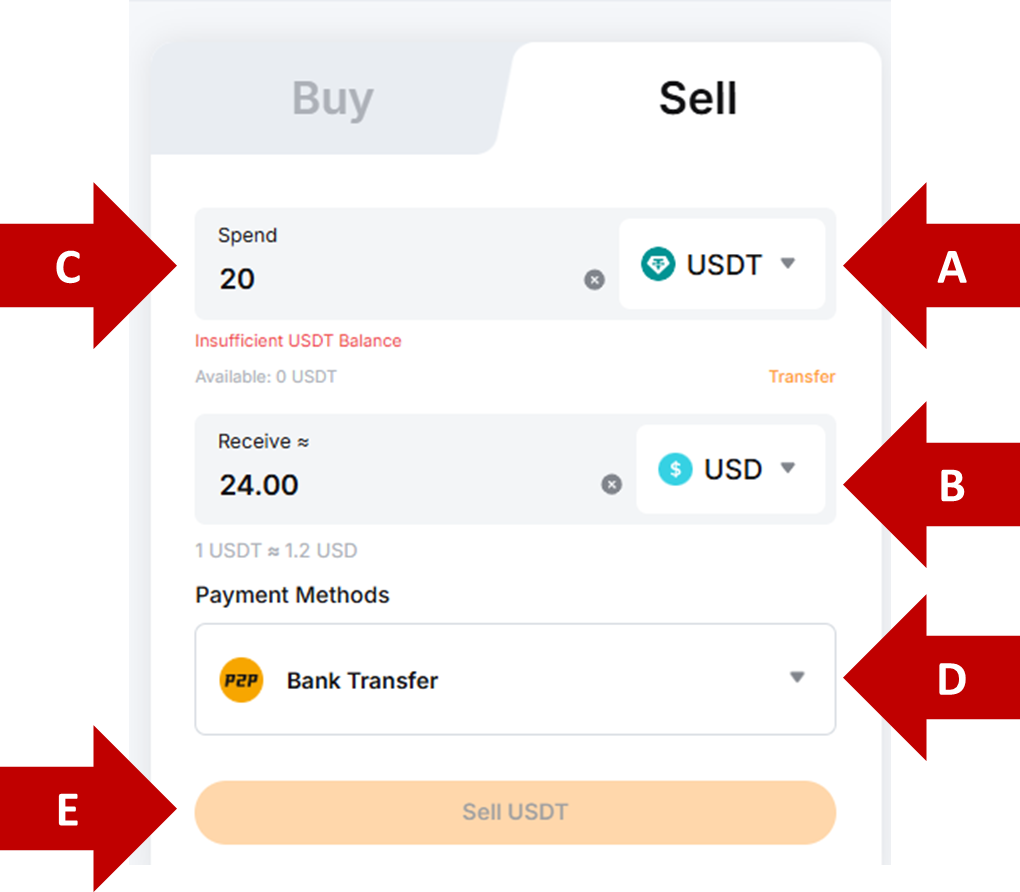
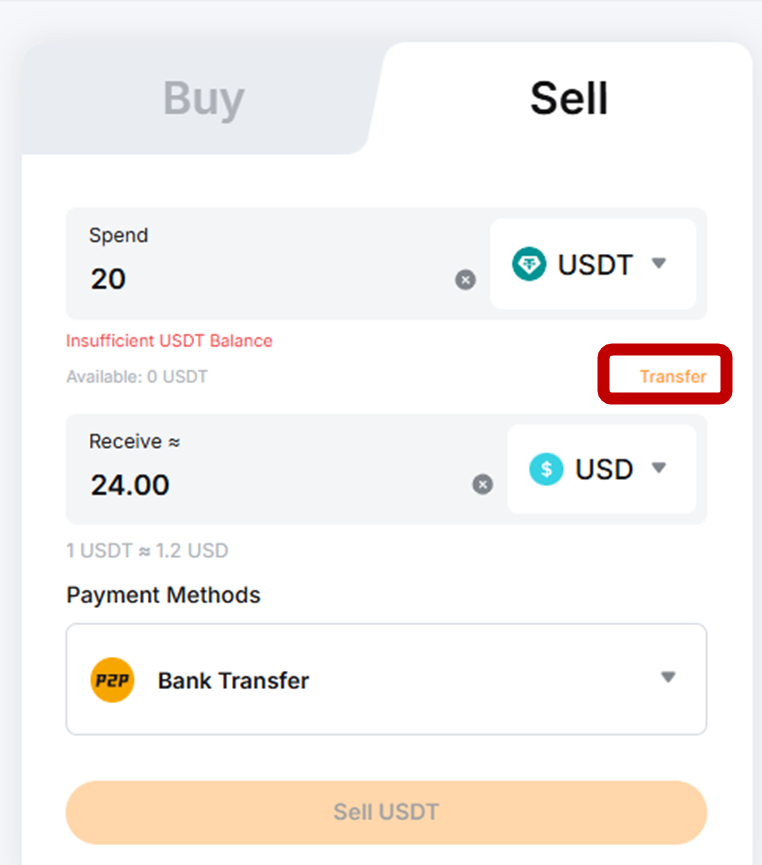
Note: If your Funding Account lacks sufficient funds, you’ll see an Insufficient Balance message below the Spend field. If you have enough funds in your Unified Trading Account (UTA), you can transfer them to your Funding Account to enable the transaction.
To do so, click on Transfer below the Spend field, then click on Transfer in the top-right corner of your account dashboard.

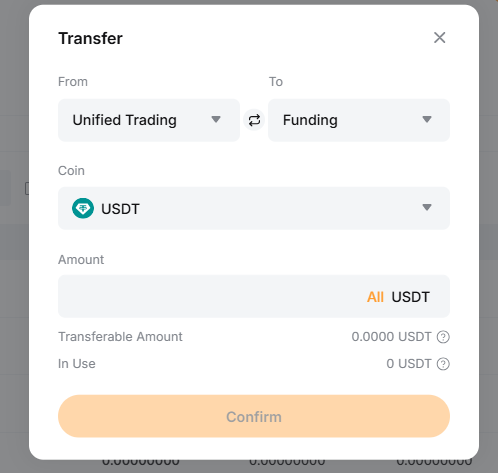
In the transfer dialog pop-up window, choose Unified Trading in the From field, then Funding in the To field, specify the coin and amount, and click on Confirm.
Step 3: Confirm the transaction. For first-time payment methods, you’ll be asked to Add a new account.
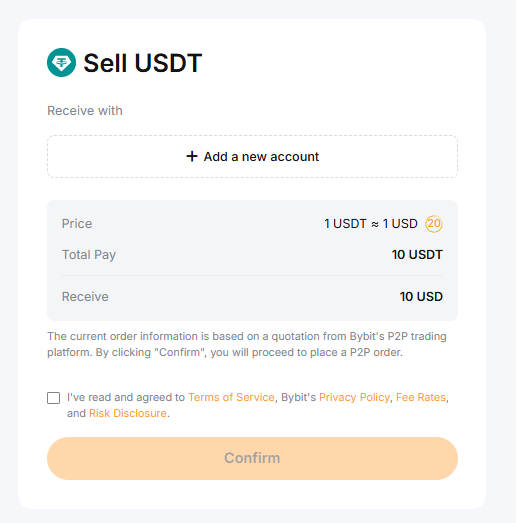
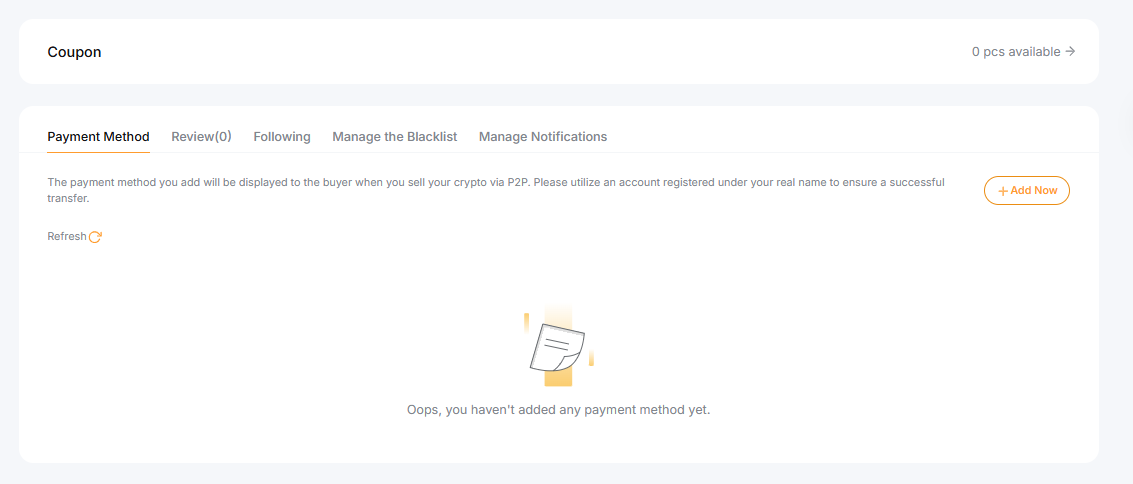
Step 4: After clicking on Add a new account, you’ll be taken to a page listing your registered payment methods. Click on Add Now.
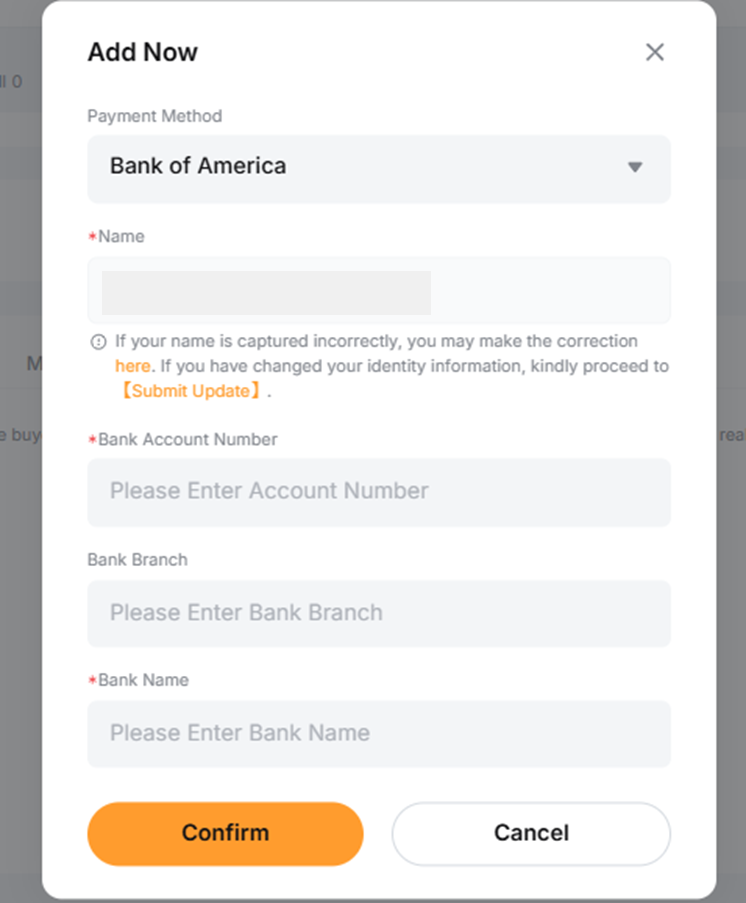
Step 5: Choose your payment method provider. Then, enter the relevant details — e.g., account number, branch name, etc. Your Bybit-registered name will be auto-filled. After entering the details, click on Confirm.
Buying and selling coins with fiat balance
You can buy or sell coins with your Funding Account’s fiat balance using One-Click Buy. Supported currencies include the euro, US dollar, British pound, Brazilian real, Polish złoty, Hungarian forint, Argentine peso and others. For the full list, please visit this page.
Note: Set up two-factor authentication (2FA) before using your fiat balance in One-Click Buy.
To buy or sell crypto with fiat, please follow the steps listed below.
Step 1: Visit the One-Click Buy page. In the order form on the right:
choose a supported fiat currency to spend (or to receive, if you’re using the Sell tab)
choose the crypto asset you wish to receive (or to spend, if you’re using the Sell tab)
enter your amount, and choose the relevant fiat balance as your payment method
In the example below, we’ll use the Brazilian real (BRL) for our balance.
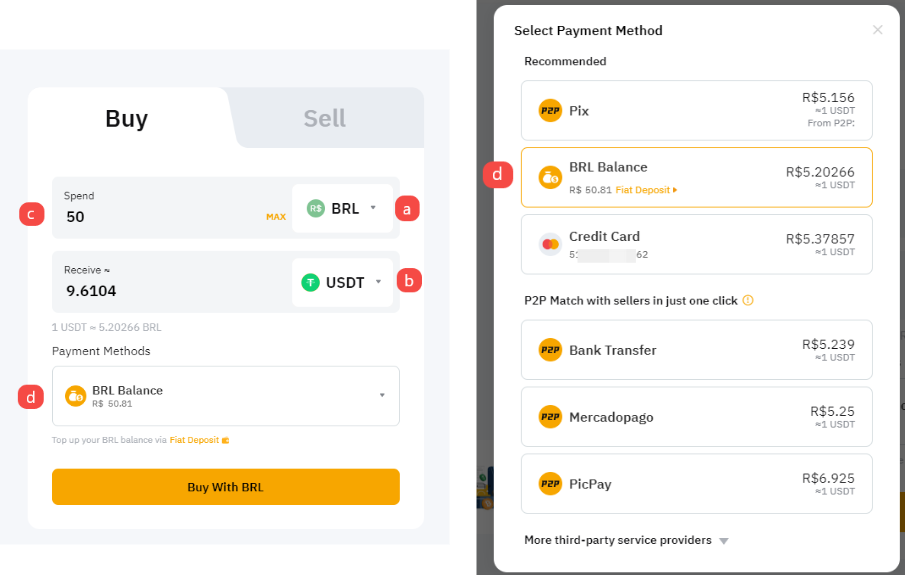
Step 2: After specifying your order details, click on Buy with BRL and confirm your order.
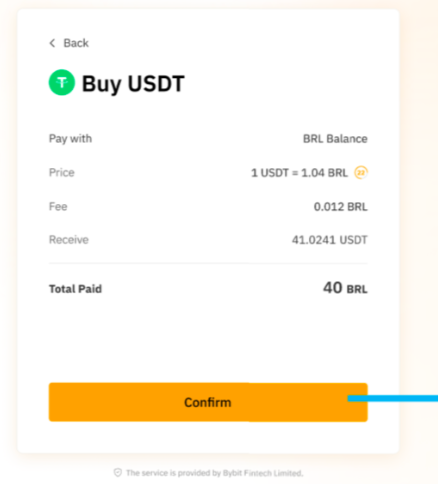
If your Funding Account has insufficient funds, follow the transfer steps described in the To sell coins section above to move funds from your UTA.
Frequently asked questions (FAQ)
Is KYC required for One-Click Buy?
To use One-Click Buy, your account must have completed at least the Standard level of individual Identity Verification. Completing the Advanced level of Identity Verification allows you to access higher transaction limits.
What are the specified transaction limits?
The transaction limits for One-Click Buy are per the table below. Note that these limits apply to both One-Click Buy and Fiat Deposit transactions.
Transaction amount limit | Standard verification | Advanced/Pro verification |
Each order | < $10,000 USD | ≤ 10,000 USD |
Daily | ≤ 20,000 USD | ≤ 50,000 USD |
Weekly | ≤ 50,000 USD | ≤ 100,000 USD |
Monthly | ≤ 100,000 USD | ≤ 250,000 USD |
How long does it take for coins to be credited?
Most One-Click Buy transactions will be credited to your account within minutes. However, this process may take up to 24 hours.
Is One-Click Buy supported on Subaccounts?
Subaccounts are not supported for One-Click Buy. You can only transfer funds to your Main Account. However, you can move them afterward from your Main Account to a Subaccount.
#LearnWithBybit