


How to get started with Alpha Liquidity Farm

The Bybit Alpha platform offers you a wide variety of on-chain trading opportunities directly from your Bybit account, without the need for a decentralized wallet. A first-of-its-kind product, the Liquidity Farm on Bybit Alpha lets you earn yields from on-chain liquidity mining via Concentrated Liquidity Market Maker (CLMM) pools on Solana (SOL), all accomplished through your Bybit Unified Trading Account (UTA). Thanks to the Alpha Liquidity Farm, attractive yields from decentralized finance (DeFi) liquidity mining are just a click away for any Bybit user.
In this guide, we’ll demonstrate how to access and use the Liquidity Farm on both desktop and the Bybit App mobile application.
Key Takeaways:
Bybit Alpha Liquidity Farm allows you to benefit from on-chain liquidity mining opportunities using your Bybit UTA, without the need to create a decentralized wallet.
The Bybit App mobile application and the Bybit platform’s desktop version both allow you to access the opportunities provided by the Liquidity Farm in just a few clicks.

How to earn DeFi yields with Alpha Liquidity Farm
On the App
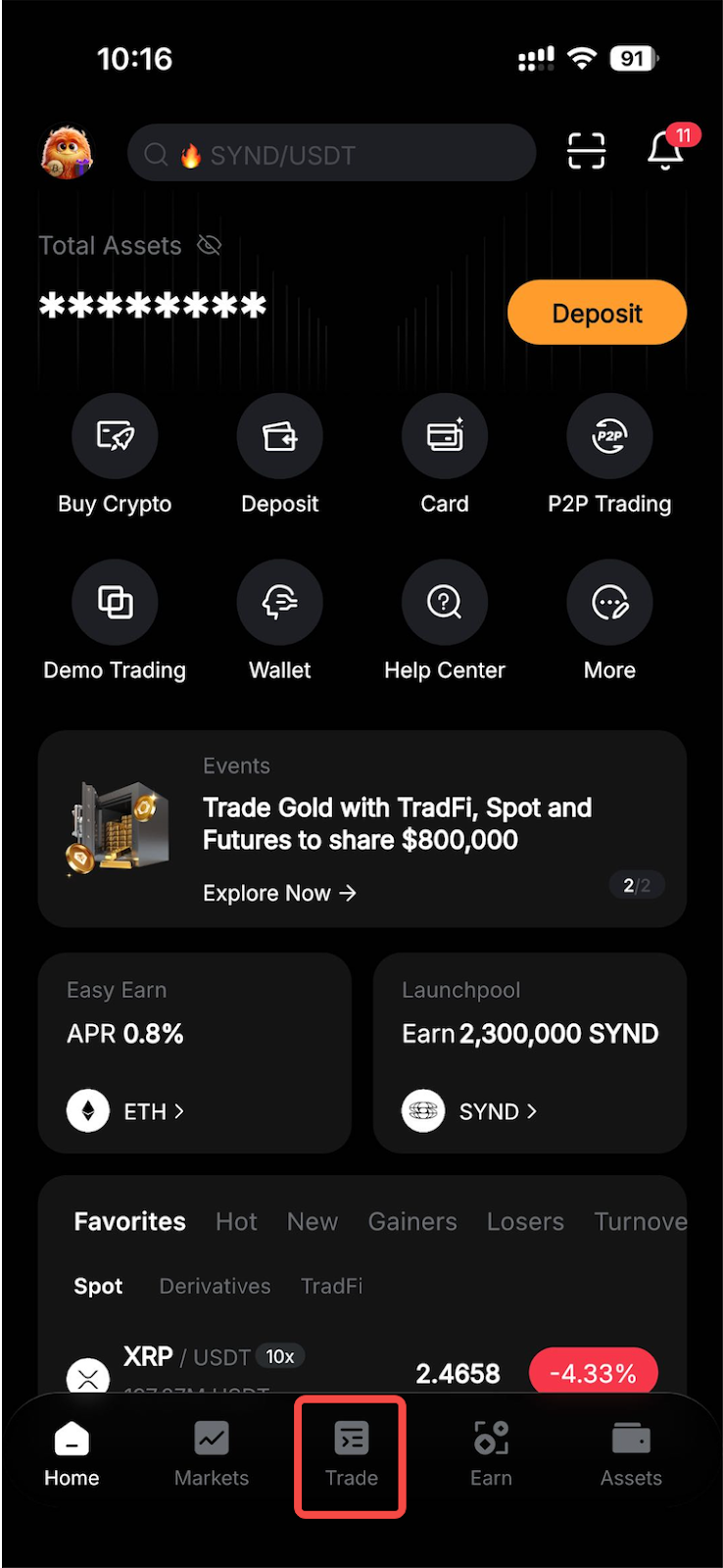
Step 1: Open the Bybit App mobile application and tap on the Trade tab at the bottom of the home screen.
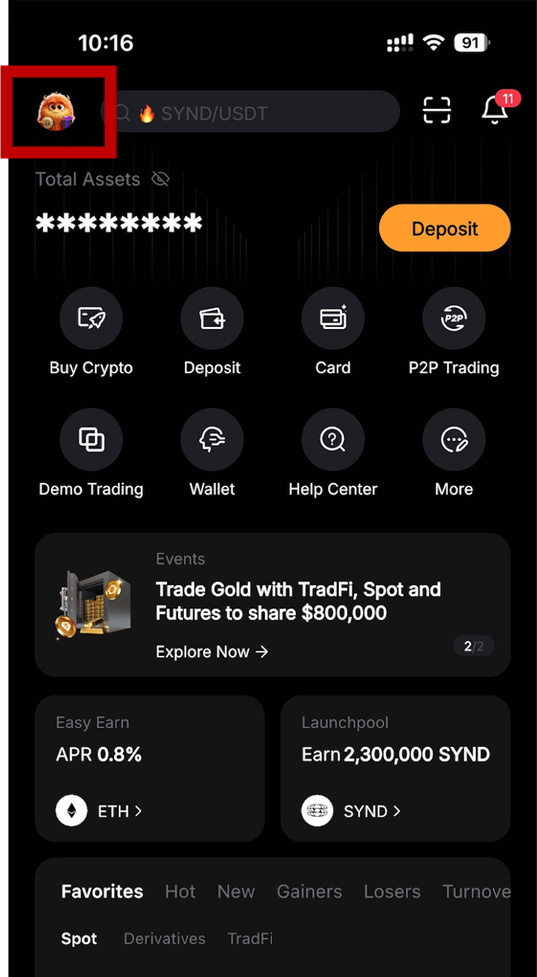
Step 2: Tap on the menu icon in the top left corner.
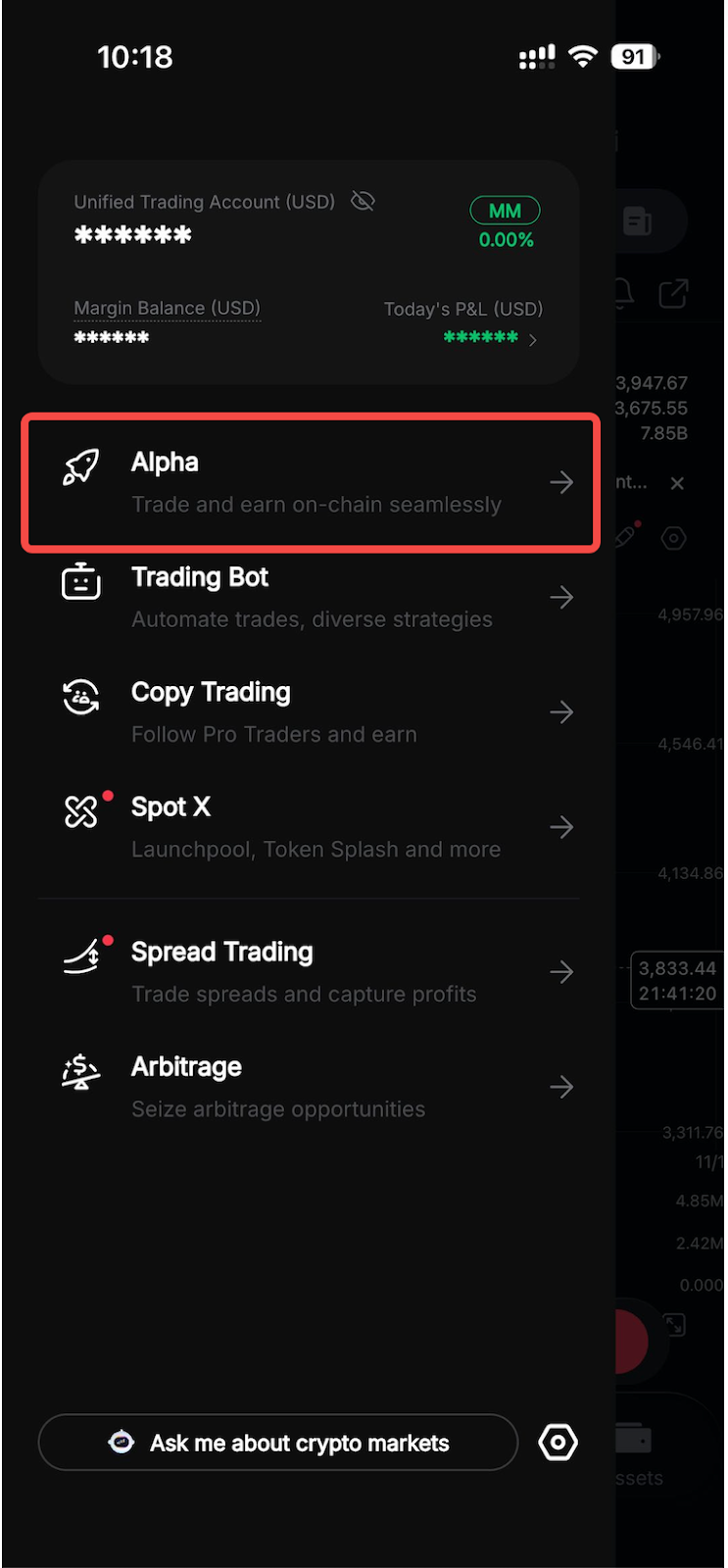
Step 3: Tap on Alpha.
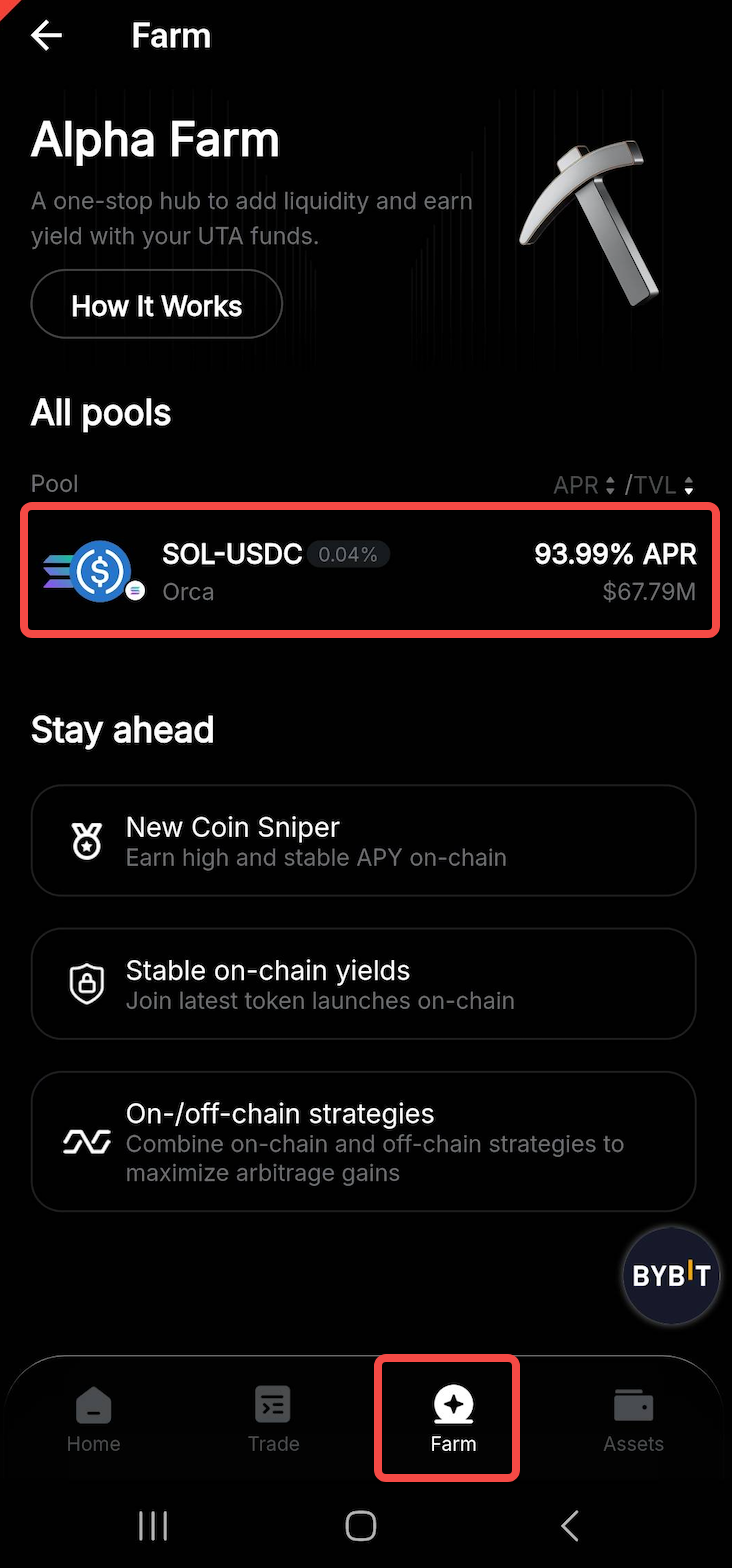
Step 4: On the Alpha main screen, tap on the Farm tab at the bottom of the screen. You will see all the available pools under the All pools section. Tap on the one you prefer to contribute liquidity to.
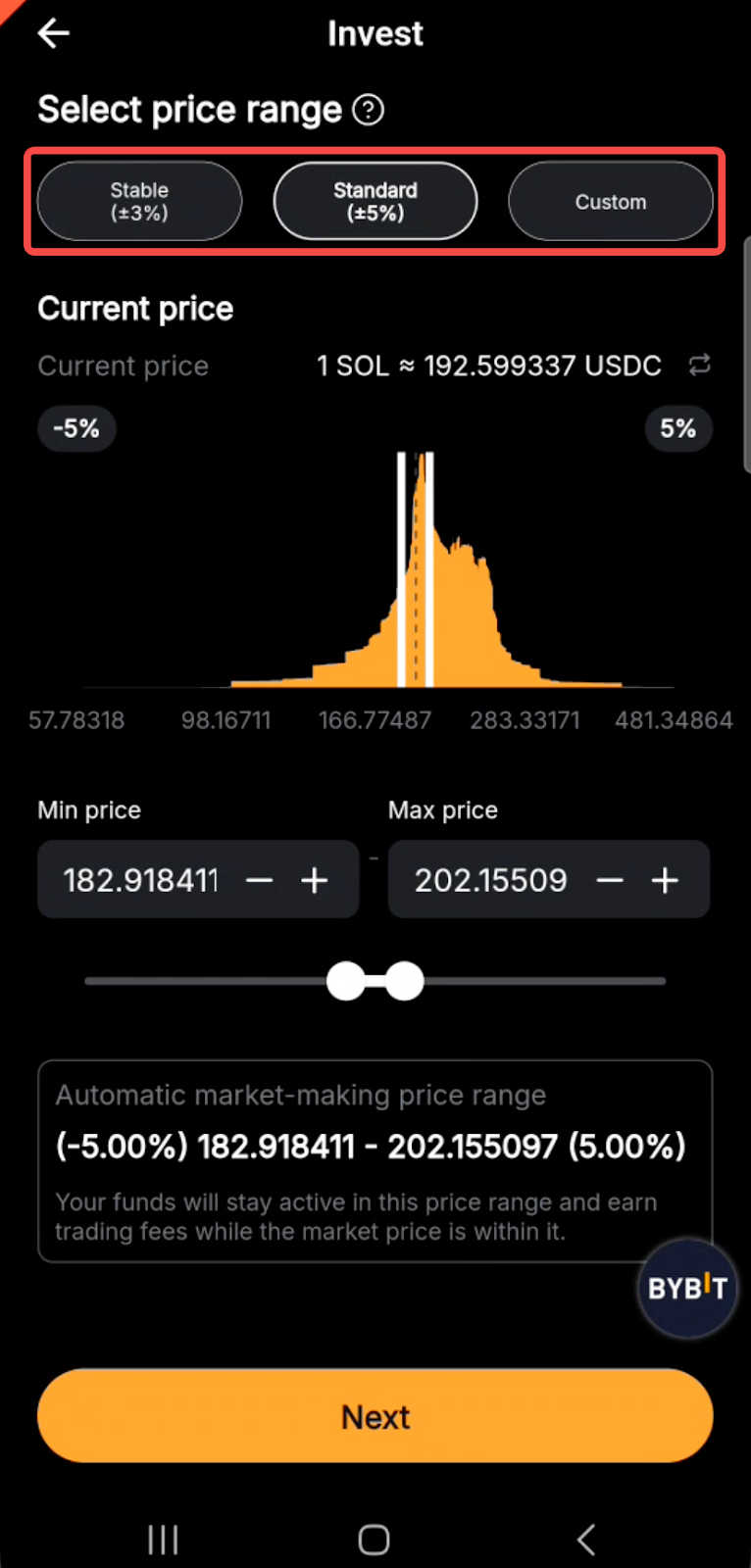
Step 5: On the next screen, you can choose the range mode for the CLMM pool under Select price range. You will have three options here:
The Stable option allocates your funds to reduce the overall risk, but may limit your yield potential.
The Standard option is a good tradeoff between risk and reward.
Custom mode allows you to specify your own range, providing complete flexibility.
After making your choice, tap on Next.
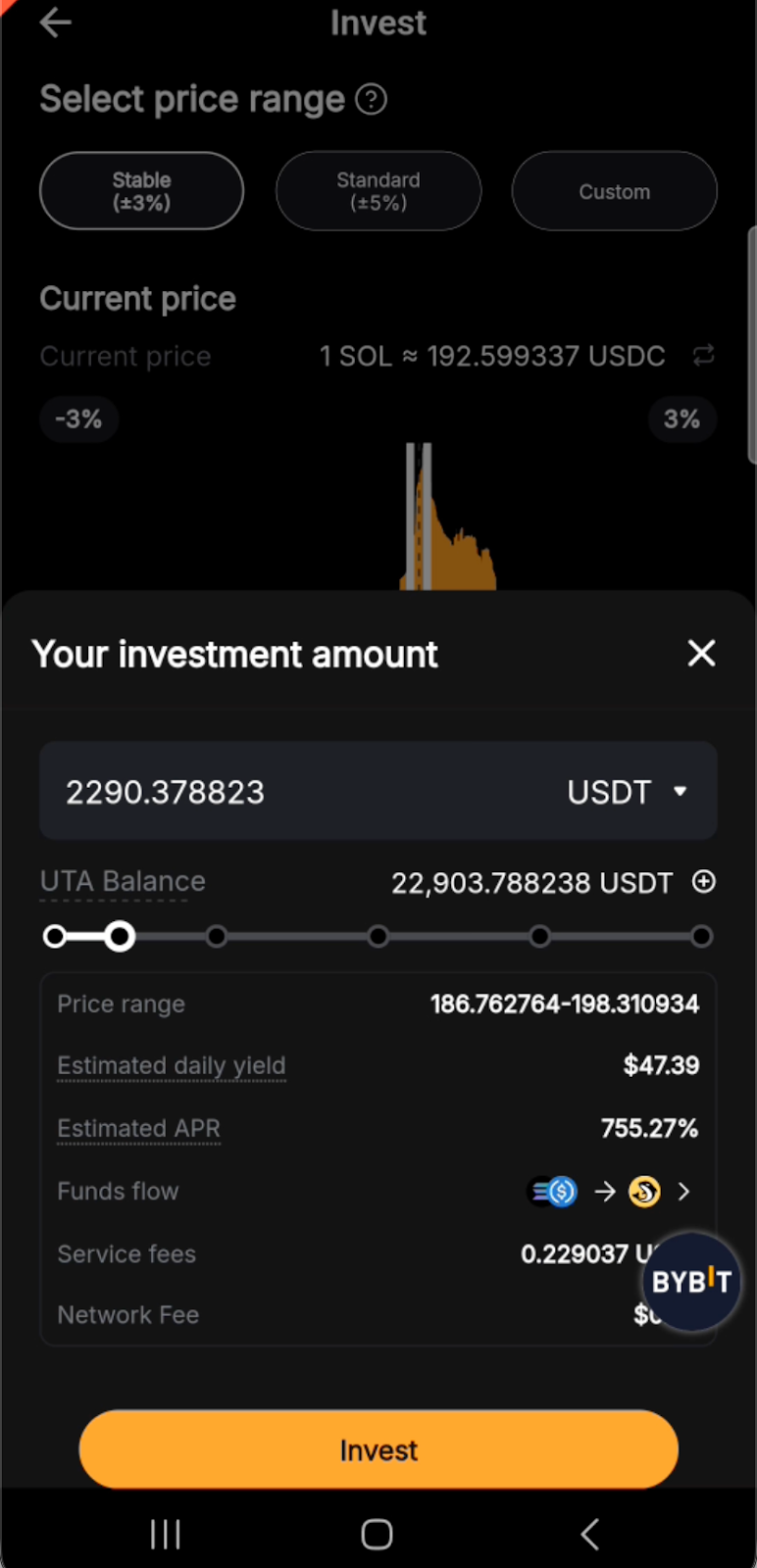
Step 6: Enter your preferred investment amount under Your investment amount, and tap on the Invest button.
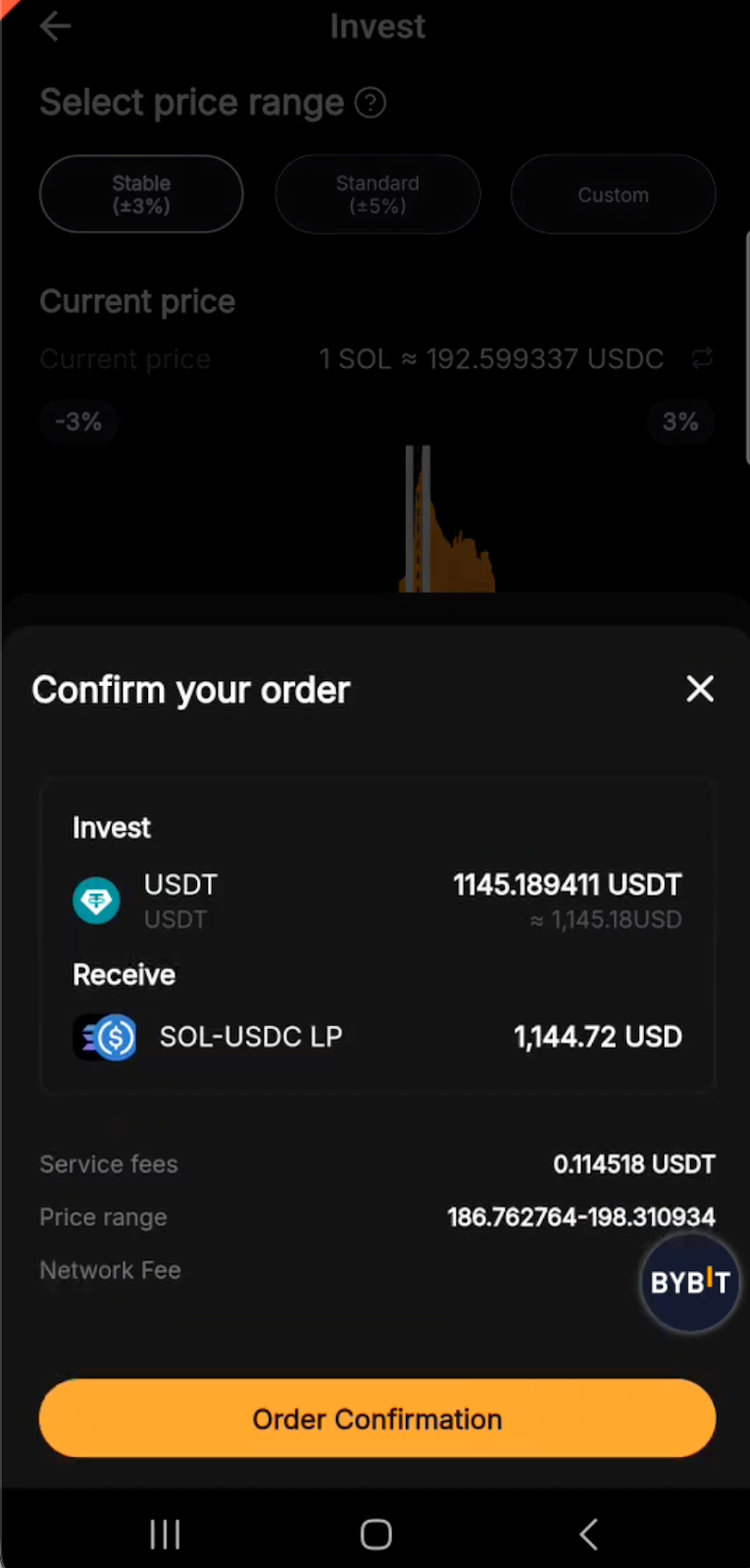
Step 7: Tap on the Order Confirmation button to finalize your order. You’ll receive a notification that your funds have been successfully contributed to your chosen pool.
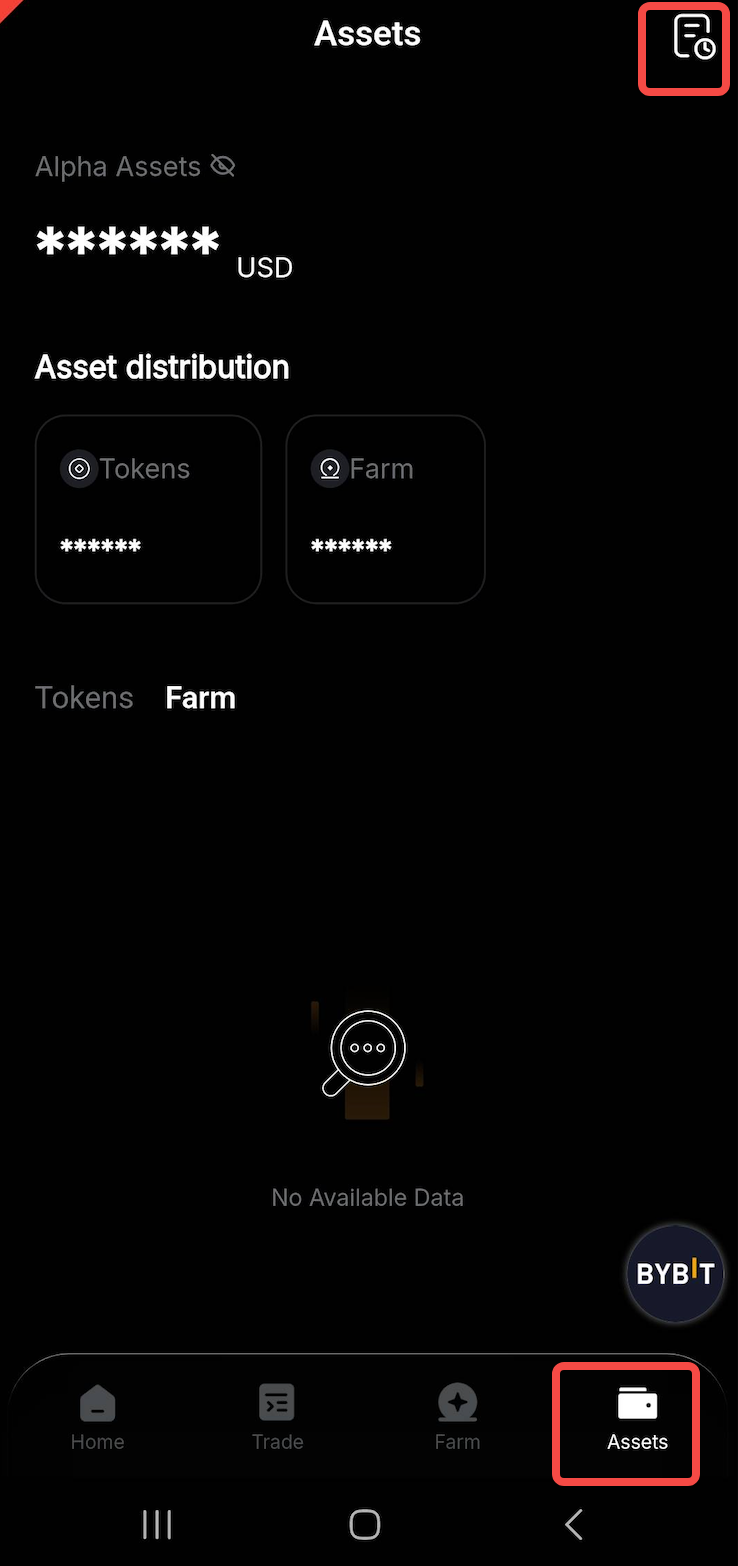
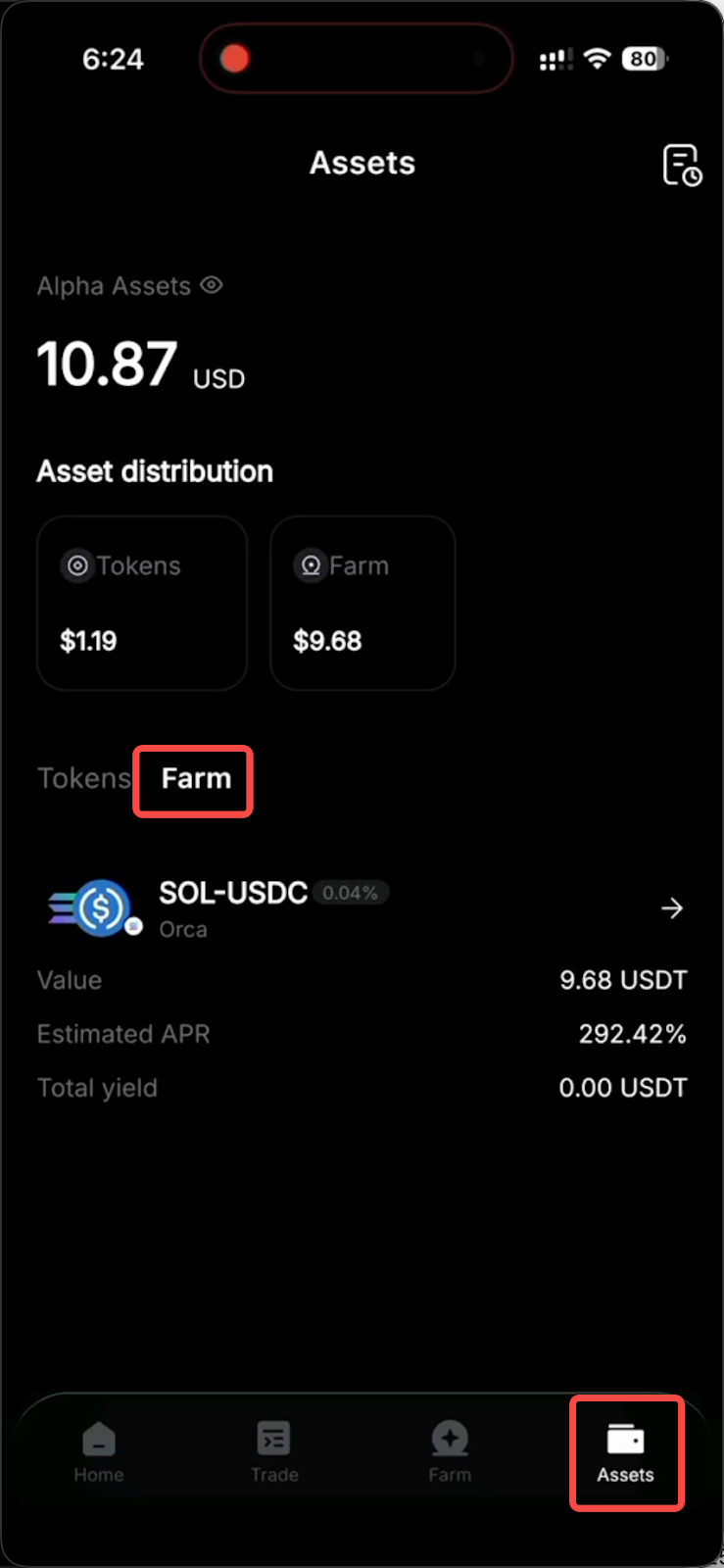
To view your Liquidity Farm orders, go to the Assets tab, then tap on Farm.
On the web
Step 1: Go to the Bybit homepage, log in to your account, click on Trade in the top menu, select Alpha and then select Farm.
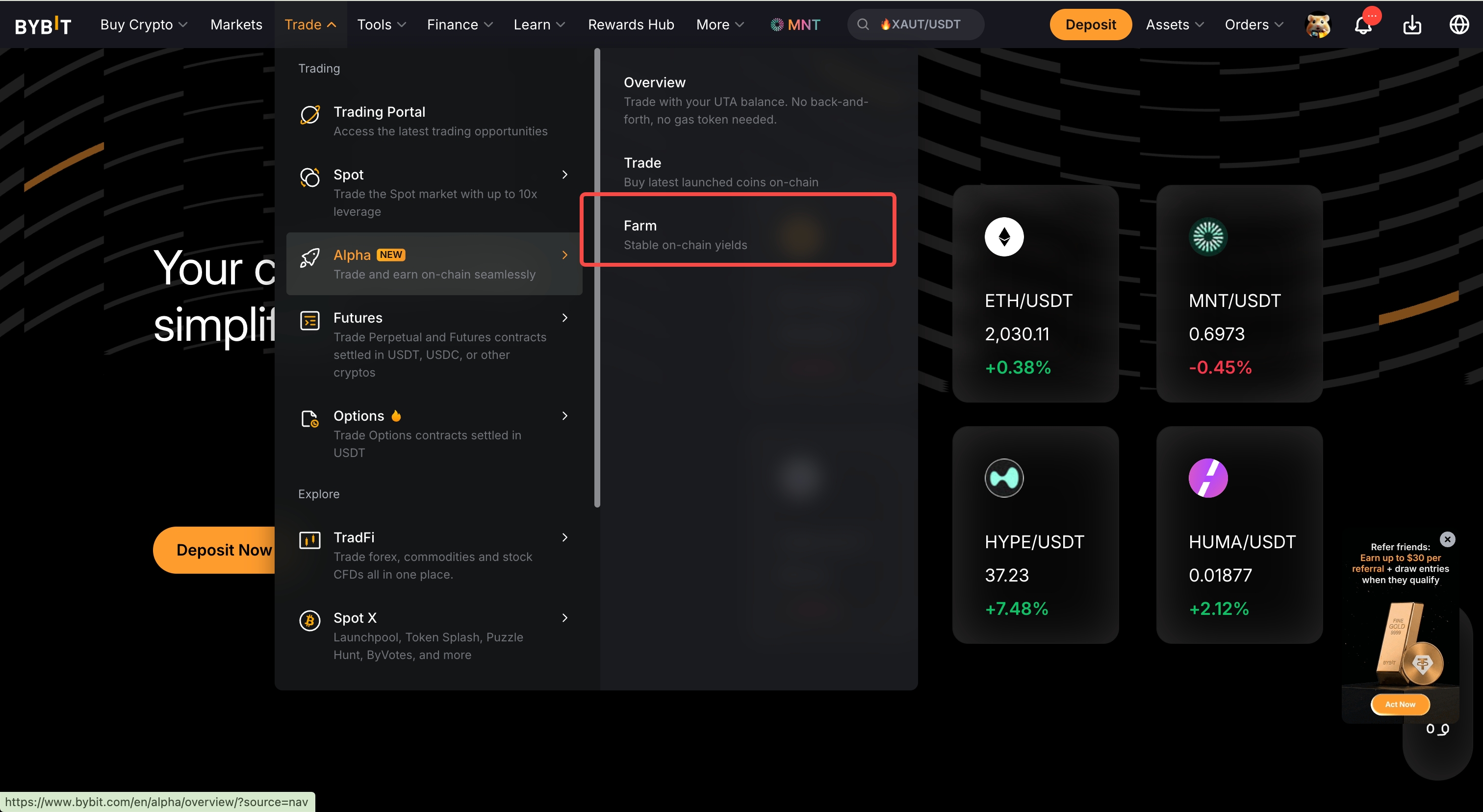
Step 2: On the Alpha main page, browse through the options available under the All Pools section, and select your preferred pool.
Step 3: In the right-side panel, under Select Invest Price Range, choose one of the price ranges: Stable, Standard or Custom. (For the descriptions of these three modes, see Step 5 in the App section above.)
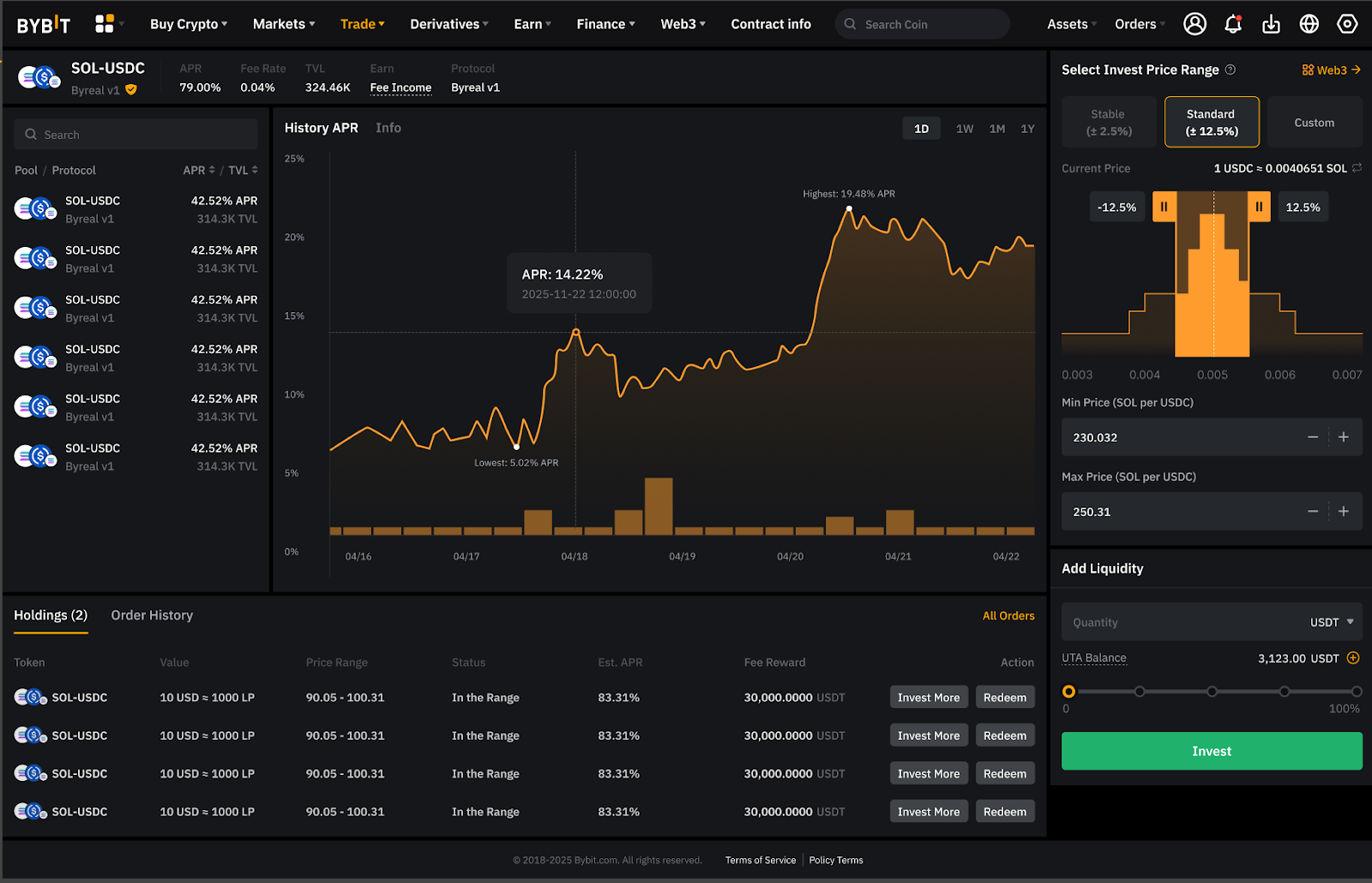
Step 4: Still on the same screen as above, enter your investment amount under Add Liquidity, and click on Invest.
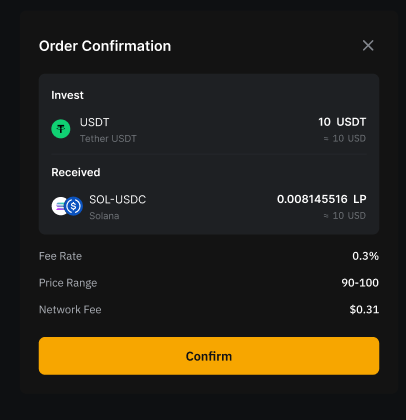
Step 5: In the final screen, click on Confirm to activate your order.
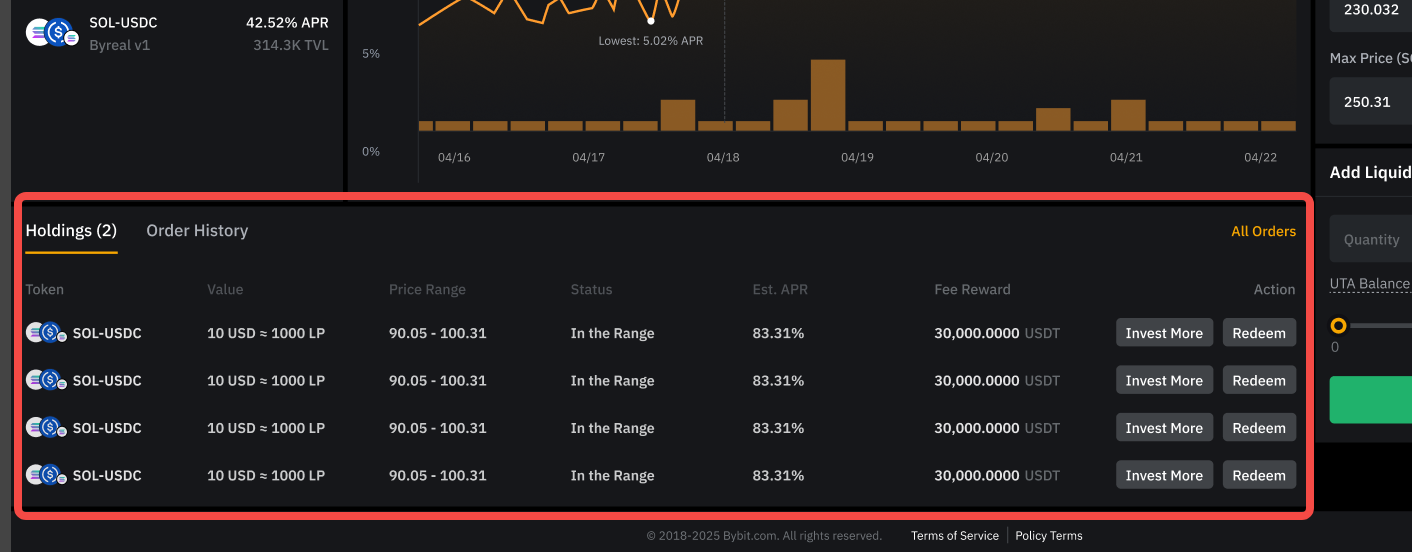
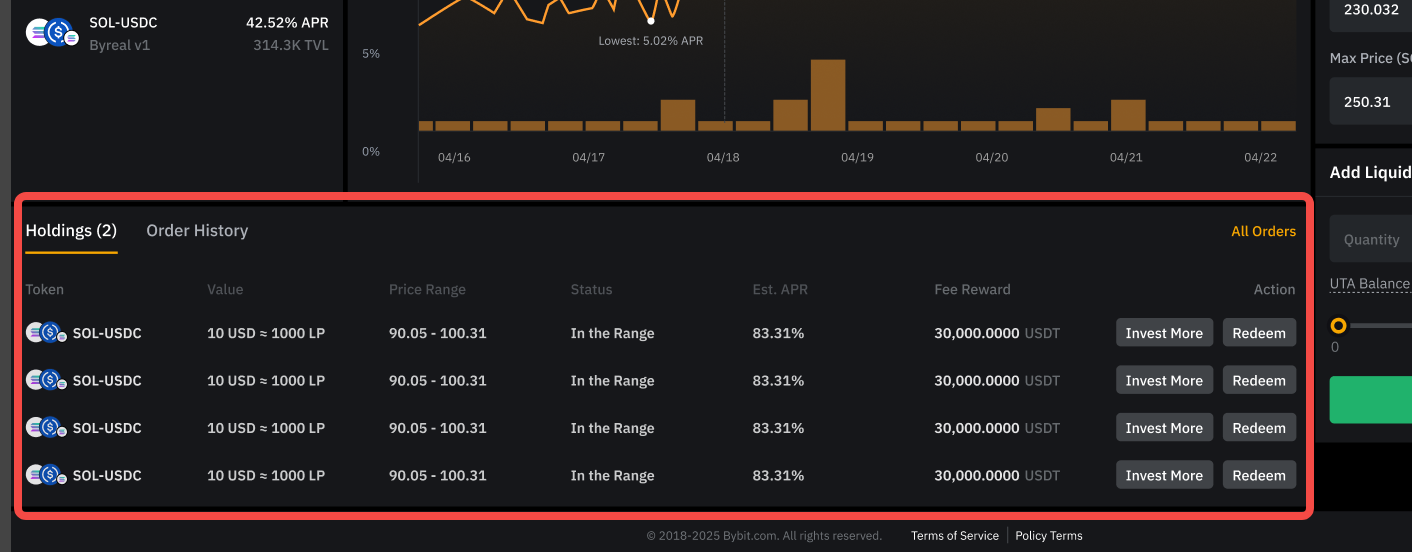
You can easily track your Holdings and see your Order History in the position zone.
How to manage your positions with Bybit Alpha Liquidity Farm
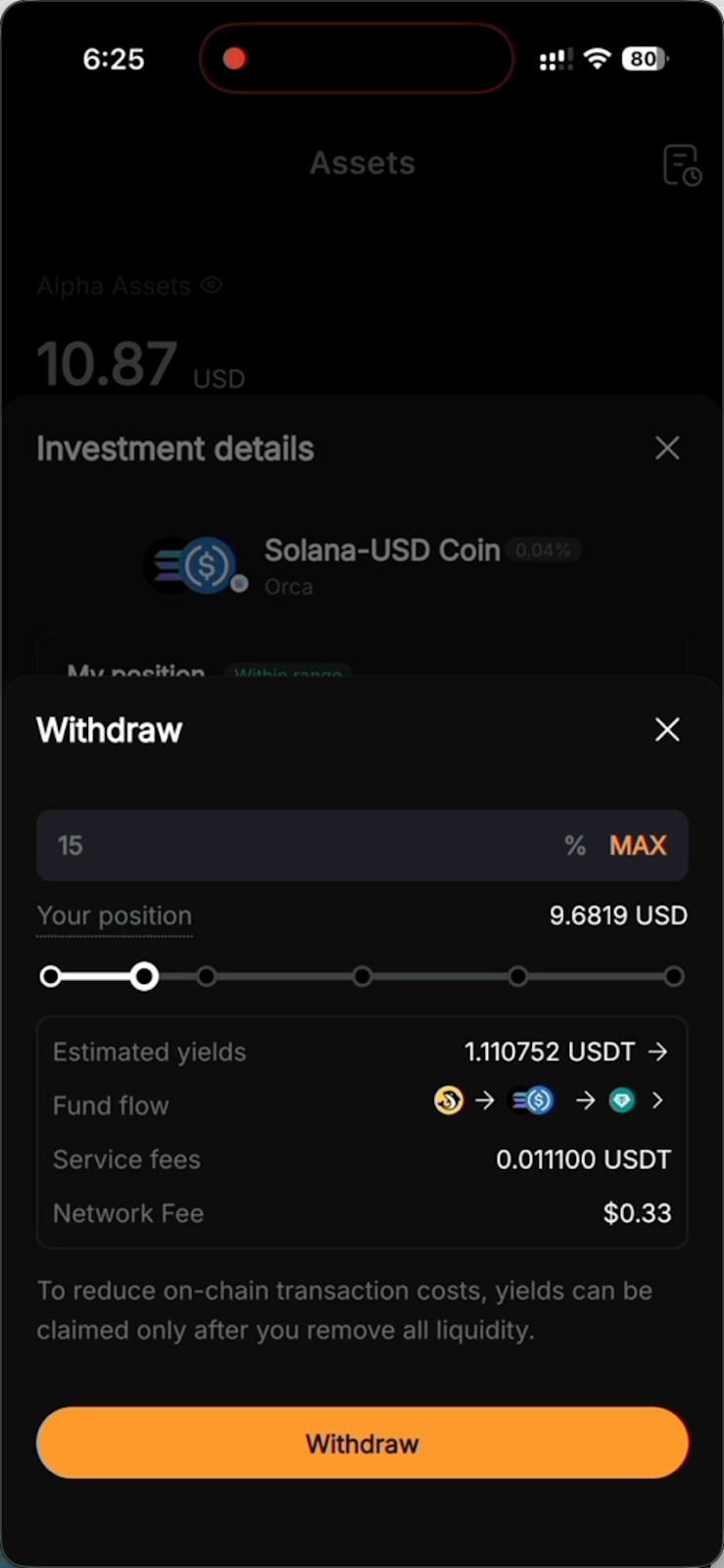
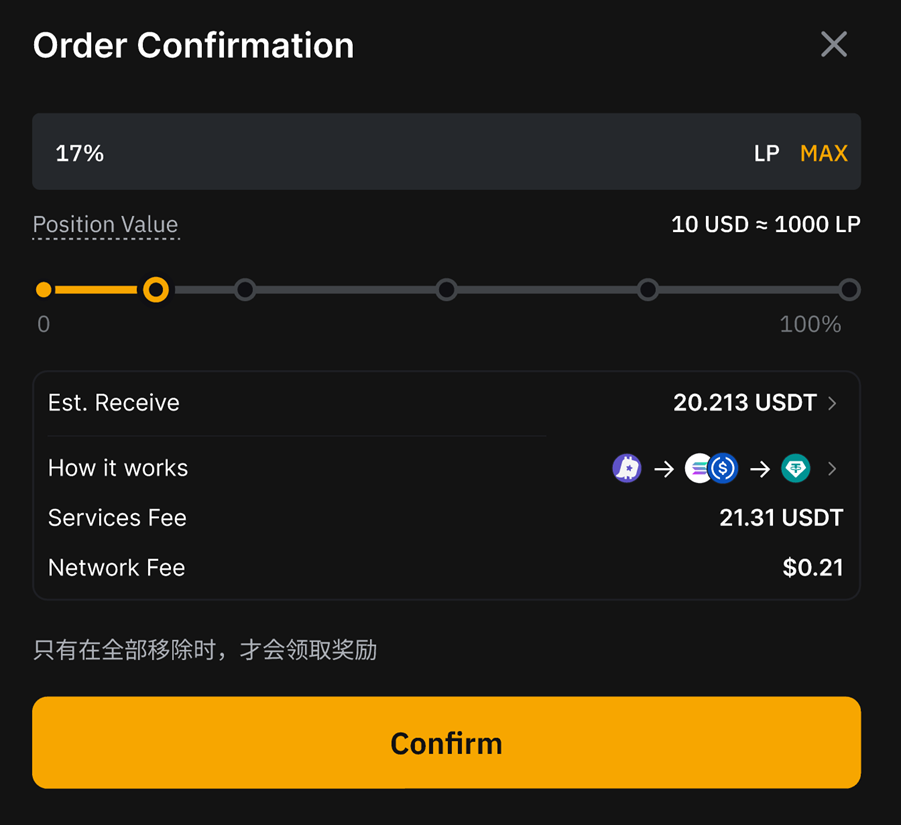
You can easily add funds to your active orders and redeem your investment to claim your principal plus yields. Note that all yields are claimable after a complete withdrawal has been made. If you select to withdraw more than 90% of your position, this will automatically result in a full withdrawal. All transaction fees are paid in the same currency as the initial investment.
On the App
To invest more
Step 1: Tap on Assets, then Farm, then on your preferred active position.
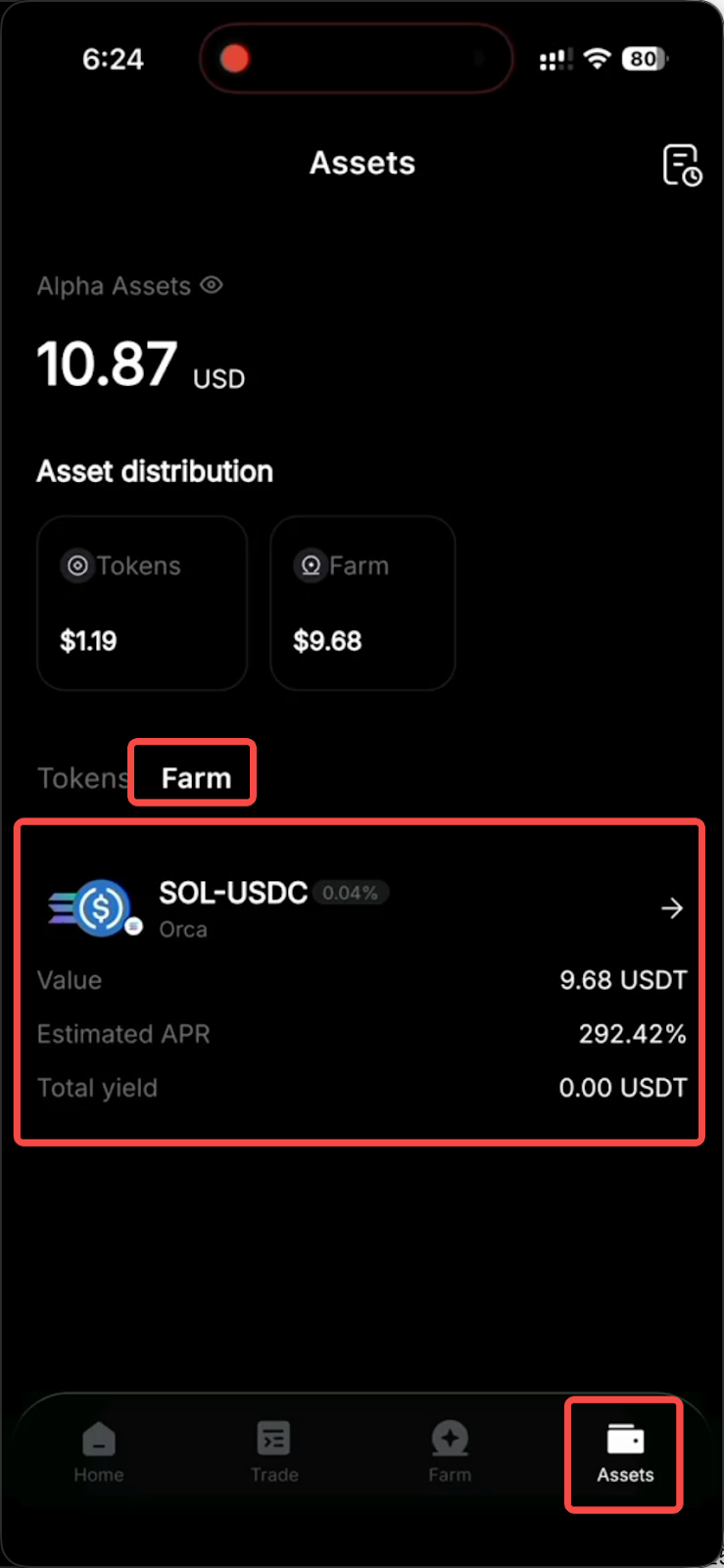
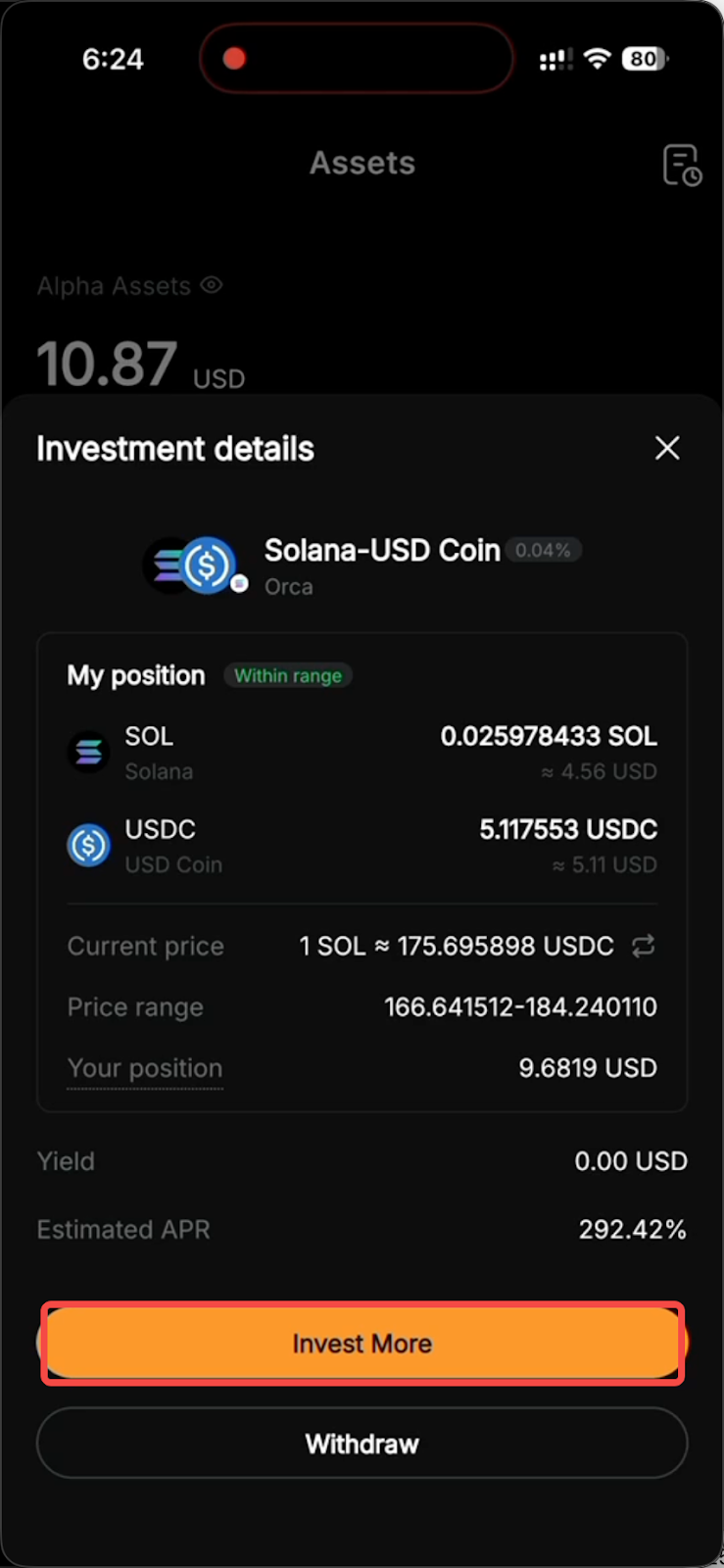
Step 2: Tap on Invest More.
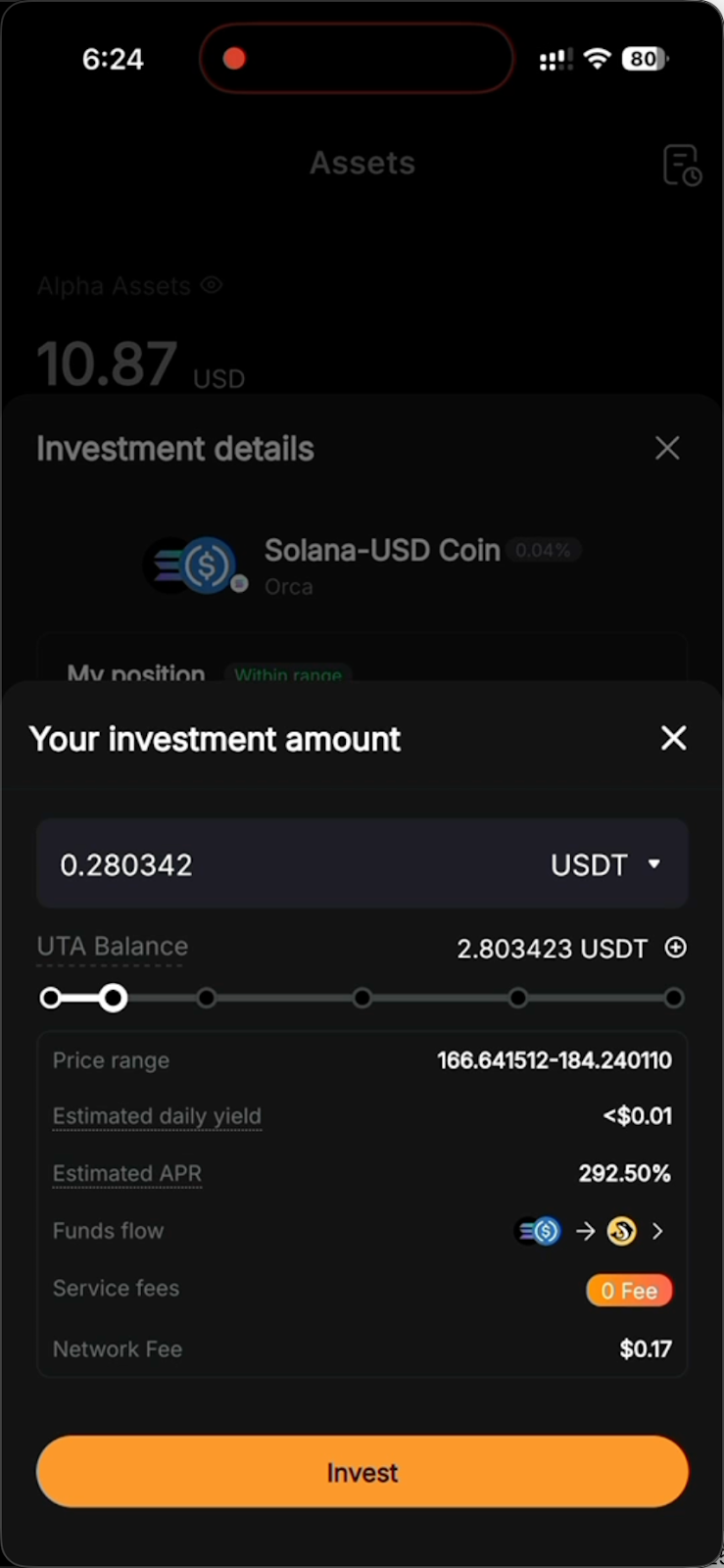
Step 3: Specify your additional investment amount, and tap on Invest.
To withdraw liquidity and redeem your rewards
Step 1: Tap on Assets, then Farm, and then your preferred active position.
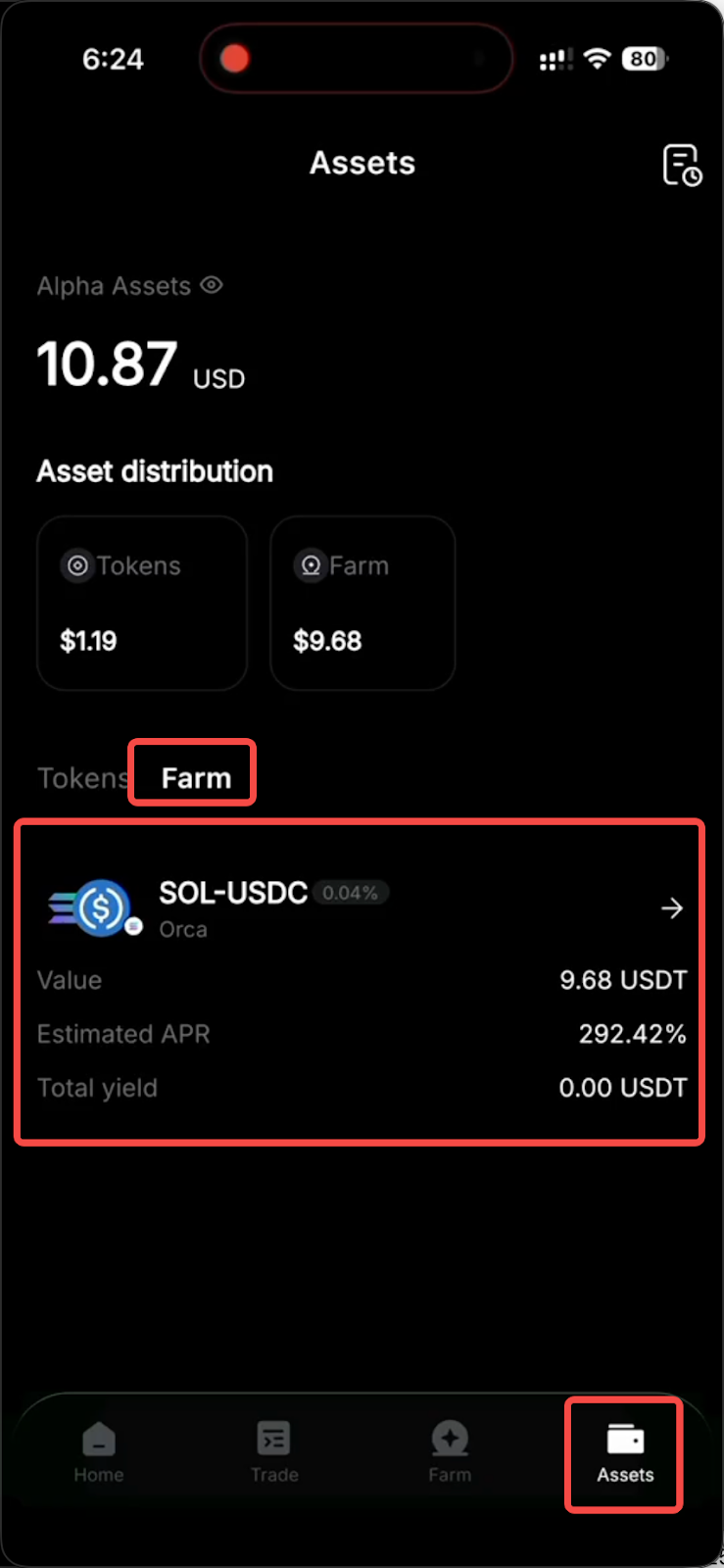
Step 2: Tap on the Withdraw button.
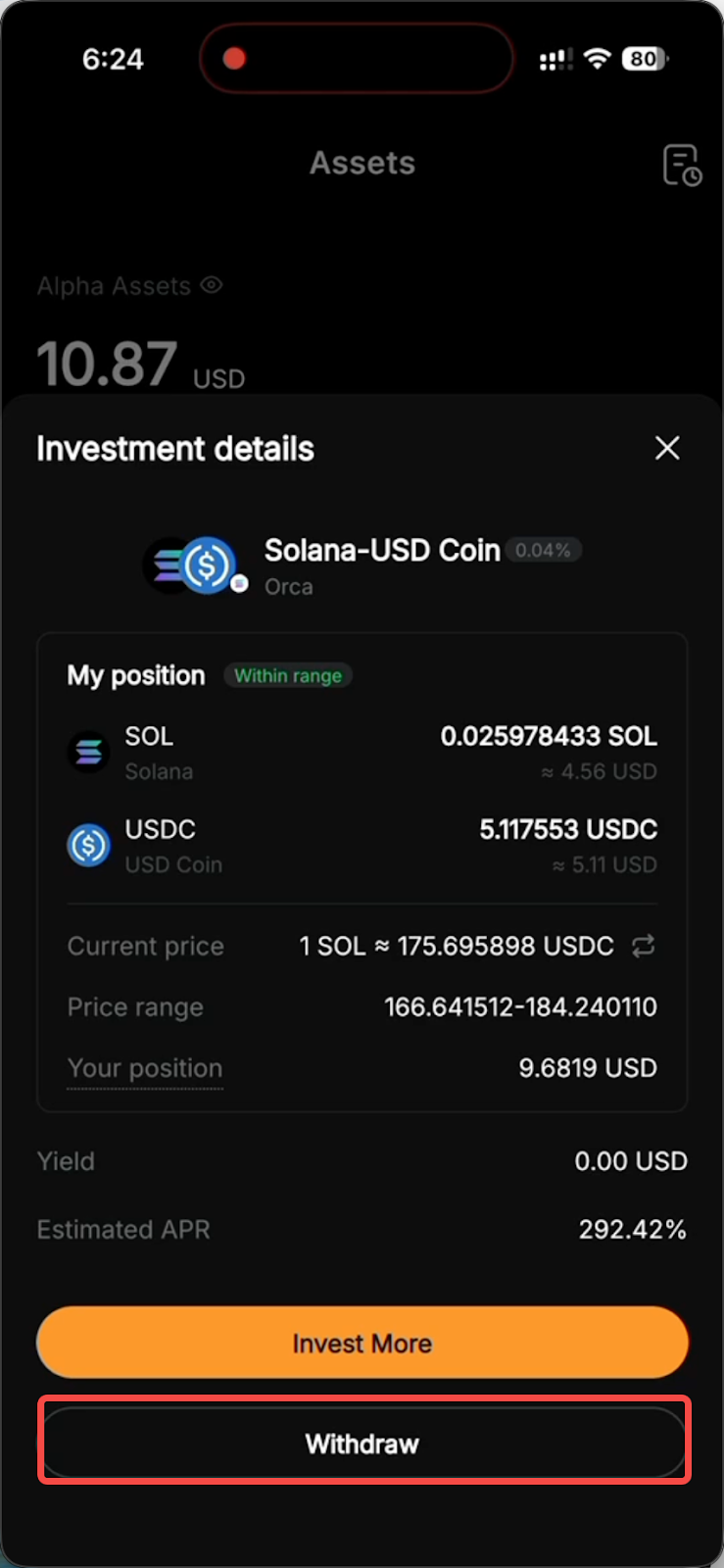
Step 3: Enter your preferred withdrawal amount or tap Max to make a complete withdrawal, and then tap on Withdraw.
On the web
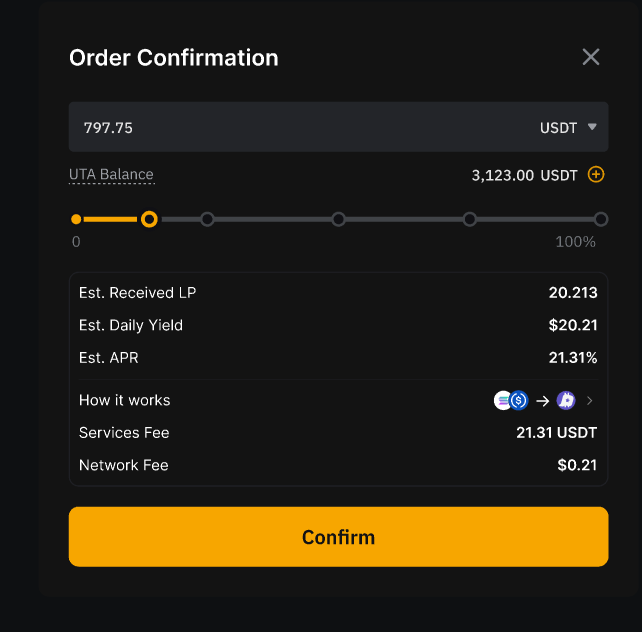
To invest more
Step 1: On your orders’ page, under the Holdings tab, find the order you’d like to add more funds to and click on Invest More.
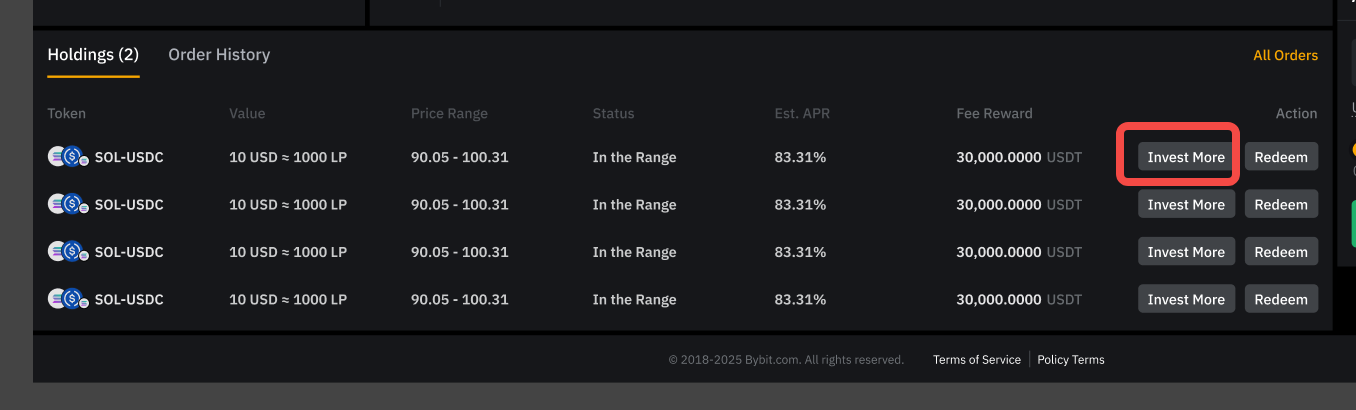
Step 2: Enter the amount you’d like to add, and click on Confirm.
To withdraw liquidity and redeem your rewards
Step 1: On your orders’ page, under the Holdings tab, find the order you’d like to close off, and click on Redeem.
Step 2: Specify your redemption amount or proportion, or choose Max for a complete withdrawal, and then click on Confirm.
Closing thoughts
Bybit Alpha Liquidity Farm makes CLMM-based liquidity mining accessible to all users, regardless of their on-chain trading experience. The opportunities available under the Liquidity Farm are just a couple of clicks away, both on desktop and in the Bybit App mobile application.
#LearnWithBybit