


How to sell crypto via One-Click Sell with Aleta Planet

Bybit's One-Click Sell feature, powered by Aleta Planet, offers a convenient way to convert your crypto into fiat currency and transfer funds directly to your linked bank account. This guide walks you through the complete process, from navigating to the sell page to completing your first successful transaction.
Key takeaways
Navigate to the Bybit One-Click Sell page and select your desired fiat currency to get started.
First-time users must bind and verify their bank account after confirming their order.
The Risk Team will review your submitted documents within 48 hours before your account is approved.
Step 1: Go to the One-Click Sell page
Navigate to the Bybit One-Click Sell page and select your desired fiat currency:
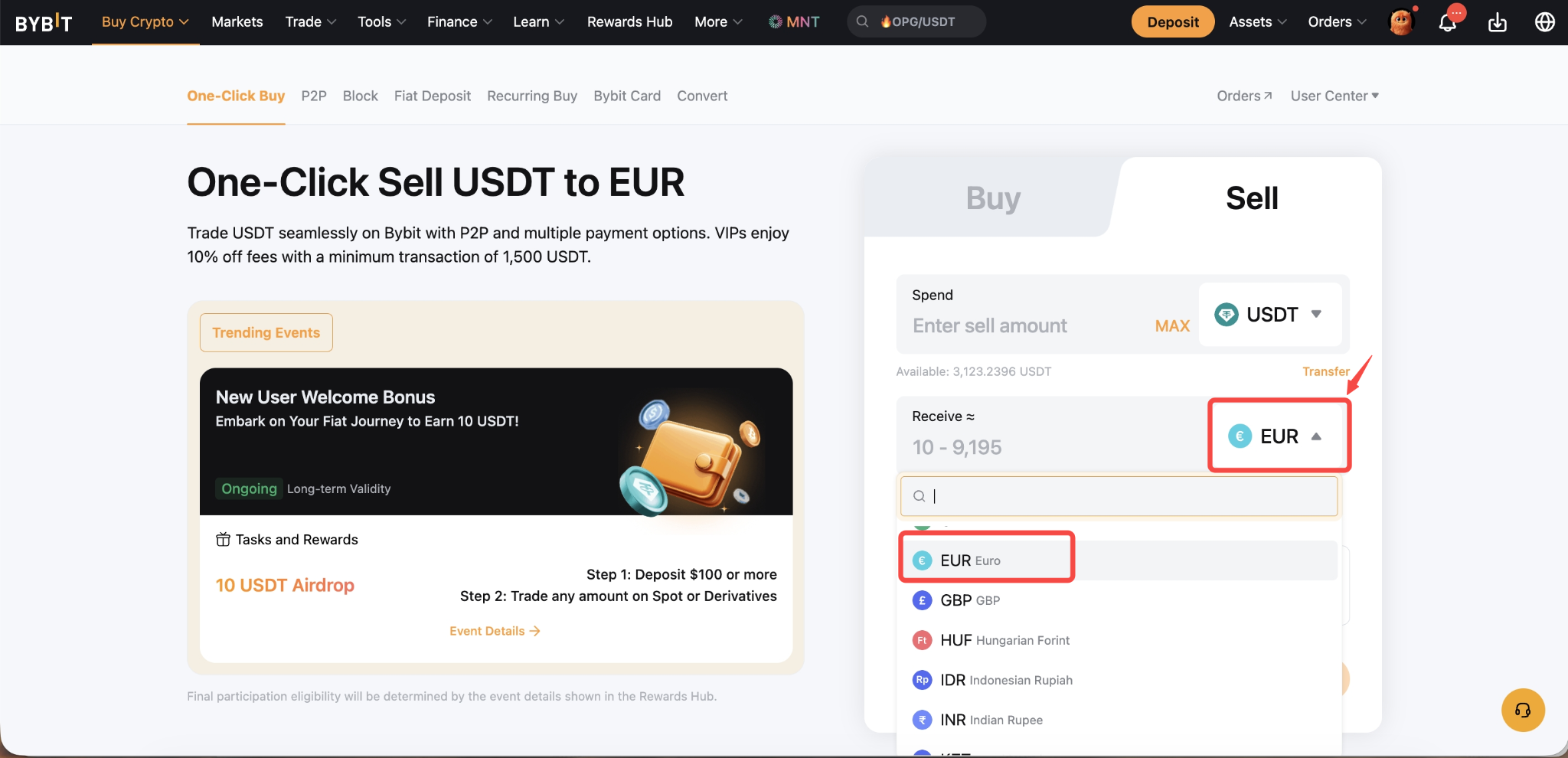
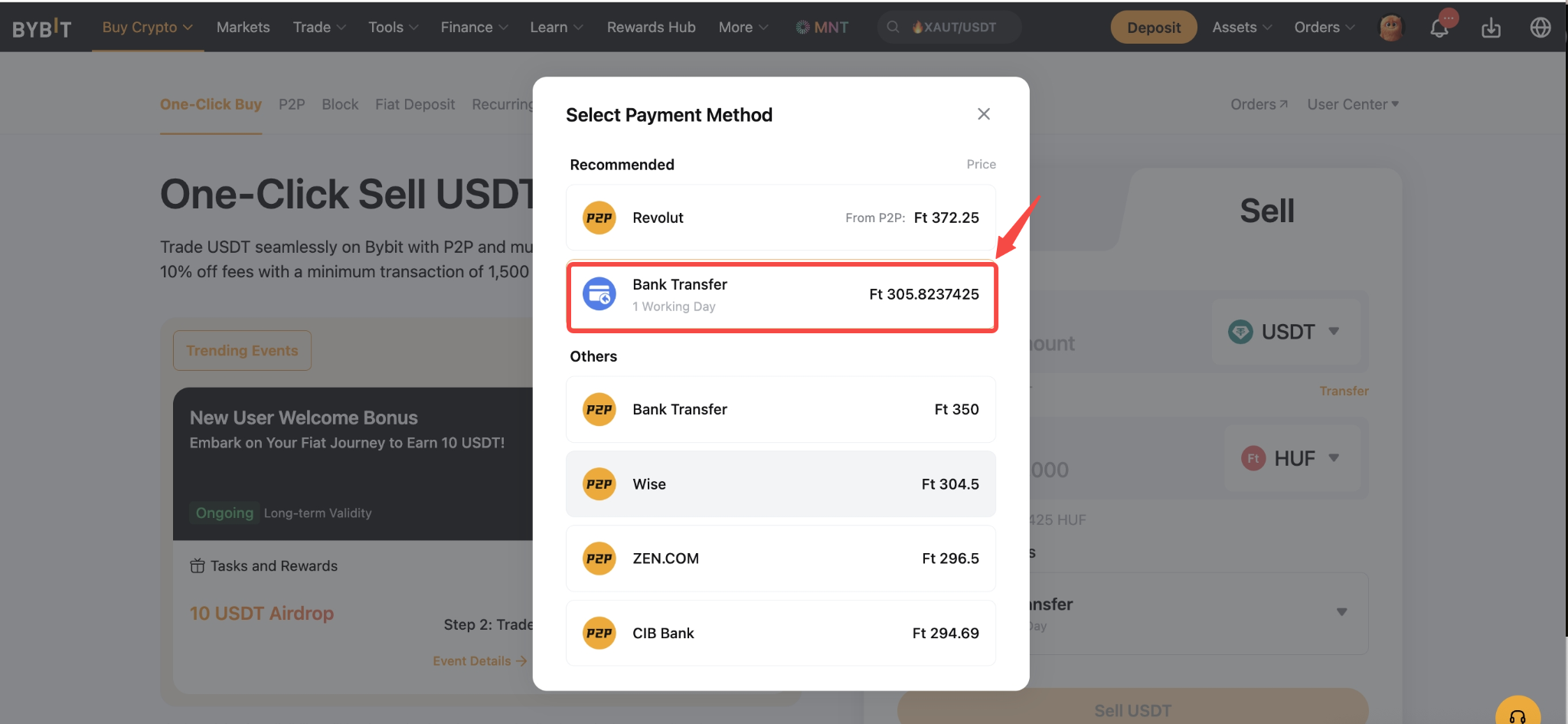
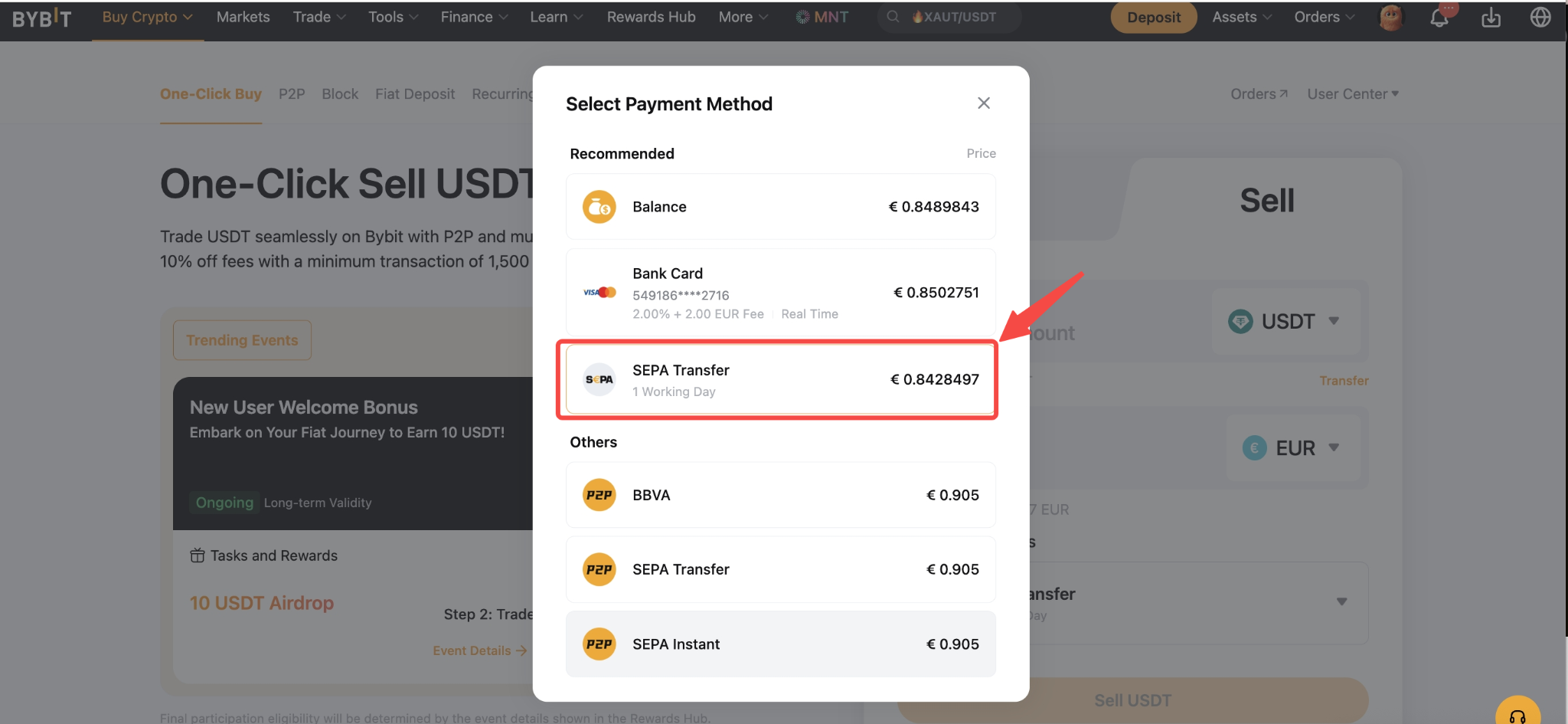
Step 2: Bind your bank account
After confirming your order, you will be directed to the transaction details page. Follow the on-screen instructions to add and bind your bank account.
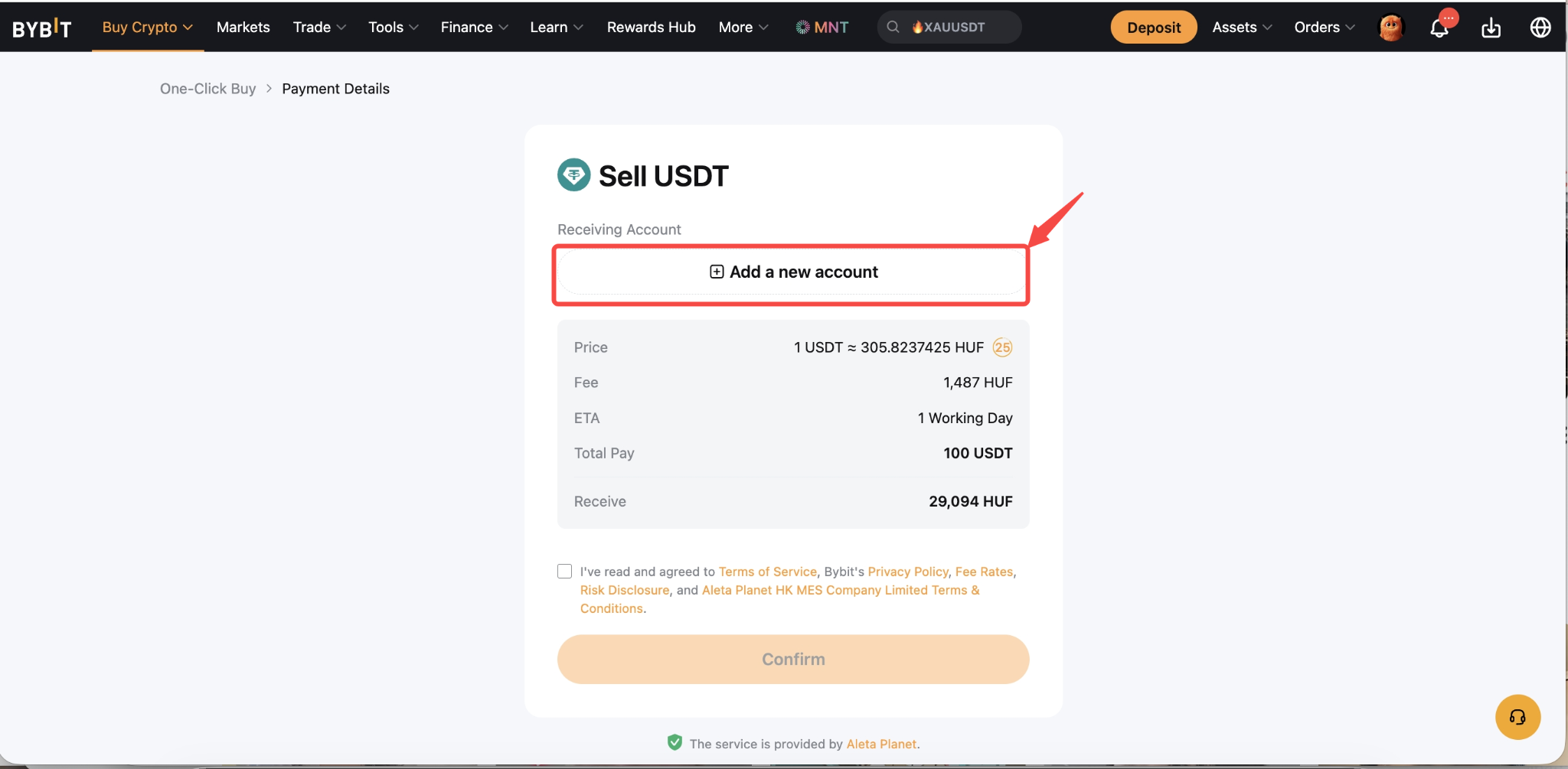
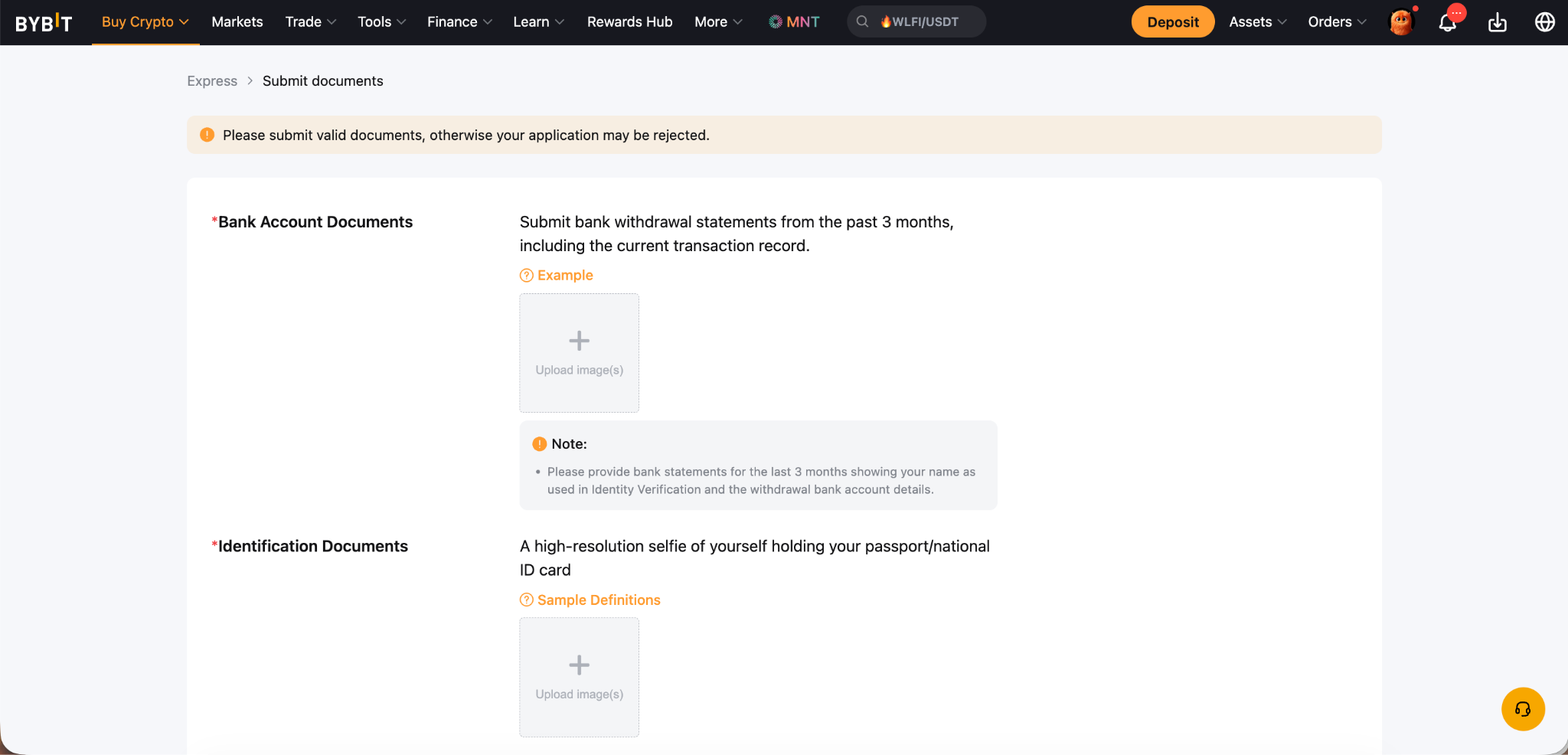
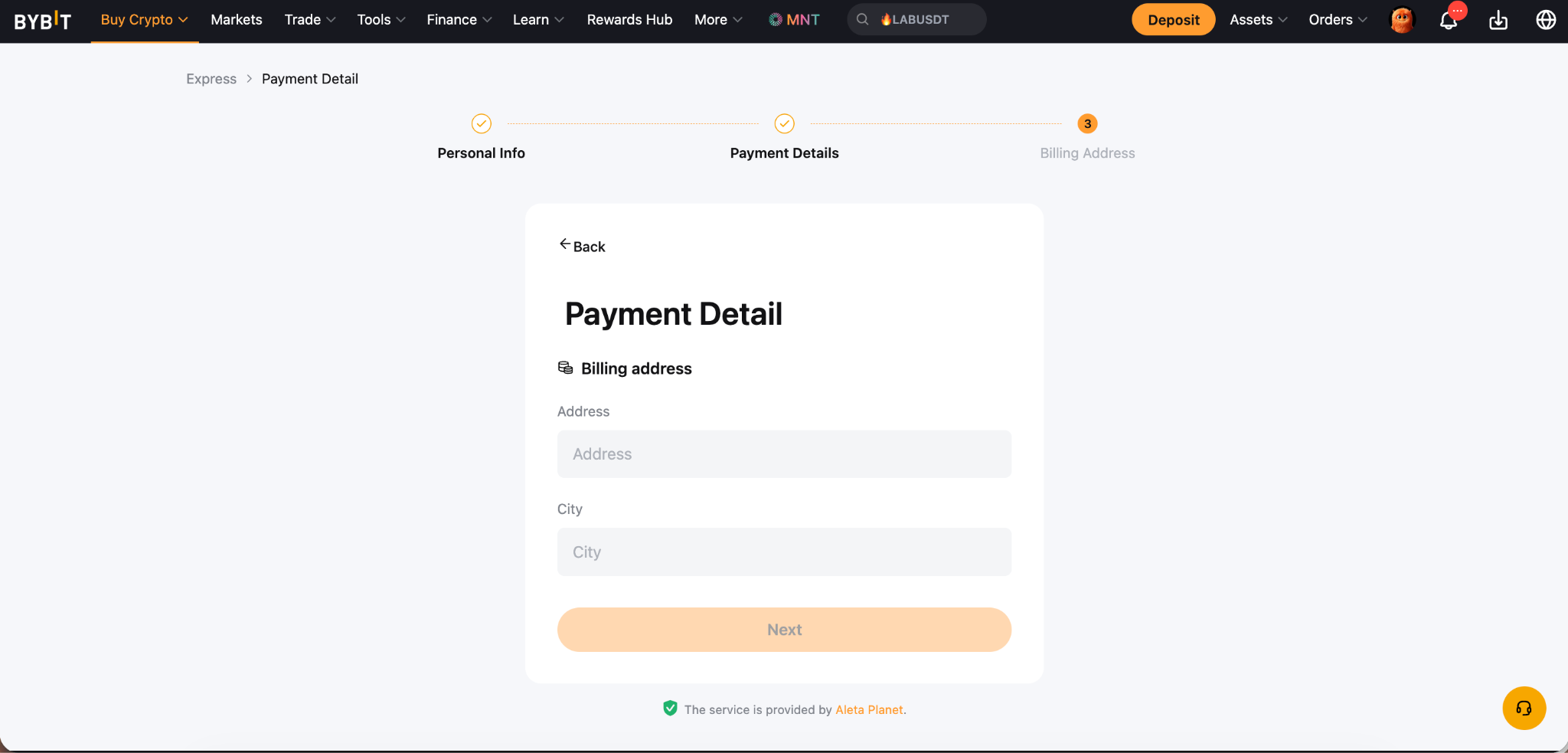
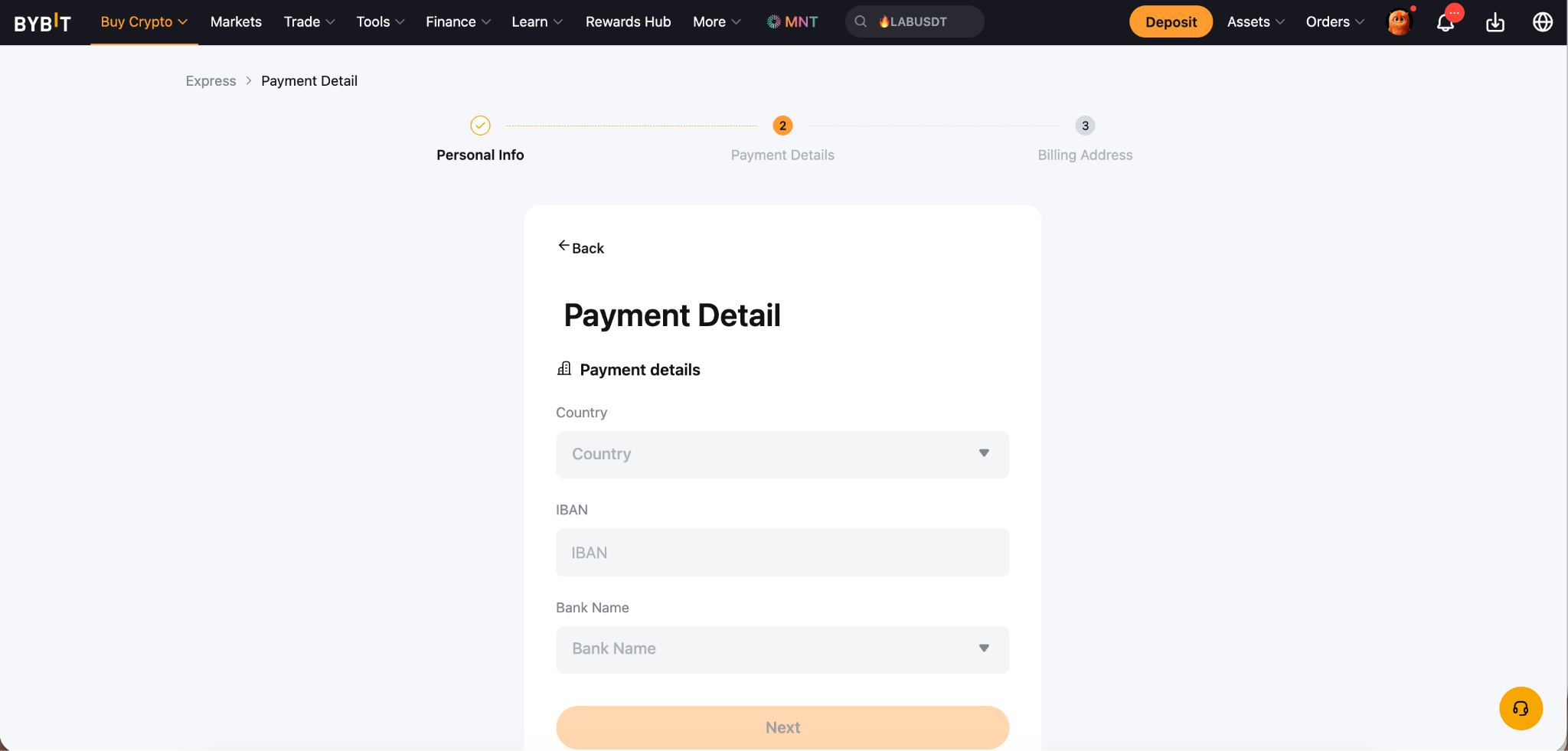
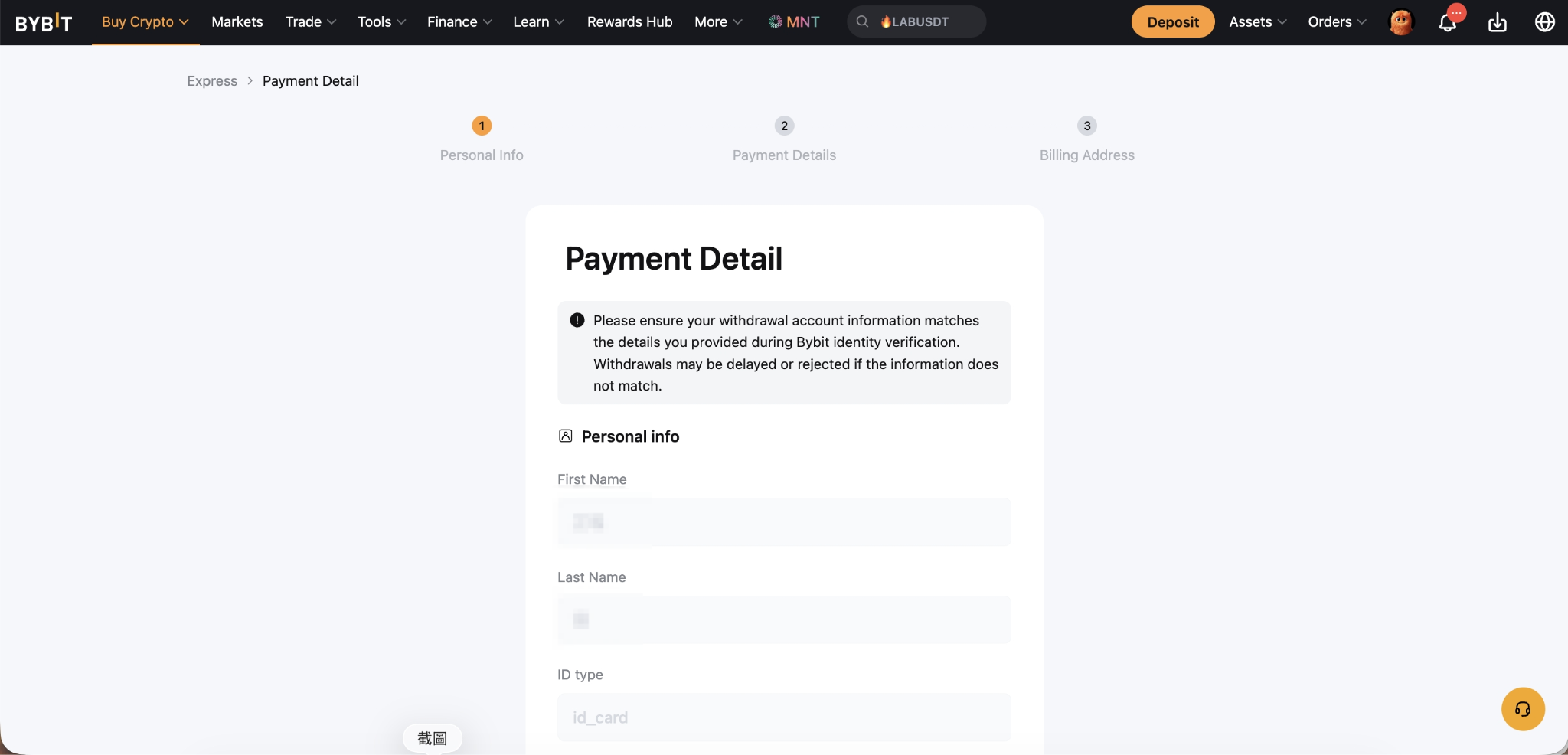
Step 3: Account review
Once the required documents are submitted, our Risk Team will review them within 48 hours.
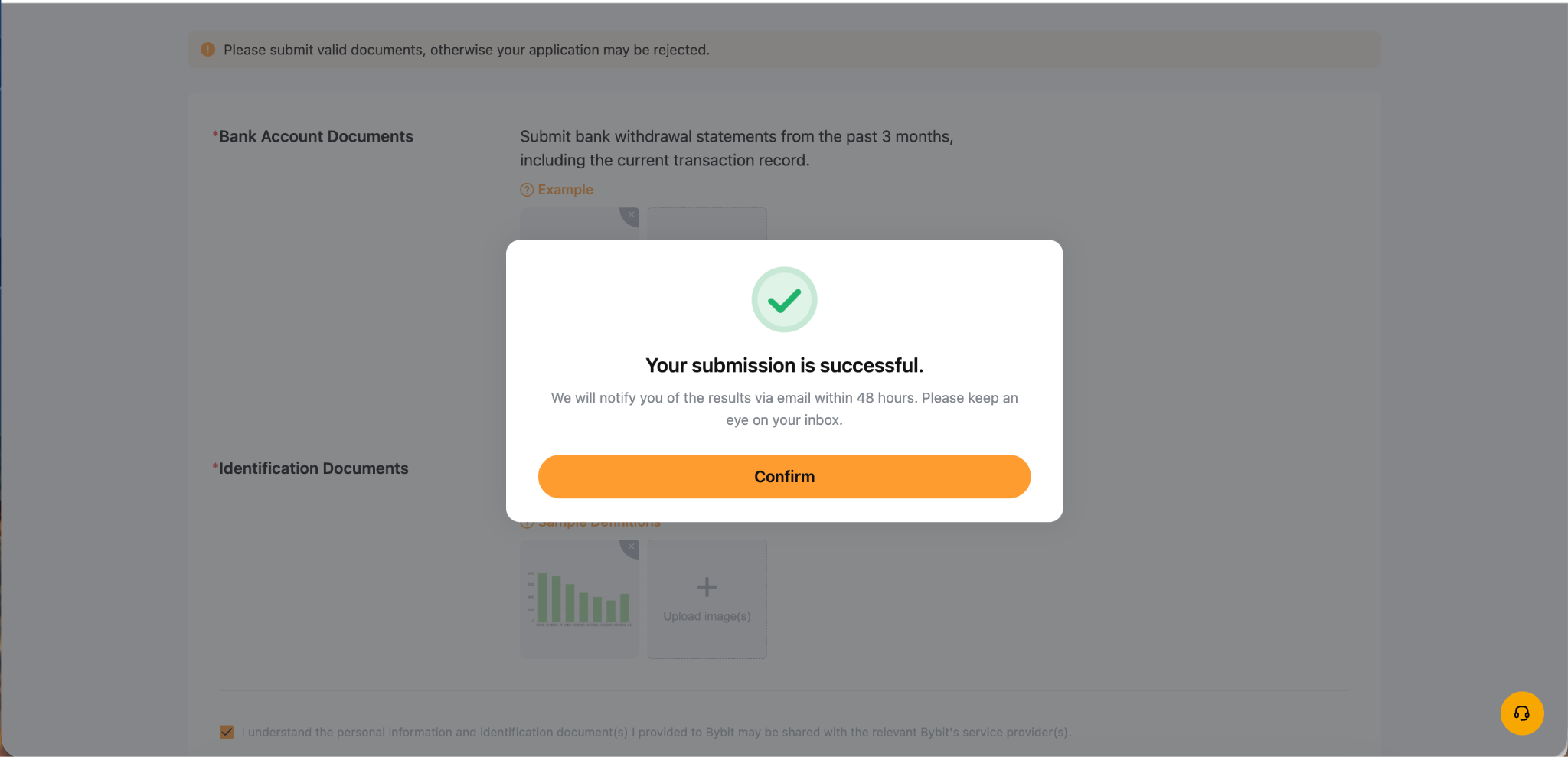
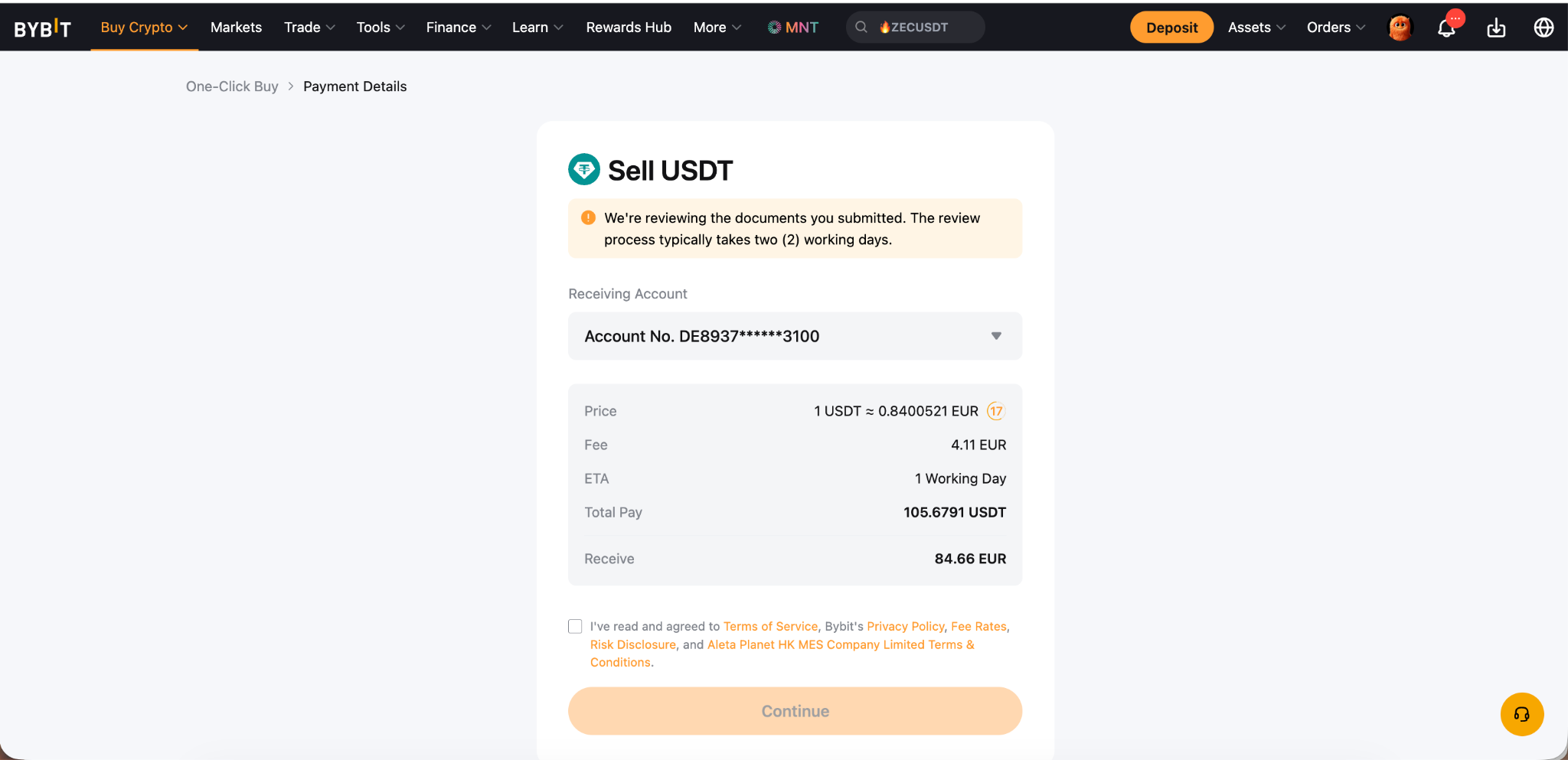
Step 4: Account binding confirmed & agree to terms
After your account passes the review (within 48 hours), your bank account will be successfully linked and ready for transactions. Review and accept the Terms & Conditions to proceed.
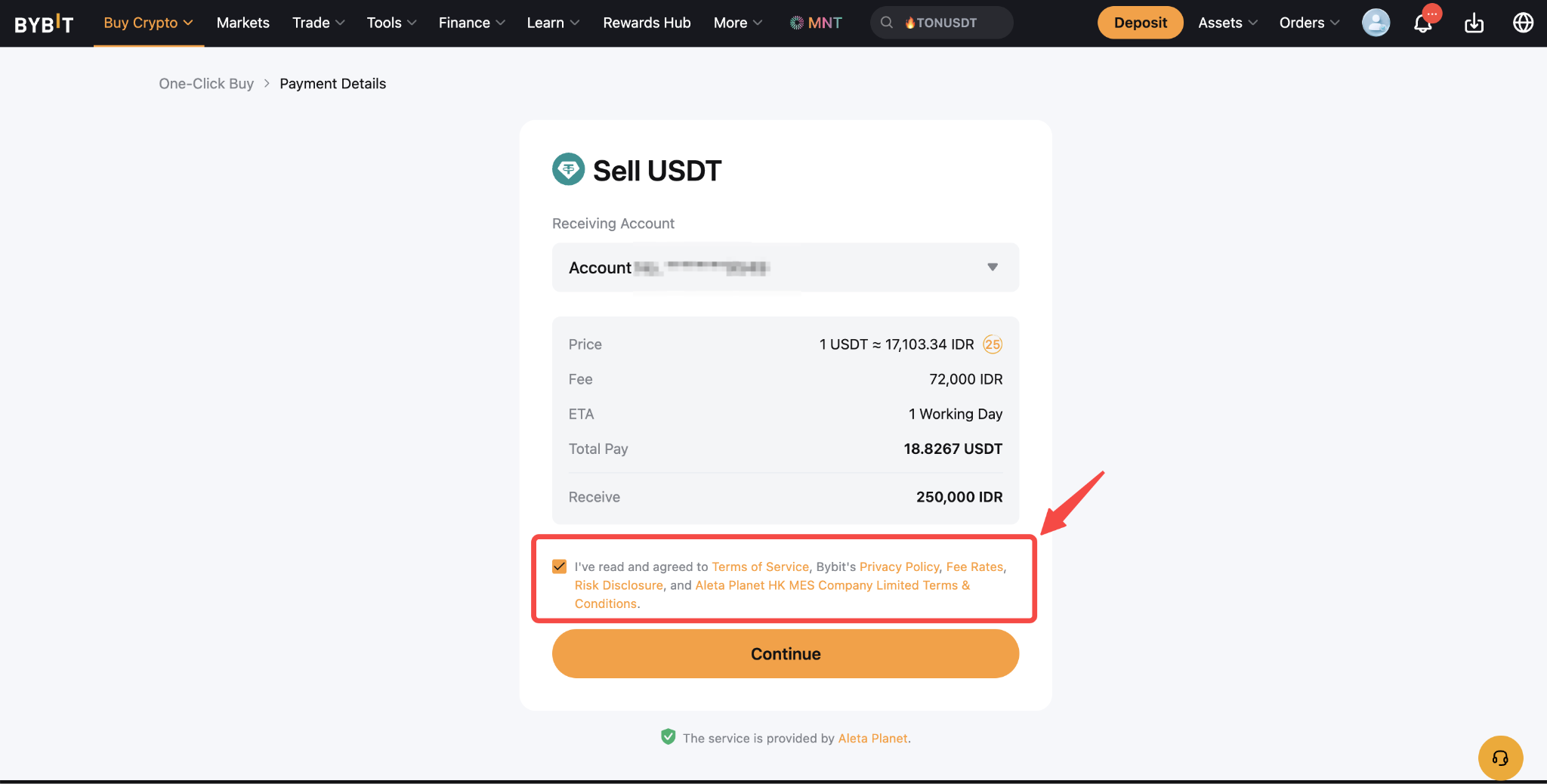
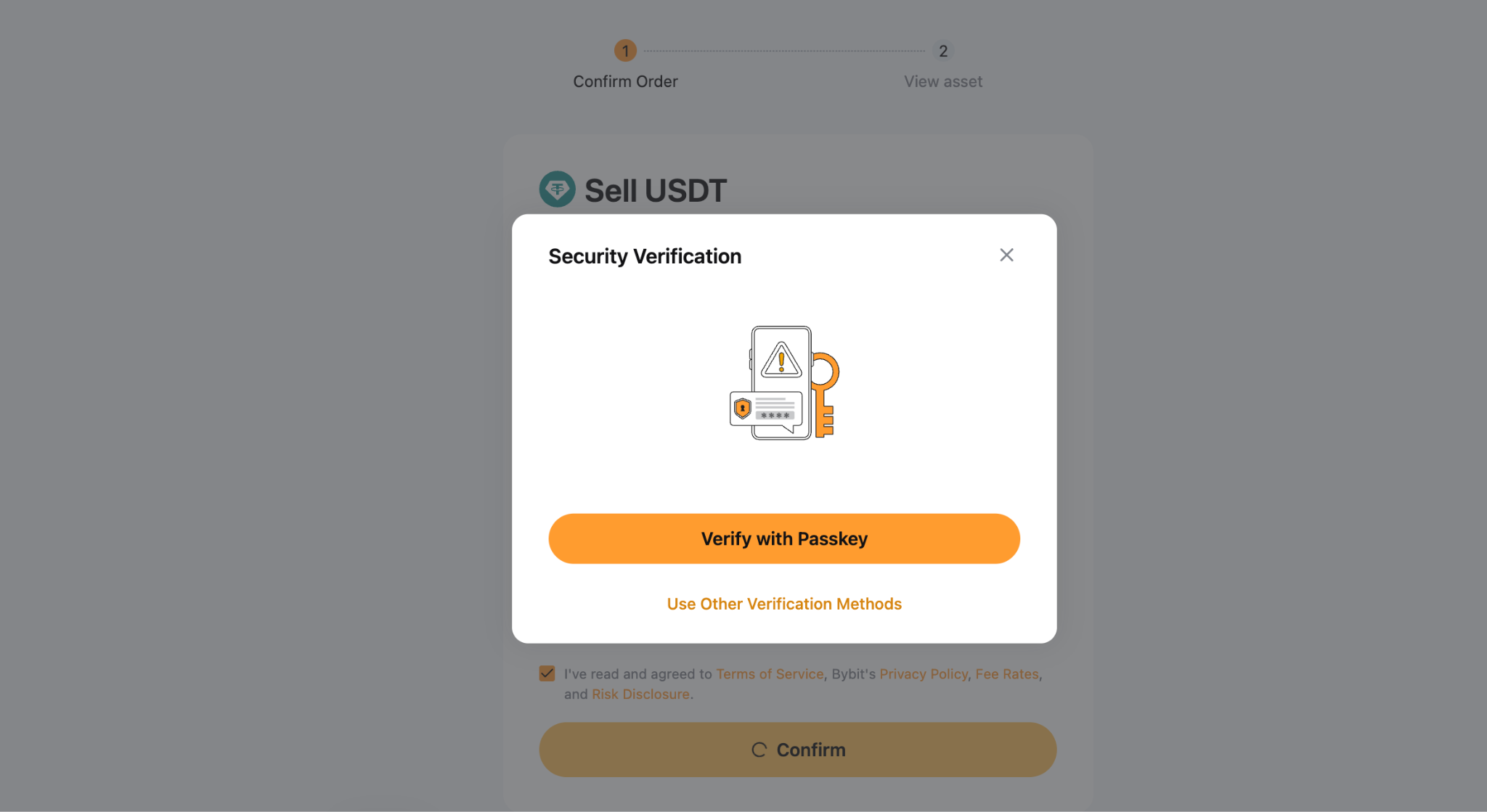
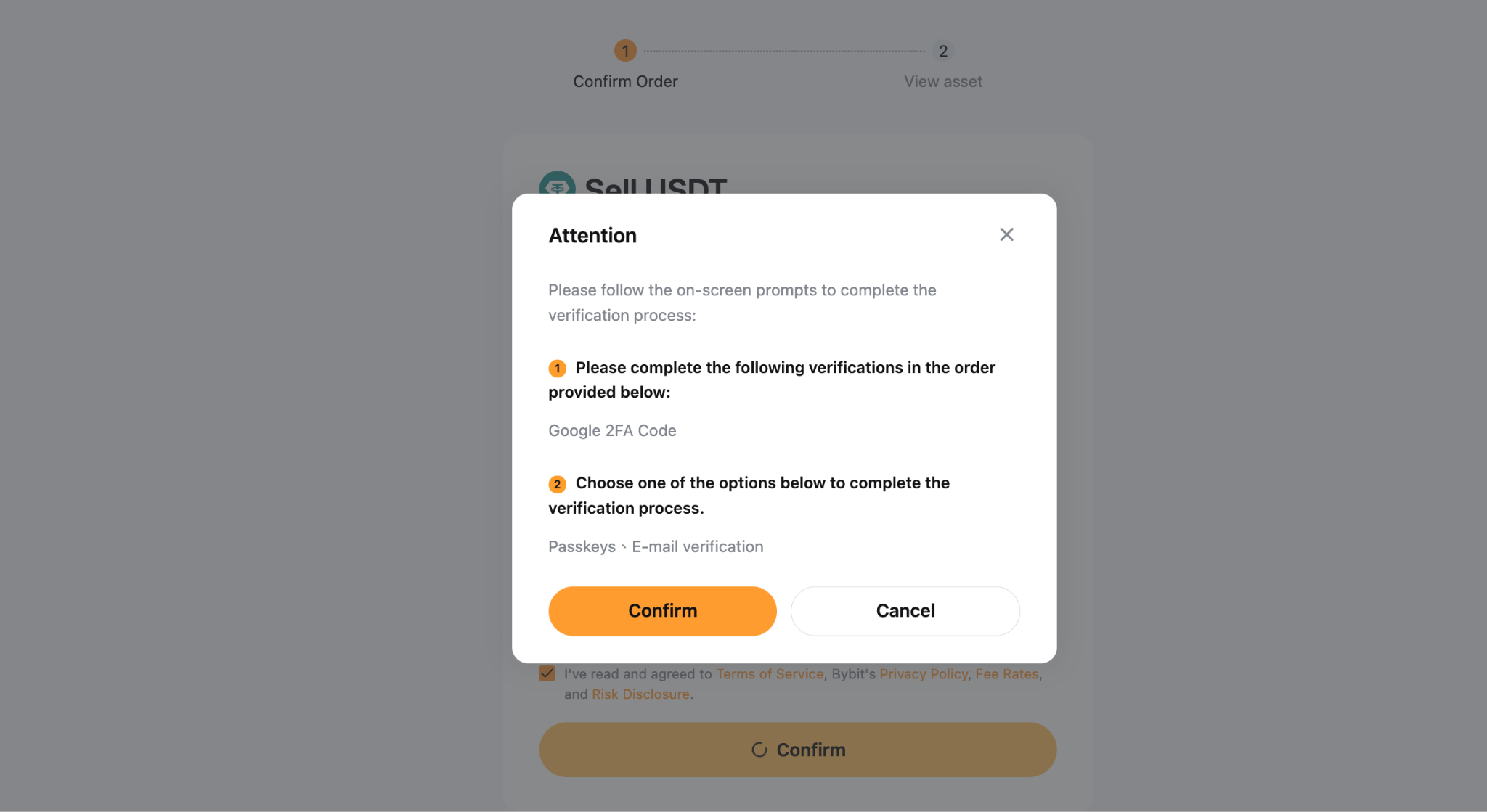
Step 5: Complete security verification
Click Continue to proceed with security verification. Once verified, your transaction will be processed and completed successfully.
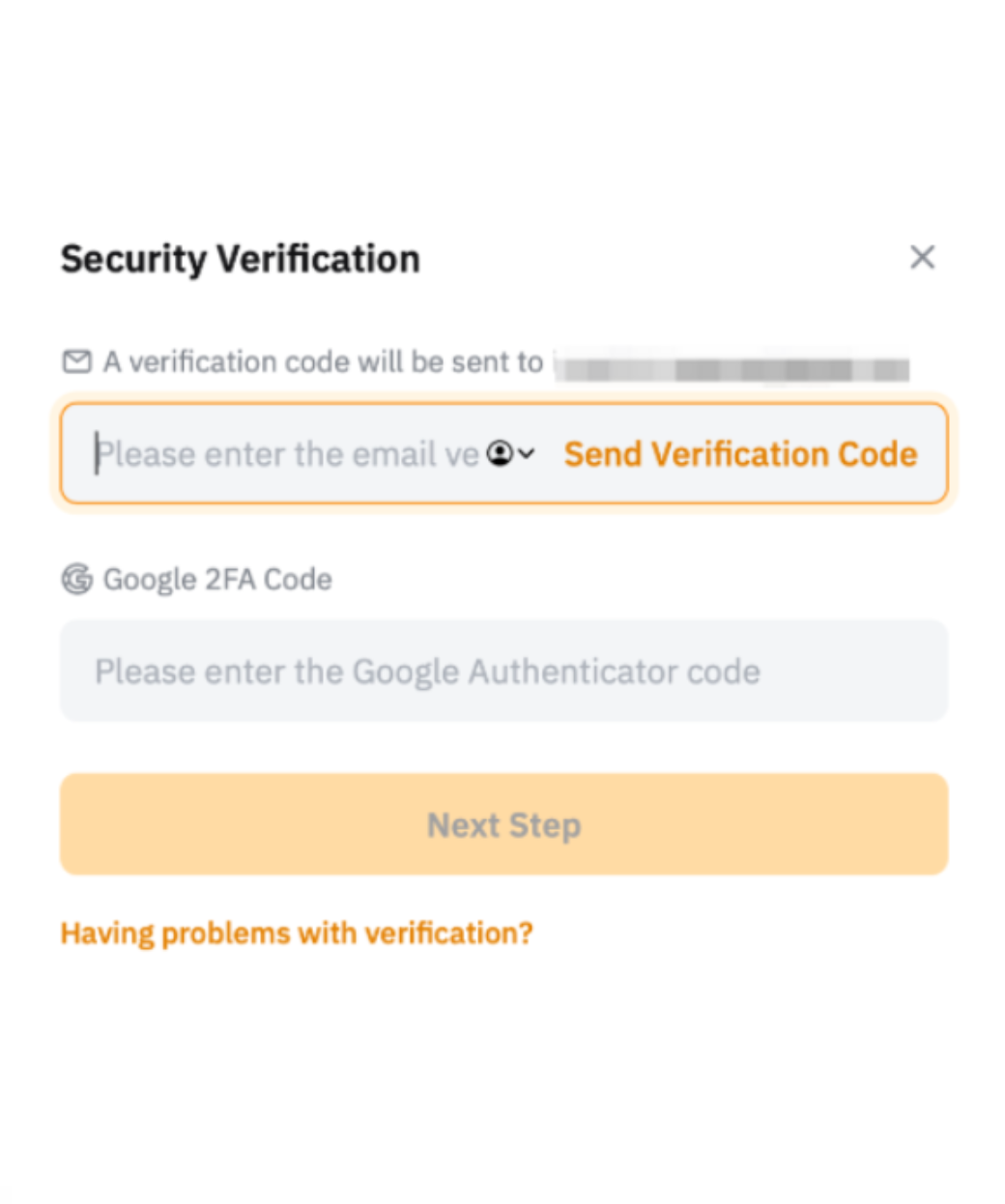
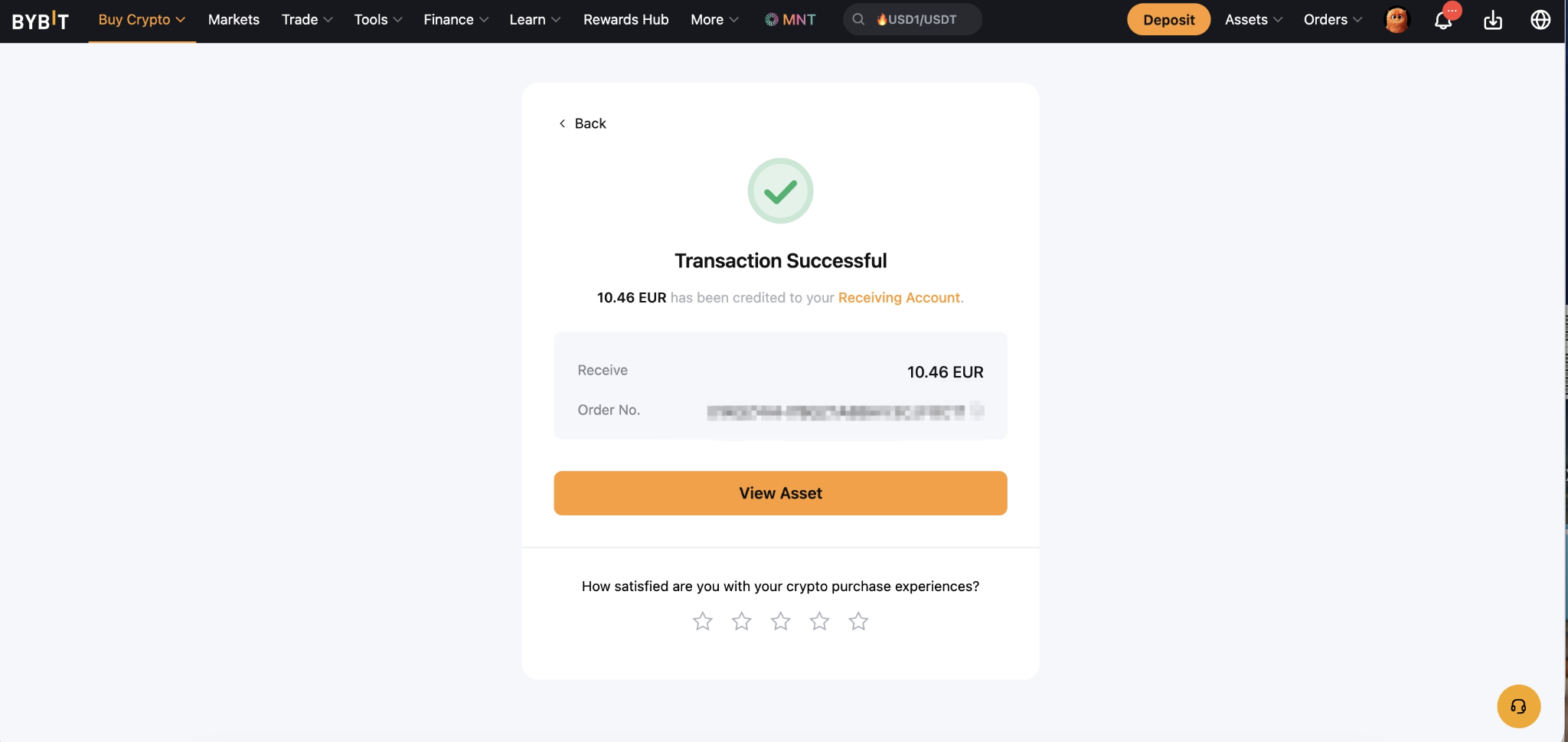
Step 6: Order successful
Your order has been completed. The funds will be transferred to your linked bank account accordingly.
Bottom line
Bybit's One-Click Sell with Aleta Planet provides a straightforward path to converting crypto to fiat. The initial bank account binding and 48-hour review process only happens once — after that, selling is quick and seamless. Follow the steps, complete your verification, and your funds will be on their way to your bank account shortly.
#LearnWithBybit