


AI subaccount: How to execute your first trade using an AI subaccount?

The Bybit AI subaccount lets you connect an AI assistant, such as Claude Code, OpenClaw or Cursor, directly to your Bybit account so it can place trades through an API-based connection on your behalf. It's a separate subaccount from your main holdings, authenticated by an API key instead of a password, with a default $5,000 cap and withdrawals switched off by default.
This guide covers the AI subaccount’s setup process, the permission settings worth configuring before you fund the account and the steps to execute and confirm your first trade.
Key takeaways:
A Bybit AI subaccount is a segregated, API-only account that isolates AI agent trading activity from your main funds and other subaccounts.
Once connected, you prompt your AI assistant in natural language, and it converts that instruction into an authenticated API call that places, modifies or closes trades and conducts other operations.
What is a Bybit AI subaccount?
The Bybit AI subaccount is a trading account built to be managed by AI agents instead of directly by you. There's no password login and no option to switch into it from the platform's account switcher. Authentication works through a public/private key pair: you generate the key inside your AI tool, hand the public key to Bybit, and the platform issues an API key in return.
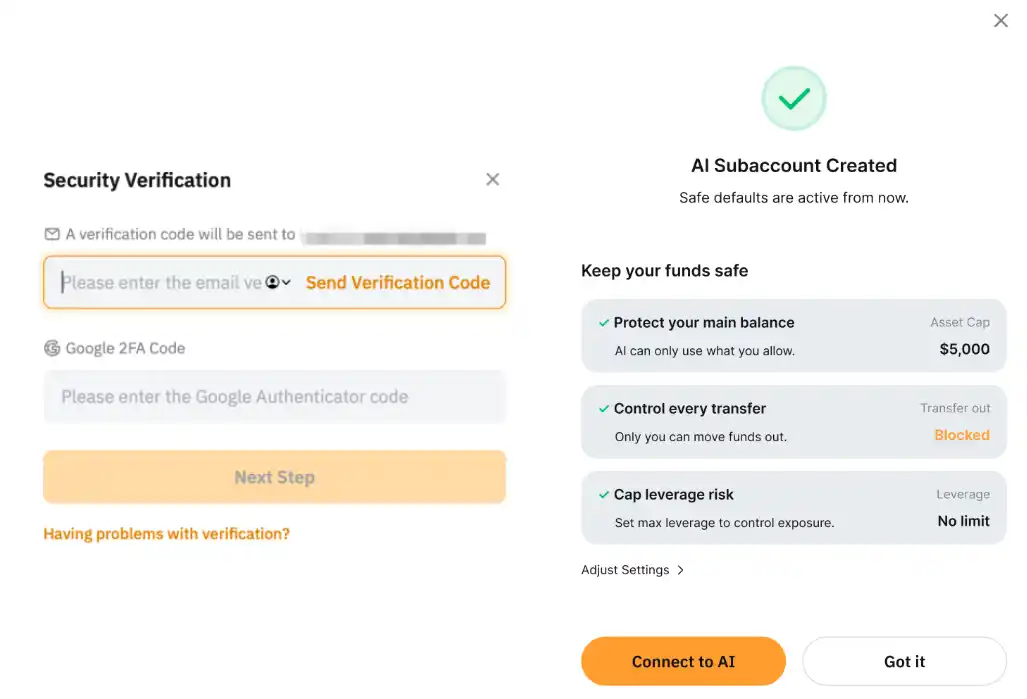
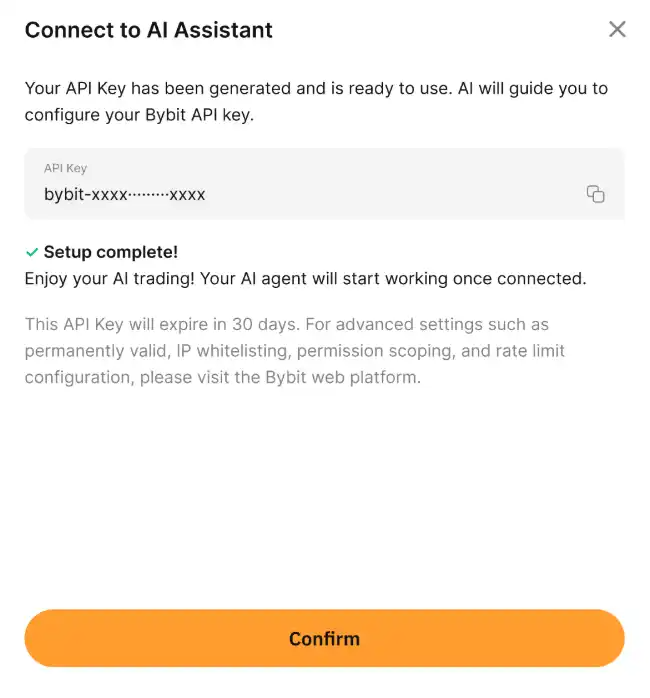
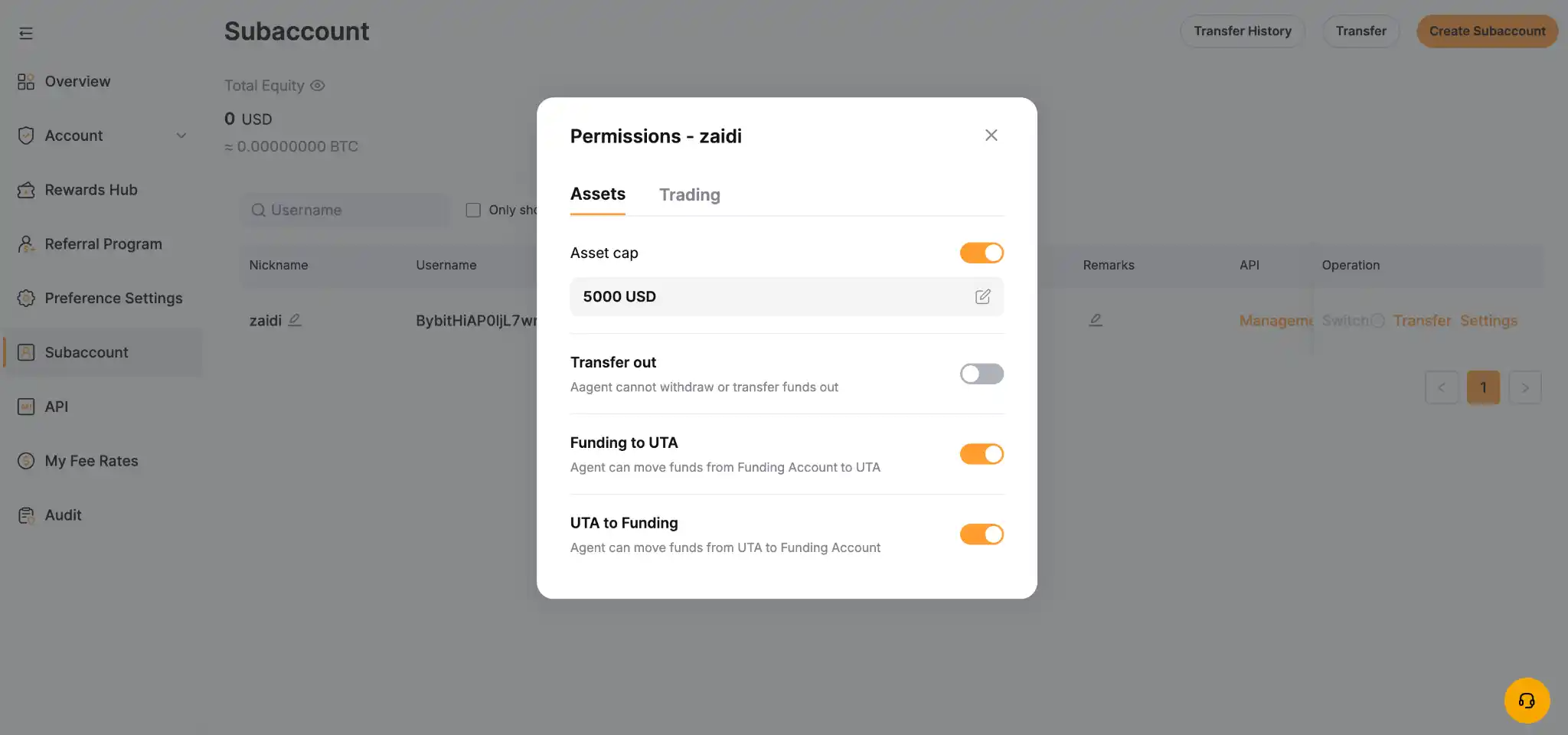
The API key expires every 90 days by default, which forces you to regenerate it on a fixed schedule as a precautionary measure. Asset exposure is capped at $5,000 unless you raise that limit manually, and withdrawals stay disabled by default, also unless you modify the setting. All trades and transfers the agent makes stay inside this isolated account, with no path to move funds into your main account or other subaccounts without explicit action from you.
Bybit supports several assistants directly, including OpenClaw, Claude Code and Cursor. Potentially, any AI tool capable of generating an RSA key pair and making authenticated API calls can connect in principle.
Permissions for asset transfers, leverage and trading are set from your main account, not by the agent itself, which is what keeps the subaccount contained even if a prompt gets misread.
How to set up your AI subaccount
Step 1: Create your AI subaccount on Bybit
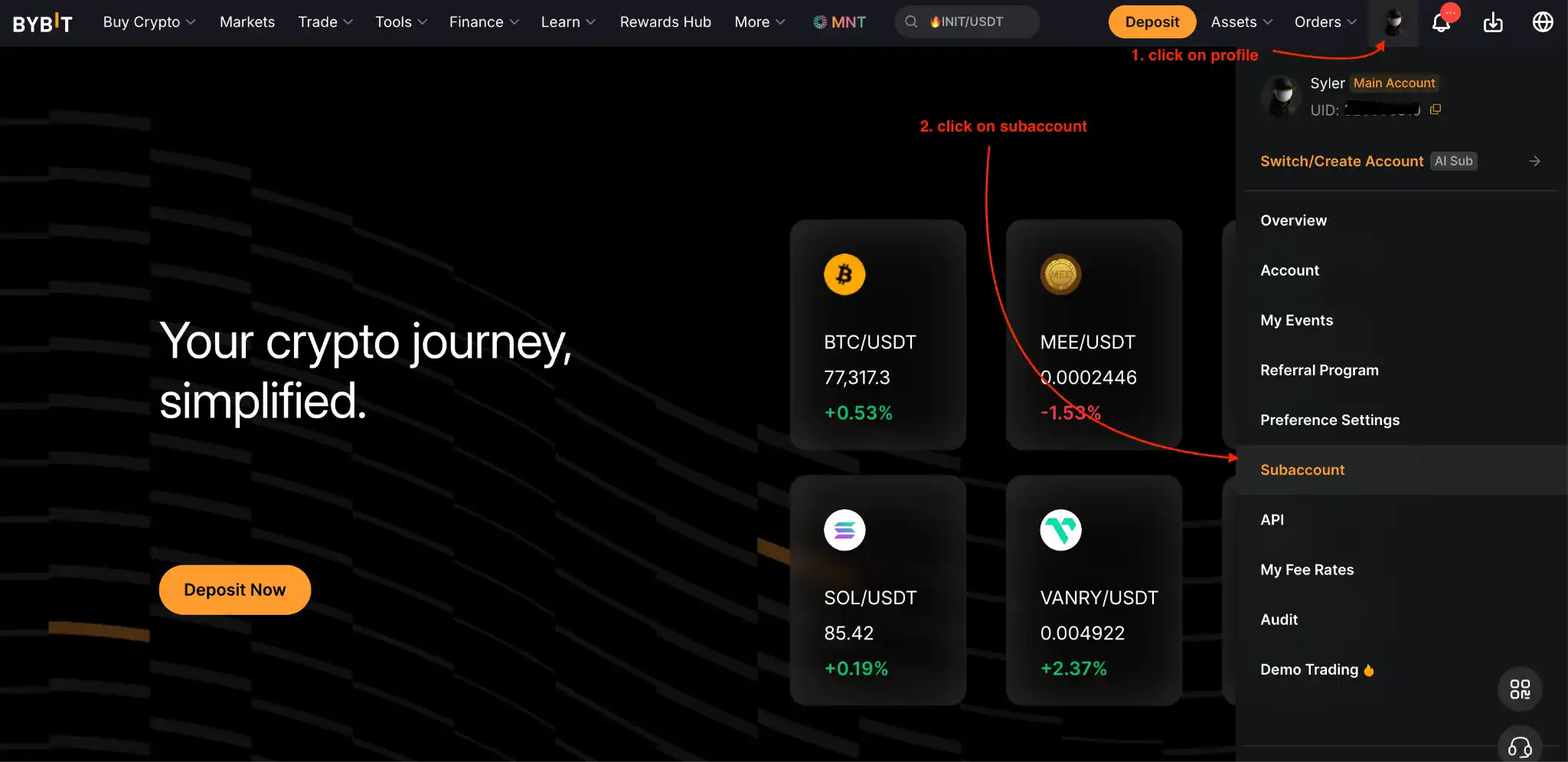
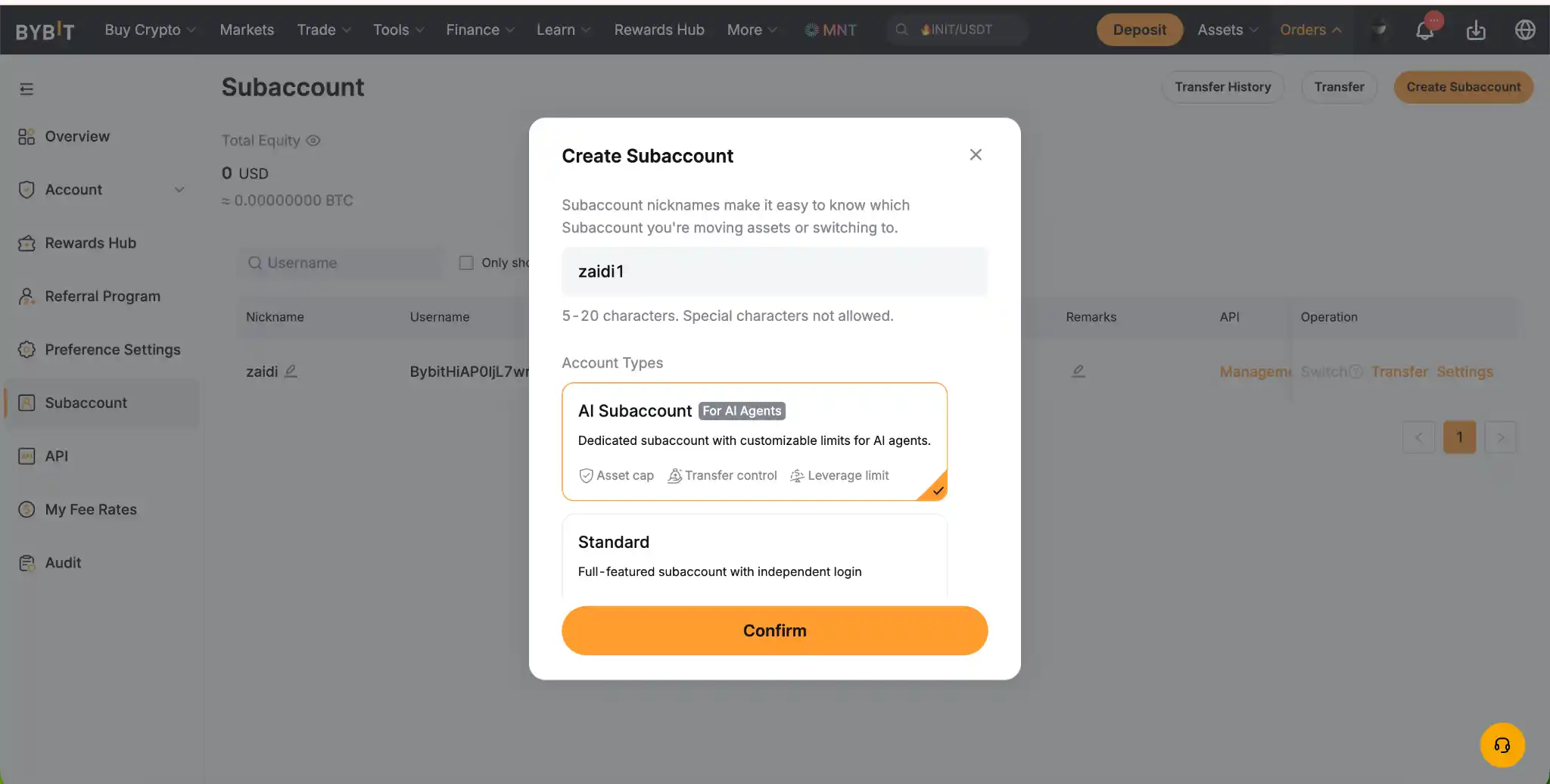
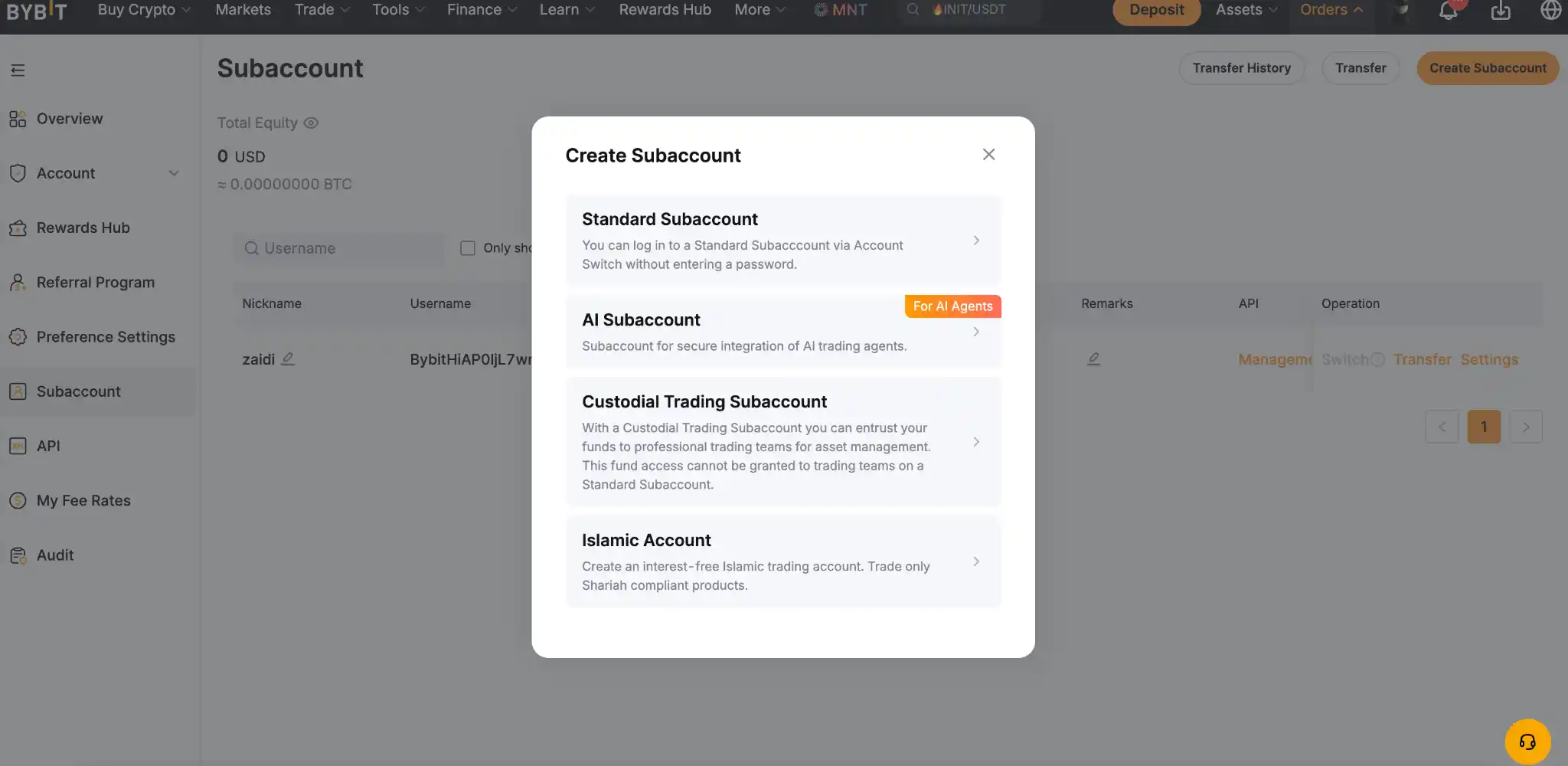
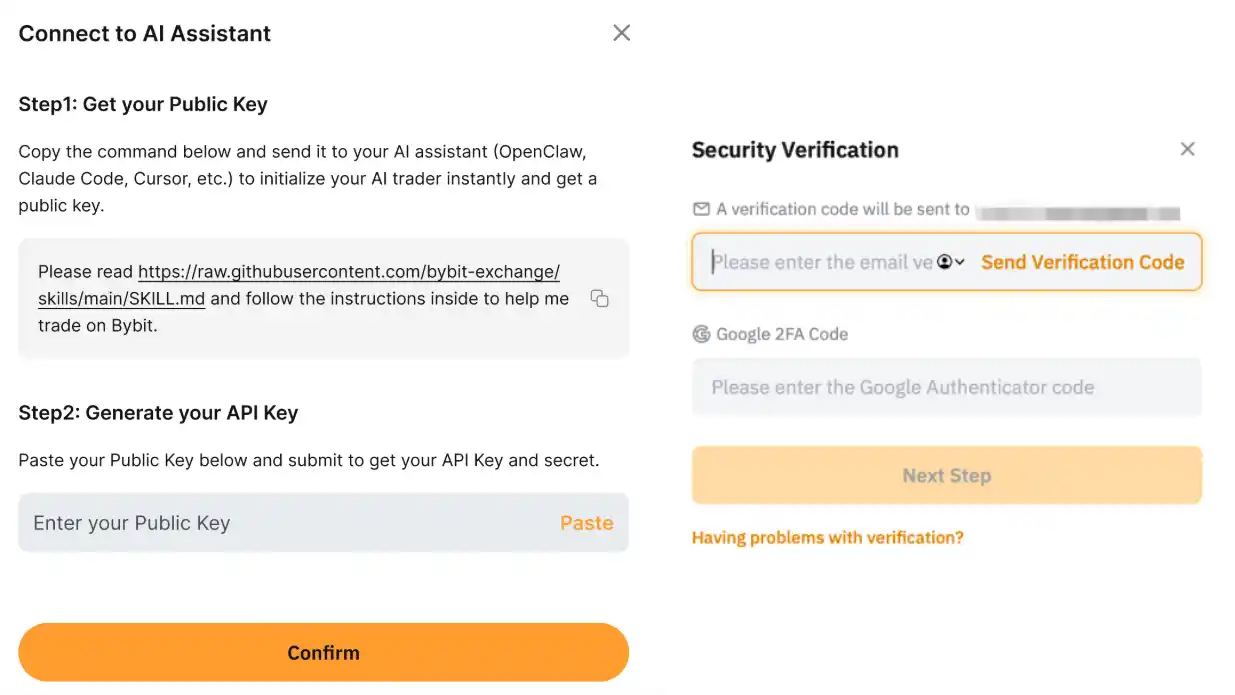
From your profile icon on the Bybit homepage, go to Subaccount, then Create Subaccount, and select AI Subaccount as the account type. Name it, confirm the security verification code sent to you and proceed. Once Bybit confirms the subaccount is created, click Connect to AI to get the setup prompt for your AI assistant.
Step 2: Connect your preferred AI assistant
Note: In the screenshots below, we use the Cursor AI assistant along with the relevant Bybit screenshots. The steps and prompts for your specific AI tool will be largely similar. |
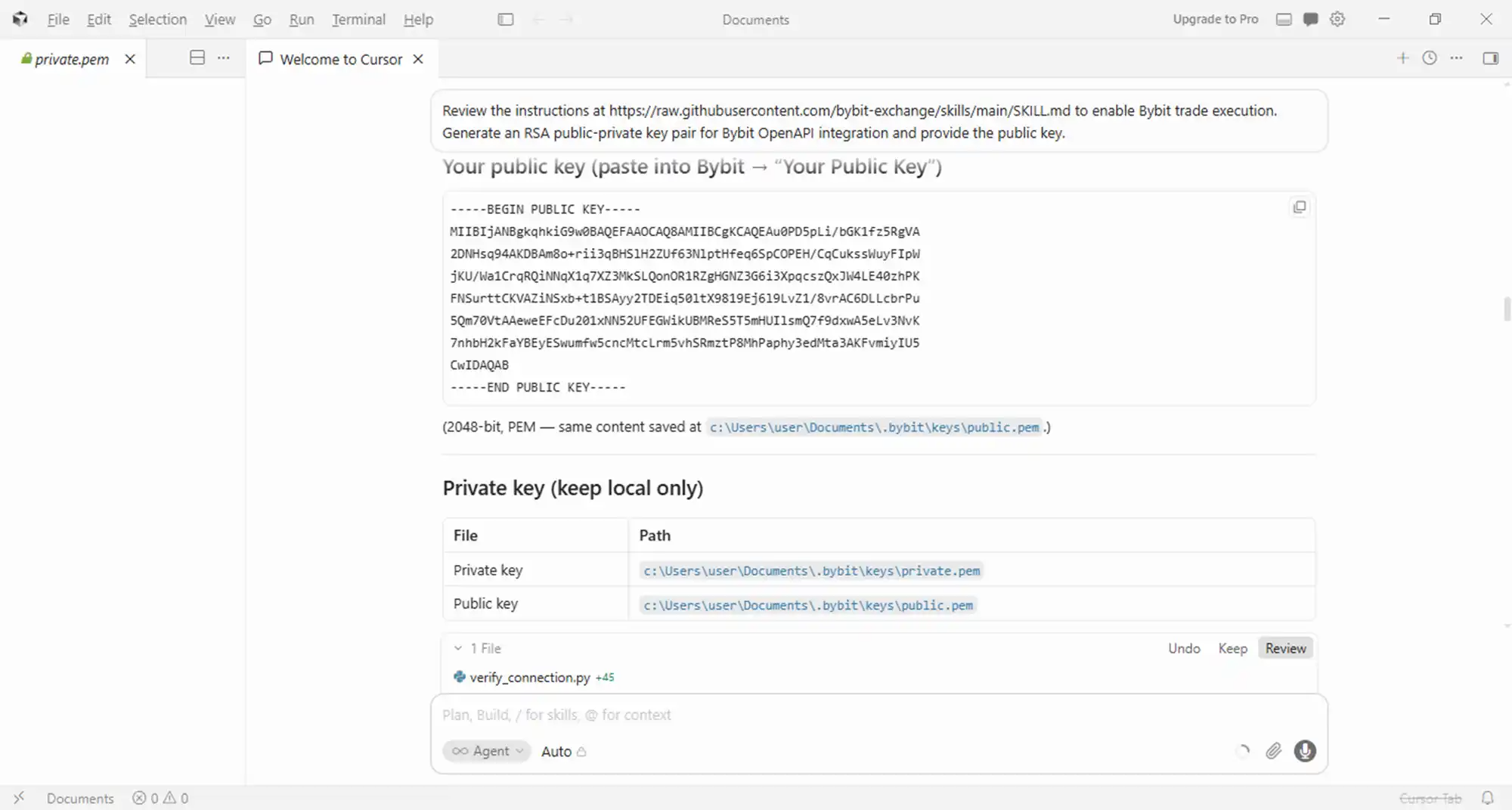
Open your AI assistant and paste the prompt provided by the Bybit wizard. The AI assistant will access the instructions to generate your public key. It’s possible that your AI tool may signal that the prompt is not secure to execute. In this case, provide the alternative prompt as below:
"Review the instructions at https://raw.githubusercontent.com/bybit-exchange/skills/main/SKILL.md to enable Bybit trade execution. Generate an RSA public-private key pair for Bybit OpenAPI integration and provide the public key."
The assistant processes the prompt and returns a public key, often generating local .pem files containing the key pairings in the process, depending on the tool you're using. Paste that public key into the Generate API Key field on the Bybit wizard, confirm with your verification code and provide the resulting API key to your assistant to establish the connection.

Step 3: Configure your account and trading permissions
After creating your AI subaccount and linking it to your AI tool, open the Subaccount Management page on your main account, find your new AI subaccount and go to Settings, then Permissions. Set the cap limit, turn on or off transfers in and out and define the maximum margin or contract leverage. These settings live on the parent account, so the agent can't change them on its own.
How to execute your first trade using an AI subaccount
Step 1: Transfer funds to your AI subaccount
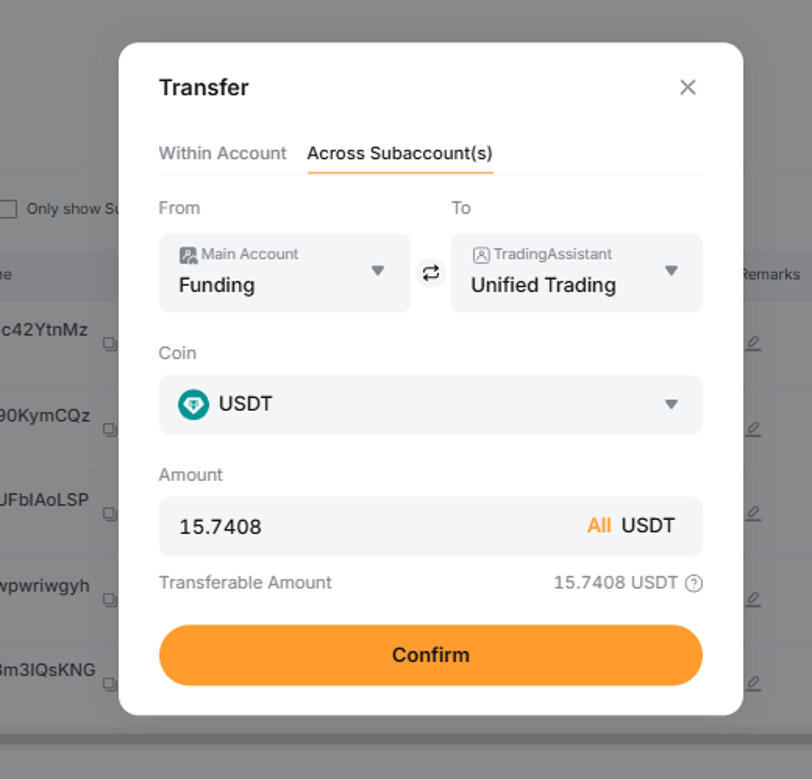
The subaccount needs capital before it can trade based on your prompts. Transfer funds from your main account's asset page by clicking on Transfer. Start with small amounts initially, even if the $5,000 default cap exists to limit your exposure.
Step 2: Prompt your AI assistant to execute a trade
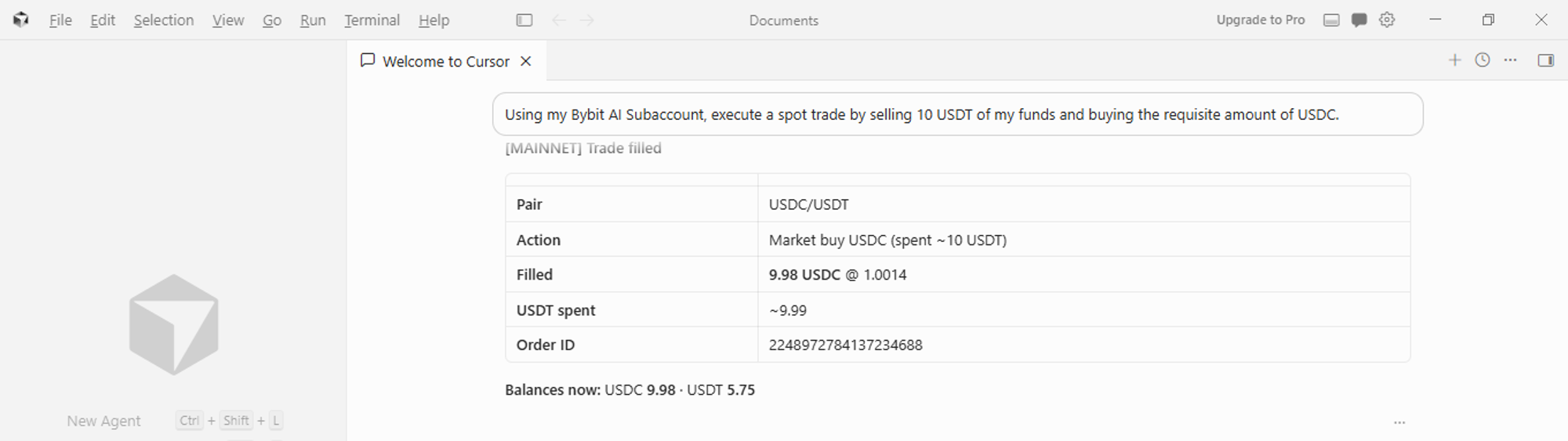
With funds in place and the API key authenticated, verify via natural prompts in your AI tool that the connection is live. After that, give the assistant a direct instruction, such as "execute a spot trade by selling 10 USDT of my funds to buy USDC." The assistant signs and submits the order through the API using the key pair generated earlier.

Step 3: Monitor and verify your trade execution
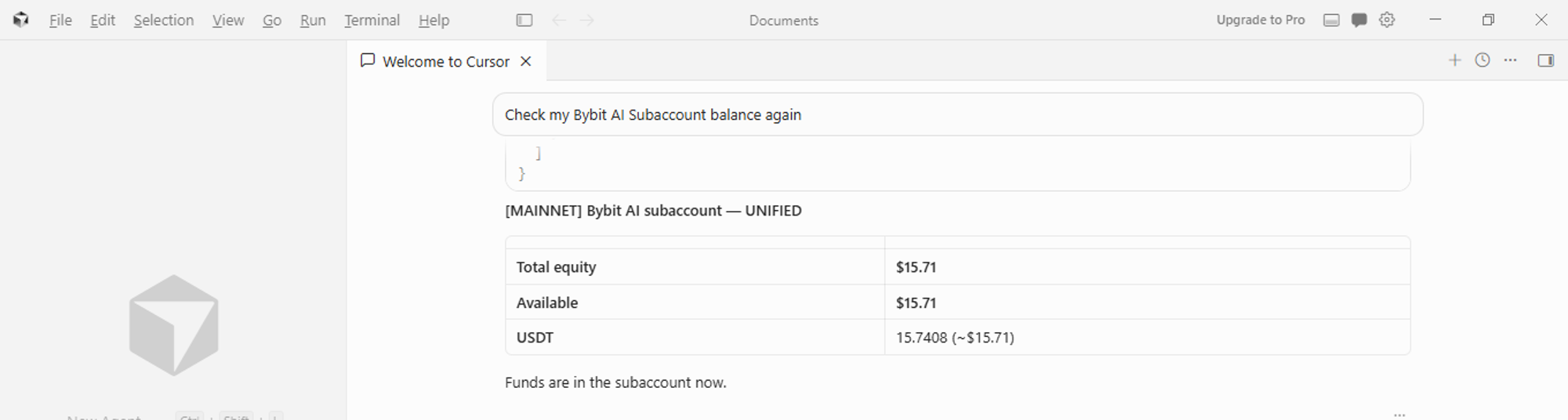
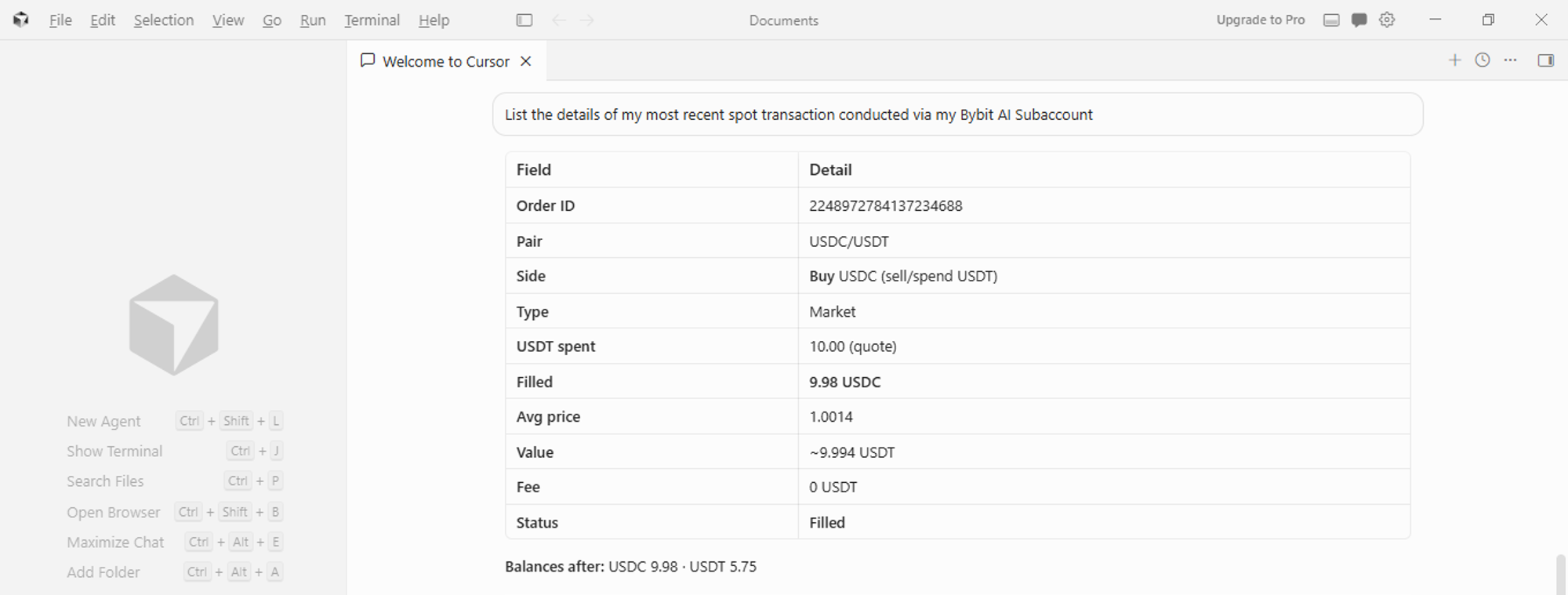
Check the order execution status through issuing a natural language prompt to your AI assistant.
The bottom line
Getting your first trade executed through a Bybit AI subaccount comes down to three steps: funding your subaccount, sending a clear natural language instruction and checking the result. Additionally, the limits built into the account type, the $5,000 cap, disabled withdrawals and main-account permission controls, help limit the damage from a single bad prompt.
#LearnWithBybit